ItemSlotMachine
What is it?
ItemSlotMachine adds realistic slot machines with item frames as reels to your server. Each slot machine has its own jackpot (money and/or items) which increases with every spin.
Features
- Create and manage multiple slot machines
- Create and manage your own slot machine designs (default design is built-in)
- Customize each slot machine individually
- Display statistics of slot machines and players
- Create coin shops for players
- Customize all plugin messages
All listed features above are always referring to the newest version of ItemSlotMachine!
Metrics
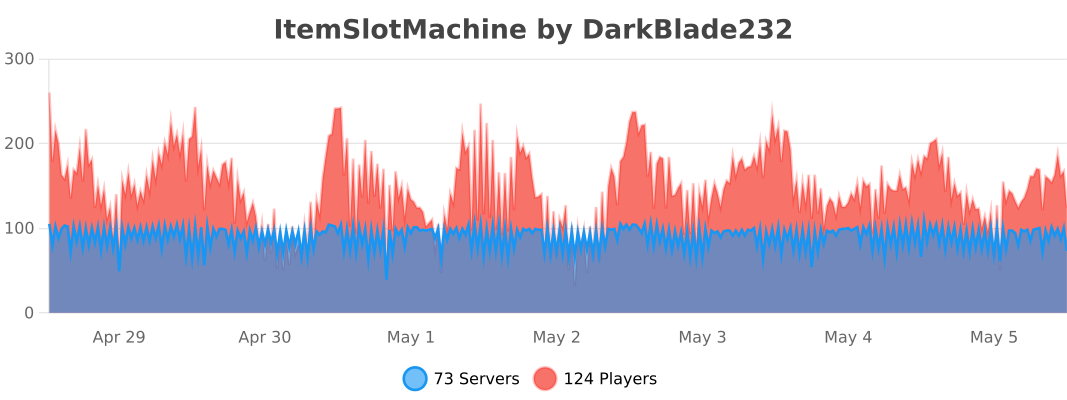
This plugin uses Metrics by BtoBastian to collect various data from servers.
If you don't want Metrics to collect your data you can disable it easily by setting enabled to false in the config file at plugins/bStats/
Upcoming features
- Support for larger numbers on signs
- Customizeable sign layout and with more placeholders (for example <player>)
Commands & Permissions:
| Command | Description | Permission |
| /design wand | Gives the player a design wand | itemslotmachine.command.design.wand |
| /design create [name] | Creates a new design from your selection | itemslotmachine.command.design.create |
| /design remove <name> | Removes an existing design | itemslotmachine.command.design.remove |
| /design list | Displays a list of all available designs | itemslotmachine.command.design.list |
| /design invert <name> | Inverts the item frame order of a design | itemslotmachine.command.design.invert |
| /design reload [name] | Reloads all designs or a single design | itemslotmachine.command.design.reload |
| /design help [page] | Displays help pages for the design command | - |
| /coin buy <amount> | Gives the player coins in exchange for money | itemslotmachine.command.coin.buy |
| /coin give <player> <amount> | Gives an amount of coins to a player | itemslotmachine.command.coin.give |
| /coin help [page] | Displays help pages for the coin command | - |
| /slot build <design> [name] | Builds a new slot machine | itemslotmachine.command.slot.build |
| /slot remove <name> | Removes an existing slot machine | itemslotmachine.command.slot.remove |
| /slot list | Displays a list of all available slot machines | itemslotmachine.command.slot.list |
| /slot tp <name> | Teleports the player to a slot machine | itemslotmachine.command.slot.tp |
| /slot rebuild <name> | Rebuilds a broken slot machine | itemslotmachine.command.slot.rebuild |
| /slot move <name> <amount> | Moves a slot machine in your view direction | itemslotmachine.command.slot.move |
| /slot stop <name> | Stops a slot machine instantly without paying out | itemslotmachine.command.slot.stop |
| /slot money <name> <clear/deposit/withdraw/set> [default/amount] | Modifies the money pot of a slot machine | itemslotmachine.command.slot.money |
| /slot item <name> <clear/add/set> [default/hand/items] | Modifies the item pot of a slot machine | itemslotmachine.command.slot.item |
| /slot reload [name] | Reloads the plugin or a single slot machine | itemslotmachine.command.slot.reload |
| /slot help [page] | Displays help pages for the slot command | - |
| /statistic show <slot/player> <name> | Displays the statistic of a slot machine or player | itemslotmachine.command.statistic.show |
| /statistic top <slot/player> <category> | Displays the top ten of slot machines or players for a category | ItemSlotMachine.command.statistic.top |
| /statistic reset <slot/player> <name> | Resets the statistic of a slot machine or player | ItemSlotMachine.command.statistic.reset |
| /statistic help [page] | Displays help pages for the statistic command | - |
| - | All plugin permissions | itemslotmachine.* |
| - | All command permissions | itemslotmachine.command.* |
| - | All design command permissions | itemslotmachine.command.design.* |
| - | All coin command permissions | itemslotmachine.command.coin.* |
| - | All slot machine command permissions | itemslotmachine.command.slot.* |
| - | All statistic command permissions | itemslotmachine.statistic.* |
| - | Modify a specific slot machine | itemslotmachine.slot.modify.<name> |
| - | Modify all slot machines | itemslotmachine.slot.modify.* |
| - | Inspect a slot machine by right clicking it | itemslotmachine.slot.inspect |
| - | Use a slot machine | itemslotmachine.slot.use |
| - | Use all slot machines | itemslotmachine.slot.use.* |
| - | Create a coin shop | itemslotmachine.shop.create |
All listed commands and permissions above are always referring to the newest version of ItemSlotMachine!
How to: Coin Shop
You have to write [CoinShop] in the first line of a new sign and click done in order to create a coin shop sign automatically. You can change the amount of coins you want to buy by pointing your cursor at the sign and scrolling up or down. (if you hold shift while scrolling, the amount will increase/decrease by 10) Simply right click the sign after you've chosen the amount of coins you want to buy to make a purchase.
Source
The source code can be found in my repository on GitHub!
Contribute
If you find a bug or encounter an error, please open a new ticket on CurseForge or GitHub, send me a private message or comment down below! Suggestions and ideas for new features are always welcome and can be submitted via the previously mentioned ways.
Videos
Comments


-

DarkBlade232 Owner
-

_ForgeUser12580406 Artist
-

rangewonk Tester
-
View User Profile
-
Send Message
Posted Nov 7, 2016@DarkBladee12 please update the plugin to mc 1.10. I love the plugin, but currently its just broken in the newer versions and there is no way to use the plugin.
-
View User Profile
-
Send Message
Posted Oct 25, 2016@Tree182BD
I've been waiting on a certain someone to get permission from the original author to release an updated version for months now.... OP is missing in action. An update seems doubtful. :(
-
View User Profile
-
Send Message
Posted Sep 29, 2016Ignore BobbyTowers, he's trying to make people pay for it.
Does anyone else have a 1.10 version of this?
-
View User Profile
-
Send Message
Posted Aug 27, 2016Hi, I have a question , plug-in is working correctly , so do not argue .
But, there is one problem when buying coins player Creative can they take a roller mouse , or just a team - / more, and just give the players , and then there is no sense from the casino , and the fall the economy on the server , please refresh the plugin and Fixed this bug !**
-
View User Profile
-
Send Message
Posted Aug 7, 2016@BobbyTowers
Please PM me the link!
-
View User Profile
-
Send Message
Posted Jul 14, 2016Not working 1.10 please update?
-
View User Profile
-
Send Message
Posted Jul 13, 2016There is any way to setup the reward from the slots machines like the eco/items given ?
-
View User Profile
-
Send Message
Posted Jul 12, 2016@DarkBladee12 I have a friend that updated it to 1.10.2 just need the ok to post the link.
-
View User Profile
-
Send Message
Posted Jun 28, 2016@DarkBladee12
please update for 1.10.x
-
View User Profile
-
Send Message
Posted Jun 11, 2016on 1.10 lots of errors.
-
View User Profile
-
Send Message
Posted Jun 11, 2016@spywhere
1.9.4's sounds works fine. The [CoinShop] sign does throws the error: http://i.qcfb.ca/20160611040934.txt and at bootup http://i.qcfb.ca/201606110412205.png.
Although, I guess this error can be ignored... or else waiting the dev to fix it or by someone's else fork
-
View User Profile
-
Send Message
Posted May 21, 2016You guys could disable all sounds in the template.yml file. It's works for me.
-
View User Profile
-
Send Message
Posted May 19, 2016error in consone on 1.9.4 server
-
View User Profile
-
Send Message
Posted Apr 24, 2016Before I will write a Ticket I have just a short Question. Is there kind of a command, so that I can add Coins manually. If not, is it possible to add it ?
-
View User Profile
-
Send Message
Posted Apr 19, 20161.9 version?
-
View User Profile
-
Send Message
Posted Apr 19, 2016@Liphian1 Here are the sound names for 1.9 (a lot of them changed)
https://hub.spigotmc.org/javadocs/spigot/org/bukkit/Sound.html
-
View User Profile
-
Send Message
Posted Apr 14, 2016@Liphian1
I couldn't get it work myself. Do u think u could send me the jar file to me? :D Would be very nice Reply if u can, You can send it on skype.
-
View User Profile
-
Send Message
Posted Apr 12, 2016Could anyone post the sound names they replaced it with? I keep on getting the error "The slot machine building failed! Cause: The value of 'Sounds' in section 'Ticking_Sounds' contains an invalid sound name"
I have updated the plugin to 1.9 with the method that @RazihelCraft has posted.
I'd really appreciate it as I loved this plugin before 1.9
-
View User Profile
-
Send Message
Posted Apr 10, 2016@ergenta
Instead of paying anyone to update it, Do the steps below:
If anyone wants to run this plugin on spigot 1.9 or later, you will need to remap some legacy methods as mentioned here in this post (under craftbukkit).
Basically, download the jar file from bukkitdev (should be named ItemSlotMachine_1.3.3.jar). Then put the jar in spigot's buildtools folder and run this command from a terminal like GitBash (command prompt, etc.):
Then simply install the ItemSlotMachine_1.3.3-1.9.jar file on your server, and delete the previous file. Everything should work fine when you load up the plugin. I've done this in order in continue using a stable version of the ItemSlotMachine plugin on my server, I have had no issues thus so far. Good luck!
-
View User Profile
-
Send Message
Posted Apr 8, 2016Paying someone to update this plugin. PM me if interested