ItemSlotMachine
What is it?
ItemSlotMachine adds realistic slot machines with item frames as reels to your server. Each slot machine has its own jackpot (money and/or items) which increases with every spin.
Features
- Create and manage multiple slot machines
- Create and manage your own slot machine designs (default design is built-in)
- Customize each slot machine individually
- Display statistics of slot machines and players
- Create coin shops for players
- Customize all plugin messages
All listed features above are always referring to the newest version of ItemSlotMachine!
Metrics
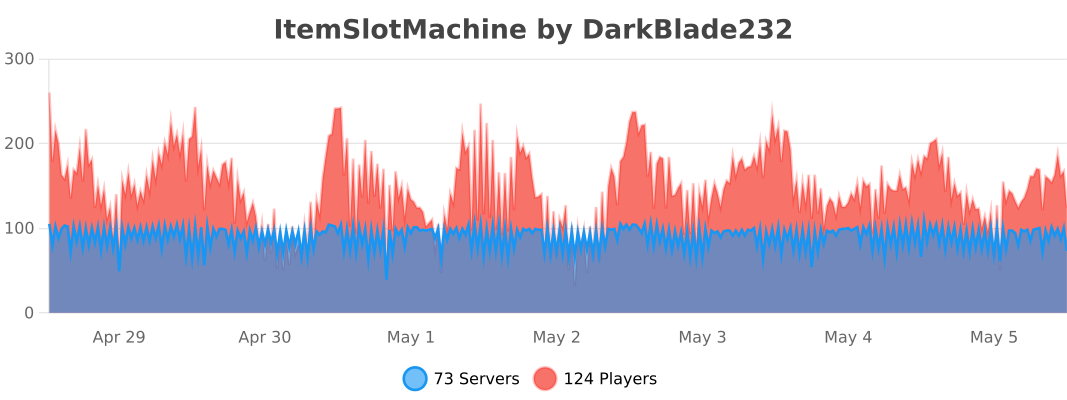
This plugin uses Metrics by BtoBastian to collect various data from servers.
If you don't want Metrics to collect your data you can disable it easily by setting enabled to false in the config file at plugins/bStats/
Upcoming features
- Support for larger numbers on signs
- Customizeable sign layout and with more placeholders (for example <player>)
Commands & Permissions:
| Command | Description | Permission |
| /design wand | Gives the player a design wand | itemslotmachine.command.design.wand |
| /design create [name] | Creates a new design from your selection | itemslotmachine.command.design.create |
| /design remove <name> | Removes an existing design | itemslotmachine.command.design.remove |
| /design list | Displays a list of all available designs | itemslotmachine.command.design.list |
| /design invert <name> | Inverts the item frame order of a design | itemslotmachine.command.design.invert |
| /design reload [name] | Reloads all designs or a single design | itemslotmachine.command.design.reload |
| /design help [page] | Displays help pages for the design command | - |
| /coin buy <amount> | Gives the player coins in exchange for money | itemslotmachine.command.coin.buy |
| /coin give <player> <amount> | Gives an amount of coins to a player | itemslotmachine.command.coin.give |
| /coin help [page] | Displays help pages for the coin command | - |
| /slot build <design> [name] | Builds a new slot machine | itemslotmachine.command.slot.build |
| /slot remove <name> | Removes an existing slot machine | itemslotmachine.command.slot.remove |
| /slot list | Displays a list of all available slot machines | itemslotmachine.command.slot.list |
| /slot tp <name> | Teleports the player to a slot machine | itemslotmachine.command.slot.tp |
| /slot rebuild <name> | Rebuilds a broken slot machine | itemslotmachine.command.slot.rebuild |
| /slot move <name> <amount> | Moves a slot machine in your view direction | itemslotmachine.command.slot.move |
| /slot stop <name> | Stops a slot machine instantly without paying out | itemslotmachine.command.slot.stop |
| /slot money <name> <clear/deposit/withdraw/set> [default/amount] | Modifies the money pot of a slot machine | itemslotmachine.command.slot.money |
| /slot item <name> <clear/add/set> [default/hand/items] | Modifies the item pot of a slot machine | itemslotmachine.command.slot.item |
| /slot reload [name] | Reloads the plugin or a single slot machine | itemslotmachine.command.slot.reload |
| /slot help [page] | Displays help pages for the slot command | - |
| /statistic show <slot/player> <name> | Displays the statistic of a slot machine or player | itemslotmachine.command.statistic.show |
| /statistic top <slot/player> <category> | Displays the top ten of slot machines or players for a category | ItemSlotMachine.command.statistic.top |
| /statistic reset <slot/player> <name> | Resets the statistic of a slot machine or player | ItemSlotMachine.command.statistic.reset |
| /statistic help [page] | Displays help pages for the statistic command | - |
| - | All plugin permissions | itemslotmachine.* |
| - | All command permissions | itemslotmachine.command.* |
| - | All design command permissions | itemslotmachine.command.design.* |
| - | All coin command permissions | itemslotmachine.command.coin.* |
| - | All slot machine command permissions | itemslotmachine.command.slot.* |
| - | All statistic command permissions | itemslotmachine.statistic.* |
| - | Modify a specific slot machine | itemslotmachine.slot.modify.<name> |
| - | Modify all slot machines | itemslotmachine.slot.modify.* |
| - | Inspect a slot machine by right clicking it | itemslotmachine.slot.inspect |
| - | Use a slot machine | itemslotmachine.slot.use |
| - | Use all slot machines | itemslotmachine.slot.use.* |
| - | Create a coin shop | itemslotmachine.shop.create |
All listed commands and permissions above are always referring to the newest version of ItemSlotMachine!
How to: Coin Shop
You have to write [CoinShop] in the first line of a new sign and click done in order to create a coin shop sign automatically. You can change the amount of coins you want to buy by pointing your cursor at the sign and scrolling up or down. (if you hold shift while scrolling, the amount will increase/decrease by 10) Simply right click the sign after you've chosen the amount of coins you want to buy to make a purchase.
Source
The source code can be found in my repository on GitHub!
Contribute
If you find a bug or encounter an error, please open a new ticket on CurseForge or GitHub, send me a private message or comment down below! Suggestions and ideas for new features are always welcome and can be submitted via the previously mentioned ways.
Videos
Comments


-

DarkBlade232 Owner
-

_ForgeUser12580406 Artist
-

rangewonk Tester
-
View User Profile
-
Send Message
Posted Oct 22, 2015Hey, loving the plugin. I see in your upcoming features that you mention different coins. I'm actually in a position where this would benefit me with my current plans. Can you provide any sort of ETA as to when we can see this? Or if it's under development, put on hold, etc.
Thanks
-
View User Profile
-
Send Message
Posted Oct 12, 2015This plugin looks extremely epic. But it lags when in use T_T
-
View User Profile
-
Send Message
Posted Oct 8, 2015@keough99
The categories are total_spins, won_spins, lost_spins, coins_spent, won_money and won_items.
-
View User Profile
-
Send Message
Posted Sep 27, 2015how do you use the /statistic top i put in the alot name and stuff but it says category but i try putting in a whole bunch of stuff but it says invalid category wat are the categories in the plugin for the statistics
-
View User Profile
-
Send Message
Posted Sep 5, 2015Hello Author I'm from china I have a chinese Language File Do you need it ? I can give it to you But Please put it in the directory My english is not very good You can download it http://pan.baidu.com/s/1gddI7Rl Complete
-
View User Profile
-
Send Message
Posted Aug 30, 2015@DragonzRealm
Thanks for letting me know, I have to rework the predetermined winning system, because currently the chance of winning is <chance> + (1 / <icon_amount>)³. Therefore it kinda relies on the amount of possible icons. By adding more icons it'll become closer to the predetermined chance.
-
View User Profile
-
Send Message
Posted Aug 30, 2015@DragonzRealm
Add: After more testing I think the bug/error is related to the predetermined WIN. The odds on the machines appear to be based on the # of ITEM_ICONS for the wheels. Not based on the PREDETERMINED_WINNING_CHANCE. For example. I created a Machine with only 3 icons on the wheels. I set the PWC to True with an odds of 1/250. However the machine is paying out at a rate of 137 wins to 846 spins. This matches the true odds of 1/9 related to 3 icons.
-
View User Profile
-
Send Message
Posted Aug 29, 2015pls help my player can't play ItemSlotMachine i already add ItemSlotMachine.slot.use Permissions [l love your plugin :)]
-
View User Profile
-
Send Message
Posted Aug 29, 2015DarkBladee12,
I am having an issue with the ODDs. I have setup many slots with varying settings and odds. I have 3 slot machines in particular which start with a very high dollar value and high odds (1/10000, 1/30000, and 1/50000). However, all three machines after running just 2 days have hit several times. Right now they are showing statistics of 2000-3000 Spins with 3-6 Wins. That is way too high for machines that have odds in the 10000 to 50000 range. Is this a bug, or is there an undocumented limit to how high we can set the odds?
-Dragonz MCServer: dragonzrealm.net
-
View User Profile
-
Send Message
Posted Aug 17, 2015@walman1123
I just noticed that purchasing coins via signs doesn't need any permission. Normally everyone would be able to buy from them, however it could be that it will be blocked if it's in a protected region from WorldGuard or another plugin. Could you post the message which is sent to players who try to purchase coins from the signs?
-
View User Profile
-
Send Message
Posted Aug 16, 2015@delsolsi213
Yes, this can be changed in the setting Item_Icons in the section General_Settings!
-
View User Profile
-
Send Message
Posted Aug 14, 2015can we edit what items cycle through the slot machine?
-
View User Profile
-
Send Message
Posted Aug 11, 2015@jwpwns
@DarkBladee12
I get this error too and i have given my players the ItemSlotMachine.coin.purchase permission. Please help!
-
View User Profile
-
Send Message
Posted Aug 5, 2015@jwpwns
Try to give your players only the ItemSlotMachine.coin.purchase permission.
-
View User Profile
-
Send Message
Posted Aug 2, 2015Awesome plugin!
-
View User Profile
-
Send Message
Posted Jul 14, 2015Great plugin, keep up the good work! :)
-
View User Profile
-
Send Message
Posted Jul 2, 2015It wont let my players buy from the coin signs whats the permission i used ItemSlotMachine.coin.* and it doenst work they can only use the slots not buy from signs only ops can
-
View User Profile
-
Send Message
Posted Jul 2, 2015@DarkBladee12
I have made a video about your plugin, watch it if u can: Youtube. If u can, post the video in your plugin page for help spanish people.
-
View User Profile
-
Send Message
Posted Jun 26, 2015@cicatrice74
Well there's no permission for creating a coinshop sign atm, but I can add one next version if you wish!
-
View User Profile
-
Send Message
Posted Jun 24, 2015All my users from members can create coinshop signs, is there a permission node for this?