ItemSlotMachine
What is it?
ItemSlotMachine adds realistic slot machines with item frames as reels to your server. Each slot machine has its own jackpot (money and/or items) which increases with every spin.
Features
- Create and manage multiple slot machines
- Create and manage your own slot machine designs (default design is built-in)
- Customize each slot machine individually
- Display statistics of slot machines and players
- Create coin shops for players
- Customize all plugin messages
All listed features above are always referring to the newest version of ItemSlotMachine!
Metrics
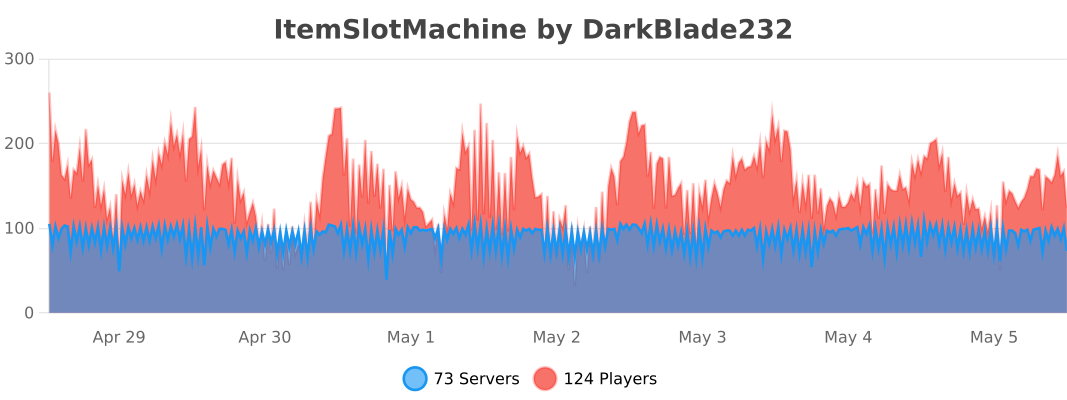
This plugin uses Metrics by BtoBastian to collect various data from servers.
If you don't want Metrics to collect your data you can disable it easily by setting enabled to false in the config file at plugins/bStats/
Upcoming features
- Support for larger numbers on signs
- Customizeable sign layout and with more placeholders (for example <player>)
Commands & Permissions:
| Command | Description | Permission |
| /design wand | Gives the player a design wand | itemslotmachine.command.design.wand |
| /design create [name] | Creates a new design from your selection | itemslotmachine.command.design.create |
| /design remove <name> | Removes an existing design | itemslotmachine.command.design.remove |
| /design list | Displays a list of all available designs | itemslotmachine.command.design.list |
| /design invert <name> | Inverts the item frame order of a design | itemslotmachine.command.design.invert |
| /design reload [name] | Reloads all designs or a single design | itemslotmachine.command.design.reload |
| /design help [page] | Displays help pages for the design command | - |
| /coin buy <amount> | Gives the player coins in exchange for money | itemslotmachine.command.coin.buy |
| /coin give <player> <amount> | Gives an amount of coins to a player | itemslotmachine.command.coin.give |
| /coin help [page] | Displays help pages for the coin command | - |
| /slot build <design> [name] | Builds a new slot machine | itemslotmachine.command.slot.build |
| /slot remove <name> | Removes an existing slot machine | itemslotmachine.command.slot.remove |
| /slot list | Displays a list of all available slot machines | itemslotmachine.command.slot.list |
| /slot tp <name> | Teleports the player to a slot machine | itemslotmachine.command.slot.tp |
| /slot rebuild <name> | Rebuilds a broken slot machine | itemslotmachine.command.slot.rebuild |
| /slot move <name> <amount> | Moves a slot machine in your view direction | itemslotmachine.command.slot.move |
| /slot stop <name> | Stops a slot machine instantly without paying out | itemslotmachine.command.slot.stop |
| /slot money <name> <clear/deposit/withdraw/set> [default/amount] | Modifies the money pot of a slot machine | itemslotmachine.command.slot.money |
| /slot item <name> <clear/add/set> [default/hand/items] | Modifies the item pot of a slot machine | itemslotmachine.command.slot.item |
| /slot reload [name] | Reloads the plugin or a single slot machine | itemslotmachine.command.slot.reload |
| /slot help [page] | Displays help pages for the slot command | - |
| /statistic show <slot/player> <name> | Displays the statistic of a slot machine or player | itemslotmachine.command.statistic.show |
| /statistic top <slot/player> <category> | Displays the top ten of slot machines or players for a category | ItemSlotMachine.command.statistic.top |
| /statistic reset <slot/player> <name> | Resets the statistic of a slot machine or player | ItemSlotMachine.command.statistic.reset |
| /statistic help [page] | Displays help pages for the statistic command | - |
| - | All plugin permissions | itemslotmachine.* |
| - | All command permissions | itemslotmachine.command.* |
| - | All design command permissions | itemslotmachine.command.design.* |
| - | All coin command permissions | itemslotmachine.command.coin.* |
| - | All slot machine command permissions | itemslotmachine.command.slot.* |
| - | All statistic command permissions | itemslotmachine.statistic.* |
| - | Modify a specific slot machine | itemslotmachine.slot.modify.<name> |
| - | Modify all slot machines | itemslotmachine.slot.modify.* |
| - | Inspect a slot machine by right clicking it | itemslotmachine.slot.inspect |
| - | Use a slot machine | itemslotmachine.slot.use |
| - | Use all slot machines | itemslotmachine.slot.use.* |
| - | Create a coin shop | itemslotmachine.shop.create |
All listed commands and permissions above are always referring to the newest version of ItemSlotMachine!
How to: Coin Shop
You have to write [CoinShop] in the first line of a new sign and click done in order to create a coin shop sign automatically. You can change the amount of coins you want to buy by pointing your cursor at the sign and scrolling up or down. (if you hold shift while scrolling, the amount will increase/decrease by 10) Simply right click the sign after you've chosen the amount of coins you want to buy to make a purchase.
Source
The source code can be found in my repository on GitHub!
Contribute
If you find a bug or encounter an error, please open a new ticket on CurseForge or GitHub, send me a private message or comment down below! Suggestions and ideas for new features are always welcome and can be submitted via the previously mentioned ways.
Videos
Comments


-

DarkBlade232 Owner
-

_ForgeUser12580406 Artist
-

rangewonk Tester
-
View User Profile
-
Send Message
Posted Jun 14, 2015hola al plugins solo le falta que sea por permisos que solo las puedan utilisar default los usuarios y otra maquina para los vip ya que el permiso ItemSlotMachine.slot.use le permite utilisar todas las maquinas podria ser que se agrege un permiso para que solo un grupo de usuarios puedan utilisar dicha maquina en permiso ej: ItemSlotMachine.slot.use.maquinavip1 ya con esto el plugins seria el mejor
-
View User Profile
-
Send Message
Posted Jun 13, 2015Awesome plugin I love it. Keep up the great work!
-
View User Profile
-
Send Message
Posted Jun 7, 2015This plugin has really grown since the first time I visited this page. Amazing work.
-
View User Profile
-
Send Message
Posted May 28, 2015@dwadawdawdawfff
You'd have to open the config for the desired slot machine (in the slot machines directory) and search for the Player_Lock section. Then just set Enabled to true and edit Time if you want!
-
View User Profile
-
Send Message
Posted May 27, 2015@DarkBladee12
Thanks for the plugin, I saw a reference to locking slot machines to a player for a certain amount of seconds, can this be enabled and if so how would I do this?#
Cheers!
-
View User Profile
-
Send Message
Posted May 25, 2015The new version for 1.8+ servers has been uploaded and can be downloaded here!
-
View User Profile
-
Send Message
Posted May 21, 2015@unclemark
Are you using the current dev version and have you reloaded the plugin or server? Because changing the color works fine for me after editing the language file and reloading the plugin via /slot reload!
-
View User Profile
-
Send Message
Posted Apr 21, 2015How about sign text color for Line 1? The default sign colors for [Money] are difficult to read. I like the color changing of lines . The color for the Sum of money is in the bottom of LANG_EN.txt but the First line 'Money' seems to be Yellow no matter what I change.
-
View User Profile
-
Send Message
Posted Apr 16, 2015Any news on updates? Still waiting for it.. =/
-
View User Profile
-
Send Message
Posted Apr 16, 2015could you please update this plugin, so i can use it again? It is so awesome
-
View User Profile
-
Send Message
Posted Apr 11, 2015Hey, I always get the Error below, when I try to build a SlotMachine. I'm using these Versions: Bukkit/Spigot: Build #20151203a 1.8 R0.1 (20141203) ItemSlotMachine_1.3.2_Dev.jar
shurkan2 issued server command: /slot build default spawn_01 [10:49:58] [Server thread/ERROR]: null org.bukkit.command.CommandException: Unhandled exception executing command 'slot' in plugin ItemSlotMachine v1.3.2 at org.bukkit.command.PluginCommand.execute(PluginCommand.java:46) [craftbukkit.jar:git-Spigot-da32fe1-df0b4c1] at org.bukkit.command.SimpleCommandMap.dispatch(SimpleCommandMap.java:181) [craftbukkit.jar:git-Spigot-da32fe1-df0b4c1] at org.bukkit.craftbukkit.v1_8_R1.CraftServer.dispatchCommand(CraftServer.java:643) [craftbukkit.jar:git-Spigot-da32fe1-df0b4c1] at net.minecraft.server.v1_8_R1.PlayerConnection.handleCommand(PlayerConnection.java:1083) [craftbukkit.jar:git-Spigot-da32fe1-df0b4c1] at net.minecraft.server.v1_8_R1.PlayerConnection.a(PlayerConnection.java:918) [craftbukkit.jar:git-Spigot-da32fe1-df0b4c1] at net.minecraft.server.v1_8_R1.PacketPlayInChat.a(PacketPlayInChat.java:26) [craftbukkit.jar:git-Spigot-da32fe1-df0b4c1] at net.minecraft.server.v1_8_R1.PacketPlayInChat.a(PacketPlayInChat.java:53) [craftbukkit.jar:git-Spigot-da32fe1-df0b4c1] at net.minecraft.server.v1_8_R1.PacketHandleTask.run(SourceFile:13) [craftbukkit.jar:git-Spigot-da32fe1-df0b4c1] at java.util.concurrent.Executors$RunnableAdapter.call(Unknown Source) [?:1.7.0_71] at java.util.concurrent.FutureTask.run(Unknown Source) [?:1.7.0_71] at net.minecraft.server.v1_8_R1.MinecraftServer.z(MinecraftServer.java:686) [craftbukkit.jar:git-Spigot-da32fe1-df0b4c1] at net.minecraft.server.v1_8_R1.DedicatedServer.z(DedicatedServer.java:316) [craftbukkit.jar:git-Spigot-da32fe1-df0b4c1] at net.minecraft.server.v1_8_R1.MinecraftServer.y(MinecraftServer.java:627) [craftbukkit.jar:git-Spigot-da32fe1-df0b4c1] at net.minecraft.server.v1_8_R1.MinecraftServer.run(MinecraftServer.java:530) [craftbukkit.jar:git-Spigot-da32fe1-df0b4c1] at java.lang.Thread.run(Unknown Source) [?:1.7.0_71] Caused by: java.lang.NullPointerException at java.lang.String.replace(Unknown Source) [?:1.7.0_71] at com.darkblade12.itemslotmachine.message.MessageManager.slot_machine_building_failure(MessageManager.java:551) [?:?] at com.darkblade12.itemslotmachine.command.slot.BuildCommand.execute(BuildCommand.java:35) [?:?] at com.darkblade12.itemslotmachine.command.CommandHandler.onCommand(CommandHandler.java:53) [?:?] at org.bukkit.command.PluginCommand.execute(PluginCommand.java:44) [craftbukkit.jar:git-Spigot-da32fe1-df0b4c1] ... 14 more
-
View User Profile
-
Send Message
Posted Mar 31, 2015@DarkBladee12
Thanks :D
-
View User Profile
-
Send Message
Posted Mar 30, 2015@DarkBladee12
Looking at an sign and scrolling didn't work (maby it works now)
EDIT:
Nvm works fine using the latest dev :)
-
View User Profile
-
Send Message
Posted Mar 24, 2015@therennon
The current dev build works for 1.8!
@kwakmantim
Can you explain me which things didn't work for you?
-
View User Profile
-
Send Message
Posted Feb 22, 2015Please update to 1.8 :/
-
View User Profile
-
Send Message
Posted Feb 17, 2015Can you update it to 1.8 spigot? i'am using your source now and builded it, but some things do not work :P the Main part is fine, but i saw that you last edited it in December ;(
-
View User Profile
-
Send Message
Posted Feb 2, 2015I have loaded this plugin on my Spigot server with no errors in the console/logs yet all any /design command does is return "/design help" and the same thing with /slot, returning "'/slot help"
If needed, I can submit a ticket but thought I would start here to see if it was something stupid I did! Thanks!
-
View User Profile
-
Send Message
Posted Feb 1, 2015@DarkBladee12
Great to hear :D I don't mean to rush you or anything but is there possibly a rough date for the next update?
-
View User Profile
-
Send Message
Posted Jan 31, 2015@enarkay
Thanks for your feedback, these features will be implemented in the next version for sure! ;)
-
View User Profile
-
Send Message
Posted Jan 26, 2015Awesome plugin! Working fine so far on my 1.8 Spigot server without any bugs. However, it would be really nice if you could add 'commands' to the list of possible actions for combos. For example, if I want to give out different custom prizes depending on what three items the player has at the end of the spin, this is currently impossible. (Or is it? If so, how?) But if 'commands' were added to the list of possible actions for combos, not only could I give out custom prizes but also the possibilities would become endless! Perhaps you could consider it in the next update??