ItemSlotMachine
What is it?
ItemSlotMachine adds realistic slot machines with item frames as reels to your server. Each slot machine has its own jackpot (money and/or items) which increases with every spin.
Features
- Create and manage multiple slot machines
- Create and manage your own slot machine designs (default design is built-in)
- Customize each slot machine individually
- Display statistics of slot machines and players
- Create coin shops for players
- Customize all plugin messages
All listed features above are always referring to the newest version of ItemSlotMachine!
Metrics
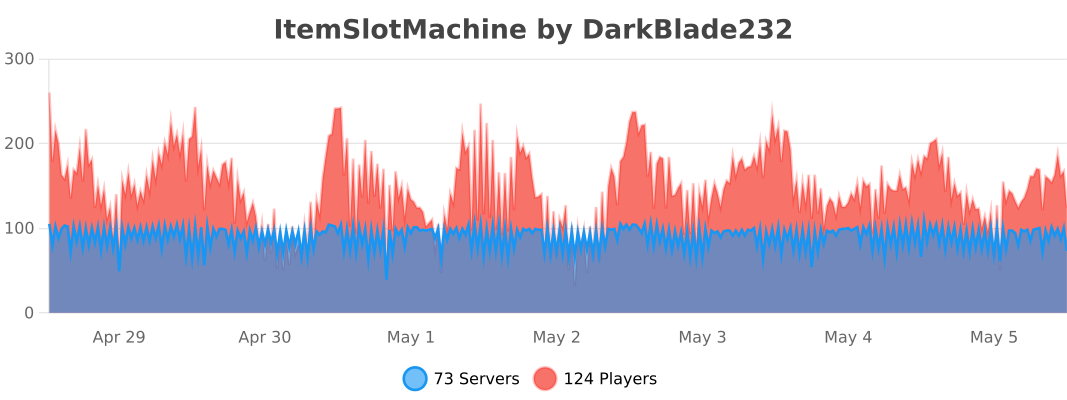
This plugin uses Metrics by BtoBastian to collect various data from servers.
If you don't want Metrics to collect your data you can disable it easily by setting enabled to false in the config file at plugins/bStats/
Upcoming features
- Support for larger numbers on signs
- Customizeable sign layout and with more placeholders (for example <player>)
Commands & Permissions:
| Command | Description | Permission |
| /design wand | Gives the player a design wand | itemslotmachine.command.design.wand |
| /design create [name] | Creates a new design from your selection | itemslotmachine.command.design.create |
| /design remove <name> | Removes an existing design | itemslotmachine.command.design.remove |
| /design list | Displays a list of all available designs | itemslotmachine.command.design.list |
| /design invert <name> | Inverts the item frame order of a design | itemslotmachine.command.design.invert |
| /design reload [name] | Reloads all designs or a single design | itemslotmachine.command.design.reload |
| /design help [page] | Displays help pages for the design command | - |
| /coin buy <amount> | Gives the player coins in exchange for money | itemslotmachine.command.coin.buy |
| /coin give <player> <amount> | Gives an amount of coins to a player | itemslotmachine.command.coin.give |
| /coin help [page] | Displays help pages for the coin command | - |
| /slot build <design> [name] | Builds a new slot machine | itemslotmachine.command.slot.build |
| /slot remove <name> | Removes an existing slot machine | itemslotmachine.command.slot.remove |
| /slot list | Displays a list of all available slot machines | itemslotmachine.command.slot.list |
| /slot tp <name> | Teleports the player to a slot machine | itemslotmachine.command.slot.tp |
| /slot rebuild <name> | Rebuilds a broken slot machine | itemslotmachine.command.slot.rebuild |
| /slot move <name> <amount> | Moves a slot machine in your view direction | itemslotmachine.command.slot.move |
| /slot stop <name> | Stops a slot machine instantly without paying out | itemslotmachine.command.slot.stop |
| /slot money <name> <clear/deposit/withdraw/set> [default/amount] | Modifies the money pot of a slot machine | itemslotmachine.command.slot.money |
| /slot item <name> <clear/add/set> [default/hand/items] | Modifies the item pot of a slot machine | itemslotmachine.command.slot.item |
| /slot reload [name] | Reloads the plugin or a single slot machine | itemslotmachine.command.slot.reload |
| /slot help [page] | Displays help pages for the slot command | - |
| /statistic show <slot/player> <name> | Displays the statistic of a slot machine or player | itemslotmachine.command.statistic.show |
| /statistic top <slot/player> <category> | Displays the top ten of slot machines or players for a category | ItemSlotMachine.command.statistic.top |
| /statistic reset <slot/player> <name> | Resets the statistic of a slot machine or player | ItemSlotMachine.command.statistic.reset |
| /statistic help [page] | Displays help pages for the statistic command | - |
| - | All plugin permissions | itemslotmachine.* |
| - | All command permissions | itemslotmachine.command.* |
| - | All design command permissions | itemslotmachine.command.design.* |
| - | All coin command permissions | itemslotmachine.command.coin.* |
| - | All slot machine command permissions | itemslotmachine.command.slot.* |
| - | All statistic command permissions | itemslotmachine.statistic.* |
| - | Modify a specific slot machine | itemslotmachine.slot.modify.<name> |
| - | Modify all slot machines | itemslotmachine.slot.modify.* |
| - | Inspect a slot machine by right clicking it | itemslotmachine.slot.inspect |
| - | Use a slot machine | itemslotmachine.slot.use |
| - | Use all slot machines | itemslotmachine.slot.use.* |
| - | Create a coin shop | itemslotmachine.shop.create |
All listed commands and permissions above are always referring to the newest version of ItemSlotMachine!
How to: Coin Shop
You have to write [CoinShop] in the first line of a new sign and click done in order to create a coin shop sign automatically. You can change the amount of coins you want to buy by pointing your cursor at the sign and scrolling up or down. (if you hold shift while scrolling, the amount will increase/decrease by 10) Simply right click the sign after you've chosen the amount of coins you want to buy to make a purchase.
Source
The source code can be found in my repository on GitHub!
Contribute
If you find a bug or encounter an error, please open a new ticket on CurseForge or GitHub, send me a private message or comment down below! Suggestions and ideas for new features are always welcome and can be submitted via the previously mentioned ways.
Videos
Comments


-

DarkBlade232 Owner
-

_ForgeUser12580406 Artist
-

rangewonk Tester
-
View User Profile
-
Send Message
Posted Jul 28, 2014Perfect Plugin, Works Great on Spigot 1.7.10. Thank you!
-
View User Profile
-
Send Message
Posted Jul 26, 2014@MrManSir12344
Sorry, but I already have an english tutorial which explains everything very well! Thanks for making a quick tutorial though ;)
-
View User Profile
-
Send Message
Posted Jul 26, 2014@rangewonk
Thanks for re-uploading your awesome tutorial! ;)
-
View User Profile
-
Send Message
Posted Jul 22, 2014If you would like me to use it, pm me @ youtube.com/cppenguin2010
-
View User Profile
-
Send Message
Posted Jul 22, 2014Hello, I have made a tutorial/review on this plugin and I was wondering if you guys would like to use it for your video?
-
View User Profile
-
Send Message
Posted Jul 18, 2014Hey, so i have a problem i hope someone can help me with. When i build a default slotmachhine and try to use it i get a message saying: "This slot machine seems to be broken an can't be used!" Can someone please help me solve this? thnx in advance :)
-
View User Profile
-
Send Message
Posted Jun 22, 2014DarkBladee, I finally found a backup of the youtube video I made and have re-uploaded it. Heres the Link if you would like to put it on the page.
https://www.youtube.com/watch?v=ZKtNvA-XLIE
-
View User Profile
-
Send Message
Posted Jun 20, 2014Ok, thanks, we figured it all out. Its allm working now
-
View User Profile
-
Send Message
Posted Jun 19, 2014@spencertheminer
However you have to go to the slot machines directory and open the config file for the specific slot machine and set Pot_Raise to 2.5. The template is only the default config for newly generated slot machines!
-
View User Profile
-
Send Message
Posted Jun 18, 2014@ergenta
Where is that? Is it in the config? I cant find it anywhere
Got it
-
View User Profile
-
Send Message
Posted Jun 17, 2014under template you'll find this:
-
View User Profile
-
Send Message
Posted Jun 15, 2014@DarkBladee12 I set the cost of coins to 5, how can I make the pot go up by 2.5 instead of 50? I could not find it in the config.
-
View User Profile
-
Send Message
Posted May 21, 2014@DarkBladee12
Aww ok. Well Ill figure out somthing, some way to make money by doing somthing else like comand block type stuff. We have a greatr casino with lots of slot machines that i built.
-
View User Profile
-
Send Message
Posted May 21, 2014Maybe in combo settings, you could add: MULTIPLY_POT REMOVE_POT DIVIDE_POT This could be usefull if you want single items to add to the pot or divide from the pot, or simply remove the pot. Heres an example of how i reset the pot, 397-4@0@0#MULTIPLY_POT_AND_DISTRIBUTE#0.00000001
Also using this method will run the won pot message, if you add these parameters, you should make so you can change the text if someone lost money in their pot
-
View User Profile
-
Send Message
Posted May 21, 2014@rpursley
I also tried that out and I think I know what the problem is: There's some weird behaviour when iteracting with something with a flower item in your hand, so the interact event doesn't get called for them and the plugin doesn't realize that you clicked a slot machine! I also noticed that this would fit perfectly for a coin, but sadly you have to use another item :/
-
View User Profile
-
Send Message
Posted May 21, 2014@spencertheminer
No, this is currently not included and the money people spend on slots or the house cut just gets removed. However I might add that for a future version!
-
View User Profile
-
Send Message
Posted May 19, 2014So is there a way the owner of the slot machine could make moeny from other pople betting like a casino?
-
View User Profile
-
Send Message
Posted May 18, 2014@DarkBladee12
Your right, it isn't that. The problem actually is when I change the coin type to 175 (sunflower). The slot machine just won't take that. Changing it back to gold nugget, it works fine.
-
View User Profile
-
Send Message
Posted May 18, 2014@catprowler
I've looked into that and found out that this error isn't that important, it's caused by checking the distance between two worlds which can occur whenever the plugin checks the distance between you and the last interacted coin shop to reset it properly. However I'm going to fix that with the next version!
-
View User Profile
-
Send Message
Posted May 18, 2014@rpursley
It should be compatible, because it runs fine on my 1.7.9 test server! Check your server log for any errors and post them here ;)