ItemSlotMachine
What is it?
ItemSlotMachine adds realistic slot machines with item frames as reels to your server. Each slot machine has its own jackpot (money and/or items) which increases with every spin.
Features
- Create and manage multiple slot machines
- Create and manage your own slot machine designs (default design is built-in)
- Customize each slot machine individually
- Display statistics of slot machines and players
- Create coin shops for players
- Customize all plugin messages
All listed features above are always referring to the newest version of ItemSlotMachine!
Metrics
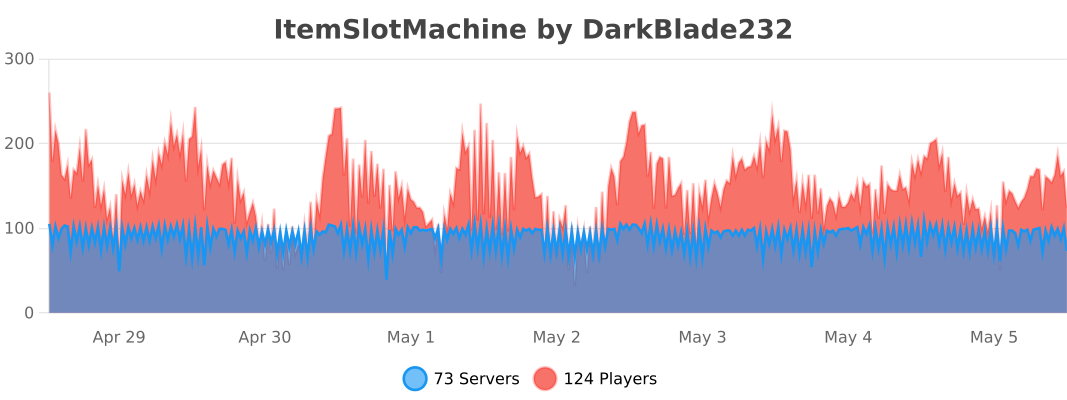
This plugin uses Metrics by BtoBastian to collect various data from servers.
If you don't want Metrics to collect your data you can disable it easily by setting enabled to false in the config file at plugins/bStats/
Upcoming features
- Support for larger numbers on signs
- Customizeable sign layout and with more placeholders (for example <player>)
Commands & Permissions:
| Command | Description | Permission |
| /design wand | Gives the player a design wand | itemslotmachine.command.design.wand |
| /design create [name] | Creates a new design from your selection | itemslotmachine.command.design.create |
| /design remove <name> | Removes an existing design | itemslotmachine.command.design.remove |
| /design list | Displays a list of all available designs | itemslotmachine.command.design.list |
| /design invert <name> | Inverts the item frame order of a design | itemslotmachine.command.design.invert |
| /design reload [name] | Reloads all designs or a single design | itemslotmachine.command.design.reload |
| /design help [page] | Displays help pages for the design command | - |
| /coin buy <amount> | Gives the player coins in exchange for money | itemslotmachine.command.coin.buy |
| /coin give <player> <amount> | Gives an amount of coins to a player | itemslotmachine.command.coin.give |
| /coin help [page] | Displays help pages for the coin command | - |
| /slot build <design> [name] | Builds a new slot machine | itemslotmachine.command.slot.build |
| /slot remove <name> | Removes an existing slot machine | itemslotmachine.command.slot.remove |
| /slot list | Displays a list of all available slot machines | itemslotmachine.command.slot.list |
| /slot tp <name> | Teleports the player to a slot machine | itemslotmachine.command.slot.tp |
| /slot rebuild <name> | Rebuilds a broken slot machine | itemslotmachine.command.slot.rebuild |
| /slot move <name> <amount> | Moves a slot machine in your view direction | itemslotmachine.command.slot.move |
| /slot stop <name> | Stops a slot machine instantly without paying out | itemslotmachine.command.slot.stop |
| /slot money <name> <clear/deposit/withdraw/set> [default/amount] | Modifies the money pot of a slot machine | itemslotmachine.command.slot.money |
| /slot item <name> <clear/add/set> [default/hand/items] | Modifies the item pot of a slot machine | itemslotmachine.command.slot.item |
| /slot reload [name] | Reloads the plugin or a single slot machine | itemslotmachine.command.slot.reload |
| /slot help [page] | Displays help pages for the slot command | - |
| /statistic show <slot/player> <name> | Displays the statistic of a slot machine or player | itemslotmachine.command.statistic.show |
| /statistic top <slot/player> <category> | Displays the top ten of slot machines or players for a category | ItemSlotMachine.command.statistic.top |
| /statistic reset <slot/player> <name> | Resets the statistic of a slot machine or player | ItemSlotMachine.command.statistic.reset |
| /statistic help [page] | Displays help pages for the statistic command | - |
| - | All plugin permissions | itemslotmachine.* |
| - | All command permissions | itemslotmachine.command.* |
| - | All design command permissions | itemslotmachine.command.design.* |
| - | All coin command permissions | itemslotmachine.command.coin.* |
| - | All slot machine command permissions | itemslotmachine.command.slot.* |
| - | All statistic command permissions | itemslotmachine.statistic.* |
| - | Modify a specific slot machine | itemslotmachine.slot.modify.<name> |
| - | Modify all slot machines | itemslotmachine.slot.modify.* |
| - | Inspect a slot machine by right clicking it | itemslotmachine.slot.inspect |
| - | Use a slot machine | itemslotmachine.slot.use |
| - | Use all slot machines | itemslotmachine.slot.use.* |
| - | Create a coin shop | itemslotmachine.shop.create |
All listed commands and permissions above are always referring to the newest version of ItemSlotMachine!
How to: Coin Shop
You have to write [CoinShop] in the first line of a new sign and click done in order to create a coin shop sign automatically. You can change the amount of coins you want to buy by pointing your cursor at the sign and scrolling up or down. (if you hold shift while scrolling, the amount will increase/decrease by 10) Simply right click the sign after you've chosen the amount of coins you want to buy to make a purchase.
Source
The source code can be found in my repository on GitHub!
Contribute
If you find a bug or encounter an error, please open a new ticket on CurseForge or GitHub, send me a private message or comment down below! Suggestions and ideas for new features are always welcome and can be submitted via the previously mentioned ways.
Videos
Comments


-

DarkBlade232 Owner
-

_ForgeUser12580406 Artist
-

rangewonk Tester
-
View User Profile
-
Send Message
Posted Jan 21, 2014@COTTERMAN419
Huh? I replied to your ticket and marked it as verified...
-
View User Profile
-
Send Message
Posted Jan 20, 2014How do you add a custom name to the tokens?
-
View User Profile
-
Send Message
Posted Jan 20, 2014Version 1.3.1 has been reuploaded and is available here until it's approved by a mod ;)
-
View User Profile
-
Send Message
Posted Jan 20, 2014@Revdutchie
No I didn't, but I'm currently not sure if I'm going to implement that.
-
View User Profile
-
Send Message
Posted Jan 19, 2014Still doesn't work.
-
View User Profile
-
Send Message
Posted Jan 19, 2014Ok ill try again.
-
View User Profile
-
Send Message
Posted Jan 19, 2014@DarkBladee
Hi, did you missed my last post? I am sking because you answered to later posts.
Rev
-
View User Profile
-
Send Message
Posted Jan 19, 2014@omgitsadrian
Well I don't know all economy plugins, but I think it's maybe an alias of /balance. Maybe you didn't type the permission correctly, because it works fine for me. Ensure that you've written it exactly like that: ItemSlotMachine.design.wand
-
View User Profile
-
Send Message
Posted Jan 18, 2014HOW DO U ACTIVATE THE BLOODY SLOT MACHINES?
-
View User Profile
-
Send Message
Posted Nov 26, 2014you rightclick on them with a sign and use "/coin grant (USERNAME) (AMOUNT)" to get coins
-
View User Profile
-
Send Message
Posted Jan 18, 2014Oh and also when I try to do /design wand it says you do not have permission even though I added permission.
-
View User Profile
-
Send Message
Posted Jan 18, 2014Hi, I saw this plugin on a channel that does plugin reviews, and I saw that the currency is a plugin that uses /bal
This looks like a cool plugin, But I have no idea what that plugin that uses /bal is.
Would you mind giving me the link to the plugin?
-
View User Profile
-
Send Message
Posted Jan 17, 2014@DarkBladee12
It would be great to have players "own" machines. Whichever machine they build, they receive the "house cut" from that machine. I would definitely use this plugin if this were implemented.
-
View User Profile
-
Send Message
Posted Jan 17, 2014@Garfonzo
Currently there's no way to tie this to a player account, so the items/money will just be gone. But I may add this in an upcoming version ;)
-
View User Profile
-
Send Message
Posted Jan 17, 2014@thereallegend
Well you can achieve this by making the Pot_Raise in the Item_Pot_Settings section empty and write those items a player can win into the Default_Items. Then enable the house cut for the item pot and specify how many items should be taken by the house. This makes a player gain an amount of random items from the pot. (for example you have 5 items in the pot and set it up so 3 items get taken by the house -> player will win 2 random items of the pot)
-
View User Profile
-
Send Message
Posted Jan 17, 2014I'm curious about the "house cut" feature. Can this be tied to a player's account? For example, if I build a slot machine and someone else wins on my machine, can I get the house cut amount?
In other words, can the "house" be the player by whom the machine was built? House cut = machine owner's cut. It seems that at this point, the money simply vanishes - I don't see where this money actually goes.
Great plugin otherwise!
-
View User Profile
-
Send Message
Posted Jan 17, 2014In old version 1.2.8 it was an option for objects wich i can win, it was "DistributeAll: <true/false>"
In version 1.3.0 and 1.3.1 there isn't this option and who wins, have all objects. Also for every coin that you put all doubles. Is there a way to make the winning like was before?
-
View User Profile
-
Send Message
Posted Jan 16, 2014Hi DarkBladee,
I am trying to setup my casino and I have 1 more request which I think is only 1 line of code. I am building an armor slot machine and what I want it to do if for example you get 3 diamond swords you get the diamond sword and the money pot. At the moment I have to make all those combos in the config, while I think if something in the code would be "if 3 items match, give item id" and an option to set true or false.
Maybe I have a to simple mind, but would love this, so I can make more dedicated machines, like one for ORE one for WEAPONS etc.
Greetings Rev
-
View User Profile
-
Send Message
Posted Jan 16, 2014@underestimate1984
Well did you test that on the newest version? (1.3.1) I fixed it that it also accepts the name of the item and not only the id, in your case you can just use 264 as the item id. Well I'll rework the name getting of an item, so specific items with data values will have their real name. You can just remove that part where it tells you the items in the language file. (The message is called slot_machine_won) You can find a list of all sound names that are accepted by Bukkit here!
-
View User Profile
-
Send Message
Posted Jan 15, 2014Just a few little issues i came across when setting up the configuration and i need some help solving them please :)
Item_name: does not work for me i type in the name and the slot wont work or i must be doing something wrong? i have tested Diamond, diamond, item_diamond and so on and nothing seems to work.
If i can get the above issue working i wont need to get this next issue fixed because i can just type the name in ;)
351-1-15: Once i win it will say it gave me 1 Ink Sack when really it's giving you 1 Bone meal this happens when adding a data value on any item! Is there a option to disable what it tells you or read the id correctly?
Is there anyway you can post a list for the different sound because not all sound in minecraft sound files work and the spelling is different?