ItemSlotMachine
What is it?
ItemSlotMachine adds realistic slot machines with item frames as reels to your server. Each slot machine has its own jackpot (money and/or items) which increases with every spin.
Features
- Create and manage multiple slot machines
- Create and manage your own slot machine designs (default design is built-in)
- Customize each slot machine individually
- Display statistics of slot machines and players
- Create coin shops for players
- Customize all plugin messages
All listed features above are always referring to the newest version of ItemSlotMachine!
Metrics
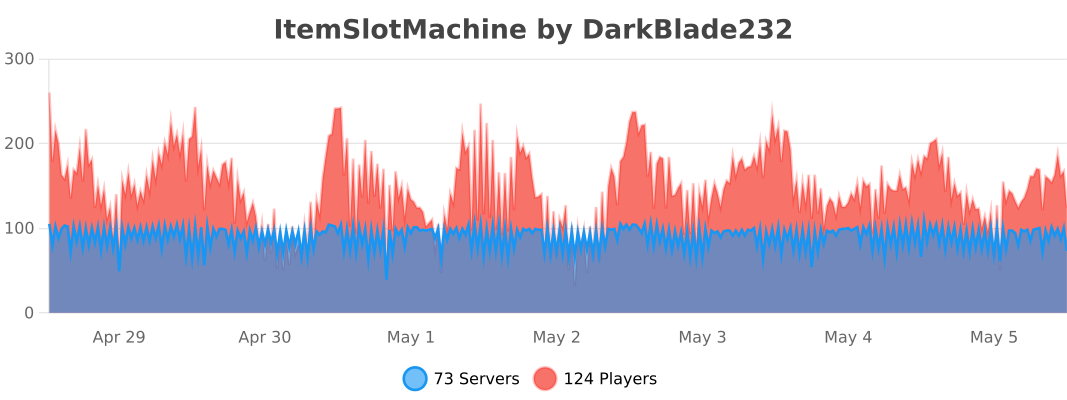
This plugin uses Metrics by BtoBastian to collect various data from servers.
If you don't want Metrics to collect your data you can disable it easily by setting enabled to false in the config file at plugins/bStats/
Upcoming features
- Support for larger numbers on signs
- Customizeable sign layout and with more placeholders (for example <player>)
Commands & Permissions:
| Command | Description | Permission |
| /design wand | Gives the player a design wand | itemslotmachine.command.design.wand |
| /design create [name] | Creates a new design from your selection | itemslotmachine.command.design.create |
| /design remove <name> | Removes an existing design | itemslotmachine.command.design.remove |
| /design list | Displays a list of all available designs | itemslotmachine.command.design.list |
| /design invert <name> | Inverts the item frame order of a design | itemslotmachine.command.design.invert |
| /design reload [name] | Reloads all designs or a single design | itemslotmachine.command.design.reload |
| /design help [page] | Displays help pages for the design command | - |
| /coin buy <amount> | Gives the player coins in exchange for money | itemslotmachine.command.coin.buy |
| /coin give <player> <amount> | Gives an amount of coins to a player | itemslotmachine.command.coin.give |
| /coin help [page] | Displays help pages for the coin command | - |
| /slot build <design> [name] | Builds a new slot machine | itemslotmachine.command.slot.build |
| /slot remove <name> | Removes an existing slot machine | itemslotmachine.command.slot.remove |
| /slot list | Displays a list of all available slot machines | itemslotmachine.command.slot.list |
| /slot tp <name> | Teleports the player to a slot machine | itemslotmachine.command.slot.tp |
| /slot rebuild <name> | Rebuilds a broken slot machine | itemslotmachine.command.slot.rebuild |
| /slot move <name> <amount> | Moves a slot machine in your view direction | itemslotmachine.command.slot.move |
| /slot stop <name> | Stops a slot machine instantly without paying out | itemslotmachine.command.slot.stop |
| /slot money <name> <clear/deposit/withdraw/set> [default/amount] | Modifies the money pot of a slot machine | itemslotmachine.command.slot.money |
| /slot item <name> <clear/add/set> [default/hand/items] | Modifies the item pot of a slot machine | itemslotmachine.command.slot.item |
| /slot reload [name] | Reloads the plugin or a single slot machine | itemslotmachine.command.slot.reload |
| /slot help [page] | Displays help pages for the slot command | - |
| /statistic show <slot/player> <name> | Displays the statistic of a slot machine or player | itemslotmachine.command.statistic.show |
| /statistic top <slot/player> <category> | Displays the top ten of slot machines or players for a category | ItemSlotMachine.command.statistic.top |
| /statistic reset <slot/player> <name> | Resets the statistic of a slot machine or player | ItemSlotMachine.command.statistic.reset |
| /statistic help [page] | Displays help pages for the statistic command | - |
| - | All plugin permissions | itemslotmachine.* |
| - | All command permissions | itemslotmachine.command.* |
| - | All design command permissions | itemslotmachine.command.design.* |
| - | All coin command permissions | itemslotmachine.command.coin.* |
| - | All slot machine command permissions | itemslotmachine.command.slot.* |
| - | All statistic command permissions | itemslotmachine.statistic.* |
| - | Modify a specific slot machine | itemslotmachine.slot.modify.<name> |
| - | Modify all slot machines | itemslotmachine.slot.modify.* |
| - | Inspect a slot machine by right clicking it | itemslotmachine.slot.inspect |
| - | Use a slot machine | itemslotmachine.slot.use |
| - | Use all slot machines | itemslotmachine.slot.use.* |
| - | Create a coin shop | itemslotmachine.shop.create |
All listed commands and permissions above are always referring to the newest version of ItemSlotMachine!
How to: Coin Shop
You have to write [CoinShop] in the first line of a new sign and click done in order to create a coin shop sign automatically. You can change the amount of coins you want to buy by pointing your cursor at the sign and scrolling up or down. (if you hold shift while scrolling, the amount will increase/decrease by 10) Simply right click the sign after you've chosen the amount of coins you want to buy to make a purchase.
Source
The source code can be found in my repository on GitHub!
Contribute
If you find a bug or encounter an error, please open a new ticket on CurseForge or GitHub, send me a private message or comment down below! Suggestions and ideas for new features are always welcome and can be submitted via the previously mentioned ways.
Videos
Comments


-

DarkBlade232 Owner
-

_ForgeUser12580406 Artist
-

rangewonk Tester
-
View User Profile
-
Send Message
Posted Jun 17, 2013Hello. I noticed when someone came near me and played the slot machine the little item frames didn't move. I don't know how to get them moving now. I tried relogging and tried reload configs but didn't help. I don't know if a server restart would help or not but I thought I would let oyu know. Great plugin!
-
View User Profile
-
Send Message
Posted Jun 14, 2013thanks for the info saxons12, its working now with mysecretnumber/100 :D
-
View User Profile
-
Send Message
Posted Jun 14, 2013@Qustom123
stop server, modify config, check the syntax via: http://yaml-online-parser.appspot.com/ save it, start server.
-
View User Profile
-
Send Message
Posted Jun 14, 2013If you modify config.yml and restart server , config.yml still not modifing Can you fix that or tell me a way modify config.yml , I am using bukkit 1.5.2
-Sorry for bad English :)
-
View User Profile
-
Send Message
Posted Jun 14, 2013@DarkBladee12
The plugin works fine when you delete slotmachines.yml and set SlotMachines up freshly do a relogin and play But after restart it can't progress slotmachines.yml I don't modify it, the plugin created it And gives this error: http://pastebin.com/tRDC1yxg Removing a slot machine is also buggy: http://pastebin.com/z9eA0xU0
-
View User Profile
-
Send Message
Posted Jun 14, 2013@bobeeb
It doesn't work that way. You have to but in min: 1 max: 100 This means the wining change is 1/100
If you but in min99 max99 > 99/99 = 1 So you always win.
-
View User Profile
-
Send Message
Posted Jun 13, 2013@DarkBlade12 did you test the winning chance in the new 1.2.6 version? every new round is a win i tried the default min max
min 1 max 3
min 3 max 5
and even min 99 max 99
no matter which number you will win allways
-
View User Profile
-
Send Message
Posted Jun 13, 2013@saxons12
Hey, well I'm also testing over and over to find solutions for these issues, but they don't occur to me so often! Can you pm me your skype name or server adress, so we could work out a solution together much easier ;)
-
View User Profile
-
Send Message
Posted Jun 12, 2013Final Message
I spent like 2 hours testing this plugin. Trying every way so that I can get it working, but it is useless. The reason I'm so obsessed with it is my players liked it a lot. But I am not going to try any harder than this.
I install the plugin. Create 24 slots that I want to use in their respective locations. Then restart the server without touching even one of the slots(to make everyting safe, the item frames pots config etc.). My Config: http://pastebin.com/LzWir59m My slotmachines.yml: http://pastebin.com/E069pqjx Styles is empty.
And during startup the plugin doesn't load. The error is: http://pastebin.com/GcNXDjT4
I will still be looking back here everyday if you find a fix.
-
View User Profile
-
Send Message
Posted Jun 12, 2013The unaprooved version 1.2.6 still has the same issue. I have narrowed down a bit with a couple of tests: The problem is note server sided as you say. The problem is that the client can't see the item frames changing if they relog. Before relog it is fine.
Try pasting a slot machine in every direction on a fresh installed server. Play once on each of them. The North and East slots have their item frames on their back, but they still work. You just have to walk around it. Now relog into the server. The item frames are fixed. But now when you play on the machine you can't see the item frames chaging. They are all empty.
I hope you can fix this?
If not why not use real chaning blocks instead of item frames?
-
View User Profile
-
Send Message
Posted Jun 12, 2013@Kyubi97
Ahh yes, the reload command... I forgot to clear the list of the slot machines so they'll dupe <.<
EDIT:I uploaded a fixed version, the 2 upcoming features will be implemented next version!
-
View User Profile
-
Send Message
Posted Jun 12, 2013@DarkBladee12
I installed the newest version and errors not appear. After reload names of machines are bugging.
For example: List of machines before reload: 1, 2, 3 List of machines after reload: 1, 2, 3, 1, 2, 3
I use spigot.
-
View User Profile
-
Send Message
Posted Jun 12, 2013@Kyubi97
Have you installed the newest version of it? If yes, can you show me the error codes from your server.log please?
-
View User Profile
-
Send Message
Posted Jun 12, 2013@saxons12
Well, I did the same steps you told me, but I don't get an error! Can you show me what exactly you've changed in the config.yml?
-
View User Profile
-
Send Message
Posted Jun 12, 2013I have a problem with plugin. The machines work uncorrectly. After reload or after some hours items on the itemframes not changed. User toss a coin adn messages appear but items not changed. Sorry for my English.
-
View User Profile
-
Send Message
Posted Jun 11, 2013@DarkBladee12
I am using default. I put the plugin in the plugins folder. Start the server. Edit the config and save it. Use /slot reload to reload new settings. Then I turn North type /slot generate default 1 The item frames are on the back of the machine so I relog I they are fixed. Then I buy a coin. When I use the coin on the machine it becomes stuck. The pot increases as it should, but the item frames don't show items changing or it doesn't give any message like you lost, or you won. All I get is this: http://pastebin.com/HK6HnTWM
I even did fresh install on empty server but the frams don't work.
How well can I explain this to you..
-
View User Profile
-
Send Message
Posted Jun 10, 2013@all:
I'm currently working on a fix for all the posted issues, new version will be uploaded soon! ;)
EDIT: I don't understand why the slot machine isn't working for you, I tested the default style on all directions with removing/playing and got no errors... Are you using the default style or a custom one, please let me know in the comments!
-
View User Profile
-
Send Message
Posted Jun 9, 2013Hi i download the plugin and when i generate a machine dont work plz resolve that
http://pastebin.com/ewCBUPSh
-
View User Profile
-
Send Message
Posted Jun 9, 2013@BiweGas
I am using Spigot #909 it's 1.5.2 r0.2 but I think it must be compatible. Nothing important has changed inside spigot.
The working slot machines have stopped working. I mean they are working but the item frames are not changing. I don't know why. I see these 2 errors spam the console: http://pastebin.com/1bdL10hT http://pastebin.com/i99ZiwZ2
The first is about distance calculation. Why does it try to calculate distance between 2 worlds. Players can't interact with slots without signs right? I only gave use and check perms.
Also the previous bug still remains.
-
View User Profile
-
Send Message
Posted Jun 9, 2013<<reply 1551031="">>
answer that i can say its that: you using wrong build of bukkit this plugins is for 1.5.2-R0.1