InfinitePlots
Description
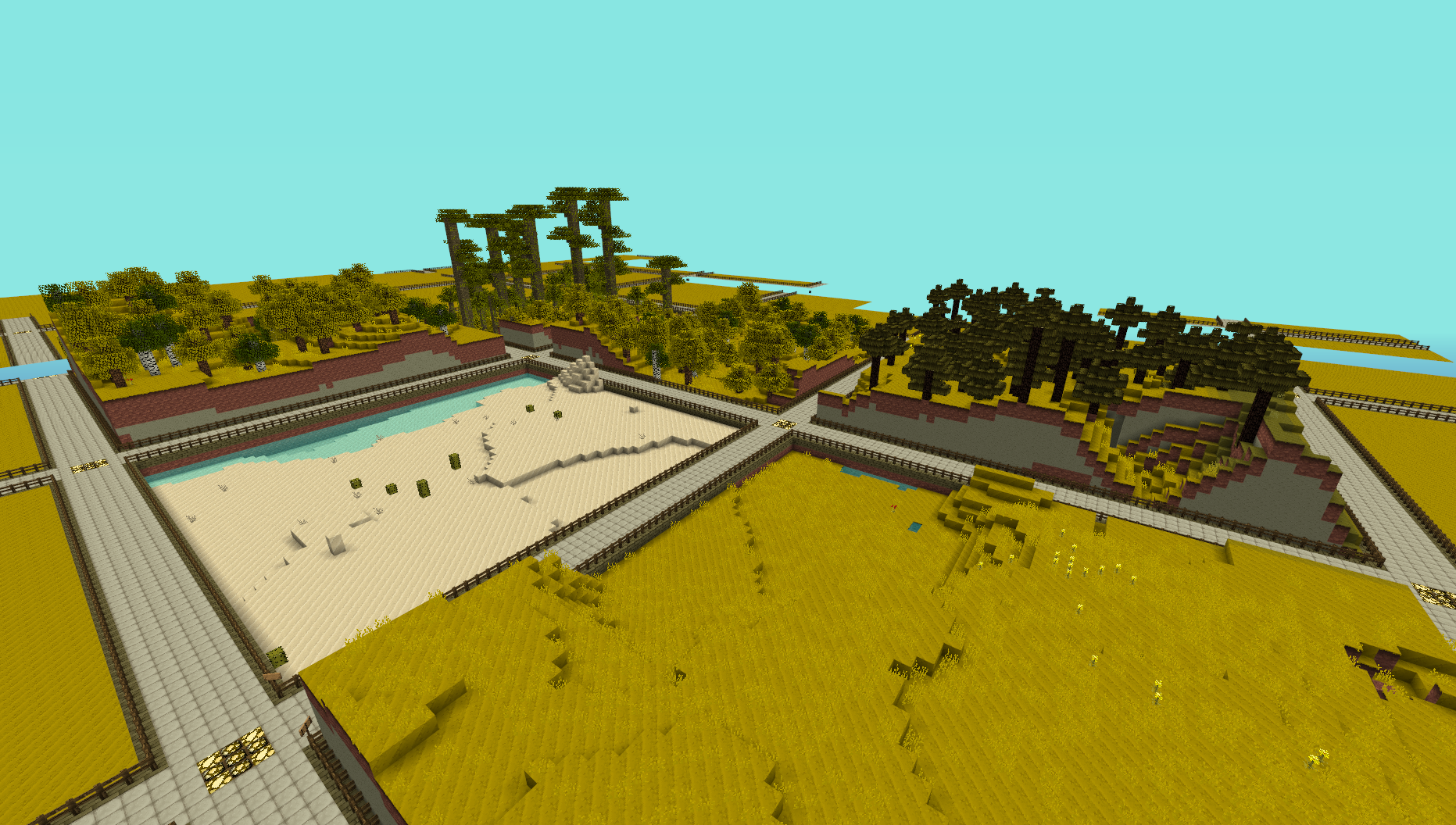
This plugin provides a simple generator for server admins to use to create an infinite world of building plots (of a configurable size), the idea is for it to be used to create a world to be used for building competitions. I made this to use on my server and am releasing it just in case anyone else is looking for the same thing.
NOTE: This does not create any worlds, you will need to use a plugin like MultiVerse or edit your world.yml file to create one using this plugins name as the generator. An example of the command used to create a world using MultiVerse would be
/mv create competition_world normal -g InfinitePlots
Bug Reports / Suggestions
If you find a bug, encounter a problem or have a suggestion, please fill out a ticket via the Tickets link above. I do not have the time to read through the comments section, any comment that fits the previous three categories will be ignored.
Plot Size
The plot-size option in the config file controls the size of the plots that are generated, it will only take effect in new areas so you may need to delete the worlds folder and have it regenerate.
You can also set the size of the plots for a given world using the generator ID parameter, for a size of 64 (the default) you can do
/mv create competition_world normal -g InfinitePlots:64
for 128 you would do
/mv create competition_world normal -g InfinitePlots:128
If the ID parameter is not specified the value from the config file will be used.
For details of the other config options see the config page.
Contributing
Contributions to the project are very much welcome, if you have a feature that you want implemented and know a nice way to do it then consider forking the repo and submitting a pull request. These will be accepted as long as the following simple guidelines are followed.
- Do not edit the structure of the pom.xml file, feel free to add a dependency if you need it but the formatting and structure should not be changed.
- If you are exposing a new API method, add a JavaDoc comment to it, but don't over-comment internal code.
- Follow the existing code style, don't antagonise over every space though !
All dependencies that are used are now available from a public Maven repo, so you don't have to worry about building several other projects just to add a simple change any more.
Source Code
Dev Builds
Changes Since Last Release
Information on the development version can be found on the new version of this page http://dev.bukkit.org/server-mods/infiniteplots/pages/main-dev/
Download
Development builds of this project can be acquired at the provided continuous integration server. These builds have not been approved by the BukkitDev staff. Use them at your own risk.
http://bukkit.jacekk.co.uk:8000/job/InfinitePlots/
Download Stats
Comments

-

_ForgeUser6967060 Owner
-
_ForgeUser4473012 Contributor
-
View User Profile
-
Send Message
Posted Mar 13, 2012@InSaNeAssault
You should be asking the guy that made InfiniteClaims these things. I just made the plots.
-
View User Profile
-
Send Message
Posted Mar 13, 2012i have installed boththe plugins but i dont know how to protect them. i make a ploted world but they are never protected even with the pluugin infinite claims. do i have to wait til a world guard 1.2.3 comes out. if you could make a quick tuorial that would be very helpful
-
View User Profile
-
Send Message
Posted Mar 12, 2012@Ryan_willo12
Have a look at InfiniteClaims. I think that does that. And no I'm not making a video !
-
View User Profile
-
Send Message
Posted Mar 11, 2012hi there is there a way to protect the walk ways and peoples plot because plots get greifed and i thought there where protected and they wernt if there is a way make a video that would be helpful thanks!
-
View User Profile
-
Send Message
Posted Mar 11, 2012@greaperc4
Did you even try it before bugging me for an pupate, it works perfectly fine with all version R1+
-
View User Profile
-
Send Message
Posted Mar 11, 2012@wide_load
why not?
-
View User Profile
-
Send Message
Posted Mar 11, 2012@greaperc4
No need to.
-
View User Profile
-
Send Message
Posted Mar 11, 2012please update for 1.2.3 :D
-
View User Profile
-
Send Message
Posted Mar 9, 2012@xtyro
No problem :D
-
View User Profile
-
Send Message
Posted Mar 9, 2012Sorry, I didn't see this option. I must be blind. :P I understand your point. I am sorry again, that I created non-existing problem.
-
View User Profile
-
Send Message
Posted Mar 9, 2012@xtyro
Well you can turn the mob limit option off in the config file and use another plugin to do it if you want. The reason it's included is that it was requested ;)
And yes, I won;'t be implement requests form the comments section anymore. It's a bit harsh but I'm using GitHub to track the project now so I want to be able to point to the request in the changlog. Also I will just forget if it was a comment that ends up being hidden.
-
View User Profile
-
Send Message
Posted Mar 9, 2012ohh, I thought you don't use tickets, since there isn't any ticket and people are talking about everything in comments. I have started a new city world using your plugin and I didn't expect the mobs are blocked, it's my fault, I didn't check that. It is not necessary to block mobs, since there are plenty of other plugins which do that, eg. multiverse, worldguard and which are installed on most servers. I thought about another flat world plugin, but I liked to have these fences ready, but without mobs I would have to do. Do I have to fill the first ticket to have a chance you recompile this plugin?
-
View User Profile
-
Send Message
Posted Mar 9, 2012@xtyro
Feature request must be done via the ticket system.
-
View User Profile
-
Send Message
Posted Mar 9, 2012It doesn't allow to spawn mobs? I tried and it doesn't work, but I would like to be able to spawn them. Edit: Could I have also a request to the roads be one block lower?
-
View User Profile
-
Send Message
Posted Mar 5, 2012@Flapcraft
You can't use data values. "each setting in this section should have the value of the block id to be used".
-
View User Profile
-
Send Message
Posted Mar 5, 2012i don''t know if this is right but, in the config i can't use black wool as id? i typed 35:7 when i type: mv create plot normal -g InfinitePlots it says this:
2012-03-05 17:03:25 [INFO] CONSOLE: Starting creation of world 'plot'... 2012-03-05 17:03:25 [INFO] [Multiverse-Core] Loading World & Settings - 'plot' - Env: NORMAL - Type: NORMAL & generator: InfinitePlots 2012-03-05 17:03:25 [INFO] Preparing start region for level 3 (Seed: -31628103252385988) 2012-03-05 17:03:25 [SEVERE] [Multiverse-Core] The world 'plot' could NOT be loaded because it contains errors! 2012-03-05 17:03:25 [SEVERE] [Multiverse-Core] Try using Chukster to repair your world! 'plot' 2012-03-05 17:03:25 [SEVERE] [Multiverse-Core] http://forums.bukkit.org/threads/admin-chunkster.8186/
any idea what to do? i am running it in 1.2.3 beta build. if i keep the default config it works fine :)
-
View User Profile
-
Send Message
Posted Mar 5, 2012@CraigDeVonne
That is probably the same bug that a few other people have incorrectly reported. See my comment here http://dev.bukkit.org/server-mods/infiniteplots/tickets/28-generation-problem/?comment=4
-
View User Profile
-
Send Message
Posted Mar 5, 2012Seems it's not working on beta build of R0 for 1.2, it's not generating as plots, just regular map. Anyone else getting this?
-
View User Profile
-
Send Message
Posted Mar 4, 2012I'll be testing this on my 1.2 server soon, I will post back and let you guys know how it works out
-
View User Profile
-
Send Message
Posted Mar 3, 2012@hunterboerner
It should, nothing has changed with the generators as far as I can tell.