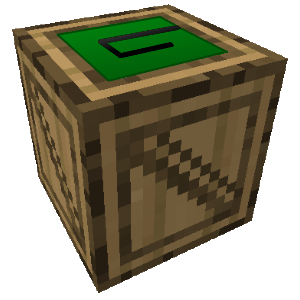
GreenCrate

Overview
GreenCrate is a simple plugin that adds prize crate items to your server. 'Crates' are items that open when right clicked, awarding the player specified items as defined in the config.yml file for that crate. Crates can be configured with custom item IDs, data values, and custom display names, among many other options. They can also open customized chest GUI screens for the user to take items out of, as well as drop from mobs as a reward. Items in the crates can be configured with data values, amounts, enchantments, display names, and lore.
Commands and Permissions
This plugin uses the /crate command to distribute and manipulate crates manually. All command functionalitites from previous versions have been combined into this single command.
- /crate reload - Reloads the main config.yml file. (Permission: greencrate.crate.reload) ♦
- /crate list - Lists all crates available to you. (Permission: greencrate.crate.list)
- /crate spawn <name> - Spawn the item for the specified crate into your inventory. (Permission: greencrate.crate.spawn)
- /crate give <player> <name> - Gives the crate item for the specified crate to the given player. (Permission: greencrate.crate.give) ♦
- /crate random - Spawns the crate item for a random crate into your inventory. (Permission: greencrate.crate.random)
- /crate giverandom <player> - Gives the item for a random crate to the specified player. (Permission: greencrate.crate.giverandom) ♦
- /crate open <name> - Opens the specified crate for you without the crate item. (Permission: greencrate.crate.open)
- /crate openfor <name> <player> - Opens the specified crate for the given player without the crate item. (Permission: greencrate.crate.openfor) ♦
- /crate openrandom - Opens (gives you the items for, or opens the chest GUI for) a random crate in the config. (Permission: greencrate.crate.openrandom)
- /crate openrandomfor <name> - Opens a random crate for the specified player. (Permission: greencrate.crate.openrandomfor) ♦
♦ Can be run from the server console.
If you have individual crate permissions enabled, you must give players greencrate.use.<cratename> for them to be allowed to open the crate.
Configuration
Visit the configuration page for details on how to use GreenCrate's config.yml file.
WARNING: Since this project is still in an early development stage, the format of the config.yml may change in between versions and may not always be cross-compatible. Be sure to update your config to the latest formatting when updating to a newer version.
Bug Fixes
This plugin is very early in development. If you find a bug, please submit a ticket. I need to know what version of CraftBukkit you are using and the contents of your config.yml file. If it is an Exception in the console, I also need the exact text of the Exception from the console. If it is a problem with the plugin itself, I will do my best to fix it.
Source
The source code for this plugin is available on GitHub. I apologize if the code is outdated; I'm not really good with GitHub, and I might have trouble merging all of the up-to-date changes.
 GitHub Repository: GreenCrate
Feature Requests
If you have feature requests, please PM me, submit a ticket, or leave a comment. I can use all the good ideas I can get to make this plugin better. Some possible future additions are listed below. (This is not an exhaustive list.)
Planned Additions:
- '[GreenCrate] ...' notification disable option in config
- Subgrouping and randomization for crate contents
- Item-specific options, such as cooldowns, limits, etc
- In-game crate creation
Comments


-

_ForgeUser10865507 Owner
-
View User Profile
-
Send Message
Posted Sep 15, 2016there is no download to it???
-
View User Profile
-
Send Message
Posted Jun 13, 2014@Greenlock28
Maybe guys can use my plugin:
http://dev.bukkit.org/bukkit-plugins/loot-crates/
It is up to date and has many features.. :)
-
View User Profile
-
Send Message
Posted Jun 6, 2014@ReeferX7
I haven't updated or worked on this plugin for a long time. I started working on item randomization a while back, but it made the config pretty big.
If anyone wishes to take over development of this plugin, I'll be glad to pass it on. Time available for me to work on this will likely become less and less, so I have no doubt that it'll be better off in someone else's hands.
-
View User Profile
-
Send Message
Posted May 23, 2014Any update of this plugin?
-
View User Profile
-
Send Message
Posted Apr 30, 2014When I was testing this - I saw a lot of dupes and other issues crop up on our test server.
Anyone else?
-
View User Profile
-
Send Message
Posted Apr 23, 2014@dannob123
Add a message saying No refunds.
-
View User Profile
-
Send Message
Posted Apr 11, 2014I want to use crates for my donation store but im worried if people can buy it then refund and still have the crate because there is no command for taking a crate off a player
so can you add that in please! thanks
-
View User Profile
-
Send Message
Posted Mar 9, 2014@Greenlock28
I was thinking of creating a Gachapon system with your plugin, however i am confused and unsure on how to start doing it. Do you think its possible?
-
View User Profile
-
Send Message
Posted Feb 15, 2014Can we not have a percentage chance for what items might spawn in a chest?
Ie.
Diamonds - 2% Wool - 10% Sticks - 80%
and then say only 1-4 items will spawn...?
-
View User Profile
-
Send Message
Posted Feb 14, 2014@xGumBax
Hey, you can use my plugin to handle that! It's called boosCooldowns.
-
View User Profile
-
Send Message
Posted Feb 12, 2014@xGumBax
I apologize for this problem. I (once again) accidentally included debug code that I used in development. Version 0.0.9 is being uploaded with a fix to this bug.
GreenCrate does not support economy as of now, but you might be able to find a different plugin to handle the buying for you. It would have to support commands (like BuyCraft does, for example) though, for it to work with this plugin.
-
View User Profile
-
Send Message
Posted Feb 12, 2014@Jedired1
Item randomization has not yet been added, although it is a planned addition. Also, about making the crates disappear after they've been used, see one of my earlier comment replies:
"@Luke_James:
To make crates disappear from a player's inventory after they've been used, set the 'confiscate' setting to 'true' for the crate."
-
View User Profile
-
Send Message
Posted Jan 29, 2014Hey! Nice Plugin, i love it! But i got a problem. Everytime anyone opens a crate, the name of the crate appears in chat. I dont want this, pls help! And another question, how can i add prices of the crates, that players are able to buy them with ingame money?
-
View User Profile
-
Send Message
Posted Jan 26, 2014Hey, is there a way to make the prises inside the crate random, so when a player opens the crate they would receive only one of the options randomly. Then the crate would disapear ?
-
View User Profile
-
Send Message
Posted Jan 16, 2014Hi guys,
I'm really sorry about the long wait for this relatively boring update. I've got a few other projects that I have to work on at the same time, so things are kind of slow.
The good thing is, now that I've finished these small improvements, I can start working on in-game crate creation.
-
View User Profile
-
Send Message
Posted Dec 21, 2013@Luke_James
To make crates disappear from a player's inventory after they've been used, set the 'confiscate' setting to 'true' for the crate.
-
View User Profile
-
Send Message
Posted Dec 14, 2013How can I make it so that a crate can only be opened once, and once it's been used it's gone forever? I am given to understand that once a player is given a crate that they can use that crate again after a specified cooldown period, is there anyway to make it so once they've used it, it's gone?
-
View User Profile
-
Send Message
Posted Dec 10, 2013@benjibobs
Thanks ben, it pays to have a plugin developer on our server :P
-
View User Profile
-
Send Message
Posted Dec 10, 2013@InsomniaCraft
In the config, there's an option called persistent-items.
This defines whether or not the items or unlimited. Try using the crate Example2, or changing persistent-items to false
It is located here:
gui: enabled: false chest-rows: 0 label: 'n/a' persistent-items: false
Be warned, the current version is plagued with bugs and null pointer exceptions, so use at your own risk. Nothing should go wrong unless you do an error in the config or in a command.
It's also worth noting that item-data must be set to 0 in order to get it to work with normal blocks. Example here
This'll fix all bugs you've listed, and even one you didn't know existed! :o Mind you, it would be nice if a general fix came out, I had to fix about 67 errors....
-
View User Profile
-
Send Message
Posted Dec 10, 2013@Luke_James
In the config, there's an option called persistent-items.
This defines whether or not the items or unlimited. Try using the crate Example2, or changing persistent-items to false
It is located here:
gui: enabled: false chest-rows: 0 label: 'n/a' persistent-items: false
Be warned, the current version is plagued with bugs and null pointer exceptions, so use at your own risk. Nothing should go wrong unless you do an error in the config or in a command.
It's also worth noting that item-data must be set to 0 in order to get it to work with normal blocks. Example here
This'll fix all bugs you've listed, and even one you didn't know existed! :o Mind you, it would be nice if a general fix came out, I had to fix about 67 errors....