GoogleAnalyticsPlugin
The Google Analytics Plugin allows to use Google Analytics for basic statistics.
The current version tracks events like logins, quits, deads, and kills by user (for all events see here).
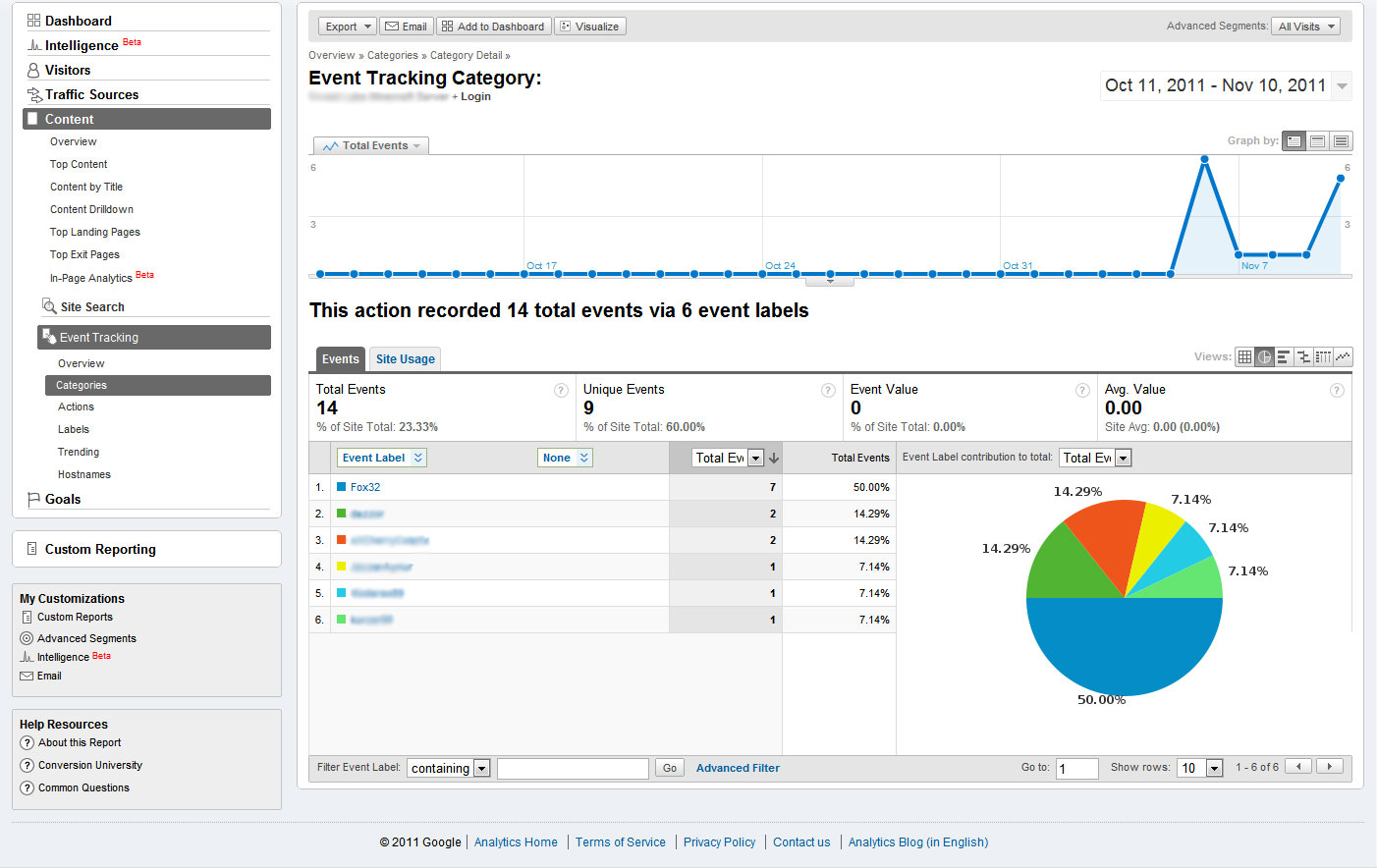
You can see some examples how the data is visualized in Google Analytics on the images page.
 Install
Updating the data in Google Analytics can take some time, the data is not live! The first setup takes at least one day or two!
Future updates
Install
- Setup a Google Analytics Account
- Setup a Profile for your Server on Google Analytics (You need the entered domain name and the tracking in for the configuration)
- Put the jar file in the plugin folder
- Run the plugin once to generate the default config file of the plugin
- Setup the configuration file as described here
Updating the data in Google Analytics can take some time, the data is not live! The first setup takes at least one day or two!
Future updates
- Add more events (Leave your ideas for events in the comments).
- Integrate tracking of other plugins like iConomy .
- Add an better interface for other modders, to allow them tracking events in their plugins.
Comments


-

_ForgeUser7367515 Owner
-
View User Profile
-
Send Message
Posted May 5, 2013@Fox32
Will this work on 1.5.2? Plugin looks awesome!
-
View User Profile
-
Send Message
Posted Mar 11, 2013@alexandercitt
I would like to do it, but Google Analytics only let me track (the count of) events. The amount for players is difficult to track as an event. But it allows events like login, kills, death...
-
View User Profile
-
Send Message
Posted Mar 11, 2013Took some time to setup, but this is a great plugin!
Is it possible to make the plugin track the amount of players online? And the time of 1 player being online?
-
View User Profile
-
Send Message
Posted Feb 3, 2013@t3chguy
The plugin only uses basic apis that are in a stanle state for a long time. It don't look like there are any breaking changes. We are running the plugin on you own server and never ahd problems.
-
View User Profile
-
Send Message
Posted Oct 31, 2012It probably already is compatible with 1.3 but I think Fox32 should test it THOROUGHLY with 1.3.2 R3.0 AND the 1.4 Dev Builds, and release fixes and/or mention it works fine with those builds/versions
-
View User Profile
-
Send Message
Posted Aug 11, 2012My Analytics page says I've had 1 user come on.
For the website bit I put the server IP/name (tekkit.arcscraft.com)
Any idea how I can fix this?
-
View User Profile
-
Send Message
Posted Aug 3, 2012Genial plugin ! Can you add more stats, items drops, blocks posed, creepers explosions... ? Thanks very much ;)
-
View User Profile
-
Send Message
Posted Aug 3, 2012The plugin seems to work fine with the 1.3 dev build
-
View User Profile
-
Send Message
Posted Jul 15, 2012I have a small question, what do you mean by "server domain"
the domain i have given on analystics for my server ip? (now set as not a website so no ip)
or something different?
maybe make it a bit more clear. But as far as i can see its working, it reconizes my login as 1 active from netherlands
-
View User Profile
-
Send Message
Posted Jun 21, 2012When we set up the Google Analytics profile, under Property Settings, do we say that it is a website or not a website? I have been using this for the past few weeks, and I came to check the data today and it says there has only been 1 player on the server over the past few weeks, when we actually have much more.
-
View User Profile
-
Send Message
Posted Jun 3, 2012How i configure in the panel of Google Analytics?
-
View User Profile
-
Send Message
Posted May 27, 2012I didn't really want to disable it. I want to see try_login, only if a full login doesn't work. Is that not possible?
Hmm I sound like a needy alcoholic... haha
-
View User Profile
-
Send Message
Posted May 27, 2012@sheepwool7
Check out the config file, you can disable event there.
-
View User Profile
-
Send Message
Posted May 26, 2012When you login it tracks both try_login and login. Is there a way to change this?
-
View User Profile
-
Send Message
Posted May 24, 2012Very cool plugin
-
View User Profile
-
Send Message
Posted Apr 3, 2012Thank you! I haven't tested this yet, but it looks great by the looks of it :)
-
View User Profile
-
Send Message
Posted Mar 26, 2012@deleted_8127146
Wait two days, if the data still doesn't show up, ask again
-
View User Profile
-
Send Message
Posted Mar 26, 2012Hello
Your plugin seems great, but Google Analytics doesn't receive data.
My config is fine, because with same settings, in my local machine, it's work.
There is some port to open ?
Somethings is required in the server to get this work ?
Thank you
Xéfir Destiny
-
View User Profile
-
Send Message
Posted Mar 22, 2012The Download button takes you to the first version. Use the link of the version under that..
-
View User Profile
-
Send Message
Posted Mar 21, 2012I don't understand how I'm supposed to make GA track my server. How do I paste the tracking code on my server?