GeoPortals
[ Portals v2.0 (Port) ]
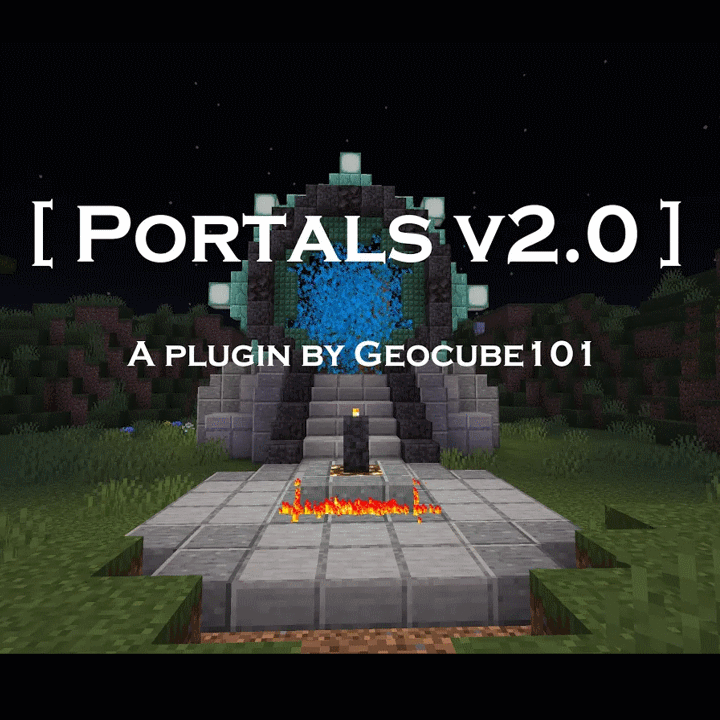
Portals 2.0 is a Paper plugin port of my datapack which adds portal structures to the game.
The portals can travel anywhere in Minecraft and across dimensions. They don't naturally generate and you must craft the spawner to place a portal.
Get the datapack here.
The portals can travel anywhere in Minecraft and across dimensions. They don't naturally generate and you must craft the spawner to place a portal.
Get the datapack here.
[ Spawning and Despawning ]
To craft a spawner, drop a diamond, end crystal, ender pearl and prismarine crystals atop a respawn anchor. You'll get a spawn egg to place down. The spawn egg displays the bounding box of the portal and will rotate depending on your rotation.
To despawn a portal, place a tnt block on the DHD ( where the soul torch would go ) and confirm by pressing "Yes". The portal will be removed and all items (except for the diamond) will be returned.
[ Using a Portal ]
To activate a portal, place a soul torch on top of the center pillar. Once the torch slides into place, a keypad will open. Using the keypad, enter the ID of the target portal. Portal IDs are displayed above the center column upon activation. To get a list of all portal IDs, use the "/listportals" command. Once the ID is entered, press the blue symbol "-=[@]=-" at the bottom of the keypad. If the ID is valid, the portal will open. By default, portals are one-way (inbound connections show up as red). This can be changed in the config explained below.
Note: You cannot dial yourself.
[ Commands ]
Below is a list of all commands for this plugin. Commands with a red asterisk "*" require an operator to execute
- * /givespawnegg - Gives the executer a portals spawn egg
- * /opentimeout - Sets or gets the time (in ticks) until a portal automatically closes
- * /primedtimeout - Sets or gets the time (in ticks) until a portal automatically un-primes
- * /keepoldportalframes - Sets or gets whether deleting a portal removes the structure
- * /updateportalids - Sets or gets whether removing a portal updates other portal IDs to remain synchronous
- * /showspawneggboundingbox - Sets or gets whether the spawn egg displays its bounding box
- * /allowduplex - Sets or gets whether two way portals are allowed
- * /opentimeoutpercent - Sets or gets the percentage of the open timeout a portal will stay open after passing through
- * /reloadportalstructures - Forcefully reloads all structures; removes any changes to them
- * /setportalid - Sets the ID of a portal (new ID must be available)
- * /dialportal - Attempts to open a connection between two portals
- * /closeportal - Attempts to close a portal
- * /lockportal - Locks one or more portals; locks all portals if no ID is supplied
- * /unlockportal - Unlocks one or more portals; unlocks all portals if no ID is supplied
- * /createportal - Creates a new portal at the set coordinates
- * /deleteportal - Deletes a portal with the specified ID
- /listportals - Lists all portals, their location, ID, state, and dimension
- * /portals2.0 - Opens the Portals plugin configuration manager
[ Portal States ]
Portals have a total of 7 different states, though only 6 matter.
- IDLE - The portal when idle
- PRIMED - The portal when a player inserted a soul torch
- OUTBOUND - The portal during an outbound connection
- INBOUND - The portal during an inbound connection
- BLOCKED - The portal if there are non passable blocks inside of the ring
- LOCKED - The portal when locked
- SWITCHING - The portal when switching between the other 6 states
[ Other Notes ]
Inbound portals be default display with red particles. Entering the inbound side of a connection will result in your death (does not apply to creative players). This can be disabled by setting the "allowduplex" to true. Duplex portals will show green particles on the inbound side and will simply teleport you back to the dialing portal.
All entities are capable of teleporting through the portals, just in case you have any pets. Just keep in mind that they will need to exit the event horizon before their cooldown wears off ( about 5 seconds ), in which case they might die.
You can block a portal by placing a non-passable block inside of the inner ring. While blocked, the portal will not accept inbound connections and cannot make outbound connections. Locked portals will also refuse any connections.
Any portal in the end will automatically lock if an ender dragon is present. Once the ender dragon is defeated, the portals will unlock.
For non-standard worlds (not any of the 3 base game dimensions), there is a "default_portal" option in the config file for specifying which portal structure to use. Valid portal structure values are "overworld", "nether", and "ender"
You can also specify in the config file, the namespaced key for your world (ex. minecraft:overworld) and a portal structure to use for that world. (Not fully tested so if it doesn't work please leave a comment indicating such)
Example config file
//replace mynamespace:myworldname with the name of your world and set the value to one of "overworld", "nether", or "ender"
open_timeout=200
primed_timeout=600
keep_portal_frames=false
update_portal_ids=true
show_spawn_egg_bounding_box=true
allow_duplex=false
open_timeout_percent=50
default_portal=overworld
mynamespace:myworldname1=overworld
mynamespace:myworldname2=overworld
mynamespace:myworldname3=nether
mynamespace:myworldname4=ender
open_timeout=200
primed_timeout=600
keep_portal_frames=false
update_portal_ids=true
show_spawn_egg_bounding_box=true
allow_duplex=false
open_timeout_percent=50
default_portal=overworld
mynamespace:myworldname1=overworld
mynamespace:myworldname2=overworld
mynamespace:myworldname3=nether
mynamespace:myworldname4=ender
For any issues or feedback, leave a comment below.


-

Geocube101 Owner
Comments