GameMode Inventories

Downloads
I'm too lazy to upload GMI files to Bukkit anymore, as builds are automatically created when the plugin is updated and changes pushed to GitHub.
For 1.18.x, please download GMI from the TARDIS Jenkins server: http://tardisjenkins.duckdns.org:8080/job/GameModeInventories/
Features
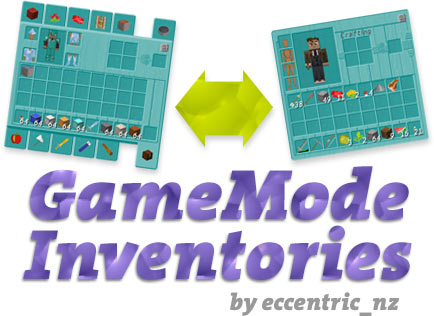
GameMode Inventories allows you to have separate inventories for Creative and Survival game modes (it also works for Adventure!).
- Inventories are saved and switched automatically
- Configurable option to save and restore inventories on player death
- Configurable option to also switch XP amount automatically (enabled by default)
- Configurable option to also switch armor automatically (enabled by default)
- Configurable option to also switch Ender Chest inventories automatically (enabled by default)
- Configurable option to restrict inventory opening for Chests, Ender Chests, Enchantment Tables, Anvils, Furnaces and Dispensers in CREATIVE game mode
- Configurable option to disable players dropping items from their inventories in CREATIVE game mode
- Configurable option to disable players from picking up items in CREATIVE game mode
- Configurable option to remove potion effects when switching from CREATIVE to SURVIVAL
- Configurable option turn off the plugin's messages which can get excessive when
no_pickupsandno_dropsare enabled - Configurable option to track the placement of CREATIVE gamemode placed blocks, then either: disable them from being broken, or, allow them to be broken but not drop anything - and also prevent pistons from moving them and deny the block dropping if the attached block is broken - this MUST be enabled for a world to work. You can specify a list of blocks you don't want to track as well
- Configurable option to prevents drops from falling blocks e.g. anvils, gravel, sand
- Configurable option to prevent the breaking of bedrock in CREATIVE, set to false to prevent breaks below Y<5 in all worlds, and Y>122 in the Nether
- Configurable blacklist of blocks that cannot be placed in CREATIVE (use Spigot Material names)
- Configurable blacklist of commands that cannot be used in CREATIVE
- Configurable option to preserve custom attributes when switching inventories (player and armour only)
- Configurable options to set which GMI features can be bypassed
- Configurable option to restrict spectator gamemode access
- Configurable option to switch to a creative world when changing to gamemode CREATIVE
- Localisable messages - edit messages.yml
- Support for using a MySQL database
Created in response to this plugin request: http:forums.bukkit.org/threads/separate-inventories-creative-survival.112187/
Featured in Curse's Minecraft Spotlights
How it works
Add the GameModeInventories.jar file to your server's plugins directory and start up the server. A config file will be created automatically with the default values.
Then all you have to do is switch game modes and your current inventory, armor and XP will be saved and your new game mode inventory will take its place.
What it doesn't do
GameMode Inventories is not a replacement for the Creative Control plugin:
- its primary purpose is an inventory management tool
- this is NOT likely to change anytime soon
- please stop asking
GameMode Inventories is an open sourced project, if you want to make the changes yourself, you are free to do so, as long as the plugin is released under the same license and conditions as GameMode Inventories.
Timings
Please do not bother posting timings for this plugin, here's why:
- See above
- I don't use any of the plugins' 'restriction' features
- You should expect to see GMI working hard if you have
track_creative_placeenabled, this is normal, after all, GMI is watching all your players all the time, and is keeping them all in line while not bothering you. Any server owner will eventually have a problem if he pushes his hardware too much, for example by running lots of heavyweight plugins. - If you do have a problem, the solutions are to either add more RAM/cpu power, re-prioritize your plugins to drop a few you don't desperately need, reduce your max players or seriously think about why you are letting your players have Creative gamemode at all (if you can't trust them not to abuse it, then don't let them have it, or set up a creative only world).
- Finally, don't expect SQLite to be able to handle big loads - if you are running this plugin on a server with
track_creative_placeenabled, you should probably be using MySQL as the GMI database provider
Commands/Configuration
There are several config options:
save_on_death: [true|false]
xp: [true|false]
armor: [true|false]
enderchest: [true|false]
remove_potions: [true|false]
restrict_creative: [true|false]
no_drops: [true|false]
no_falling_drops: [true|false]
no_pickups: [true|false]
dont_spam_chat: [true|false]
track_creative_place:
    enabled: [true|false]
    break_no_drop: [true|false]
    no_piston_move: [true|false]
    attached_block: [true|false]
    worlds:
    - world
    dont_track:
    - STONE
    - DIRT
creative_blacklist: [true|false]
blacklist:
- TNT
- BEDROCK
- LAVA_BUCKET
break_bedrock: [true|false]
command_blacklist: [true|false]
commands:
- give
- i
- buy
- sell
custom_attributes: [true|false]
bypass:
    inventories: [true|false]
    items: [true|false]
    blacklist: [true|false]
    survival: [true|false]
    commands: [true|false]
restrict_spectator: [true|false]
You can enable/disable the options with a command (all options are available via tab completion):
/gmi save_on_death
/gmi xp
/gmi armor
/gmi enderchest
/gmi remove_potions
/gmi restrict_creative
/gmi restrict_spectator
/gmi no_drops
/gmi no_pickups
/gmi dont_spam_chat
/gmi track_creative_place
/gmi break_no_drop
/gmi attached_block
/gmi break_bedrock
/gmi creative_blacklist
/gmi command_blacklist
/gmi no_falling_drops
/gmi custom_attributes
/gmi bypass.inventories
/gmi bypass.items
/gmi bypass.blacklist
/gmi bypass.survival
/gmi bypass.commands
Permissions
There are four:
gamemodeinventories.use
Default: true - Allow players to have separate inventories for each game mode
gamemodeinventories.death
Default: op - Allow players to save their inventories on death, and restore them on respawn
gamemodeinventories.bypass
Default: op - Allow players to bypass inventory opening restrictions in CREATIVE (when restrict_creative: true). Also allow players to bypass the no items drops / no item pickups restriction (when no_drops: true or no_pickups: true). As of version 2.5.4, you can configure which features can be bypassed:
inventories- if true players can bypass not being able to open inventories in creativeitems- if true players can bypass not being able to pick up and drop items in creativeblacklist- if true players can bypass not being able to place and use restricted block and items in creativesurvival- if true players can bypass being forced into survival gamemode when changing worldscommands- if true players can bypass not being able to place and use restricted commands- If any of the bypass options are set to false, then nobody will be able to bypass them (regardless of whether they have the permission or not)
gamemodeinventories.admin
Default: op - Allow players to change config options
Source code
Dev builds
Development builds of this project can be acquired at the provided continuous integration server.
These builds have not been approved by the BukkitDev staff. Use them at your own risk.
Comments


-

eccentric_devotion Owner
-
View User Profile
-
Send Message
Posted Aug 8, 2014Thanks for the help, I got it situated. Also, I didn't always use the IDs, I tried "Pig_Egg" and such, but didn't know what to actually call the item I was needing to block.
Thanks for the help :)
(I suggest giving that link in the config when you update it again, will be very helpful to players using the plugin.)
-
View User Profile
-
Send Message
Posted Aug 8, 2014@bloxxerman101
Why are you trying to use IDs? The examples in the config do not use them, so why would you even try? You need to use the correct Bukkit Material name - https://github.com/Bukkit/Bukkit/blob/master/src/main/java/org/bukkit/Material.java
-
View User Profile
-
Send Message
Posted Aug 8, 2014Still not working, I put all the Item IDs for mob eggs, and potion IDs and players can still use them.
- TNT - BEDROCK - LAVA_BUCKET - WATER_BUCKET - 8 - 9 - 10 - 11 - 137 - 34 - 2588 - 2589 - 166 - 52 - 51 - 62 - 384 - 385 - 90 - 119 - 120 - 122 - 23030 - 23031 - 23032 - 23034 - 23035 - 23036 - 23037 - 23038 - 23039 - 383:60 - 383:61 - 383:62 - 383:65 - 383:66 - 383:67 - 383:68 - 383:90 - 383:91 - 383:93 - 383:94 - 383:95 - 383:96 - 383:98 - 383:100 - 383:101 - 383:120 - 373:16378 - 373:16385 - 373:16386 - 373:16388 - 373:16389 - 373:16392 - 373:16393 - 373:16394 - 373:16396 - 373:16418 - 373:16420 - 373:16421 - 373:16425 - 373:16428 - 373:16449 - 373:16450 - 373:16451 - 373:16452 - 373:16456 - 373:16457 - 373:16458 - 373:16471
Also, I can't even block XP bottles being thrown, nor disable splash potions. Please help me.
(And like told, I shut my server down while doing this)
-
View User Profile
-
Send Message
Posted Aug 7, 2014@bloxxerman101
So don't make your players op... (or give them access to the /give, /item commands)
-
View User Profile
-
Send Message
Posted Aug 7, 2014@bloxxerman101
Stop server first, edit config, start server
-
View User Profile
-
Send Message
Posted Aug 7, 2014Please help, eccentricnz!
Recently, I have switched from CreativeControl to your plugin. I've been having a few issues though, let me explain.
- Players are able to use Mob eggs (I suggest this on default should not be enabled) - Players can use XPBottles (I suggest this on default should be disabled) - Players can use the 'Too Many items' mod and gets tons of non creative items.
Also, how do I block all these items? I put the items I'm needing to block under the Blacklist section, but when I reload/reboot my server the config resets. Am I doing something wrong? Please help me block all of these items.
-
View User Profile
-
Send Message
Posted Aug 5, 2014@CraftYourWay
You can't use both Multiverse-Inventories and GameMode Inventories, chose one, ditch the other...
If you want both multi-world and game mode inventories, then MVI does both...
-
View User Profile
-
Send Message
Posted Aug 5, 2014its a nice plugin but when i use it next to my multiverse inventory plugin then gm 1 and gm 0 inventories get switched, also they switch when changing world or entering a portal and back. also when entering a portal and back people can trow their stuff on the ground, but the configuration say they cant. how to fix this?
-
View User Profile
-
Send Message
Posted Aug 2, 2014@Bodyash
GameMode Inventories 2.5.2 has been uploaded and is awaiting Bukkit approval. It includes the following changes:
custom_attributes: trueis set in the config - use the/gmi custom_attributescommand to toggle the setting). Tested using http://dev.bukkit.org/bukkit-plugins/attributesapi/-
View User Profile
-
Send Message
Posted Aug 2, 2014Hello, I use two worlds, one that is for survival and the other for the creative. Your sentences are meaning :) I do not think multi-inv work, I hesitate to Multiverse-Inventories for Multi-Inv is more frequently updated. Thank you again :)
/
Bonjour, j'utilise deux mondes, un qui est pour la survie et l'autre pour le créatif. Vos phrases on du sens :) Je ne pensais pas que multi-inv fonctionnait, j'hésite à prendre Multiverse-Inventories car Multi-Inv est plus souvent mis à jour. Merci encore :)
-
View User Profile
-
Send Message
Posted Aug 1, 2014@Asicoo
Hello, In my opinion, you should not give players the ability to use both creative and survival game modes in the same world. It makes much more sense to set up a creative only world where players can do as they please, and have a separate survival world. You can then use GameModeInventories, Multiverse-Inventories or MuiltiInv to provide separate inventories per world. Hope that makes sense.
Bonjour, À mon avis, vous ne devriez pas donner aux joueurs la possibilité d'utiliser les deux modes de 'CREATIVE' et de jeu de 'SURVIVAL' dans le même monde. Il est beaucoup plus logique de mettre en place un seul monde créatif où les joueurs peuvent faire comme ils s'il vous plaît, et avoir un monde de survie séparé. Vous pouvez ensuite utiliser GameModeInventories, Multiverse-Inventories ou MuiltiInv de fournir des inventaires séparés par monde. J'espère que cela a du sens.
-
View User Profile
-
Send Message
Posted Jul 31, 2014Hello eccentricnz! I would like to know if you know a plugin creative control mode. I am currently using your plugin, but you tell yourself that for this kind of use it will not replace a true plugin creative control mode. Then you know a plugin? I can not find ... Thanks again for your wonderful work! Well done. I hope my English is understandable, I used Google Translate.
/
Bonjour eccentricnz ! je souhaiterai savoir si vous connaissiez un plugin de contrôle du mode créatif. J'utilise actuellement votre plugin, mais vous dites vous même que pour ce genre d'utilisation qu'il ne remplacera pas un vrai plugin de controle du mode créatif. Connaissez-vous alors un plugin ? Je n'en trouve pas ... Merci encore pour votre magnifique travail ! Bravo. J'espère que mon anglais est compréhensible, j'ai utilisé Google Translate.
-
View User Profile
-
Send Message
Posted Jul 21, 2014@Topo4321
Well, I can't reproduce any errors or the behaviour you are seeing, so one line comments are not going to help getting it resolved. You'll need to make a ticket with the exact steps needed to reproduce the problem. Attach your config file, put any errors from the server log into a paste (not a screenshot please).
Though to me this looks like vanilla piston behaviour and I would seriously think about why you are letting your players have Creative gamemode at all (if you can't trust them not to abuse it, then don't let them have it, or set up a creative only world). And read this: http://dev.bukkit.org/bukkit-plugins/gamemodeinventories/#w-what-it-doesnt-do
-
View User Profile
-
Send Message
Posted Jul 21, 2014@eccentricnz
It was already Set to true -.-
-
View User Profile
-
Send Message
Posted Jul 21, 2014@Topo4321
You'll need to restart after changing the setting...
-
View User Profile
-
Send Message
Posted Jul 20, 2014@eccentricnz
Emh, no i have it set on "true" but it works, i can duplicate ... http://prntscr.com/44reha (see the console when i try to duplicate.... )
-
View User Profile
-
Send Message
Posted Jul 20, 2014@Topo4321
track_creative_place: true
https://www.youtube.com/watch?v=xFSvSQ67zxM
-
View User Profile
-
Send Message
Posted Jul 20, 2014@eccentricnz
If You put a sticky piston that goes on-off-on-off-on-off ( Screen to understand: http://prntscr.com/44q54a ) and you put a lot of blocks in gamemode 1 ( Example :) : http://prntscr.com/44q5jb ) And Break no drop is set to true, you can Break them and 1/3 drop the block! Fix it please :( ( example: http://prntscr.com/44q6cq ) also i've try and it works you can pick up item from gamemode D: I am doing all that only because i want help you :D Bye :)
-
View User Profile
-
Send Message
Posted Jul 20, 2014@Topo4321
I have no idea what I'm supped to be looking at (the texture pack doesn't help...)
-
View User Profile
-
Send Message
Posted Jul 20, 2014@eccentricnz
i've found a bug/exploit/glitchù watch those screenshots please fix it, terrific plugin :D ( is a stiky piston ) http://prntscr.com/44p41u http://prntscr.com/44p59n putting stiky pistons the 2th or 3th block a player can break it! D: Fix it :D please The only plugin that work!!