EssentialPads

Have you ever wanted to create hospitals to heal players? Have you ever wanted to create undergrounds without need of minecarts? And what about your own teleportation pads or some incredible parkour events? This plugin is just for you! This plugin allows you to create blocks, that add a potion effect to players whenever they walk over them. You can choose from all of the potion effects!

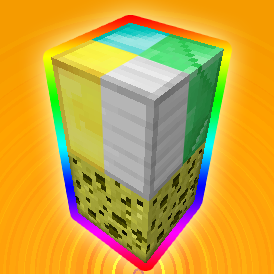
First of all, you can try how it works with 2 default blocks. One of them is a diamond block, the seconds is a lit glowstone lamp. Glowstone lamps allows you to turn the effects on or off whenever you want by triggering the lamp. Now, when you have your plugin ready on the server, place a sponge block and a diamond block on top of it. If you have the permission (EssentialPads.use) or you are op, you should get a potion effect when you walk over the diamond block, that has a sponge below it. If you don't get any effects, make sure to op yourself or add yourself the permission.

Legend: [Required] (Optional)
- /ePads add [potion | command | vector | effect] - assigns an effect you specify to a block you're holding in your hand
- /ePads remove - detaches a potion effect from a block you're holding in your hand
- /ePads list - shows all used blocks
- /ePads reload - reloads the block effects
- /ePads version - shows the current version
PotionEffects
This is used to add a potion effect to a player walking over a block.
- To assign a potion effect to a block, type command: /ePads add potion [EffectID] (Strength) (Length)
- For example: /ePads add potion 8 3 - assigns a jump boost potion effect level 3 with length of 4 (default) seconds to a block in your hand
- or: /ePads add p 1 2 60 - assigns a swiftness potion effect level 2 with length of 60 seconds to a block in your hand
Potion Effect ID List
- Swiftness (1) - Great for events or amazing underground transport!
- Slowness (2)
- Haste (3) - Mining boost for the win!
- Mining Fatigue (4)
- Strength (5)
- Instant Health (6) - Why not have a hospital?
- Instant Damage (7) - Warning: Strong effect, may kill players!
- Jump Boost (8)
- Confusion (9)
- Regeneration (10)
- Resistance (11)
- Fire Resistance (12) - Great for hidden lava passages!
- Water Breathing (13) - Disguise as a fish!
- Invisibility (14) - Make yourself a hiding spot!
- Blindness (15)
- Night Vision (16) - The high overseer's dream!
- Hunger (17) - Radiation is bad!
- Weakness (18)
- Poison (19) - Make the players suffer!
- Wither (20) - Drain the health out of 'em!
Block Commands
This is used to execute a command whenever a player walks over a block.
- To assign a command to a block, type command: /ePads add command [Command]
- For example: /ePads add command tell %PLAYER% Hello, %PLAYER%! - assigns a console command "/tell playerWalkingOnTheBlock Hello, playerWalkingOnTheBlock!" to the block you're holding in your hand
Vectors
This is used to "move" the player the direction you specify.
- To assign directions to a block, type command: /ePads add vector [X] [Y] [Z]
- For example: /ePads add vector 3 0.8 -2 - assigns the ability to throw the player North-Eastern.
Block Effects
Used to play an effect at the player's location.
- To assign a block effect to a block, type command: /ePads add effect [EffectID] (Data) (Multiplier)
- For example: /ePads add effect 17 0 3 - will create flames above the block.
Block Effect ID List
- Sound: Dispenser Filled (1)
- Sound: Dispenser Empty (2)
- Sound: Bow Fire (3)
- Sound: Door Toggle (4)
- Sound: Extinguish (5)
- Sound: Play a Music Disc (6) - The data has to be the item ID of the disc.
- Sound: Ghast Shriek (7)
- Sound: Ghast Shoot (8)
- Sound: Blaze Shoot (9)
- Sound: Zombie Chew Wooden Door (10)
- Sound: Zombie Chew Iron Door (11)
- Sound: Zombie Destroy Door (12)
- Visual: Smoke (13) - The direction is set by data.
- Sound and Visual: Step Sound (14) - The data is the block ID of the sound.
- Sound and Visual: Potion Break (15) - The potion colour is the block ID.
- Visual: Ender Signal (16)
- Visual: Mobspawner Flames (17)

- EssentialPads.use - a permission for players, that will be able to use the pads.
- EssentialPads.admin - a permission for admins, to allow them the use of /ePads.

http://dev.bukkit.org/server-mods/essentialpads/files/


Comments


-

_ForgeUser8469166 Owner
-
View User Profile
-
Send Message
Posted Mar 22, 2015Can you make it so you can change the block underneath the essentialpad and also make it so a block can have multiple effects?
-
View User Profile
-
Send Message
Posted Feb 12, 2014@MysticCity
There's no reason why it wouldn't, the only thing it uses is the onPlayerMove event.
-
View User Profile
-
Send Message
Posted Feb 11, 2014work this with 1.7.2 ?
-
View User Profile
-
Send Message
Posted Sep 13, 2013-
View User Profile
-
Send Message
Posted Sep 5, 2013@Limeth
any chance of an update i'd really like to use this plugin but can't until it is updated for 1.6.2
-
View User Profile
-
Send Message
Posted Mar 3, 2013@Limeth
Please update this because it breaks when I reload D:
-
View User Profile
-
Send Message
Posted Feb 11, 2013@Limeth It would be awesome if there were separate permissions for everything, such as every effect, command, etc. Until you have permissions like that, I will refrain from using this plugin too extensively.
-
View User Profile
-
Send Message
Posted Jan 17, 2013does it work in 1.4.7 dev build?
-
View User Profile
-
Send Message
Posted Dec 26, 2012@chakyl
That is a great idea. I might look into that. :)
-
View User Profile
-
Send Message
Posted Dec 14, 2012@Limeth
I'm not very familiar with the Bukkit API, but isn't there an event for when a player walks over a block?
Another alternative would be to make it so you have to interact with a pressure pad on top to use.
-
View User Profile
-
Send Message
Posted Dec 8, 2012@Mortalsinn
The plugin, as you have seen, uses player move event, which causes the lag. I could use loops, that would check the positions of players, but I don't think that would help too much. I decided not to release any more updates for this plugin and better wait for 1.5's modding API.
-
View User Profile
-
Send Message
Posted Dec 7, 2012This plugin seems to be quite a resource hog. Anyway to optimize this a bit? see below links for a profile report on your plugin - notice how it's above even McMMO / Towny....
http://i604.photobucket.com/albums/tt126/mortalsinn/essentialpads1.jpg
http://i604.photobucket.com/albums/tt126/mortalsinn/essentialpads2.jpg
-
View User Profile
-
Send Message
Posted Nov 30, 2012@chakyl
Expect that + detection of block data (colored wool) in the future!
-
View User Profile
-
Send Message
Posted Nov 29, 2012Awesome update! There is one last thing I have to request, (seeing as how I have run out of ideas); the ability to put more than one effect to a block.
-
View User Profile
-
Send Message
Posted Nov 29, 2012@MysticCity
That's because BukkitDev staff is slow and it takes some time for the new version to be approved, I have already edited the main page including the new '/ePads add effect' command but version 1.4 does not contain this feature. Check back later, please.
-
View User Profile
-
Send Message
Posted Nov 29, 2012if i try this command : /ePads add effect 17 0 3 on the plock is this: potion 17 0 3
-
View User Profile
-
Send Message
Posted Nov 28, 2012Version 1.5: More effects available.
-
View User Profile
-
Send Message
Posted Nov 23, 2012@GameplayerHD
In the older versions it was without the "potion". There were no vectors or commands.
-
View User Profile
-
Send Message
Posted Nov 18, 2012@Limeth
Awesome! another suggestion:
-
View User Profile
-
Send Message
Posted Nov 18, 2012@GameplayerHD
Works for me, try adding a time value.