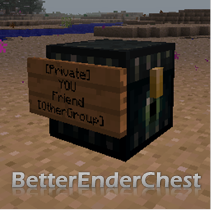
BetterEnderChest
Secure and configurable Ender Chests! Disable the Ender Chest for certain players, while giving others more rows. Let your players protect their Ender Chest with Lockette and LWC, and let them share their chest. Give some players access to the /enderchest command to open their chest from anywhere. Give your mods the ability ot open anyone's Ender Chest. Ender Chests can be separated between world groups.
BetterEnderChest 2.2
Quote:Spigot 1.8
All updates for Spigot 1.8 won't be posted here, but on the Spigot forums instead: http://www.spigotmc.org/resources/betterenderchest.2073/
See you there!

This plugin makes Ender Chests secure and configurable. Disable the Ender Chest for certain players, while giving others more rows. Let your players protect their Ender Chest with Lockette and LWC, and let them share their chest to their friends in the same way they are already doing that with normal chests. Give some players access to the /enderchest command to open their chest from anywhere. Give your mods the ability ot open anyone's Ender Chest. Ender Chests can be separated between world groups, so that the plugin is also usable on servers with separated inventories.
Some features required saving the Ender Chests in a separate file. The plugin automatically imports from vanilla, MultiInv, Multiverse-Inventories and WorldInventories, and there is a converter to convert back to vanilla.
Mojang.com UUID conversion
BetterEnderChest 2.2.* automatically converts names to UUIDs. To achieve this, BetterEnderChest uses evilmidget38's UUIDFetcher, which was modified a little bit. This requires access to https://api.mojang.com. In BetterEnderChest 2.2.1, it is possible to continue using names instead of UUIDs, so that no access to mojang.com is needed. Set useUUIDs to false in the config.yml. However, you need to enable this option before any chests are converted, otherwise items will be lost.
For more information, see this wiki page.
whitespace hack
Features
Lockette and LWC integration
Uses Lockette signs or LWC protection so that you can allow other people/groups in your chest. When a chest is protected by you, and if someone else is allowed in your chest, he/she will see your items instead of his/her own items. This is completely optional. To enable this, simply add the Ender Chest to your LWC/Lockette custom block list. (See the installation instructions.)
whitespace hack
Public Ender Chest
Optional: unprotected (by Lockette and LWC) chests are public chests. If you don't add the Ender Chest to the custom block list of those plugins, or if you haven't installed them, there will be no way of making private chests.
whitespace hack
MySQL support
Running multiple servers in one network? BetterEnderChest supports MySQL as of version 2.1. If you use the same database and world group, chests will be shared. Flatfile is also supported, so don't worry if you don't have a database.
whitespace hack
Commands
Adds /enderchest to open your Ender Chest from anywhere. Only for ops by default. It also adds a few useful administrative commands to open and manage the Ender Chest inventories. Commands work even when the owner of the inventory is offline.
whitespace hack
Chest customization
You can set the number of slots in the chest to make the Ender Chest not too overpowered. Players can have different chest sizes based on permissions. No client mods needed. You can also set the drops of the chest (nothing, itself, 8 obsidian, an Eye of Ender (with or without 8 obsidian), or with an Ender Pearl (with or without 8 obsidian) ).
whitespace hack
Multiworld support
Inventories can be separated between worlds, so that for example you creative worlds can have different Ender Chest inventories than your survival worlds, or your Nether world can have other Ender Chest inventories than the surface world. On installation, BetterEnderChest will automatically copy the group structure from your current inventory seperation plugin, if you have one. It is possible to setup another structure in BetterEnderChest than in the inventory seperation plugin. This can be used to create very interesting ways of transporting items between worlds and even servers.
whitespace hack
Default Ender Chest
You can have a default chest that all new players get when opening their Ender Chest for the first time. Edit it with /bec openinv --defaultchest or a NBT editor. Changes will be applied after the next (auto)save. Each worldgroup has a different default chest.
whitespace hack
Save file format
The plugin has it's own saving/loading mechanics, either using NBT files or MySQL. This is necessary to make some of the features possible. The plugin automatically imports an Ender Chest when it is opened for the first time. The owner of the Ender Chest doesn't need to be online for this. The importer supports vanilla as well as some other plugins (MultiInv, Multiverse-Inventories and WorldInventories).
It doesn't save too often: every five minutes all changed chests are added to a save queue. You can set how fast chest in the save queue get saved.
whitespace hack
Installation and configuration
Just drop the plugin in the plugins folder. Most features will be disabled by default. Read the guide for starters here or read here about every configuration option.
whitespace hack
Permissions
You can view a complete list of the permissions here. The basic permissions are:
betterenderchest.user- build, craft, open and destroy Ender Chest. Given to everyone by default.betterenderchest.command- use all commands. Operators automatically get this permission.betterenderchest.command.openinv.self- just the permission to open your own Ender Chest (or the public one, as defined in the config.yml) from anywhere using/enderchestor/betterenderchest openinv.betterenderchest.slots.upgrade1- get the number of slots in the Ender Chest as defined in the config.yml.betterenderchest.slots.upgrade2- get the number of slots in the Ender Chest as defined in the config.yml.
whitespace hack
Commands
<required argument> [optional argument]
- /betterenderchest deleteinv <player> - delete all items in someone's Ender Chest.
- /betterenderchest give <player> <item> [amount] [damage-value] - give an item to an Ender Chest inventory.
- /betterenderchest list - list all cached Ender Chest inventories. Useful for debugging.
- /betterenderchest openinv [player] - open an Ender Chest remotely.
- /betterenderchest viewinv <player> - view anyone's Ender Chest from anywhere. Editing is disabled.
- /betterenderchest reload - reload the configuration.
- /betterenderchest swapinv <player1> <player2> - swap two Ender Chests.
- /enderchest [player] - alias for /betterenderchest openinv [player]
Tips:
- Instead of typing /betterenderchest you could also type /bec.
- As seen in the permissions section above, it is possible to allow /enderchest but disallow /enderchest [player].
- /enderchest and /betterenderchest openinv (without the playername) normally open your own Ender Chest, but there is a setting in the config.yml to open the public Ender Chest instead.
- Use
--publicchest as a player name to refer to the public Ender Chest, and use--defaultchest for the default chest. - Use the syntax groupname/playername to open chests from another group. Example: /bec openinv cavegroup/Notch
whitespace hack
Translations
Not all messages can be translated yet, but the most common ones can. See here for more information, along with a premade Dutch translation file.
whitespace hack
Comments


-

Forge_User_25642572 Owner
-
View User Profile
-
Send Message
Posted Oct 31, 2012@yoshinatsu
Tried a second time. I think that the problem was that because nobody is the owner of the public Ender Chest, it never resized (if you didn't edit the
--publicchest.dat file). Sorry for all the trouble.Download
-
View User Profile
-
Send Message
Posted Oct 30, 2012@rutgerkok
Naah... Max default rows still stuck at 3... Do the expanded rows for the public chest need a special permission? I haven't seen one, so I guess it should work without a permission. But this build doesn't seem to do the job either... : /
-
View User Profile
-
Send Message
Posted Oct 30, 2012@yoshinatsu
Tried to fix it.. Does this build fix the issue?
-
View User Profile
-
Send Message
Posted Oct 30, 2012The plugin seems to be working fine on 1.4.2, but I can't seem to set the Public Chest's default rows to 6. It only goes up to 3.
-
View User Profile
-
Send Message
Posted Oct 28, 2012Just tested on the Craftbukkit development builds of 1.4. Everything appears to be working fine, custom item names were saved and loaded correctly.
-
View User Profile
-
Send Message
Posted Oct 17, 2012Thank you very very much :D
-
View User Profile
-
Send Message
Posted Oct 7, 2012@rutgerkok
Thank very much :)
-
View User Profile
-
Send Message
Posted Oct 6, 2012@aledrobt
Thank you. :)
For the next version, I will split the permission node for the /bec openinv command, so that you can give your VIPs the betterenderchest.command.openinv.self node.
Edit: I will also add /enderchest as an alias for /bec openinv
-
View User Profile
-
Send Message
Posted Oct 6, 2012Hi rutgerkok, I love this plugin and i want to use it in my server (It's the worlds biggest spanish premium server,and its called Meriland) And i Want to give to my VIP players the possibility to have a double enderchest, but i need too that the VIP users can access to their enderchest anywhere. Can you put in the next version a command for access to your Private Enderchest anywhere. (Not the admin command to see everyone's enderchest, only your private chest)
Thank you very much for your work
-
View User Profile
-
Send Message
Posted Oct 4, 2012@MajikalBlood
Currently not. You can use this plugin:
http://dev.bukkit.org/server-mods/betterblacklist/
Or you can deny the betterenderchest.use permission in the creative world. Players can still place the Ender Chest, but they cannot use the Ender Chest.
Or you can add the creative world to another worldgroup. Players can still use the Ender Chest in creative, but the Ender Chest inventories are splitted.
But for the full release, those permission nodes will be included.
-
View User Profile
-
Send Message
Posted Oct 3, 2012Is there a plugin command to disable the placement in a dimension?
Such as the server I play on has 3 worlds, nether, creative, and survival. we need to disable the placement in the creative world to stop people from getting items from creative into survival
-
View User Profile
-
Send Message
Posted Sep 21, 2012@rutgerkok
I alarmed my players to empty their chests. I should work ;)
-
View User Profile
-
Send Message
Posted Sep 21, 2012@Maddis1337
Indeed. "the importing feature could cause problems."
It looks like the update is now done - just testing for bugs. If no bugs are found, I will release an update tomorrow.
-
View User Profile
-
Send Message
Posted Sep 20, 2012@rutgerkok
"If you are starting a new server this isn't a problem, of course" So it is a problem ;) I'll wait for the next update, thanks! :)
-
View User Profile
-
Send Message
Posted Sep 20, 2012@Maddis1337
In theory, yes. But the importing feature could cause problems:
It reads the players/playername.dat from the main world if the player is offline, and it calls player.getEnderChest() if the player is online. It is very likely that it will import items from a different world. If you are starting a new server this isn't a problem, of course.
I will add an option to disable the importing, and release an update (which also includes different Ender Chest sizes for different players) in a few days.
There is some trick to disable importing in the current version: make sure that there is no group (in BetterEnderChest) called default, and set the importingGroup to default.
-
View User Profile
-
Send Message
Posted Sep 19, 2012So is it "compatible" with multiverse(-inventories)? I don't mean importing, but just having both plugins up and running.
-
View User Profile
-
Send Message
Posted Sep 15, 2012@Maddis1337
Not yet.
As you might know, my plugin just stores the inventory in exactly the same way as Minecraft does it - but in a different file. Converting between vanilla and my plugin is very easy.
On the contrary, every plugin that seperates the inventories has a different file format, and some of them have even multiple formats (flatfile or database). Writing a converter for all these plugins is not really doable.
So I will to rewrite the converter to be a plugin so that I can directly access the inventory plugins, in a similar way of how the plugin currently asks Lockette and LWC if an Ender Chest is protected. The auto-importing feature of the plugin can also now also use the same code. This milestone will mark the 1.0 release.
But first I will allow players with a certain permission node to have more (or less) rows than other players.
-
View User Profile
-
Send Message
Posted Sep 14, 2012Is there a way to import Multiverse-Inventories data, if they store the data seperatly?
-
View User Profile
-
Send Message
Posted Sep 9, 2012@aehooo
OK, I will do this.
Edit:
I have just pushed a mostly untested save queue to github. It currently prints a lot of debug messages, but I will remove most of them once I know that saving works correctly. The one you mentioned will be optional. (I think it can still be useful (sometimes).)
-
View User Profile
-
Send Message
Posted Sep 9, 2012@rutgerkok
Cool, cant wait for this, its a great plugin.
Also, please, make the saving message that is displayed on the console optional. Just so it wont spam very much the log file.