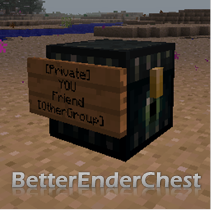
BetterEnderChest
Secure and configurable Ender Chests! Disable the Ender Chest for certain players, while giving others more rows. Let your players protect their Ender Chest with Lockette and LWC, and let them share their chest. Give some players access to the /enderchest command to open their chest from anywhere. Give your mods the ability ot open anyone's Ender Chest. Ender Chests can be separated between world groups.
BetterEnderChest 2.2
Quote:Spigot 1.8
All updates for Spigot 1.8 won't be posted here, but on the Spigot forums instead: http://www.spigotmc.org/resources/betterenderchest.2073/
See you there!

This plugin makes Ender Chests secure and configurable. Disable the Ender Chest for certain players, while giving others more rows. Let your players protect their Ender Chest with Lockette and LWC, and let them share their chest to their friends in the same way they are already doing that with normal chests. Give some players access to the /enderchest command to open their chest from anywhere. Give your mods the ability ot open anyone's Ender Chest. Ender Chests can be separated between world groups, so that the plugin is also usable on servers with separated inventories.
Some features required saving the Ender Chests in a separate file. The plugin automatically imports from vanilla, MultiInv, Multiverse-Inventories and WorldInventories, and there is a converter to convert back to vanilla.
Mojang.com UUID conversion
BetterEnderChest 2.2.* automatically converts names to UUIDs. To achieve this, BetterEnderChest uses evilmidget38's UUIDFetcher, which was modified a little bit. This requires access to https://api.mojang.com. In BetterEnderChest 2.2.1, it is possible to continue using names instead of UUIDs, so that no access to mojang.com is needed. Set useUUIDs to false in the config.yml. However, you need to enable this option before any chests are converted, otherwise items will be lost.
For more information, see this wiki page.
whitespace hack
Features
Lockette and LWC integration
Uses Lockette signs or LWC protection so that you can allow other people/groups in your chest. When a chest is protected by you, and if someone else is allowed in your chest, he/she will see your items instead of his/her own items. This is completely optional. To enable this, simply add the Ender Chest to your LWC/Lockette custom block list. (See the installation instructions.)
whitespace hack
Public Ender Chest
Optional: unprotected (by Lockette and LWC) chests are public chests. If you don't add the Ender Chest to the custom block list of those plugins, or if you haven't installed them, there will be no way of making private chests.
whitespace hack
MySQL support
Running multiple servers in one network? BetterEnderChest supports MySQL as of version 2.1. If you use the same database and world group, chests will be shared. Flatfile is also supported, so don't worry if you don't have a database.
whitespace hack
Commands
Adds /enderchest to open your Ender Chest from anywhere. Only for ops by default. It also adds a few useful administrative commands to open and manage the Ender Chest inventories. Commands work even when the owner of the inventory is offline.
whitespace hack
Chest customization
You can set the number of slots in the chest to make the Ender Chest not too overpowered. Players can have different chest sizes based on permissions. No client mods needed. You can also set the drops of the chest (nothing, itself, 8 obsidian, an Eye of Ender (with or without 8 obsidian), or with an Ender Pearl (with or without 8 obsidian) ).
whitespace hack
Multiworld support
Inventories can be separated between worlds, so that for example you creative worlds can have different Ender Chest inventories than your survival worlds, or your Nether world can have other Ender Chest inventories than the surface world. On installation, BetterEnderChest will automatically copy the group structure from your current inventory seperation plugin, if you have one. It is possible to setup another structure in BetterEnderChest than in the inventory seperation plugin. This can be used to create very interesting ways of transporting items between worlds and even servers.
whitespace hack
Default Ender Chest
You can have a default chest that all new players get when opening their Ender Chest for the first time. Edit it with /bec openinv --defaultchest or a NBT editor. Changes will be applied after the next (auto)save. Each worldgroup has a different default chest.
whitespace hack
Save file format
The plugin has it's own saving/loading mechanics, either using NBT files or MySQL. This is necessary to make some of the features possible. The plugin automatically imports an Ender Chest when it is opened for the first time. The owner of the Ender Chest doesn't need to be online for this. The importer supports vanilla as well as some other plugins (MultiInv, Multiverse-Inventories and WorldInventories).
It doesn't save too often: every five minutes all changed chests are added to a save queue. You can set how fast chest in the save queue get saved.
whitespace hack
Installation and configuration
Just drop the plugin in the plugins folder. Most features will be disabled by default. Read the guide for starters here or read here about every configuration option.
whitespace hack
Permissions
You can view a complete list of the permissions here. The basic permissions are:
betterenderchest.user- build, craft, open and destroy Ender Chest. Given to everyone by default.betterenderchest.command- use all commands. Operators automatically get this permission.betterenderchest.command.openinv.self- just the permission to open your own Ender Chest (or the public one, as defined in the config.yml) from anywhere using/enderchestor/betterenderchest openinv.betterenderchest.slots.upgrade1- get the number of slots in the Ender Chest as defined in the config.yml.betterenderchest.slots.upgrade2- get the number of slots in the Ender Chest as defined in the config.yml.
whitespace hack
Commands
<required argument> [optional argument]
- /betterenderchest deleteinv <player> - delete all items in someone's Ender Chest.
- /betterenderchest give <player> <item> [amount] [damage-value] - give an item to an Ender Chest inventory.
- /betterenderchest list - list all cached Ender Chest inventories. Useful for debugging.
- /betterenderchest openinv [player] - open an Ender Chest remotely.
- /betterenderchest viewinv <player> - view anyone's Ender Chest from anywhere. Editing is disabled.
- /betterenderchest reload - reload the configuration.
- /betterenderchest swapinv <player1> <player2> - swap two Ender Chests.
- /enderchest [player] - alias for /betterenderchest openinv [player]
Tips:
- Instead of typing /betterenderchest you could also type /bec.
- As seen in the permissions section above, it is possible to allow /enderchest but disallow /enderchest [player].
- /enderchest and /betterenderchest openinv (without the playername) normally open your own Ender Chest, but there is a setting in the config.yml to open the public Ender Chest instead.
- Use
--publicchest as a player name to refer to the public Ender Chest, and use--defaultchest for the default chest. - Use the syntax groupname/playername to open chests from another group. Example: /bec openinv cavegroup/Notch
whitespace hack
Translations
Not all messages can be translated yet, but the most common ones can. See here for more information, along with a premade Dutch translation file.
whitespace hack
Comments


-

Forge_User_25642572 Owner
-
View User Profile
-
Send Message
Posted Dec 27, 2013What do i do? When i try to open up the Enderchest it says that they aren't enabled. Please Help Soon!
-
View User Profile
-
Send Message
Posted Dec 19, 2013@YepImRobbie Isn't there more information in the console? That doesn't look like a full stacktrace.
-
View User Profile
-
Send Message
Posted Dec 18, 2013Hello I'm using the latest version of BetterEnderChest plugin. (B: BetterEnderChest Beta v2.1.2 for 1.7.2 Dec 01, 2013)
In game it states: Ender Chests have been disabled, because chests cannot be saved or loaded. The console error is: 18.12 06:06:14 [Server] INFO at nl.rutgerkok.betterenderchest.BetterEnderChestPlugin.onEnable(BetterEnderChestPlugin.java:473) [BetterEnderChest.jar:?] 18.12 06:06:14 [Server] INFO at nl.rutgerkok.betterenderchest.io.BetterEnderFileHandler.<init>(BetterEnderFileHandler.java:22) [BetterEnderChest.jar:?] 18.12 06:06:14 [Server] INFO at nl.rutgerkok.betterenderchest.io.BetterEnderFileHandler.<init>(BetterEnderFileHandler.java:36) [BetterEnderChest.jar:?]
-
View User Profile
-
Send Message
Posted Dec 5, 2013@rutgerkok
I am using the latest version of betterenderchest and bukkit that are available, it also doesn't generate an error in the console
[edit]: i didn't see that there was another version for the 1.7.2, it works now ty
-
View User Profile
-
Send Message
Posted Dec 5, 2013@SkyPrison
Check the server console for errors. The most likely cause is that you need to update BetterEnderChest.
-
View User Profile
-
Send Message
Posted Dec 3, 2013When i try to open the enderchest with the default config it gives me the following error message ingame: Ender Chests have been disabled, because chests cannot be saved or loaded.
What can i do to make it work again?
-
View User Profile
-
Send Message
Posted Dec 3, 2013Thanks for the quick update love the plugin!
-
View User Profile
-
Send Message
Posted Dec 3, 2013@Cryices
Are you sure you have 2.1.2? For me it's working fine. If you indeed have 2.1.2, could you post an error log?
-
View User Profile
-
Send Message
Posted Dec 2, 2013@rutgerkok
Well this version doesn't work :P Do you have any idea as to when a working version for 1.7.2 will be out?
-
View User Profile
-
Send Message
Posted Dec 2, 2013@westjet1
As chaseoes made clear, it is not allowed to link to unapproved files. :) Luckily the file is approved now.
-
View User Profile
-
Send Message
Posted Dec 1, 2013@rutgerkok
Could you link me the file please?
(Nevermind, played around with the URL and found the file :D)
-
View User Profile
-
Send Message
Posted Dec 1, 2013I have uploaded a 1.7.2 compatible build. It is somewhat tested, but make a backup before using.
@AgentTripleC
No idea. Make sure to validate both files. Also check the documentation of your permissions plugin to see how you can debug your permissions.
-
View User Profile
-
Send Message
Posted Nov 30, 2013Im trying to make certain ranks have bigger enderchests, but it isnt working. Here is the part of my comfig:
PrivateEnderChest:
rankUpgrades: 3
defaultSlots: 27
slotsUpgrade1: 36
slotsUpgrade2: 45
slotsUpgrade3: 54
And this is my permissions for the ranks:
Avatar:
default: false
permissions:
- betterenderchest.slots.upgrade1
- essentials.workbench
- essentials.kits.avatar
- essentials.kits.bottle
- magicclock.exempt
inheritance: []
prefix: '&b&l[AVATAR]&f '
options:
build: true
Avatarmaster:
default: false
permissions:
- betterenderchest.slots.upgrade2
- essentials.enderchest
- essentials.kits.avatarmaster
- essentials.invsee
- magicclock.exempt
inheritance: []
prefix: '&a&l[AVATARMASTER]&f '
options:
build: true
grandmaster:
default: false
permissions:
- betterenderchest.slots.upgrade3
- essentials.kits.grandmaster
- bending.admin.AvatarState
- magicclock.exempt
inheritance: []
prefix: '&6&l[GRANDMASTER]&f '
options:
build: true
Can you possibly find out the problem?
-
View User Profile
-
Send Message
Posted Nov 21, 2013@stgram
Will do so. For now, you can add the alias yourself to the bukkit.yml file.
-
View User Profile
-
Send Message
Posted Nov 19, 2013@rutgerkok
Add the alias ec to your commands, very helpful. :) I spent nearly an hour figuring why /ec wont open player chests, and it turned out I was casting the essentials command, and that yours is /enderchest. And dont worry, if you add it, essentials will force yours over theirs. (good guy plugin)
-
View User Profile
-
Send Message
Posted Nov 11, 2013Alright thanks! That answers my questions.
-
View User Profile
-
Send Message
Posted Nov 11, 2013@jetstreamLt
You can stick in
SlotsUpgrade3if you set therankUpgradessetting to 3. Multiple people will be able to use Ender Chests like before, you actually have to change the LWC/Lockette config and protect the Ender Chest using the LWC command/Lockette sign to make it private.-
View User Profile
-
Send Message
Posted Nov 10, 2013I have a few questions. Can I stick in slotsupgrade3 for another upgrade (Inside the config)? Also I basically want enderchest to be the same as they normally are but just with the slot differences. So lets say I place a enderchest in spawn. Will multiple people be able to use it like before? Or is it only one enderchest per person? Thanks!
-
View User Profile
-
Send Message
Posted Nov 8, 2013@stephano013
There is no Bukkit for 1.7.2, so no. When it's out, I'll update the plugin.
-
View User Profile
-
Send Message
Posted Nov 7, 2013Hello, I never tried this but It seems cool! Could you please update it to 1.7.2?