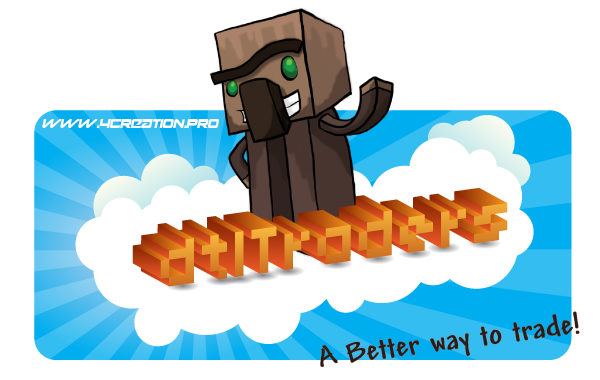
dtlTraders

dtlTraders was created to easily setup admin shops for your server.
Make and manage your shops with a GUI. Seriously, no hassle with configs and commands ;)
Do you like dtlTraders? Let other people know by a review!
⋆ Features:
- Easy way to setup and manage shops using a GUI
- Make/edit your shops just by drag and drop
- 3 types of shops: 'Sell', 'Buy' and 'Limit'
- 3 types of item content: 'static' and 'tradable' and 'trade'
- 1 powerful trader type: "trader" (/trait trader) bind the dtlTraders shops with citizens(2) NPC's
- Support of vanilla and custom NBT/DataTags
- NBT/DataTags makes custom item from 3rd party plugins possible
- Advanced users can customize there own items using the configs.
- Allows stack trades
- ANY economy plugin support
- Auto converts shops created with older versions of dtlTrader
- adding a description to items
- Compatible with spigot/bukkit 1.8 - 1.13.x
-
New features on Version 5.0.4:
- Set what you need to see first with "default shop"
- Get rid of the shops you don't want with "toggle shops"
- Make your rank based shops with custom "permissions"
- Adjust shop interaction with "custom input amount" and "stack shift"
Do the real trade with the "Trade Shop" !Delayed to next version- More navigation buttons and GUI modules with a aim to "One GUI"
For users that wants more features, we have a premium plugin named: dtlTradersPlus
Features of dtlTradersPlus:
- Make your shop bigger by adding more pages
- Set a command to open the shops without need to interact with a NPC
- Bring the shop function to a next level, set commands on items you sell
- 2 types of commands on items function: 'Buy and Run' and 'Buy and Keep (run it later)'
- And you can do all of it just using a GUI
- All the features of dtlTraders (non premium version)
-
New features on Version 5.0.4:
- New method for commands on items: "Run as OP"
- And it could not be easier with "mirror shop" just copy between shop types and other shops
- Get real shop experience with the "discount" function
Unlock premium features with dtlTradersPlus. Buy your copy at: www.4Creation.pro/dtltradersplus
Buying the premium version, helps US continue working on future updates for both versions dtlTraders and dtlTradersPlus.  ☕
☕
➲ Installation:
- Download dtlTraders(Plus).jar and place it into your plugins folder. Since the recreation version "5.0.0" you need to delete the dtltraders folder! (shops created with older versions are automatic converted!)
- Download Citizens (Citizens2) and place that into your plugins folder as well.
- You also need Vault and ANY economy plugin.
- Start your server.
- Installation is done.
Note: If you want to convert again , check the Documentation and go to the section converter for more.
↝ Simple guide:
- Create or add trait trader's to a npc with the GUI /dtltraders trait
- Make your shops using /dtltraders create "name"
- Add the items in your inventory that you want to sell in the shop
- Manage/edit shops content using /dtltraders edit or /dtltraders trait
- In the edit options you can drag/drop items, set prices, set limits, set names and much more .
- After finish, right click on the NPC and choose the shop you want to hook into.
- You are done :)
- Advanced guide: Dtltraders-5.0.0 and higher
/dtltraders shorter aliases: /dtl and /traders
- Documentation
- Old documentation
- Older versions
- Spigot page
- Old Sourcecode (Old version of dtlTraders (V3.4.2)) (Recreation version V5 hasn't been published)
▶ Video tutorial:
This is a tutorial we made for dtlTraders 'V5.0.0' and above, we guide you there for a fresh installation and you get answers by upgrading from the older versions:
Video tutorial is not ready yet!
We only give support for versions started with V5.0.0 !
✉ Contact or Issues:
For questions or suggestions:
- PM me
- Join Discord channel: https://discord.gg/fyabsMF
- Send a mail to: Support@4Creation.pro
For issues:
- Use the issues tracker by clicking: here
- Join Discord channel: https://discord.gg/fyabsMF
Special thanks to TheWGBbroz for making the recreation possible 
Created with our experience @4Creation
Comments


-

Minevid Owner
-
View User Profile
-
Send Message
Posted Apr 9, 2013wont load i get this isntead
-
View User Profile
-
Send Message
Posted Apr 8, 2013@kludermor
Atm working on the patterns description :P
-
View User Profile
-
Send Message
Posted Apr 8, 2013Is there someone who have set up a market trader with patterns, who can post a short description on how to do it? Perhaps post a section of a pattern file, so I can see what the format for patterns look like.
I hope it is allright with dandielo :)
-
View User Profile
-
Send Message
Posted Apr 8, 2013@dandielo
Updated the project to be compatible with latest denizen build
-
View User Profile
-
Send Message
Posted Apr 7, 2013@adamwbb
@AlexSmith49
No stable version so far, it's quite hard to get all things working after a update that allowed me to add much more support for Metadata Items.
If you want I can update the 1.4.3 version to 1.5.1, but this wont have any features + will always remove all metadata information.
@kludermor
Sry, don't got the time to work on it right now :<
@malaxan
Should be fixed, spotted the problem not in how it was saving, but in the moment it was changing the item into a StockItem from regular MinecraftItem.
@ziryuk
Still working on it, it's connected somehow with a "feature" I wanted to add that now causes me headache, because it's somehow multi threaded?! Oo (timed mismatch on inventory actions)
-
View User Profile
-
Send Message
Posted Apr 7, 2013Is there a stable 1.5.1 version?
-
View User Profile
-
Send Message
Posted Apr 6, 2013@dandielo
I'm having the same problem that altswang is describing with items I created using RPG Items. The item name is messed up and the lore is missing.
-
View User Profile
-
Send Message
Posted Apr 6, 2013The NPC's inventory keep rearranging itself while some items multiply while others simply disappear. Sometimes when I am taking several items out of the NPC's inventory, everything I just did will revert back in a random order. Usually the last item that I moved around will physically drop from my inventory, and it will be a duplicate if not the original item.
It will also give random "You don't have permissions to do this" while I am in OP mode.
-
View User Profile
-
Send Message
Posted Apr 6, 2013UPDATE TO 1.5.1 PLEASE MY SEVRER DEPENDS ON IT!!!!!!!!!!!!!!!
-
View User Profile
-
Send Message
Posted Apr 6, 2013Hi. I need info on setting up a market trader and how to create patterns. Is there any wiki's out there on this subject?
-
View User Profile
-
Send Message
Posted Apr 5, 2013@Tombikos
Working on it :D
@XVampiregurlX
I'm glad I could help :)
@mormaii2
Will do my best :)
-
View User Profile
-
Send Message
Posted Apr 5, 2013FIX IT, PLEASE! :) This is the only updated traer plugin.
-
View User Profile
-
Send Message
Posted Apr 5, 2013@dandielo
Will it delete the dtl traders and their items? Edit: Nope! =D Thank you! <3 <3 <3
-
View User Profile
-
Send Message
Posted Apr 5, 2013@dandielo
Oh no problem. I just wanted to know if it was me that was doing something wrong. Well I hope you can fix it :3
-
View User Profile
-
Send Message
Posted Apr 5, 2013@mormaii2
This is a small bug I'm still working on, I dunno why it happens thats why it's still there.
@mcraftus
No feature this is a debug information I've forgot to remove :D (will remove it in a few minutes)
@XVampiregurlX
You probably just need to remove in the DtlCitizensTrader folder the locale folder, it should reset all messages and lores :)
-
View User Profile
-
Send Message
Posted Apr 5, 2013Hi. Questions. I just updated my server to 1.5.1 (was 1.5 before). And I updated citizens, blacksmith and dtl traders to the latest dev builds. But now my old traders are weird. When I try to enter manager mode, i get "Check the locale, this message is not set!". As well as for every manager mode alert! And the prices no long show up when I mouse over products, but the prices are set. I know this because if I click on the product, I buy it. And the price is accurate. Do I need to redo all of my traders? Ive had to do this a million times, and it sucks since I'm the only one who knows what they are doing, so it would take longer to explain it to someone than to do it myself. If there a config thing I need to do? Please, I need these, I LOVE THEM!
-
View User Profile
-
Send Message
Posted Apr 4, 2013Hey. The new version (193), there was one feature. When buying a console writes this text here 10:09:35 CONSOLE: [INFO] 263 p: 0.5 s: 41 d: 0 a: 1! Pat! Pm | 41
In the config file is not found possible shutdown. What is this, an error or the way it should be?
-
View User Profile
-
Send Message
Posted Apr 4, 2013I'm using latest dev build and when adding items to sell/buy to traders they sometimes disappear.
-
View User Profile
-
Send Message
Posted Apr 3, 2013@KAJSERCRAFT
Because 2.5 is still alfa/beta (after many changes) and 2.4.3 does not have many features I've added to 2.5. Still working on it.
@altswang
Thanks for remembering me about this, i nearly forgot it :D
EDIT: Latest build fixed a bug that was reseting prices when updating from 2.4.3 to 2.5, also lores should now persist with named items.
-
View User Profile
-
Send Message
Posted Apr 2, 2013@jitasi
I posted this issue about a month ago. The lore is only erased if the item is a renamed version which in most of the time. Its an issue with the way the trader is input into the saved citizens file. Im sure you notice the Items get renamed with "lore" added at the end. If you open the "saves" file in the citizens plugin and you will see the error.
The first item is an Iron Sword with no renaming but added lore "Test lore". and it is added with a second line.
The second item is an Iron Sword renamed to be called Test Sword with no added lore
The third item is an Iron Sword renamed to be called Test Sword 2 with added lore "Test lore 2". The problem is that the name flag "n" is in front of the lore flag "lore" so the name flag thinks that the lore flag is part of the name hence the added "lore" on whatever item you are trying to sell, and no actual lore.