Deputrifier

What it does
Do you ever get tired of not being able to do anything useful with rotten zombie flesh?
Deputrifier makes gamey rotten zombie flesh safe to eat by freshening it up with a mixture of herbs!
How it works
You will need to gather some herbs to go with your collection of rancid meat - in other words go get some flowers, you'll need as many of each colour (red and yellow), as you have bits of rotten flesh.
Using chests
Chests allow you to deputrify a lot of rotten flesh in one go.
- You'll need to build a special chest to put your ingredients in. You do this by putting a single chest on top of a Dark Green Wool block.
- Now put your ingredients in the chest - put them in the left-most column - yellow flowers in the first slot, rotten flesh underneath, and the red flowers underneath the flesh. Check out the picture below.
- Close the chest, then give it a bash with your fist (any left-click will do)
- Open the chest again and take out your nice fresh meat :)
Crafting
You can craft raw beef from the same ingredients as using a chest.
- Open a crafting table
- Put 3 yellow flowers in the first row
- Put 3 rotten flesh in the middle row
- Put three red flowers in the bottom row
- Enjoy your nice fresh meat :)
For every 3 bits of rotten flesh you will get 1 nice shiny cut of beef!
Commands/Configuration
There are two config options:
enable_chest: true
enable_craft: true
You can enable/disable each option with a command:
/dptoggle [chest|craft]
Note: Toggling enable_craft will require a server reload/restart
Permissions
Two:
deputrifier.use
Default: op - allows you to deputrify rotten flesh
deputrifier.admin
Default: op - allows you to change the config options
What it looks like
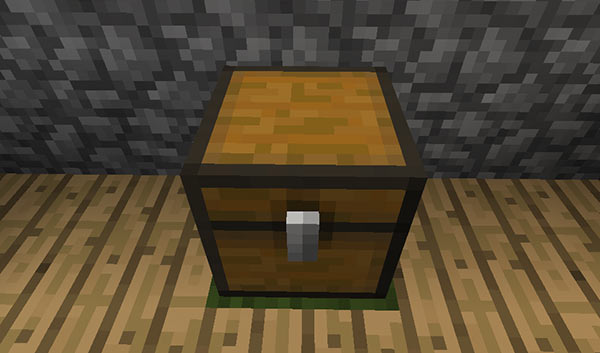
Put ingredients in the chest like this 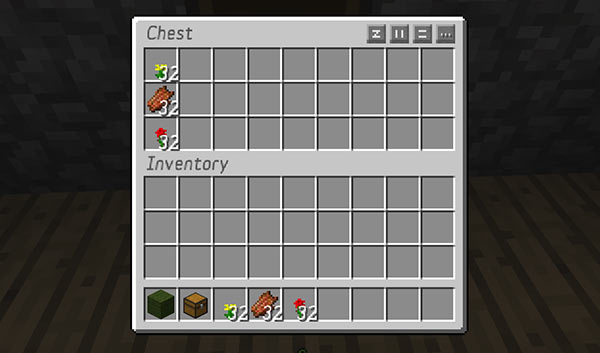
And here's your fresh meat 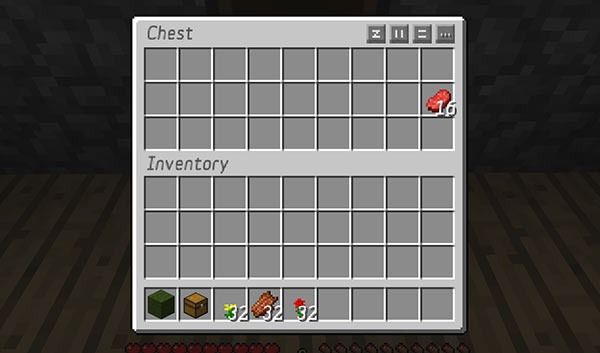
If you have an uneven amount of ingredients, Deputrifier will only convert as much as it can, and leave the unused parts behind 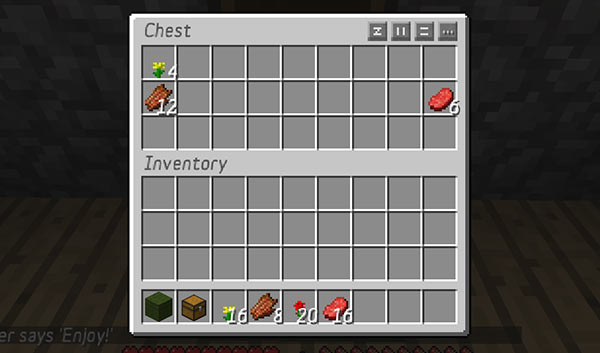
Crafting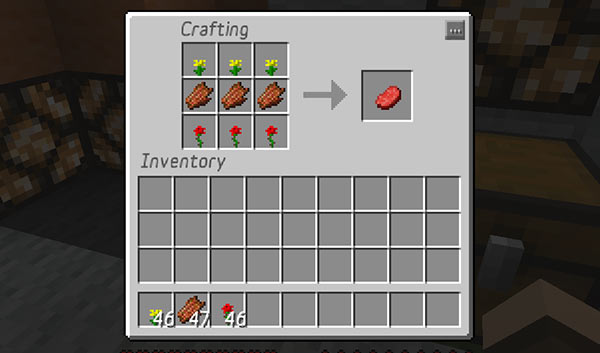
Source code
My other plugins

-

eccentric_devotion Owner
Comments