
DeadChest



%2526business%253darthur.pavarino%2540gmail.com%2526bn%253dPP-DonationsBF%253abtn_donateCC_LG.gif%253aNonHosted%2526cancel_return%253dhttps%253a%252f%252fdev.bukkit.org%252fprojects%252f322434%253fgameCategorySlug%253dbukkit-plugins%2526projectSlug%253ddeadchest%2526lc%253dUS%2526item_name%253dDeadChest%2b(from%2bbukkit.org)%2526cmd%253d_donations%2526rm%253d1%2526no_shipping%253d1%2526currency_code%253dUSD)
The ultimate solution to protect player inventories on death
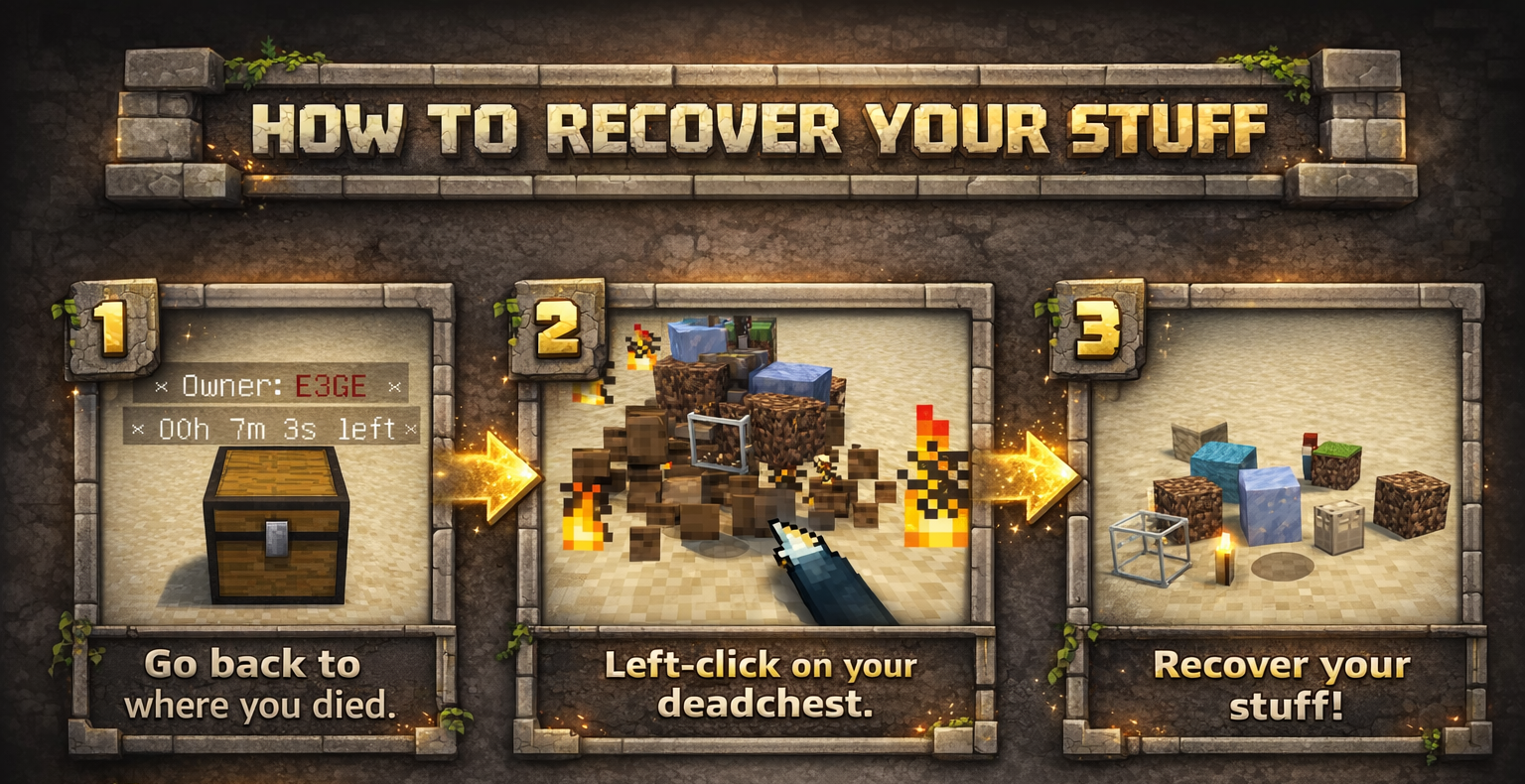
DeadChest automatically converts a player's dropped inventory into a secure chest at the exact location of death.
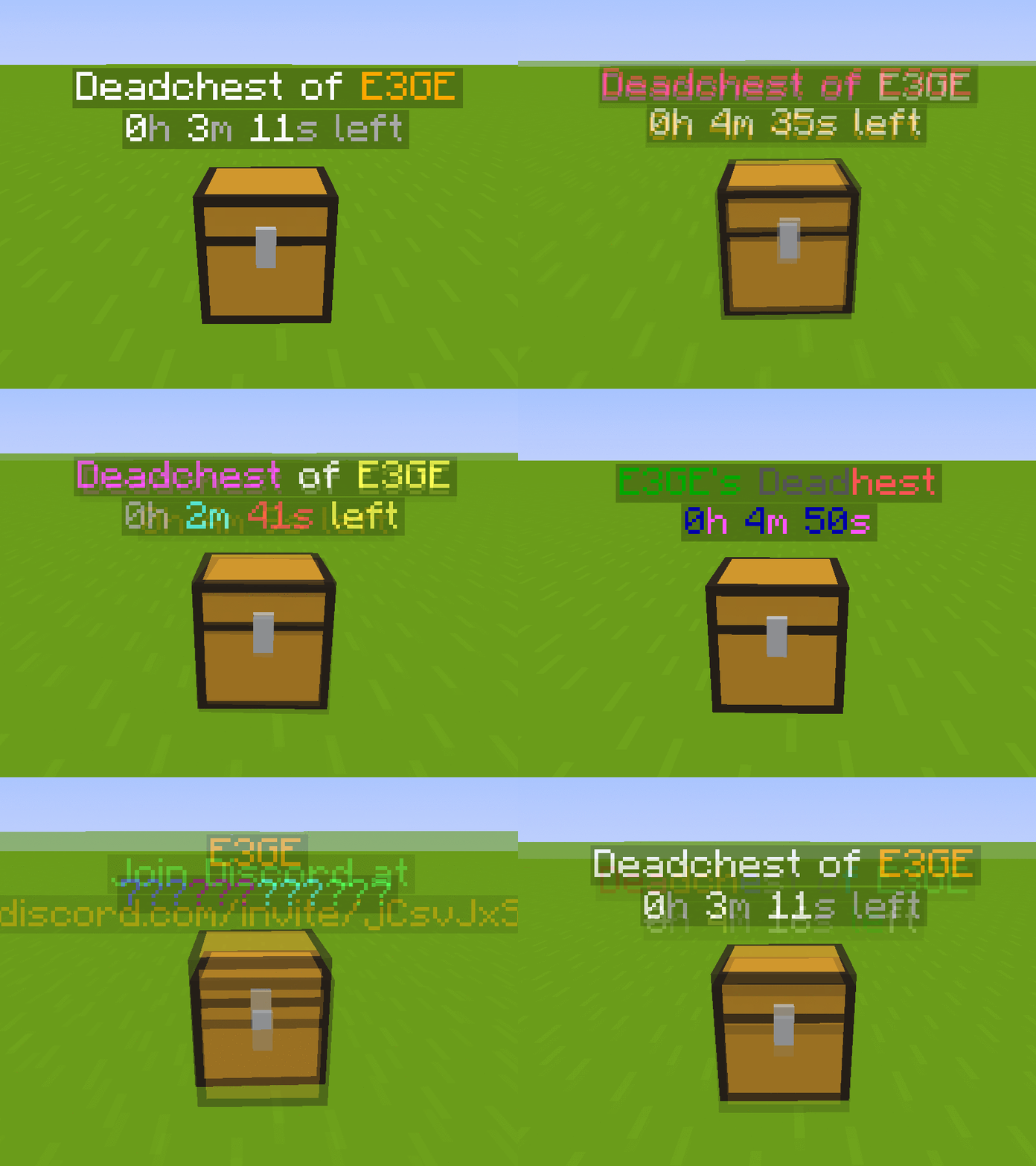
Each chest displays a hologram with the owner's name and a configurable countdown timer.
When the timer expires, the chest and its contents are permanently removed.
Fully customizable: define custom durations, create infinite chests, and choose between private (owner/admin only) or public access.

Key Features
- Automatically stores the entire player inventory on death (including armor)
- Chest spawns at the exact death location
- Holographic display showing owner and remaining time
- Private or public chest access
- Optional XP storage
- Grief protection (explosion and destruction control)
- WorldGuard integration
- Fully compatible with Minecraft 1.13.2 – 26.3.x
- Folia support !
Advanced Features
- Unlimited players and unlimited chests
- Per-world configuration
- Gamemode-based management
- Item filtering and management
- Choose between chest or player head container
- Citizens 2 compatibility
- Detailed logging system for every DeadChest event (no more player disputes)
- Advanced permission system
Fully Customizable
- Chest duration
- Chest access (private/public)
- Hologram content
- Text colors
- Griefable chests (enable/disable destruction)
- Maximum number of chests per player
- Multi-language support
- Drop behavior customization
- And much more
Documention link
Since version 4.5.0, DeadChest uses bStats to collect anonymous usage statistics to help improve the plugin.

DeadChests are FULLY customizable!

| Command | Description | Permission |
|
/dc reload |
Reload the plugin |
deadchest.admin |
|
/dc remove |
Remove all deadchests of the current player |
deadchest.remove.own |
|
/dc remove (PlayerName) |
Remove all deadchests of a player |
deadchest.remove.other |
|
/dc removeinfinite |
Remove all infiny chest |
deadchest.admin |
|
/dc removeall |
Remove all deadchests |
deadchest.admin |
|
/dc list |
List all deadchest of the current player |
deadchest.list.own |
|
/dc list all |
List all deadchest |
deadchest.list.other |
|
/dc list (PlayerName) |
List all deadchest of a player |
deadchest.list.other |
|
/dc giveBack (PlayerName) |
Return the oldest deadchest inventory of a player to him |
deadchest.giveBack |
|
/dc ignore |
Opens the ignore list inventory to add items Deadchest should ignore. |
deadchest.admin |
deadchest.generate : Allow a player to generate deadchests
deadchest.chestPass : Allow a player to get all deadchests
deadchest.infinityChest : Allow a player to have a infinity chest

First Installation
-
Download DeadChest.jar
-
Place it in your server’s
/pluginsfolder -
Restart or start your server
The plugin will automatically generate its configuration files inside:
/plugins/DeadChest/
Generated Files
config.yml
Main configuration file.
Use this file to customize plugin settings and behavior.
locale.yml
Language file (English by default).
You can edit this file to translate messages into your preferred language.
deadchest.log
Contains a detailed log of all DeadChest events.


Please read the FAQ if you have any trouble. If you find any issue, please report it on Github or Discord

You will find below the list of all my plugins. They are all updated with the latest version and try to offer you the best experience possible.
- SpawnerSilk : Mine spawners with silk touch.
- DeadChest : Keep your inventory in a chest when you die
- Cryweather : Manage time easily
- RedStoneMe : Activate redstone with your presence
- MendingEnchant : Allow you to have mending with your enchant table
- MobsManager : Manage which mobs can spawn on your server or not
- CreatureCapture : Capture any creatures you see with a special bow
Comments


-

crylonz Owner
-
View User Profile
-
Send Message
Posted Apr 4, 2020In reply to Ironmaiden1314:
Yes that detect deadchest hologram next to you.
Can you give me the player name please ?
-
View User Profile
-
Send Message
Posted Mar 30, 2020Hello! Just to tell you that I've been using your plugin a couple of weeks ago and it's great, but i found a pretty weird bug in it, so we were fighting against the wither in the overworld and a friend dies and the chest spawn but it was invisible, we now that the chest was actually in the map because of the hologram that appears in the map, and because it appears too in the /dc list command , so i did a couple of things but the only thing that it works was put the command /dc repair and it erase the hologram but not the chest and before doing that command we weren't able to put any block on the my friend's DeadChest location but after doing the /dc repair command we were able to put a block on the location and my friend put a chest in the place and recover his items.
-
View User Profile
-
Send Message
Posted Mar 31, 2020In reply to cdrsalejandro:
Thanks for the report !
-
View User Profile
-
Send Message
Posted Mar 29, 2020Could we get a setting to regain lost XP levels when the dead chest is clicked?
-
View User Profile
-
Send Message
Posted Apr 13, 2020In reply to HunterTTP:
Nice idea, I keep the idea for a future version :)
-
View User Profile
-
Send Message
Posted Mar 26, 2020how do you enable the death chests for non-admins?
-
View User Profile
-
Send Message
Posted Apr 13, 2020In reply to personwithgenericusername:
Deadchest is enable for everyone by default.
-
View User Profile
-
Send Message
Posted Mar 23, 2020Would it be possible to add an option for choosing between the old way of dropping on the ground and the new instant way?
-
View User Profile
-
Send Message
Posted Mar 24, 2020In reply to cawalls_deep:
Yes ! That will be done
-
View User Profile
-
Send Message
Posted Mar 13, 2020Hi Crylonz, sorry to ask of more suggestions. Just some ideas:
Config options for the following:
1. Configurable message player receives on death to say a chest is generated.
1.1 - Message if unsuccessful to generate for whatever reason.
2. Configurable message player receives when successfully loots the chest. e.g: "Inventory returned!"
3. Hologram message lines can be changed within the config, so we can add colours, edit wording.
Great plugins you have created, appreciate this existing in the first place and don't want to add any expectations on you! :) Just some thoughts for when you have the time in the future <3
-
View User Profile
-
Send Message
Posted Mar 13, 2020In reply to Forge_User_74434314:
Hi,
3 ) Hologram are already editable in the localisation.yml file !
2 ) Yes that will be done in the next version
1) There is no case that the plugin can't generate deadchest :)
Thanks you very much ! <3
-
View User Profile
-
Send Message
Posted Mar 13, 2020In reply to crylonz:
Oh, I can't seem to see an option to edit out the X's that show on the sides of the holograms
-
View User Profile
-
Send Message
Posted Mar 13, 2020In reply to Forge_User_74434314:
Oh yes, this part is not configurable at the moment
-
View User Profile
-
Send Message
Posted Mar 13, 2020In reply to crylonz:
ah okay! no worries :)
-
View User Profile
-
Send Message
Posted Mar 8, 2020Need command feedback. [and/or tab-completion]
bug:? running a number of commands and nothing is being printed to chat. [paper 1.15.2]
hows the next update coming along? have a rough ETA? o.O
-
View User Profile
-
Send Message
Posted Mar 8, 2020In reply to leasoncre:
Which command give you no feedback ?
As you can see in comment section. I have a lot of request feature each week. I have enough things to do to work on this plugin at full time !
I don't know.. Maybe at the end of the month ! I will try to add the most features as can.
PS : Thanks you for all your suggestions and reports. The plugin evolve with the help of guy like you !
-
View User Profile
-
Send Message
Posted Mar 9, 2020In reply to crylonz:
no feedback for:
/dc (no error message for invalid commands, nor console errors)
/dclist /dcmd (assuming these are missing a space in tab-complete, what's md do?)
/dc help (assuming there is no help atm)
/dc list all
/dc list <player>
[[PS. working tab-complete functionality would be nice, but can easily wait.]]
(cmd list checked against current cmd list in plugin info)
ok, thank you! stay awesome!
-
View User Profile
-
Send Message
Posted Mar 10, 2020In reply to leasoncre:
/dcmd is not a deadchest command
I just upload on bukkit the version 3.1 with some fix and a few new features. Just have to wait for staff validation ! (update contain feedback + drop stuff directly to inventory + some other things..)
-
View User Profile
-
Send Message
Posted Mar 8, 2020Could you make a config/permission where if a player is killed in PVP it doesn't make a chest and it drops the items directly on the floor as default?
Also, could players have a /unlock command that allows them to let players access their chest if they want them too? So the choice is down to the owner of the chest than using permissions.
Lastly, could you possibly make it so the items go directly to the player's inventory than falling on the floor first?
Thanks in advance if you are able to do any of these.
-
View User Profile
-
Send Message
Posted Mar 8, 2020In reply to Forge_User_74434314:
Hello ! Thanks for your feedback, All is added to my to-do list for next updates :)