
DeadChest



%2526business%253darthur.pavarino%2540gmail.com%2526bn%253dPP-DonationsBF%253abtn_donateCC_LG.gif%253aNonHosted%2526cancel_return%253dhttps%253a%252f%252fdev.bukkit.org%252fprojects%252f322434%253fgameCategorySlug%253dbukkit-plugins%2526projectSlug%253ddeadchest%2526lc%253dUS%2526item_name%253dDeadChest%2b(from%2bbukkit.org)%2526cmd%253d_donations%2526rm%253d1%2526no_shipping%253d1%2526currency_code%253dUSD)
The ultimate solution to protect player inventories on death
DeadChest automatically converts a player's dropped inventory into a secure chest at the exact location of death.
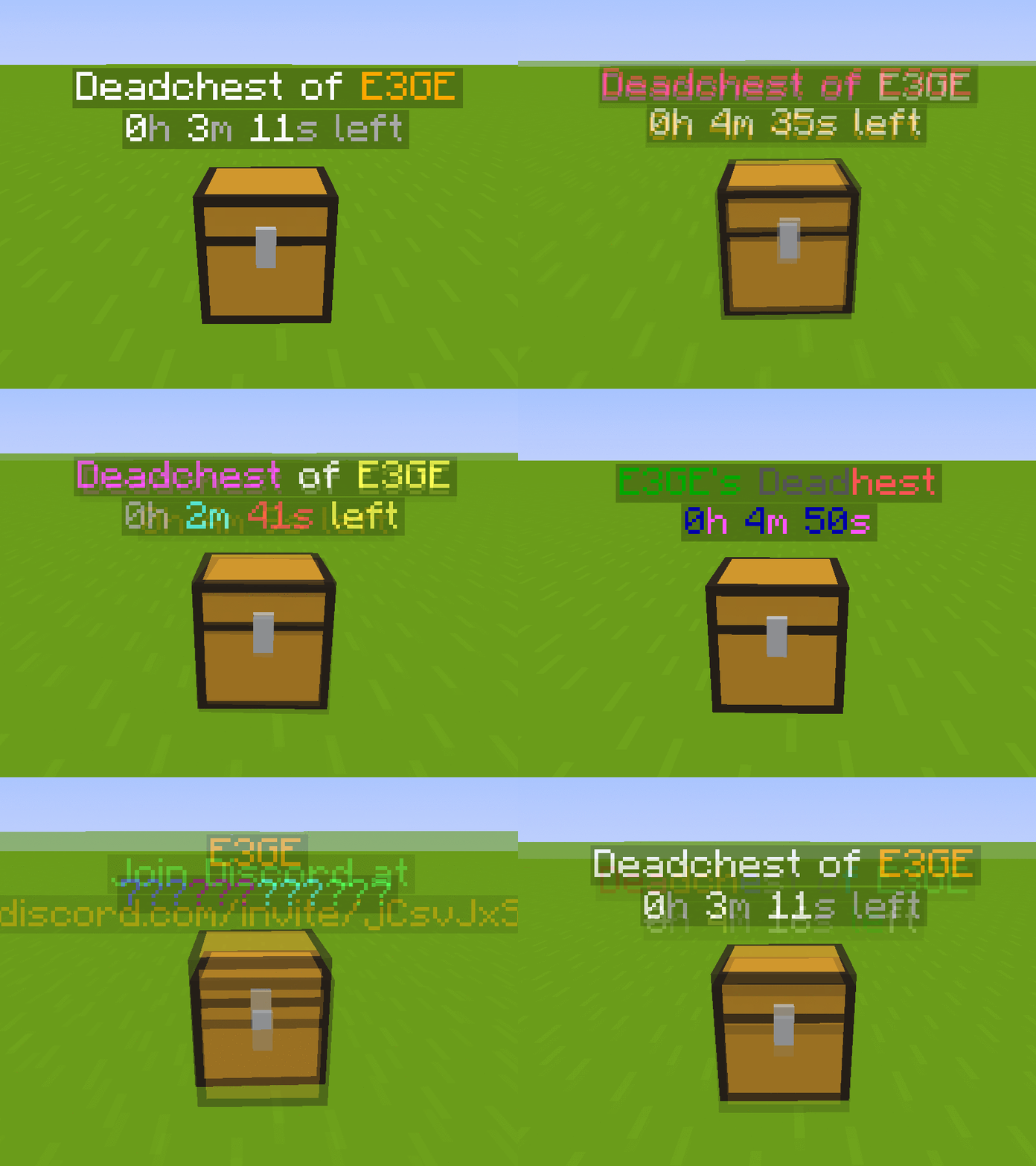
Each chest displays a hologram with the owner's name and a configurable countdown timer.
When the timer expires, the chest and its contents are permanently removed.
Fully customizable: define custom durations, create infinite chests, and choose between private (owner/admin only) or public access.
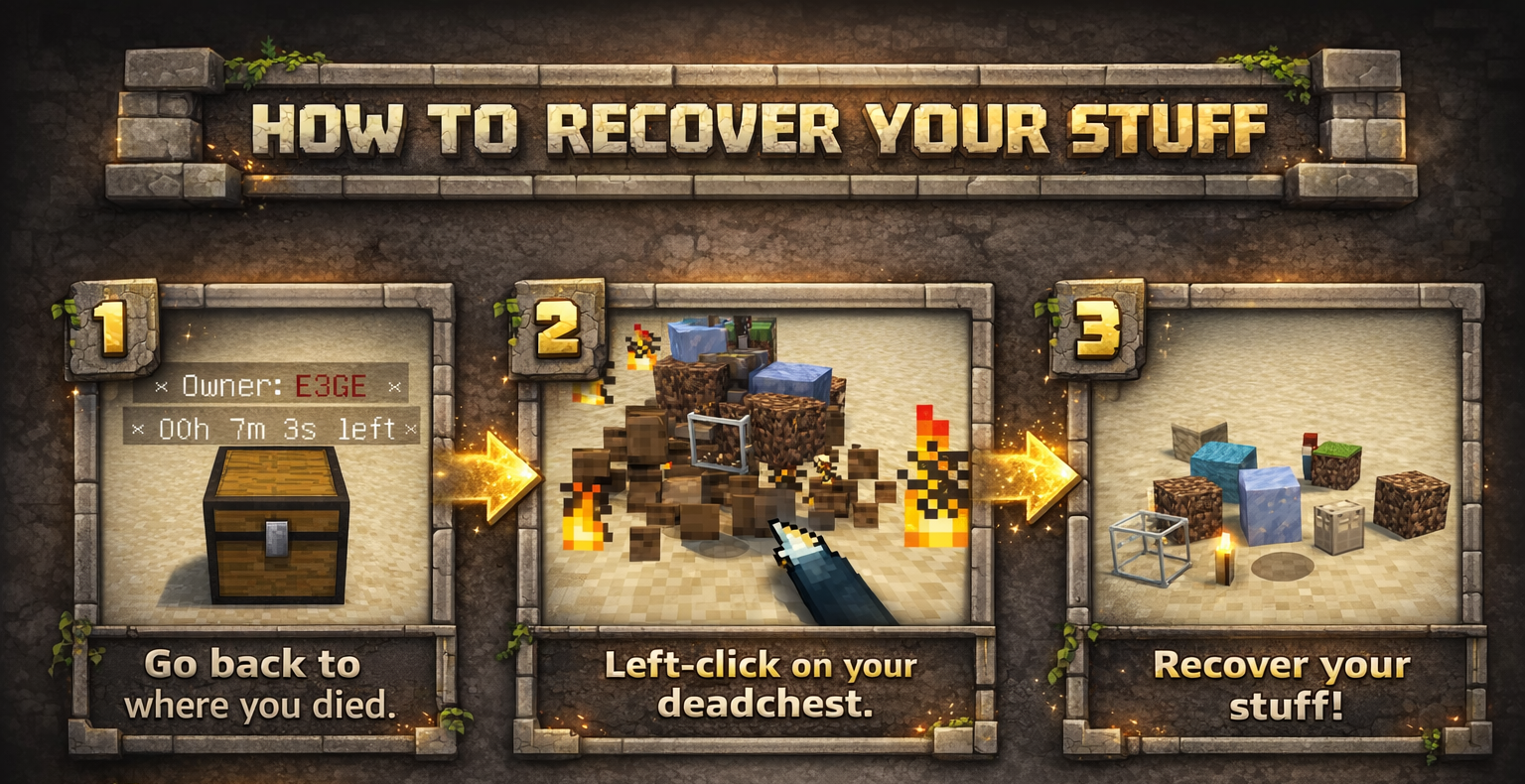

Key Features
- Automatically stores the entire player inventory on death (including armor)
- Chest spawns at the exact death location
- Holographic display showing owner and remaining time
- Private or public chest access
- Optional XP storage
- Grief protection (explosion and destruction control)
- WorldGuard integration
- Fully compatible with Minecraft 1.13.2 – 26.3.x
- Folia support !
Advanced Features
- Unlimited players and unlimited chests
- Per-world configuration
- Gamemode-based management
- Item filtering and management
- Choose between chest or player head container
- Citizens 2 compatibility
- Detailed logging system for every DeadChest event (no more player disputes)
- Advanced permission system
Fully Customizable
- Chest duration
- Chest access (private/public)
- Hologram content
- Text colors
- Griefable chests (enable/disable destruction)
- Maximum number of chests per player
- Multi-language support
- Drop behavior customization
- And much more
Documention link
Since version 4.5.0, DeadChest uses bStats to collect anonymous usage statistics to help improve the plugin.

DeadChests are FULLY customizable!

| Command | Description | Permission |
|
/dc reload |
Reload the plugin |
deadchest.admin |
|
/dc remove |
Remove all deadchests of the current player |
deadchest.remove.own |
|
/dc remove (PlayerName) |
Remove all deadchests of a player |
deadchest.remove.other |
|
/dc removeinfinite |
Remove all infiny chest |
deadchest.admin |
|
/dc removeall |
Remove all deadchests |
deadchest.admin |
|
/dc list |
List all deadchest of the current player |
deadchest.list.own |
|
/dc list all |
List all deadchest |
deadchest.list.other |
|
/dc list (PlayerName) |
List all deadchest of a player |
deadchest.list.other |
|
/dc giveBack (PlayerName) |
Return the oldest deadchest inventory of a player to him |
deadchest.giveBack |
|
/dc ignore |
Opens the ignore list inventory to add items Deadchest should ignore. |
deadchest.admin |
deadchest.generate : Allow a player to generate deadchests
deadchest.chestPass : Allow a player to get all deadchests
deadchest.infinityChest : Allow a player to have a infinity chest

First Installation
-
Download DeadChest.jar
-
Place it in your server’s
/pluginsfolder -
Restart or start your server
The plugin will automatically generate its configuration files inside:
/plugins/DeadChest/
Generated Files
config.yml
Main configuration file.
Use this file to customize plugin settings and behavior.
locale.yml
Language file (English by default).
You can edit this file to translate messages into your preferred language.
deadchest.log
Contains a detailed log of all DeadChest events.


Please read the FAQ if you have any trouble. If you find any issue, please report it on Github or Discord

You will find below the list of all my plugins. They are all updated with the latest version and try to offer you the best experience possible.
- SpawnerSilk : Mine spawners with silk touch.
- DeadChest : Keep your inventory in a chest when you die
- Cryweather : Manage time easily
- RedStoneMe : Activate redstone with your presence
- MendingEnchant : Allow you to have mending with your enchant table
- MobsManager : Manage which mobs can spawn on your server or not
- CreatureCapture : Capture any creatures you see with a special bow
Comments


-

crylonz Owner
-
View User Profile
-
Send Message
Posted Jan 31, 2020I discovered two small issues: When you use the command /dc with no parameters, nothing shows up. The same goes for if you use /dc X, where X is a parameter that doesn’t exist. Shouldn’t it, in both cases, show you a list of the /dc parameters?
The second issue is that when you use /dclist, it just says ”/dclist” in chat, even when you do have dead chests in the world.
-
View User Profile
-
Send Message
Posted Feb 1, 2020In reply to Forge_User_49840962:
Thanks for your report !
/dclist is now /dc list (with a space), i forgot to remove the /dclist command :)
-
View User Profile
-
Send Message
Posted Jan 31, 2020hello, i have a problem, the chest is not created if the player dies in the nether or the end due to a bed explosion, the holograms appear without a problem and in other case the chest is created normally, also there is no error of any kind in the console, and chestData does have the chest and item data
i am playing in 1.14.4 with the 3.0 version of the plugin
-
View User Profile
-
Send Message
Posted Feb 1, 2020In reply to void_spren_:
Hi, thanks for your report I will make some test to understand what going on in this case !
-
View User Profile
-
Send Message
Posted Jan 22, 2020I’ve noticed that when players die with an item enchanted with Curse of Vanishing in their inventory, that item is kept in their dead chest. This enchantment is supposed to cause the item to disappear on death instead of dropping, but DeadChests nullifies that.
Could you please implement a check for items with Curse of Vanishing and delete them from the player’s inventory when they die so they don’t get put in the dead chest? That’d be fantastic! 🙂
-
View User Profile
-
Send Message
Posted Jan 22, 2020In reply to Forge_User_49840962:
Oh yes good idea, indeed I never thought about it before. That will be pushed in the version 3.1 of the plugin !
-
View User Profile
-
Send Message
Posted Jan 22, 2020In reply to crylonz:
Fantastic! Thank you.
-
View User Profile
-
Send Message
Posted Jan 21, 2020great, I expected this update
-
View User Profile
-
Send Message
Posted Jan 21, 2020I see that you mentioned the changes with the v3.0 update. Any word on when that will come out? The chest per world permission is a dealbreaker not to have for me so for now I'm against implementing this on my server. Otherwise. the rest of the functions seem to work great!
-
View User Profile
-
Send Message
Posted Jan 21, 2020In reply to oegglordo:
The version 3.0 just come out ! I just updated the project page. Chest per world permission ? There is nothing like that. The feature with world allow admin to exclude some worlds for the plugin, that's all ! :)
-
View User Profile
-
Send Message
Posted Jan 21, 2020In reply to crylonz:
Hey sorry. For some reason I was on the 2.8 page. Thanks for the update and the plugin!
-
View User Profile
-
Send Message
Posted Jan 17, 2020Hey, I just have a few questions about the plugin:
• What happens when a dead chest expires? Does it disappear or drop its contents? I assume it disappears since otherwise, that’d give the player another five minutes to get their items back.
• What happens if a player dies but has reached the maximum dead chest limit? Does the oldest dead chest disappear, and does it contents drop or disappear along with the chest?
• Does the holographic timer not appear over dead chests if a player has the deadchest.infinityChest permission? Someone whose dead chests never disappear shouldn’t have a timer above their dead chests.
• Why does the image with the permissions on this page say that the default for deadchest.keepInventory is true? Doesn’t that permission let you keep everything you had without a dead chest spawning just like the vanilla keepInventroy gamerule? So why would the default value be true?
Also, I have a suggestion for the plugin: Could you please add a config option to blacklist or whitelist worlds where DeadChest is enabled in? On my server (which isn’t public yet), I want players to only have a dead chest spawn when they die in some of the worlds, so I would like to disable dead chests spawning in the rest of the worlds. If you’d add this feature, that would be absolutely phenomenal!
-
View User Profile
-
Send Message
Posted Jan 18, 2020In reply to Forge_User_49840962:
Hey,
I'm really happy to tell you that I finished few hours ago the version 3.0 of the plugin. In this version I have made lot of things. Your request feature will be in this new version (in config file you can add excluded worlds. I also change the permission deadchest.keepInventory to deadchest.generate. This permission will be set to false by default. In the config file, I added an option RequirePermissionToGenerate set to false by default. That mean that if RequirePermissionToGenerate is false, everybody can generate deadchest without permission, if it's false only player with deadchest.generate can generate deadchest on death.
I give you the changelog of the 3.0 version wich will available when the Bukkit staff will validate the plugin file.
+ Add option to DeadChestDuration. 0 = infiny chest duration
+ Add option to maxDeadChestPerPlayer. 0 = infiny chests
+ Add command /dc removeinfinate to remove all infiny chest (deadchest.admin)
+ Add command /dc removeall to remove all deadchests (deadchest.admin)
+ Add command /dc remove <Player> all deadchests of a player (deadchest.remove.other)
+ Add command /dc remove to remove all deadchest of the current player (deadchest.remove.own)
+ Add permission deadchest.remove.own
+ Add option RequirePermissionToGenerate to choose if players need permission to use DeadChest
+ Add option RequirePermissionToListOwn to choose if players need permission to list their dead chests
+ Add permission deadchest.list.own for /dc list
+ Add option AutocleanupOnStart to remove all existing deadchests on startup
+ Add command /dc list <all/Player> to display deadchests of all or a specific player (deadchest.list.other)
+ Add a new config file (locale.yml) . You can edit text of the plugin to the langage you want
+ A new option to disable DeadChest on certain worlds
+ Massive code rewrite
+ Performance optimization
+ deadchest.keepInventory permission change to deadchest.generate
+ /dcinfo change to /dc list
+ Upgrade of config.yml file to be more friendly
If you don't want to wait to have this last version, please send me a PM, I will give you the jar file. I can also help you to deploy the plugin on your server.
Crylonz.
-
View User Profile
-
Send Message
Posted Jan 18, 2020In reply to crylonz:
Oh wow, that’s great news! Thank you so much for such a thorough response. Version 3.0 sounds great!
I know you just finished a big update and all, but another feature that I would love to see in a future version of the plugin would be the behaviour that I described in my original comment where if a player has reached their maximum dead chests and then dies, a new dead chest will be generated and the oldest one will be deleted, along with its contents, so that the player doesn’t have to work hard to return to the points of their death if they don’t want to. That’d be a great config option to have, although it’s not super necessary, so I understand if you decide not to add it.
Thanks again for the response and update. Excluded worlds are going to be excellent! That’s exactly what I needed for my server. I’ll update as soon as it’s available. I don’t need the JAR early as my server isn’t even public quite yet.
-
View User Profile
-
Send Message
Posted Jan 18, 2020In reply to Forge_User_49840962:
I added your idea in the to-do list for futur update ! Thanks for your feedback !
-
View User Profile
-
Send Message
Posted Jan 16, 2020I love the plugin, but I encountered a bug where I would open my death chest but the text above it would still remain, and I wouldn’t be able to place anything in the space where the chest normally would be.
I’m playing 1.15.1 (PaperMC).
-
View User Profile
-
Send Message
Posted Jan 16, 2020In reply to Forge_User_49840962:
Hi, sorry that you experience an issue with the plugin, but don't worry there is a easy fix for that, just type /dc repair next to the corrupted chest. You must be OP or have the deadchest.admin permission.
-
View User Profile
-
Send Message
Posted Jan 16, 2020In reply to crylonz:
All right, thank you!
-
View User Profile
-
Send Message
Posted Jan 12, 2020what do the specific permissions do i need to assign for deadchest? the wiki page only lists a few of them:
- deadchest.admin (obviously admin/all)
- deadchest.chestpass ???
- deadchest.infinychest (no time-limit chest, noted in wiki)
- deadchest.keepinventory (applies keepinventory gamerule to player, in wiki)
what permission do i need to give (if any) to a standard player?
Thank you.
-
View User Profile
-
Send Message
Posted Jan 13, 2020In reply to leasoncre:
- deadchest.chestpass : Allow a player to open all deadchests. If another player die , the player with this permission can open the chest of him.
For standard player you just have to put : deadchest.keepinventory but this permission is already enable by default.
If you think that my permission are not clear. I'm open to suggestion to improve the system.