
DeadChest



%2526business%253darthur.pavarino%2540gmail.com%2526bn%253dPP-DonationsBF%253abtn_donateCC_LG.gif%253aNonHosted%2526cancel_return%253dhttps%253a%252f%252fdev.bukkit.org%252fprojects%252f322434%253fgameCategorySlug%253dbukkit-plugins%2526projectSlug%253ddeadchest%2526lc%253dUS%2526item_name%253dDeadChest%2b(from%2bbukkit.org)%2526cmd%253d_donations%2526rm%253d1%2526no_shipping%253d1%2526currency_code%253dUSD)
The ultimate solution to protect player inventories on death
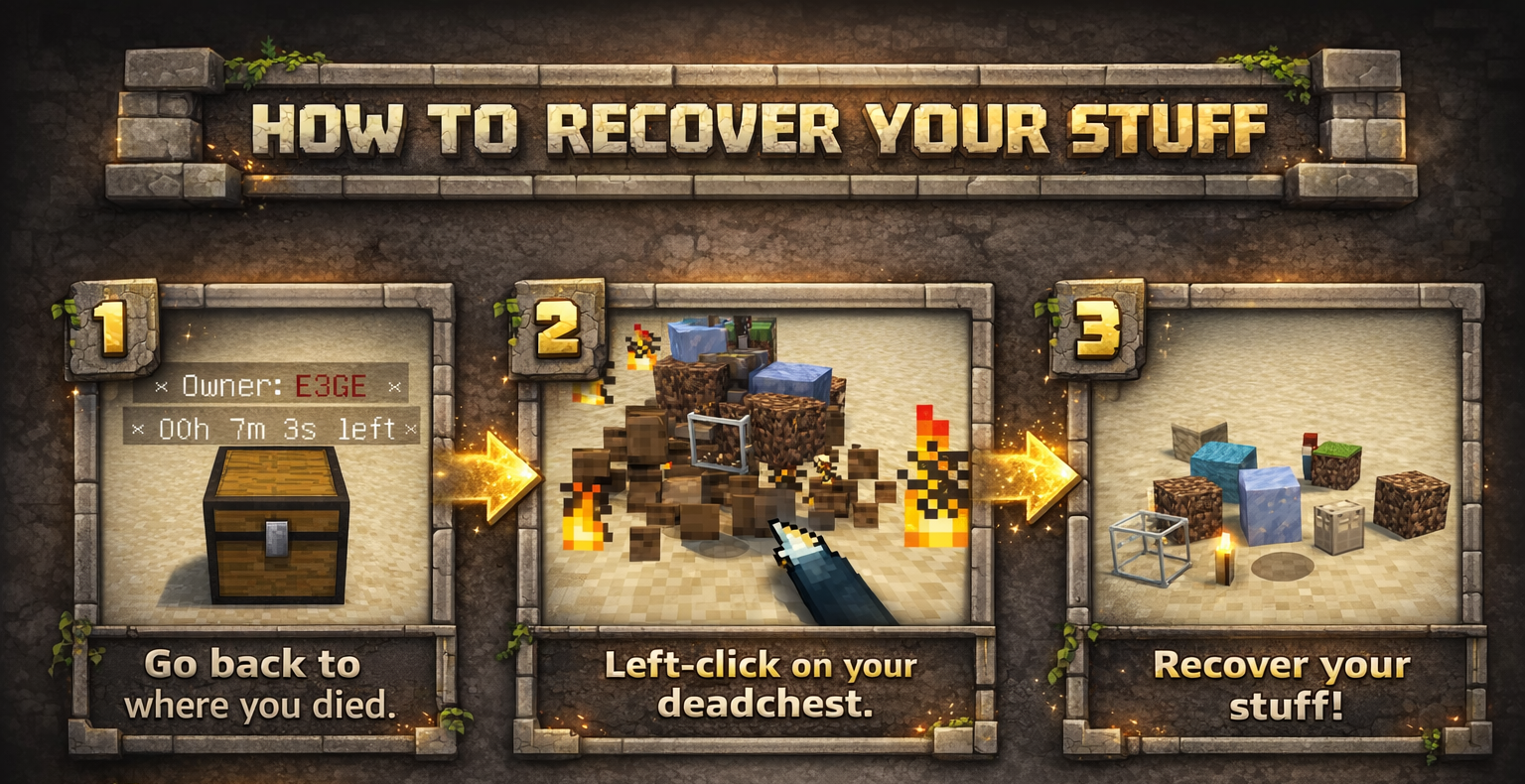
DeadChest automatically converts a player's dropped inventory into a secure chest at the exact location of death.
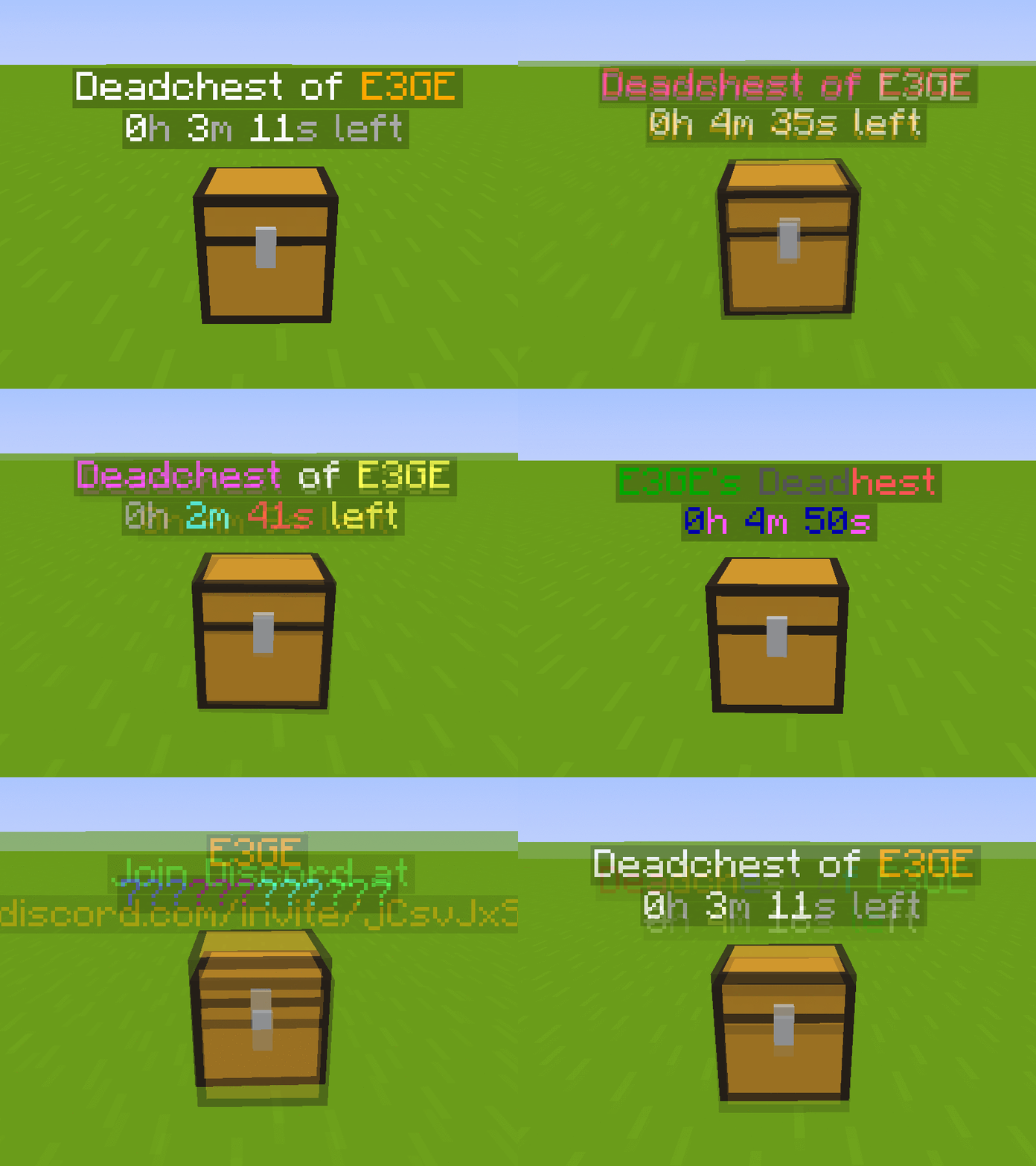
Each chest displays a hologram with the owner's name and a configurable countdown timer.
When the timer expires, the chest and its contents are permanently removed.
Fully customizable: define custom durations, create infinite chests, and choose between private (owner/admin only) or public access.

Key Features
- Automatically stores the entire player inventory on death (including armor)
- Chest spawns at the exact death location
- Holographic display showing owner and remaining time
- Private or public chest access
- Optional XP storage
- Grief protection (explosion and destruction control)
- WorldGuard integration
- Fully compatible with Minecraft 1.13.2 – 26.3.x
- Folia support !
Advanced Features
- Unlimited players and unlimited chests
- Per-world configuration
- Gamemode-based management
- Item filtering and management
- Choose between chest or player head container
- Citizens 2 compatibility
- Detailed logging system for every DeadChest event (no more player disputes)
- Advanced permission system
Fully Customizable
- Chest duration
- Chest access (private/public)
- Hologram content
- Text colors
- Griefable chests (enable/disable destruction)
- Maximum number of chests per player
- Multi-language support
- Drop behavior customization
- And much more
Documention link
Since version 4.5.0, DeadChest uses bStats to collect anonymous usage statistics to help improve the plugin.

DeadChests are FULLY customizable!

| Command | Description | Permission |
|
/dc reload |
Reload the plugin |
deadchest.admin |
|
/dc remove |
Remove all deadchests of the current player |
deadchest.remove.own |
|
/dc remove (PlayerName) |
Remove all deadchests of a player |
deadchest.remove.other |
|
/dc removeinfinite |
Remove all infiny chest |
deadchest.admin |
|
/dc removeall |
Remove all deadchests |
deadchest.admin |
|
/dc list |
List all deadchest of the current player |
deadchest.list.own |
|
/dc list all |
List all deadchest |
deadchest.list.other |
|
/dc list (PlayerName) |
List all deadchest of a player |
deadchest.list.other |
|
/dc giveBack (PlayerName) |
Return the oldest deadchest inventory of a player to him |
deadchest.giveBack |
|
/dc ignore |
Opens the ignore list inventory to add items Deadchest should ignore. |
deadchest.admin |
deadchest.generate : Allow a player to generate deadchests
deadchest.chestPass : Allow a player to get all deadchests
deadchest.infinityChest : Allow a player to have a infinity chest

First Installation
-
Download DeadChest.jar
-
Place it in your server’s
/pluginsfolder -
Restart or start your server
The plugin will automatically generate its configuration files inside:
/plugins/DeadChest/
Generated Files
config.yml
Main configuration file.
Use this file to customize plugin settings and behavior.
locale.yml
Language file (English by default).
You can edit this file to translate messages into your preferred language.
deadchest.log
Contains a detailed log of all DeadChest events.


Please read the FAQ if you have any trouble. If you find any issue, please report it on Github or Discord

You will find below the list of all my plugins. They are all updated with the latest version and try to offer you the best experience possible.
- SpawnerSilk : Mine spawners with silk touch.
- DeadChest : Keep your inventory in a chest when you die
- Cryweather : Manage time easily
- RedStoneMe : Activate redstone with your presence
- MendingEnchant : Allow you to have mending with your enchant table
- MobsManager : Manage which mobs can spawn on your server or not
- CreatureCapture : Capture any creatures you see with a special bow
Comments


-

crylonz Owner
-
View User Profile
-
Send Message
Posted Jan 13, 2020In reply to crylonz:
I have a few ideas, though not integral to the plugin's current functionality.
1a. While not required, a permission node node like 'deadchest.generate' that would be assigned to players to allow them to use the deadchest plugin's benefit (right now there is no general 'use' permission that i see, and everyone gets/generates a deadchest on death. not a big deal, but could be useful in some situations) -
1b. +config setting: RequirePermissionToGenerate: false (default to no permission node needed to generate deadchest(s)) - this would also allow the use of the -negative- permission usage to negate generating chests when desired. (good for some regions where this would make a mess)
PS. The 'deadchest.KeepInventory' node reads to me like the vanilla 'gamerule keepinvenetory true' setting, which i would think would /NOT/ generate a chest and just keep the inventory on the player at respawn. - is this correct? (or is it more like 'deadchest.generate' i noted above? - if so, it's a bit confusing)
2. command to clear infinate chests /dc removeinfinate - clears only deadchest blocks that are infinate (not despawnable) - great for cleaning up messy admin deaths (deadchest.admin)
3. command to clear all chests /dc removeall - clears All deadchest blocks in world and clears database file (deathchest.admin)
4a. command to clear specific player's deadchests /dc remove [player] - clears all deadchests that x player may have, reguardless of time status (good for cleaning up a single user's mess)
4b. deadchest.remove.own - permission to use the command /dc remove to remove one's own chests. (good for players if deathchests is set to a long despawn time and they don't need them anymore)
4.c deadchest.remove.other - permission to use /dc remove <player> - usually admin command, but might be useful for mods with less access rights
5a. /dc list - list of co-ords, and distance to your own death chests and remaining time before despawn deadchest.list.own - player use (page functionality recommended, default config PermissionRequiredToListOwn: false /no perm needed)
5b. /dc list <player/all> lists deathchests for x player or all deathchests deadchest.list.other - admin/mod use (page functionality recommended)
6a. deathchest.group.<name> - custom despawn times for different custom groups. (permision node must be assigned, greatest time is used if multiple assigned)
(this one would be nice for a much later version #extra features)
6b. config example:
CustomGroups:
- admin: (would be deathchest.group.admin)
- despawn: (24 hours value)
- vip:
- despawn: (6 hours value)
7. Auto Cleanup functionality: config/command(#3)
AutocleanupOnStart: false - cleans deathchests blocks and database on server start
AutocleanupInterval: 0 - cleans chests older than x time - 0=not enabled, x time in (minutes?), this would clean up infinity chests, or chests that use a time greater than the default. (math? time remaining - time to cleanup)
8. i like the beacon idea below, but maybe require an item or command to enable it?
8a: use the beacon effect from the end gateway portal? (diff color?) right
Config ex/idea/thoughts:
BeaconEffect:
#you must be within this block-distance to activate the beacon effect
- MaxDistance: 50
#Cooldown in ticks to prevent command/item click spamming
- Cooldown: 20
- Item:
#Enable/Disable use of shift-right-clicking with item
- Enabled: true
#Permission Node: deathchest.beacon.item
- PermissionRequired: false
#define item required to pulse/activate beacon, reccomend supporting using metadata, Give respawn's player an item to activate beacon? (exclude item from creating a deathchest if only item, and do not include in deathchests, item removed when all deathchests are recovered/removed) ie: feather{lore:Find my stuff}
- Item: DIRT_BLOCK
#/dc beacon, deathchest.beacon.cmd
- Command:
- Enabled: true
- PermissionRequired: false
- Messages:
- NotInRange: 'You are not close enough to activate the beacon'
- InRange: 'Beacon Activated'
#primarily for the command, if item use is disabled, it wouldn't do anything anyway)
- NoPerms: 'You do not have permission to use that'
#second line that follows InRange/NotInRange messages:
- NearestChest: 'Nearest chest is at %x%, %y%, %z%, %dist% away.'
- NoDeathChests: ' You don''t have any DeathChests to recover.'
PPS/note: Add permissions nodes and description section to plugin description :) -oh wait.. it's a giant image. derpz >< ... though a text version [spoiler section?] would be nice to copy-paste nodes (and searchable on page with ctrl+f).
Thank you. stay awesome!
-
View User Profile
-
Send Message
Posted Jan 15, 2020In reply to leasoncre:
Wow ! I will look a this to make the plugin better ! Thanks to take the time to write this message. Please let me some time, I will try to add your idea to the plugin.
Thanks again !
-
View User Profile
-
Send Message
Posted Jan 21, 2020In reply to leasoncre:
Hi,
Version 3.0 of the plugin is now released, I added most of your suggestions. I want to say you a special thanks, your message helped me a lot to make the 3.0.
-
View User Profile
-
Send Message
Posted Jan 7, 2020Hey bro great plugin!
Can you add beacon on deathchest ? And it would dissapear if u destroy it... Visible for everyone!
Great plugin again thanks for the time !
Cya !
-
View User Profile
-
Send Message
Posted Jan 7, 2020In reply to Forge_User_39079933:
Hi, nice idea, I will try to add it on a future update ! Thanks for your support ! Not everyone know that take a lot of time to do.
-
View User Profile
-
Send Message
Posted Jan 7, 2020In reply to crylonz:
Bro i do, im thinking about commiting into coding but its hard :)
Thanks for considering it and best of luck !
-
View User Profile
-
Send Message
Posted Jan 1, 2020Really needs a feature that allows you to disable it on certain worlds for plugins like Multiverse
-
View User Profile
-
Send Message
Posted Jan 2, 2020In reply to 0Caleb:
Nice idea, I will add that on the next update !
-
View User Profile
-
Send Message
Posted Jan 6, 2020In reply to crylonz:
Worldguard support for denying a chest being dropped in certain regions too, please!
-
View User Profile
-
Send Message
Posted Dec 24, 2019I'm guessing its not possible to disable players getting an armor stand and chest from this. So i can't use it because its free materials for players
-
View User Profile
-
Send Message
Posted Dec 22, 2019I used the / back command and my dead cheast disappeared
-
View User Profile
-
Send Message
Posted Dec 20, 2019a player died fall out of the world, is posible to spawn that dead chest? and ther is any permision to op or admin to dont generate any chest when they die? I used to have that siytem that they cant looose items but now if they die they spawn a chest like regular users
-
View User Profile
-
Send Message
Posted Dec 20, 2019In reply to Minzeck:
When player fall out of the world, that don't generate a deadchest. (it's planned) If you want to remove deadchest for an admin you need to remove the permission deadchest.keepinventory for him :)
-
View User Profile
-
Send Message
Posted Dec 20, 2019In reply to crylonz:
the admin dont have that permission and when he dies he spawn a chest too
-
View User Profile
-
Send Message
Posted Dec 21, 2019In reply to Minzeck:
The permission : deadchest.keepinventory is enable by default on the plugin (as you can see in the permission section of this page). So everyone have this permission so everyone generate a deadchest on death. You need to remove it for your admin to don't generate deadchest. For that add just this kind of line : - -deadchest.keepinventory. Don't forget the second "-". It's the symbol to remove a permission. Hope I help you.
-
View User Profile
-
Send Message
Posted Dec 16, 2019how to change that deadchest.keepinventory is set to false????
-
View User Profile
-
Send Message
Posted Dec 16, 2019In reply to Forge_User_03890522:
You need a permission plugin add set a rules to remove it like - -deadchest.keepinventory
-
View User Profile
-
Send Message
Posted Dec 7, 2019hello! this error keeps occuring:
07.12 21:41:10 [Server] WARN [DeadChest] Task #45 for DeadChest v2.7 generated an exception
the chests that spawn when a player dies are then stuck on loading. reinstalling the plugin fixes this for a short while, but it always reverts to this error.
i loved the plugin, but had to uninstall it when players kept losing all their stuff!
i would like to reinstall it, so any suggestions are appreciated
-
View User Profile
-
Send Message
Posted Dec 8, 2019In reply to super7800:
Hi ! Can you send me the complete error please ?
-
View User Profile
-
Send Message
Posted Dec 8, 2019this just keeps repeating