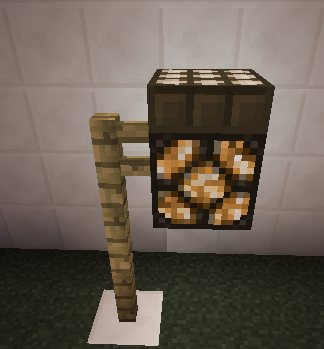
DaylightSensorExpanded
Daylight Sensor Expanded
A plugin to expand the functionality of the DaylightSensor.
This allows you to change the values of the redstone signal strength of a Daylight Sensor.
For the times and strengths of the sensor, see: http://www.minecraftwiki.net/wiki/Daylight_Sensor
The values output by the normal Daylight Sensor, range from 0 to 15.
This plugin lets you remap the signal strengths to whatever you want from 0 to 15.
An example of this could be:
normal: 0, 1, 2, 3, 4, 5, 6, 7, 8, 9,10,11,12,13,14,15
inverse:15,14,13,12,11,10, 9, 8, 7, 6, 5, 4, 3, 2, 1, 0
The inverse would have the sensor output the inverse redstone power level that it normally would.
a profile of : 1,1,1,1,1,1,1,1,0,0,0,0,0,0,0,0 would be good for a street lamp to turn on at sunset and off at sunrise.
Features
- Define Profiles that describe how the redstone power is remapped.
- Apply a profile to many different sensors.
- Apply a profile to all future sensors placed
- Apply a profile to all Daylight Sensors within a specified radius
- Allow Daylight sensors output a specific signal strength instead of the standard one
Commands and Permissions
These commands are mainly for debugging, and are not needed to use the plugin.
| Command | Function | Permission |
|---|---|---|
| /dseprofilecreate <name> <parameters> | Create a profile that can be applied to different Daylight Sensors. | daylightsensorexpanded.profile.create |
| /dseprofilealter <name> <parameters> | Alter a profile by assigning a new setting to it. This will affect ALL sensors assigned to the profile name. | daylightsensorexpanded.profile.alter |
| /dseprofiledelete <name> | Remove a profile that has been created. This will remove the profile from all sensors assigned to the profile name. | daylightsensorexpanded.profile.delete |
| /dseprofilelist | Show a list of profile names and parameters that are defined. | daylightsensorexpanded.profile.list |
| /dsesensorset <profile name> | Indicate that the next object clicked on will be a sensor and set to the given profile. | daylightsensorexpanded.sensor.set |
| /dsesensorsetall <profile name> | Indicate that all future Daylight Sensors placed by the user will be set to the given profile. | daylightsensorexpanded.sensor.setall |
| /dsesensorclear | Indicate that the next object clicked on will be a sensor and will have the extended profile removed. | daylightsensorexpanded.sensor.clear |
| /dsesensorlist | List all sensors that are considered extended sensors. | daylightsensorexpanded.sensor.list |
| /dsesensorconvertall <profile name> [optional radius] | Convert all sensors within a block radius to a given profile. Default of 50 radius from player location. | daylightsensorexpanded.sensor.convert.all |
Configuration
The design of the plugin is to be as configuration-less as possible. The configl.yml has 2 options.
| Setting | Default | Allowed | Description |
|---|---|---|---|
| Basid\DebugLevel | 0 | 0,1 | 0 = no debug info, 1 = logs whenever a redstone power level is remapped because of a profile. |
| Profiles\name | none | 16 values from 0 - 15 | The profile's redstone remapping definition. |
| Sensors\location | none | none | profile name to which the sensor is mapped |
Example config.yml file:

Basic:
  DebugLevel: 0
Profiles:
  inverse: 15,14,13,12,11,10,9,8,7,6,5,4,3,2,1,0
  nightlight: 1,1,1,1,1,1,1,1,0,0,0,0,0,0,0,0
Sensors: {}
Support
For general questions, please ask in the forum for the plugin.
For reproducible bugs, go to https://github.com/TheNut/DayLightSensorExpanded/issues
Please include enough step information for me to reproduce it on my side.
Change Log
please see: http://dev.bukkit.org/bukkit-plugins/daylightsensorexpanded/pages/changelog/
External Resources
Included in my plugin is a hook into mcstats.org to help get an idea of who uses this plugin.

For details of this stats plugin, disable instructions, information collected, source code, etc. See my page: about mcstats.org
Source Code
https://github.com/TheNut/DayLightSensorExpanded
To-Do
- Squash any bugs that sneak in
- Any suggestions that enhance the core goal of the plugin
Comments

-

_ForgeUser7375107 Owner
-
View User Profile
-
Send Message
Posted Aug 11, 2014it's not work on 1.7.2 :(( ?