Knokko's Custom Items
Note: this plug-in requires a different installation procedure than most other plug-ins. You really need to check the installation section or one of the tutorials.
Description
This plug-in allows the owners and developers of servers to create custom items with their own textures. (It requires a server resource pack.) Everyone who would like to use this plug-in needs to download the Editor and use that to create their own custom item set.
Installation
- Download and run the Editor. Editor.jar can be found in the Files section. If you have a working Java installation, you can just download and double-click this file. If not, you can either install Java or download a native version of the Editor from https://github.com/knokko/custom-items-gradle/releases
- Put this plug-in (CustomItems.jar) in your plug-ins folder
- Configure the items and textures you want (in the Editor)
- Click on the Export... button, and follow the steps (in the Editor)
If you need more detailed information about these steps, you can ask for help on the Discord server.
Discord server
Invite link: https://discordapp.com/invite/bmF3Zvu
New tutorials:
https://www.youtube.com/watch?v=GsC-pNlBjwg
Old basic tutorials:
Text: https://knokko.github.io/custom%20items/index.html
Video: https://www.youtube.com/playlist?list=PLcc-tPs9PuADC-shEBRynL9s2j6slSWCa
Old advanced tutorials:
Custom containers (video): https://knokko.github.io/custom%20items/tutorials/containers/index.html
Wands and guns (text): https://knokko.github.io/custom items/tutorials/wands and guns/index.html
Troubleshooting
If you can, use /kci debug
If that doesn't work, check whether CustomItems is listed in /plugins
Features
-Custom items with their own display name, lore, attribute modifiers and textures
-Custom tools with their own damage and durability
-Custom bows with their own damage, speed and durability
-Custom armor with their own armor value and other attribute modifiers, unfortunately without model texture.
-Crafting recipes that can use vanilla ingredients and custom items (or combined)
-Block & mob drops for custom items
-Custom containers (like a custom furnace, but much more powerful, unfortunately without block texture)
-Custom projectiles with custom wands to launch them
-Custom blocks (but still in beta)
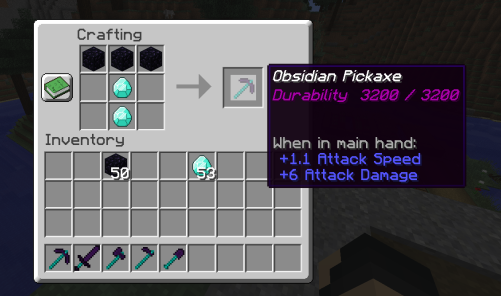
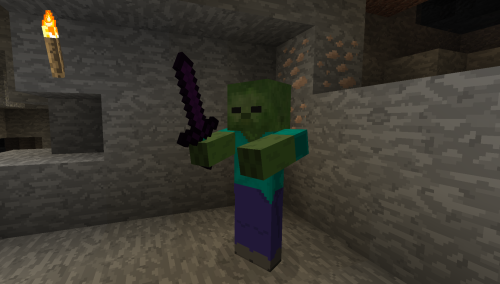
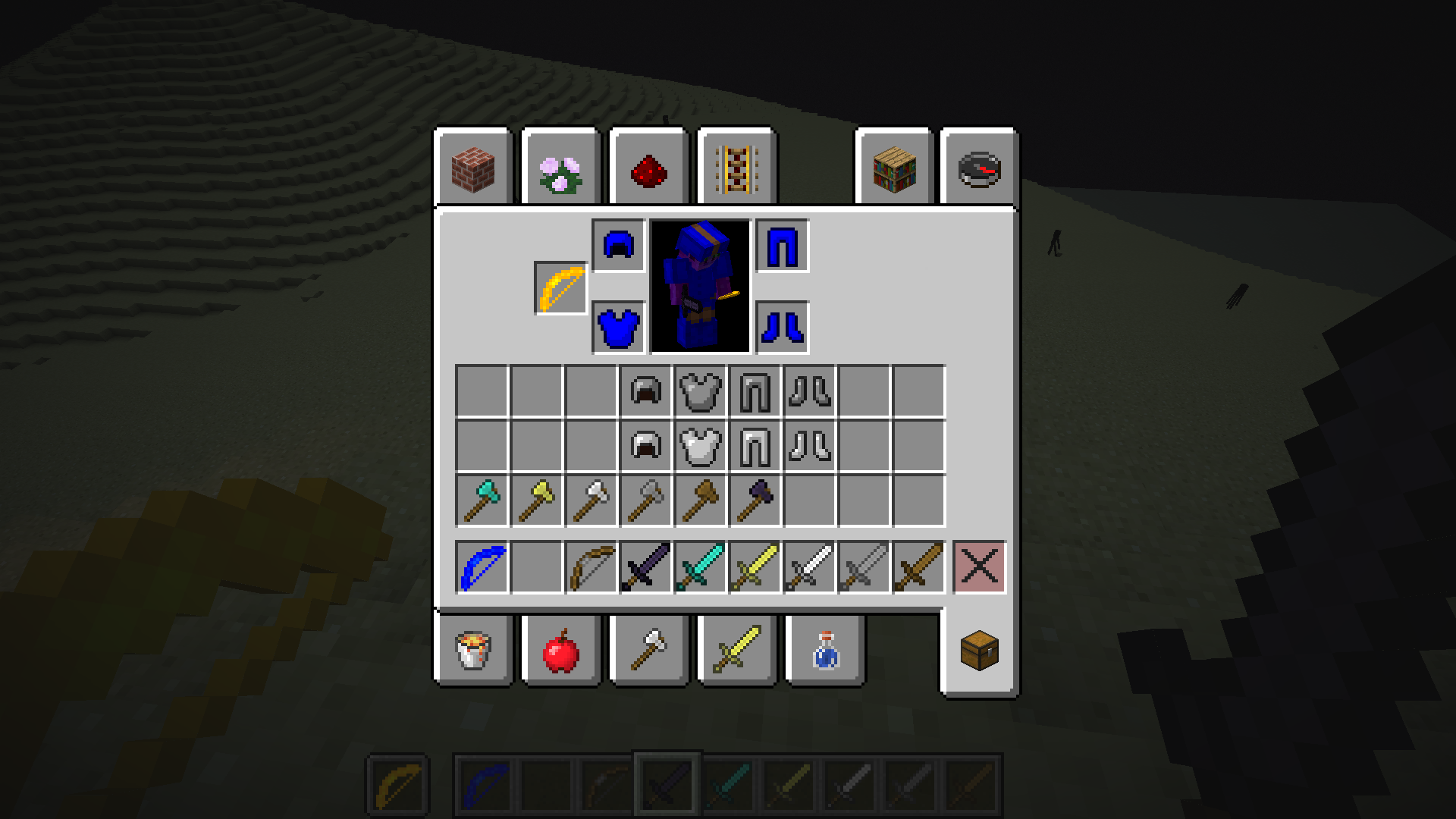
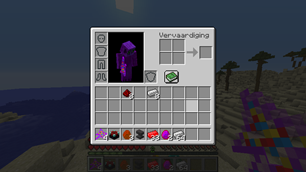
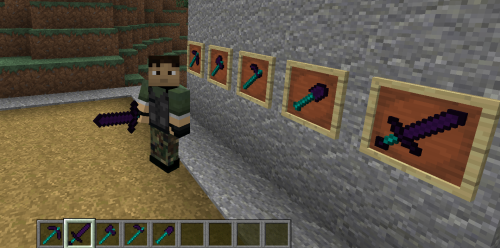
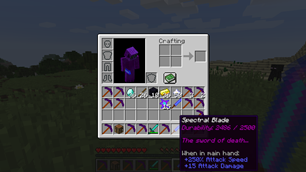
Check the wiki for more information.
Source code (programmers only)
Comments

-

knokko Owner
-

knokko2 Author
-

TechWizzart Contributor
-
View User Profile
-
Send Message
Posted Jan 9, 2020In reply to bellcocoa:
What exactly do you mean by:
The plugin should work using Spigot 1.14.x. Do any errors show up in the console?
-
View User Profile
-
Send Message
Posted Jan 10, 2020In reply to bellcocoa:
I think what you mean is that you have very little choice of items as 'Internal item type'. The 'Internal item type' must be a tool (a technical restriction). It won't have much effect though since you can choose your own texture and you can configure most properties yourself.
Regarding blocks, they are currently not supported, so you can't add custom blocks currently.
-
View User Profile
-
Send Message
Posted Dec 30, 2019This is a great looking plugin, but I followed the tutorial and it doesn't work. Could someone help me out? (using 1.14.4)
-
View User Profile
-
Send Message
Posted Dec 31, 2019In reply to Enderwoopie:
I will need more info than just "doesn't work". Please answer (all) the following questions:
-What do you see when using /plugins ?
-What do you see when using /customitems list ?
-Any errors in the console?
-Is there any message in the console confirming that the plug-in even loaded?
-
View User Profile
-
Send Message
Posted Sep 5, 2019hey man i love you plugin but the editor is missing some items as far as i know, the phantom membrane and the turtle items are missing so no recipes with those :v try to updatet hat when you can i woulkd be very greatful but i just love your plugin <3 keep on
-
View User Profile
-
Send Message
Posted Sep 6, 2019In reply to Forge_User_70247725:
Currently, the plug-in only has the items of minecraft 1.12 (it was designed for that minecraft version). The later items will be added soon if I have more time (otherwise it will take longer)
-
View User Profile
-
Send Message
Posted Aug 27, 2019This plugin is great and works perfectly for my server, but is it possible to use a 3D texture for my custom items?
-
View User Profile
-
Send Message
Posted Aug 27, 2019In reply to Forge_User_95362066:
Until now, I didn't even know 3d textures existed, so I don't think you can.
All you can do now is supplying an item model (as a single .json file) and an item texture (as a single .png file). If that is all you need, you are good to go.
I am planning to look into it, but I don't know if and when I will add support for it.
-
View User Profile
-
Send Message
Posted Jul 26, 2019this plugin looks great but I can not use it because I am in 1.13.2. Can you put the 1.13.2 plugin thanks
Sincerely borender
-
View User Profile
-
Send Message
Posted Jul 27, 2019In reply to Forge_User_13103582:
It looks like you can use it in minecraft 1.13 by using the Knokko Core for minecraft 1.14. This plug-in itself works at least for minecraft 1.12 and 1.14, but it also seems to work for some other versions like 1.13.
When using the editor, you should use 'Export for 1.14' instead of just 'Export' because minecraft 1.13 shares resourcepack format with minecraft 1.14.
But please test carefully if everything you need works because I haven't tested for minecraft 1.13 myself (I don't have time to test for every single version).
-
View User Profile
-
Send Message
Posted Jul 23, 2019Hi. I'm having troubles with your plugin. Ok I currently made
a full set of emerald tools and armor. The emerald sword works however the tools don't work and aren't craftable and were exported for both versions either version didn't work. Im currently using your latest up to date knokkocore and plugin. Nothing seems to work the cis files are all the CustomItems folder and I have combined all texture packs and they don't work. The code seems to be same in the json all the files are in their place and everything seems to be fine in the texture pack. How do I fix this? If you would like you can add me on discord and I can show you my screen.
-
View User Profile
-
Send Message
Posted Jul 24, 2019In reply to samthe9yearold:
If I read your post, it looks like you created multiple item sets (one for each item?). You generally should have 1 item set per server (I must admit I have not been clear about it and you are not the first one to encounter this). You should add all items in the same item set and put the single .cis file into the plugins/CustomItems folder.
In case I misunderstood and you only have 1 item set, please add me on discord, I'm knokko#7163.
-
View User Profile
-
Send Message
Posted Jul 24, 2019In reply to knokko:
Question. How do you put all cis files into one single cis file?
-
View User Profile
-
Send Message
Posted Jul 24, 2019In reply to knokko:
In reply to knokko:
Oooh I see what I did wrong now. How do I fix this?
So wait I can't create multiple item sets?
What if I also want a bedrock sword?
Would I just have to make it in the same item set?
-
View User Profile
-
Send Message
Posted Jul 24, 2019In reply to samthe9yearold:
You should add everything to the same item set indeed, so just add your bedrock sword to the emerald sword set.
To fix your current emerald set, the easiest way is probably to just add them all to the set with your emerald sword. Here, I assume that you only have 5 items at the moment, which will probably only take several minutes to fix.
If you have really many items, you could also wait because an item set combiner is somewhat high on the priority list of new things to add. (It would be good for re-usability of item sets.)
By the way, you won't have to combine resourcepacks again because the editor will do it for you once you have everything in the same item set.
-
View User Profile
-
Send Message
Posted Jul 24, 2019In reply to knokko:
Alright I did everything you asked it still didn't work. None of the recipes work now not even the emerald sword one.
-
View User Profile
-
Send Message
Posted Jul 19, 2019Hello!
I have a question, hopefully you've got the answer to it.
I'm using your plugin in an Aternos server at the moment and I'd like to ask if the items I make will be seen by the plugin even if they were in the Aternos server while the items I created on my PC. Not sure how it works. I feel super dumb atm.
EDIT: and if there's ever a small chance, will you create an item creator inside the game? This question might seem absolutely moronic but I have high hopes for your plugin. Best wishes!
-
View User Profile
-
Send Message
Posted Jul 19, 2019In reply to asijuu:
It looks like you would like the item set on the server to update when you save changes to the item set on your pc using the editor. This would require both the item set on the server to update dynamically as well as the server resourcepack. Updating the item set on the server dynamically could be done, but is a little complex.
However, I'm afraid it will be much harder to update the server resourcepack like that (this is not handled by the plug-in directly). Also, all players on your server would have to update their resourcepack in game, which could be quite annoying (they can't do anything for several seconds).
Personally, I don't know that much about server resourcepacks, so I can't implement quickly. I might implement this in the future, but other things have more priority.
-
View User Profile
-
Send Message
Posted Jun 29, 2019With this plugin you make all my dreams true, the editor is easy to use, and easy to apply in the server, I only have a problem with it, I know that the design is not too important, but I think that if the editor have less colors, and a font a little bit small, will increase a lot the experience of use it.
Thanks for the plugin.
-
View User Profile
-
Send Message
Posted Jun 30, 2019In reply to Forge_User_07974258:
Designing menus properly takes surprisingly much time and there are surprisingly many menus in the editor (when I start counting, it quickly adds up). So it would take too much time to improve the design of all menus (especially designing where to put everything). Especially since that same time could be used to implement the next features (currently custom damage reduction for armor, mob & block drops, shields and item models).
Luckily, the colors and fonts are defined in a small number of files, so they can quite easily and quickly be changed. Do you have any suggestions which colors to change and to what? And where the font sizes should be decreased? (Or are there menus in particular that need attention?)