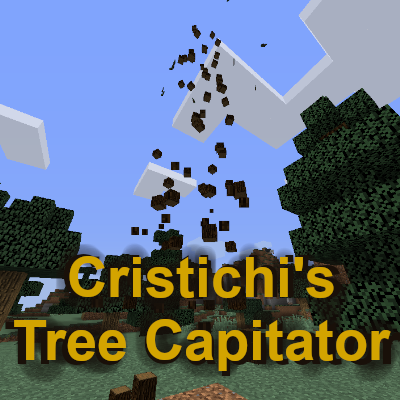
Cristichi's Tree Capitator
Tested on 1.21!
The latest build has been tested and works for 1.21.*, 1.20.*, 1.19.*, 1.18.*, 1.17.*, 1.16.*, 1.15.*, 1.14.* and 1.13.*. I recommend using the latest build always in servers running on those Minecraft versions. I'm also still around so please feel free to leave here any issues you may encounter or your suggestions if you want to, I'll read them.
Features
Please note that only the latest build supports ALL of the following features.
- Let users destroy entire trees by breaking only 1 log. Even the biggest tree will fall!
- Works on nether trees (If server is +1.16).
- Auto-update. You will get a notification if a new update is out and you don't need to come back here to download the plugin again when new features come out.
- It also destroys all leaves around.
- Auto-replant. Replanted saplings can also be automatically protected so they cannot be broken until they grow a tree.
- Switch on/off if an axe is required and/or damaged.
- VIP mode. Use it to restrict access to the benefits of this plugin, for premium users for example.
- Each player can toggle on/off the plugin for themselves. You can also configure if you want a message to remind players of their current setting when they log in.
- Players are not able to break logs in protected areas (by WorldGuard or other protection plugins using WorldGuard as a dependency).
- Axes are damaged accordingly.
- Switch on/off if axes should be prevented from being broken. So that you can repair that nice axe with Mending or an anvil and never worry about it being broken. (only works when breaking logs with it, breaking anything else will destroy the axe anyway)
- Switch on/off if tree leaves should be ignored by the plugin. Enabling it will make the plugin take down only connected logs, reducing the lag and balancing a little bit.
- Crouch mode. Use true in this configuration so that crouching players not trigger this plugin. Use inverted to make standing players not trigger this plugin, or false to make crouching not change how this plugin works.
- Customize what are trees! Configure any block to be treated as tree logs or as tree leaves for this plugin. Scroll down to see more specific steps on this page.
- Ask for new features by DM or by commenting here! I'll try to consider and answer every suggestion.
Commands/Configuration
- /tc help: Lists all commands.
- /tc toggle: Toggles the plugin for you. Just in case you made your home using lots of logs.
- /tc update: Checks for new updates, and updates if able.
- /tc reload: Reload config.yml changes.
- /tc setLimit <number>: Sets the limit of blocks this plugin can destroy at once. (-1 for unbounded)
- /tc setReplant <true/false>: Sets if trees should be replanted. True by default.
- /tc setInvincibleReplant <true/false>: Sets if replanted saplings should be unbreakable by survival players. False by default.
- /tc setAxeNeeded <true/false>: Sets if an axe is required for the plugin to work. True by default.
- /tc setDamageAxe <true/false>: Sets if the axe used is damage (only takes place if an axe is needed). True by default.
- /tc setBreakAxe <true/false>: Sets if the axe used can be broken (only takes place if an axe is needed and damaged). False by default.
- /tc setVipMode <true/false>: Sets if vip mode is on. False by default.
- /tc setNetherTrees <true/false>: Sets if the plugin works on the new nether "trees". False by default.
- /tc setStartActivated <true/false>: Sets if this plugin is activated for players when they enter the server. If false, players will need to use /tc toggle to activate it for themselves. True by default.
- /tc setJoinMsg <true/false>: Enables or disables the join message that remind players about /tc toggle. True by default.
- /tc setIgnoreLeaves <true/false>: Makes the plugin ignore or not the leaves aroung logs. False by default.
- /tc setCrouchPrevention <true/false/inverted>: Defines if crouching allows players to break logs individually. If set to inverted, players must crouch to break multiple logs with this plugin. False by default.
You may also use /treecap or /treecapitator as valid aliases for the /tc command.
Permission nodes
- cristreecapitator.user: Always required to take down trees fast.
- cristreecapitator.admin: Required to change options by commands.
- cristreecapitator.vip: Required to take down trees fast when Vip Mode is enabled.
How to Install
- Place your downloaded .jar file into YourServerDirectory/plugins/.
- Start or reload server.
- Then you may configure the plugin just the way you want, either using commands OR editing the config file and then typing /tc reload in the in-game chat (with cristreecapitator.admin permission/OP) or in the server console.
How to use VIP mode
VIP Mode enables an easy switch for the plugin. If VIP Mode is enabled regular users won't be able to use this plugin by default because they will also need an additional permission.
- Enable vip mode (/tc setVipMode true).
- Give 'cristreecapitator.vip' permission node to VIP players.
- It's already done! VIP players will be the only ones allowed to cut down trees faster! Don't worry, average players can still get wood, but the vanilla way.
How to add blocks as logs or leaves
You can configure other blocks to be detected as if they were logs or leaves, like the stripped logs or blocks from mods, or any block you want.
- Make sure you are using v6.4.0 or higher of this plugin.
- Check the name of the blocks in this link https://hub.spigotmc.org/javadocs/bukkit/org/bukkit/Material.html.
- Go to the folder YourServerDirectory/plugins/CrisTreeCapitator where the configuration file is and open extra_logs.json or extra_leaves.json, and edit the files to include the blocks you want (as named in the previously mentioned link). Be careful to follow the format.
- Reload the server OR type /tc reload to apply the changes.
Keep it always up to date!
During startup you will receive a notification in the chat and the server console if the plugin needs to be updated. With a simple command you will be able to check new updates and update the plugin in-game.
I always recommend to keep the plugin up to date to make sure that you are benefiting from new features, general improvements and any bug fixes.
Compatibility with older versions.
If your server is running a Minecraft version older than 1.13, please click here to download v3.0.1 instead. It won't have all the advantages and performance of the latest version so please consider updating your server to at least Minecraft 1.13.
Need help?
Please feel free to contact me through DM or by commenting in this page. I do not have much free time to answer, but I will be sure to answer you as soon as possible. I will be happy to help on any issues that you are having, and consider every feature request that would make the plugin better for your server.
Future plans
My intention for the future of the plugin is to keep providing updates for new Minecraft versions, especially if there are any significant changes to the game like new trees or new features that would help this plugin's implementation. Additionally, I will provide support for any issues or bugs encountered by players, and I will consider any new features suggested as well. Please, feel free to let me know your feedback, good or bad.
Thank you for reading, and happy minecrafting!
Comments


-

Cristichi Owner
-
View User Profile
-
Send Message
Posted Mar 6, 2024In reply to Cristichi:
Ohh okay, no worries! Enjoy your vacation! ^^
-
View User Profile
-
Send Message
Posted Oct 31, 2023A very good plugin. Add a configuration to change the damage that is caused to the axe. For example, in vanilla 1 log - 1 strength, then this value could be changed. For 1 log - 5 strength, etc.
-
View User Profile
-
Send Message
Posted Nov 3, 2023In reply to tetanik_:
Thank you for the suggestion. I will consider it since it seems like a simple thing to add that won't affect anyone that would like to use the normal damage to the axe.
I'll let you know if I implement it! (And if I remember to come back here to tell you ofc)
-
View User Profile
-
Send Message
Posted Oct 15, 2023Hey so I've been using this mod and its great, but I noticed that it dosen't work with adjusted trees like say for example, the terralith datapack. Would their be any way I can adjust the settings so it can treat the terralith ones as trees I can actually cut down? I know it should work but for some reason when I try to cut them, it acts like how it would work regularly!
Also is their anyway I can add like more options for the trees that it can replant? cause I tried it with cherry blossom trees and it dosen't replant them?
-
View User Profile
-
Send Message
Posted Oct 17, 2023In reply to golisuine:
Hi!
Sorry for the late reply, I've been busy.
Yes, you can edit the files extra_logs.json and extra_leaves.json that are in the same folder as the configuration file. Blocks specified there will be treated as logs/leaves by the plugin no matter what (you can break big chunks of the world with that, be careful xD try not to include "DIRT" or something like that). You need to know how the blocks are called internally in the datapack. I have not tried it, but if the datapack is loaded when the plugin loads, then it will read those files and take the appropriate registered blocks. Please let me know if it works with the datapack (I would do it myself when I have time, but I don't know when that will be).
I downloaded the datapack and took a peek to see if I could find the new trees in the .json files, but I was not able to. Perhaps I didn't take enough time looking, or perhaps it uses other vanilla blocks that are not exactly logs (for instance, my plugin by default does not take "STRIPPED_" logs as logs since natural trees are not made of them. If that is the case, you can add them individually in the extra_logs.json file). So please, let me know what you are referring to when you say "adjusted trees" exactly and I will let you know if the plugin can do it and how.
Now regarding the replants, in my tests I was able to replant cherry blossom trees. I was actually quite keen on trying it when the new version was released by spigot, and it worked wonders because the plugin looks for any block that has "_LOG" in the internal name, and the cherry blossom logs have it. Same with the leaves "_LEAVES". I tried it again today and it was still working.
I also noticed that it was not working with Podzol, so perhaps those trees were in Podzol and therefore they could not be replanted. This was happening to every tree so I have to look into why this is happening. The system I built to recognise blocks in which trees can be replanted is not that simple, so the issue is in that part of my code. I'm sure of that. In my first tests I tried it only in dirt so I did not notice that. Please let me know if that could be the case with your cherry blossom trees as well.
Sorry for the long read and have a nice day!
-
View User Profile
-
Send Message
Posted Oct 17, 2023In reply to Cristichi:
its more like the datapacks makes them grow like custom trees, so they still use existing blocks but their bigger and taller, their was some stripped trees in the some of the biomes I tested but I was mostly having a problem with the datapack not recognizing it as a regular tree even though it uses existing blocks, but Ill do a re-run and get back to you to see if maybe its something happening on my end. I appreciate the time you took to check to figure out the issue with me!
-
View User Profile
-
Send Message
Posted Oct 21, 2023In reply to Cristichi:
hi again aplogies for the bother but I wanted to ask how I can adjust for taller trees like the terralith ones since it seems like its the terralith ones I'm having a problem with, also tested cherry blossom replanting and it still dont work even when I cut them on "grass""dirt" blocks
-
View User Profile
-
Send Message
Posted Oct 22, 2023In reply to golisuine:
That's fine! I rather see this as you helping me identify and fix potential issues.
Regarding the tall trees issue, I can only think that perhaps the server runs out of memory stack when attempting to keep destroying blocks, or you have a block limit too low.
For example, in my old computer when I was testing the first versions of the plugin it would only break about 10 different connected trees at once, and jungle trees were out of the question. But when I bough my current computer that changed. The algorithms goes on until it reaches the stack limit that computer's Java can allow.
Now, the replant issue was a mystery to me so I tried it again and now for some reason it is not working for me either. I was actually missing a line of code to make it take into account CHERRY_LOG when calculating if a replant could happen in some situations. I do't know how I missed it in my tests, thank you for noticing!
I have a 6.4.3 update rolling out (updates take longer on weekends to be reviewed here), but afterwards I'll be rolling 6.4.4 with a fix to the cherry replant.
Thank you!
-
View User Profile
-
Send Message
Posted Aug 13, 2023does it work on modded trees from biomes o'plenty and stuff
-
View User Profile
-
Send Message
Posted Aug 14, 2023In reply to Slobberyshots:
Hi!
The way my plugin understands what a Log is, is if its internal name contains "_LOG". Like OAK_LOG, ACACIA_LOG, etc. (it also checks that it is not "_STRIPPED_LOG").
So, if you are using Cauldron or anything similar that would allow you to install Bukkit/Spigot plugins alongside Forge or Fabric mods with my plugin: if Biomes O' Plenty follows that naming convention and new logs are called TREE_NAME_LOG, it will detect them. If they don't seem to detect them, you need to config extra_logs.json in the configuration of my plugin in order to add them.
-
View User Profile
-
Send Message
Posted Aug 11, 2023Hi I wanted to know if you ever plan to make it so only one tree is destroyed and not all the trees touching that one?
-
View User Profile
-
Send Message
Posted Aug 14, 2023In reply to therealdogfortgaming:
Hi! Thank you for asking.
Since it is very requested, I guess one day I will have to implement it. My recommendation right now is to disable leaves destruction to achieve something similar for the time being.
-
View User Profile
-
Send Message
Posted Jul 22, 2023Hi I wanted to know if on my minecraft 1.20 server there was a way to make it so that blocks broken using the plugin counted as broken by the player for the purposes of other plugins such as Jobs or LMbishopsQuests or Jobs Reborn as it currently doesn't work and is as if it they didn't break the wood. Thanks
-
View User Profile
-
Send Message
Posted Jul 22, 2023In reply to fran123miao:
Hi Fran, thank you for your question.
At the moment I don't know if it would be possible to make my plugin count as if the player broke it. At the moment, even the first block is broken by the plugin before the event of the player breaking it is completed. So there is no way right now to configure it to make it count.
I would like to investigate if I can add some of those plugins as soft dependencies to use them in order to count blocks destroyed by this plugin as if they were destroyed by that player, for the purposes of those plugins.
Nonetheless, I'm on vacation so I will not be able to work on this for still a few more weeks. Also due to some other complications after my vacations. But when I work on this, I will try to remember to comment here if I managed to find a way, or if I found I could not do it.
If you are using one of those in specific, let me know and I will be happy to check if this is possible with that one first.
Kind regards!
-
View User Profile
-
Send Message
Posted Jul 18, 2023After successfully starting the server, an error will be reported. How can I solve it. I am using a cat server 1.18.2
[01:51:40] [Server thread/ERROR]: Could not pass event BlockBreakEvent to CrisTreeCapitator v6.4.1
org.bukkit.event.EventException: null
at org.bukkit.plugin.java.JavaPluginLoader$1.execute(JavaPluginLoader.java:319) ~[forge-1.18.2-40.2.4-universal.jar%23117!/:?]
at org.bukkit.plugin.RegisteredListener.callEvent(RegisteredListener.java:70) ~[forge-1.18.2-40.2.4-universal.jar%23117!/:?]
at org.bukkit.plugin.SimplePluginManager.fireEvent(SimplePluginManager.java:594) ~[forge-1.18.2-40.2.4-universal.jar%23117!/:?]
at org.bukkit.plugin.SimplePluginManager.callEvent(SimplePluginManager.java:578) ~[forge-1.18.2-40.2.4-universal.jar%23117!/:?]
at catserver.server.CatServerEventHandler.onBreakBlockEvent(CatServerEventHandler.java:64) ~[forge-1.18.2-40.2.4-universal.jar%23117!/:1.18.2-6c3f5965]
at net.minecraftforge.eventbus.ASMEventHandler_184_CatServerEventHandler_onBreakBlockEvent_BreakEvent.invoke(.dynamic) ~[?:?]
at net.minecraftforge.eventbus.ASMEventHandler.invoke(ASMEventHandler.java:85) ~[eventbus-5.0.3.jar%2313!/:?]
at net.minecraftforge.eventbus.EventBus.post(EventBus.java:302) ~[eventbus-5.0.3.jar%2313!/:?]
at net.minecraftforge.eventbus.EventBus.post(EventBus.java:283) ~[eventbus-5.0.3.jar%2313!/:?]
at net.minecraftforge.common.ForgeHooks.onBlockBreakEvent(ForgeHooks.java:586) ~[forge-1.18.2-40.2.4-universal.jar%23117!/:?]
at net.minecraft.server.level.ServerPlayerGameMode.m_9280_(ServerPlayerGameMode.java:305) ~[server-1.18.2-20220404.173914-srg.jar%23112!/:?]
at net.minecraft.server.level.ServerPlayerGameMode.m_9286_(ServerPlayerGameMode.java:295) ~[server-1.18.2-20220404.173914-srg.jar%23112!/:?]
at net.minecraft.server.level.ServerPlayerGameMode.m_7391_(ServerPlayerGameMode.java:264) ~[server-1.18.2-20220404.173914-srg.jar%23112!/:?]
at net.minecraft.server.network.ServerGamePacketListenerImpl.m_7502_(ServerGamePacketListenerImpl.java:1260) ~[server-1.18.2-20220404.173914-srg.jar%23112!/:?]
at net.minecraft.network.protocol.game.ServerboundPlayerActionPacket.m_5797_(ServerboundPlayerActionPacket.java:34) ~[server-1.18.2-20220404.173914-srg.jar%23112!/:?]
at net.minecraft.network.protocol.game.ServerboundPlayerActionPacket.m_5797_(ServerboundPlayerActionPacket.java:8) ~[server-1.18.2-20220404.173914-srg.jar%23112!/:?]
at net.minecraft.network.protocol.PacketUtils.m_131356_(PacketUtils.java:25) ~[server-1.18.2-20220404.173914-srg.jar%23112!/:?]
at net.minecraft.server.TickTask.run(TickTask.java:18) ~[server-1.18.2-20220404.173914-srg.jar%23112!/:?]
at net.minecraft.util.thread.BlockableEventLoop.m_6367_(BlockableEventLoop.java:157) ~[server-1.18.2-20220404.173914-srg.jar%23112!/:?]
at net.minecraft.util.thread.ReentrantBlockableEventLoop.m_6367_(ReentrantBlockableEventLoop.java:23) ~[server-1.18.2-20220404.173914-srg.jar%23112!/:?]
at net.minecraft.server.MinecraftServer.m_6367_(MinecraftServer.java:1068) ~[server-1.18.2-20220404.173914-srg.jar%23112!/:?]
at net.minecraft.server.MinecraftServer.m_6367_(MinecraftServer.java:173) ~[server-1.18.2-20220404.173914-srg.jar%23112!/:?]
at net.minecraft.util.thread.BlockableEventLoop.m_7245_(BlockableEventLoop.java:131) ~[server-1.18.2-20220404.173914-srg.jar%23112!/:?]
at net.minecraft.server.MinecraftServer.m_129961_(MinecraftServer.java:1051) ~[server-1.18.2-20220404.173914-srg.jar%23112!/:?]
at net.minecraft.server.MinecraftServer.m_7245_(MinecraftServer.java:1045) ~[server-1.18.2-20220404.173914-srg.jar%23112!/:?]
at net.minecraft.util.thread.BlockableEventLoop.m_18699_(BlockableEventLoop.java:116) ~[server-1.18.2-20220404.173914-srg.jar%23112!/:?]
at net.minecraft.server.MinecraftServer.m_130012_(MinecraftServer.java:1030) ~[server-1.18.2-20220404.173914-srg.jar%23112!/:?]
at net.minecraft.server.MinecraftServer.m_130011_(MinecraftServer.java:956) ~[server-1.18.2-20220404.173914-srg.jar%23112!/:?]
at net.minecraft.server.MinecraftServer.m_177918_(MinecraftServer.java:312) ~[server-1.18.2-20220404.173914-srg.jar%23112!/:?]
at java.lang.Thread.run(Thread.java:833) [?:?]
Caused by: java.lang.NoSuchFieldError: MUD
at main.TreeCapitator.canPlant(TreeCapitator.java:1510) ~[?:?]
at main.TreeCapitator.breakRecReplant(TreeCapitator.java:507) ~[?:?]
at main.TreeCapitator.onBlockBreak(TreeCapitator.java:434) ~[?:?]
at jdk.internal.reflect.NativeMethodAccessorImpl.invoke0(Native Method) ~[?:?]
at jdk.internal.reflect.NativeMethodAccessorImpl.invoke(NativeMethodAccessorImpl.java:77) ~[?:?]
at jdk.internal.reflect.DelegatingMethodAccessorImpl.invoke(DelegatingMethodAccessorImpl.java:43) ~[?:?]
at java.lang.reflect.Method.invoke(Method.java:568) ~[?:?]
at org.bukkit.plugin.java.JavaPluginLoader$1.execute(JavaPluginLoader.java:315) ~[forge-1.18.2-40.2.4-universal.jar%23117!/:?]
... 29 more
-
View User Profile
-
Send Message
Posted Jul 18, 2023In reply to 丶曲終人散ゞ:
Hi! Thank you for sharing the exception stacktrace.
I'm on vacation so I cannot edit the code and release a new version until August, but there seems to be a compatibility issue I should fix. Sorry for the inconvenience, I will work on it as soon as I get regain access to my computer early on August.
-
View User Profile
-
Send Message
Posted Aug 1, 2023In reply to 丶曲終人散ゞ:
Hello, I have updated the plugin with a fix that worked for me, testing it on Paper 1.18.2. If you keep encountering this issue after updating, please let me know.
-
View User Profile
-
Send Message
Posted Apr 13, 2023Thank you for making such an assume plugin this is exactly what I needed for my server!
ya the last plugin that i used you couldn't set it to be off by default. and it couldn't tell the difference between players bases and trees that to some funny moments lmao but annoying. but thank you for solving that. lol
edit: never mind it cant tell betwen whats placed my a player or not. but still good plugin. maybe threes a way to do that.
-
View User Profile
-
Send Message
Posted Apr 9, 2023Hey there! This plugin is awesome, thank you for creating and maintaining it!
I use another plugin called DispenserRobot which lets you break blocks by putting tools in dispensers. Because there's no "player" who breaks the block, if I have a dispenser with an axe in it that tries to chop a tree, this plugin doesn't chop the whole tree. Is this something that can be adjusted in the config and, if not, is that something you'd consider adding as an option?
-
View User Profile
-
Send Message
Posted Apr 10, 2023In reply to stevemcmaster:
Hi! Thank you a lot for liking the plugin!
There is no way to do that at the moment with the current version of my plugin, but I like the sound of that idea.
I'm currently working on a new feature that is also going to require more time for me to develop with my limited schedule, but I will see if I can start with this one after that!