Copycat
Description
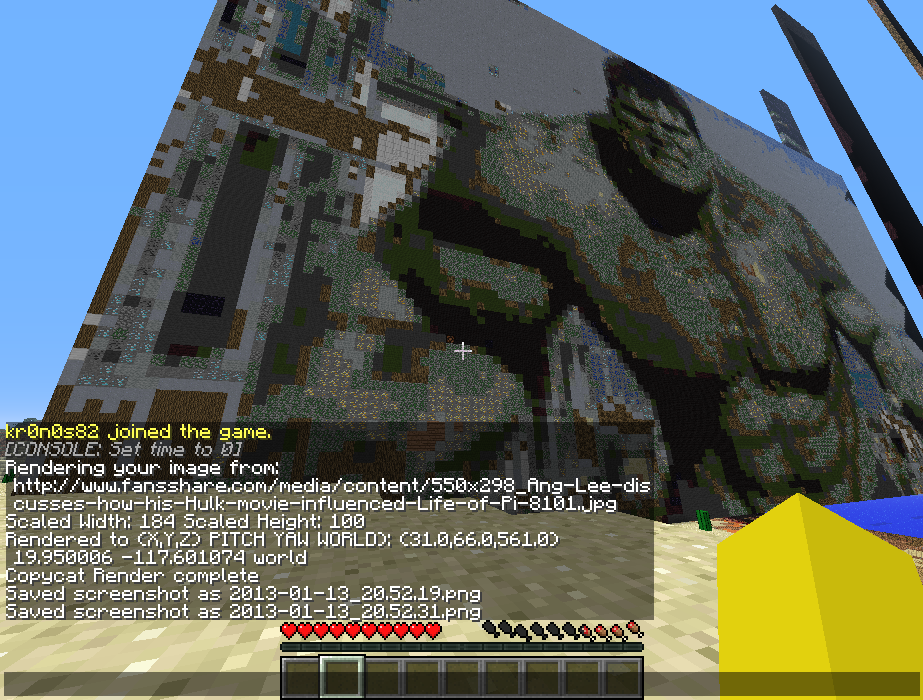
Copycat allows players to render images from a URL into the Minecraft world. Just install the plugin by copying the downloaded .jar to your bukkit plugins folder. In game, type /help copycat to get started. Commands are shown below
/cc: Image rendering commands
/ccadmin: Admin operations. Mostly griefing management
/ccimg: Commands for various image operations
/ccset: Sets plugin properties
/ccstamp: Rubber stamp mode commands
Having Trouble?
If you are having trouble getting the plugin to work, you need to post some descriptive information, such a stack trace, what you were doing, command used, etc. Otherwise, I will be unable to provide you with any kind of support.
Screenshots


Downloading
Use the download link in the top right of this page
Comments


-

_ForgeUser8607392 Owner
-
View User Profile
-
Send Message
Posted Apr 13, 2013Is this the original CopyCat? I remember using one on like 1.2.5 or something, and than it wasn't updated for a while.
-
View User Profile
-
Send Message
Posted Feb 19, 2013@Antiman9
http://dev.bukkit.org/server-mods/copycatrender/tickets/
Open a new ticket or post in an existing one regarding specific plugin features you would like added or removed.
-
View User Profile
-
Send Message
Posted Feb 19, 2013@Antiman9
This is actually constructive feedback and I'd like to work with you on making the plugin better. The builtin help is there, but it is definitely different from before. If you type /help copycat, you will get various commands and then there is also additional help available for those: /help ccimg /help ccset /help ccadmin /help ccstamp /help cc
Dithering, which provides color correction is on by default and turning it off will allow transparency to work. /ccset dither
I admittedly don't play much Minecraft compared with some folks out there, but the new command setup really helps with implementing permissions and integrating with the bukkit help system. Perhaps there can be some compromise made to make it more like the old command structure.
I will open a ticket for you.
-
View User Profile
-
Send Message
Posted Feb 17, 2013This plugin used to be amazing, I don't know what you did or how you did it but you've managed to make this plugin a miserable experience to use. The inbuilt help is missing, transparency doesn't work, and the commands are confusing. The older system was easier to use and I'm certain many others would have been content with just keeping the plugin up to date. Please bring back the old system!
-
View User Profile
-
Send Message
Posted Feb 12, 2013thats work not ... can you tell me what i must do ??!!
-
View User Profile
-
Send Message
Posted Jan 21, 2013safe to say this is not going to be a thing I think.
-
View User Profile
-
Send Message
Posted Jan 19, 2013LOL no download link, i think this was dead on arrival
-
View User Profile
-
Send Message
Posted Jan 19, 2013@kr0n0s82
Where does the download link is??????/
-
View User Profile
-
Send Message
Posted Jan 17, 2013Where the DOWNLOAD?????
-
View User Profile
-
Send Message
Posted Jan 17, 2013where is the download link?
-
View User Profile
-
Send Message
Posted Jan 14, 2013This looks like another plugin called MCpainter
-
View User Profile
-
Send Message
Posted Jan 14, 2013ah it reminds me of good ol' the McLawl family
-
View User Profile
-
Send Message
Posted Jan 14, 2013WorldEdit has had this function for a while. cs draw.js imagename.png
Good job on making a Bukkit plugin for it though :D
-
View User Profile
-
Send Message
Posted Jan 14, 2013nice ;]
I can put a high quality image as a painting in one of my giant mansions D:
can't wait till its approved and such.
-
View User Profile
-
Send Message
Posted Jan 14, 2013Download?
-
View User Profile
-
Send Message
Posted Jan 13, 2013Please stay tuned for the next version. I will be adding dithering to reduce banding effects and produce more accurate images.