ColorConsole
Description
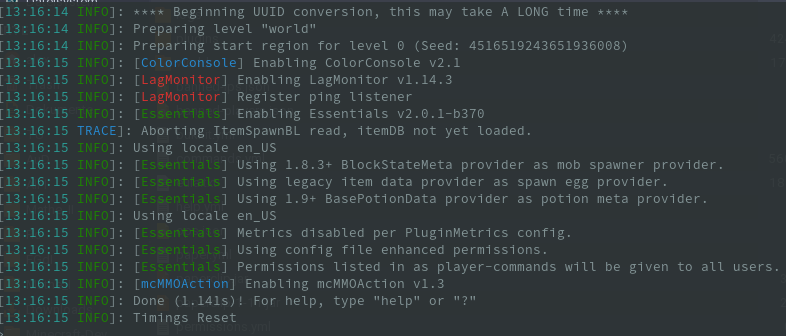
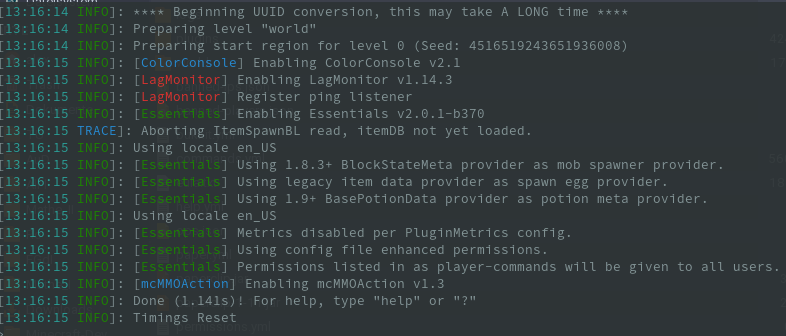
This lightweight plugin to make your console more colorful. It colorize the message depending on the log level. This means that important error messages will be printed in a red color. This gives you and your administrators a better overview about what's happening on your server.
I'm open for more suggestions.
Features
- Lightweight
- Different colors for different log levels
- Custom logFormat
- Colorize plugin tags (customizable)
- Easy to use config
- Supports all versions above 1.8+
Source code
You don't have to decompile the plugin. You can find there the source code with comments and building utilities.
ColorConsole is open source and hosted on GitHub; feel free to fork, star, or contribute by making pull requests and opening issues.
Comments


-

TuxCoding Owner
-
View User Profile
-
Send Message
Posted Jul 8, 2017Finally, a useable console filter.
Suggestion/request: Please add a configuration option to remove all color codes from console and log.
-
View User Profile
-
Send Message
Posted Jul 9, 2017In reply to SlimeDog:
-
View User Profile
-
Send Message
Posted Jul 9, 2017In reply to games647:
-
View User Profile
-
Send Message
Posted Jul 10, 2017In reply to SlimeDog:
-
View User Profile
-
Send Message
Posted Jul 14, 2016@jayman340
Do you have colorLoggingLevel enabled? Which OS and server software do you use?
-
View User Profile
-
Send Message
Posted Jul 13, 2016The only thing besides my console text being all grey (Which is normal) is that plugin names are blue, and [Server] is blue as well. (Dark blue, I mean) how would I get my console to be as colorful as the one in the OP?
-
View User Profile
-
Send Message
Posted May 4, 2016@ncsgeek
But not depending on the log level.
-
View User Profile
-
Send Message
Posted May 4, 2016Just saying, You can do this if you open the server with a .bat file
@echo off title Server color (colorcode)(codecode2) java -Xmx6G -Xms5G -jar spigot.jar nogui pause
This changes the color of both the text, and the background. :)