Using ChestDataBase
Download ChestDataBase.jar and place it in your plugins folder. Re-start the server then stop it again. You should have a ChestDataBase folder with a config.yml file inside. Open that up and use the existing Players table as a guide to create your tables or modify the Players table as needed.
To get a reference to the database include the following function:
import me.malachi1616.ChestDataBase.ChestDataBase;
import org.bukkit.plugin.Plugin;

private ChestDataBase getChestDataBase()
{
    Plugin plugin = getServer().getPluginManager().getPlugin("ChestDataBase");
    if (plugin == null || !(plugin instanceof ChestDataBase))
    {
        return null;
    }
    return (ChestDataBase) plugin;
}
You'll need to add the ChestDataBase.jar to your build path first.
From there you can use the ChestDataBase object to reference the ChSQL object to make queries. For example
ChestDataBase db = getChestDataBase();
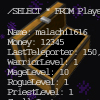
db.sql.select("Players", "*", "malachi1616");
The default configuration also has a PlayerJoinEvent Listener you can disable this with db.disableAutoAddPlayers() (enableAutoAddPlayers to re-enable):
    @EventHandler
    public void onPlayerJoinEvent (PlayerJoinEvent event)
    {
    	if (plugin.autoAddPlayers)
    	{
	    	PlayerJoinEvent e = event;
	    	Player p = e.getPlayer();
			plugin.world = p.getWorld();

			DataRecord pd = plugin.sql.select("Players", "Name", p.getName());

			if (!pd.getValue("Name").equalsIgnoreCase(p.getName()))
	    	{
	    		ChestTable tab = plugin.sql.getTable("Players");
	    		if (!tab.isNull)
	    		{
	    			int nextIndex = tab.getNextIndex();
	    			DataRecord ndr = new DataRecord(tab, nextIndex, plugin.defaultPlayerData);
	    			ndr.set("Name", p.getName());
		    		tab.storeDataRecord(ndr, nextIndex);
	    		}
	    	}
    	}
    }
Comments