ChangeSkinX
Description
This plugin allows your players to change their skins by command. These skins have to be downloaded from Mojang, because Minecraft clients only accept from Mojang signed skins. But you can choose every skin that another minecraft user currently has.
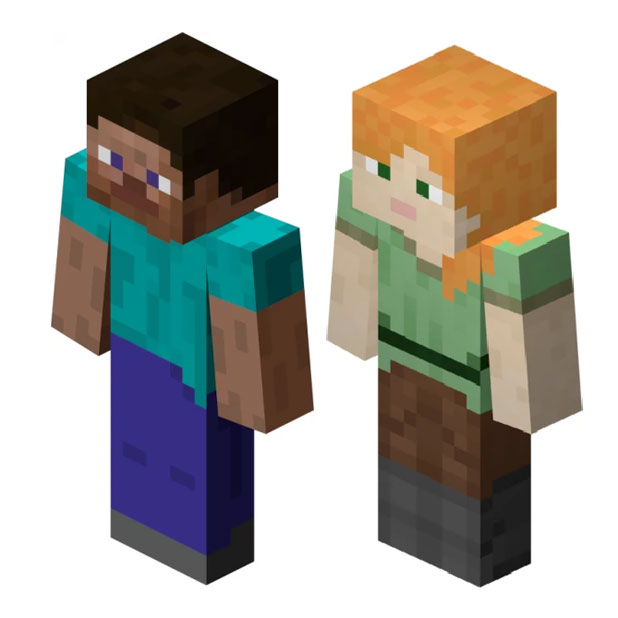
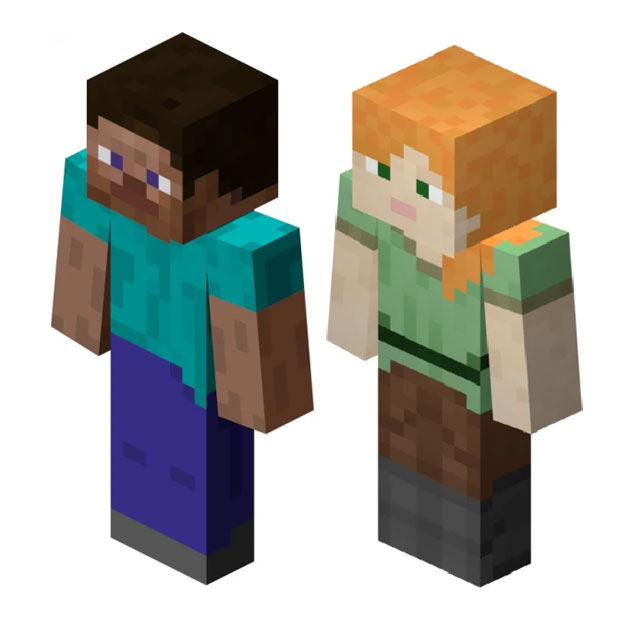
Moreover it will be possible to set a custom standard skin. If you want to, this plugin can set this standard skin for all players who still have the default steve or alex skin.
Features
- Lightweight
- Instant skin updates
- Easy to use
- Implemented cache to benefit performance
- Nearly no mojang rate limits due caching
- No client modification needed
- Possibility to create a standard skin
Commands
- /setskin <uuid > - Sets your skin to be equal to the player with the selected uuid
- /setskin < playerName>
- /setskin < onlinePlayer > < newSkinUUID/newSkinPlayerName >
- /skinupdate - Invalidates the database entry and fetches the fresh skin from the Mojang servers
Permissions
- changeskin.command.skinupdate - Command to refresh the own skin
- changeskin.command.setskin.* - All the commands below
- changeskin.command.setskin - Set your own skin
- changeskin.command.setskin.other - Set the skin of other players
Whitelist and blacklist permissions
Whitelist
- changeskin.skin.whitelist.uuid - Allow this specific skin
- changeskin.skin.whitelist.* - allows all skins
Blacklist
- changeskin.skin.whitelist.*
- -changeskin.skin.whitelist.uuid
Source code
You don't have to decompile the plugin. You can find there the source code with comments and building utilities.
ChangeSkin is open source and hosted on GitHub; feel free to fork, star, or contribute by making pull requests and opening issues.
Video Tutorials (not by me)
Portuguese:
English:
Comments

-

TuxCoding Owner
-
View User Profile
-
Send Message
Posted Mar 14, 2016@Plantnet
I could implement a new command like /setskin reset if you want to and yes you would have the old skin, because it's cached, you I change that.
-
View User Profile
-
Send Message
Posted Mar 13, 2016It would be nice to have a Commant, to reset the custom skin back to default.
Or should I type /setskin myUsername? My thought is, if I will change my skin after I ran that command, I will have my old skin, because I downloaded it. But please correct me if thats false thougt.
PS: Very nice Plugin for my Roleplay Series on Youtube ;3
-
View User Profile
-
Send Message
Posted Mar 4, 2016@s1n1th
What username do you tried?
-
View User Profile
-
Send Message
Posted Mar 4, 2016Alright so I have protocolLib (latest version) and changeskin (latest version) but when I try to /skin set (playername) all it says is Queued name to uuid resolve and my skin does not change I even tried to relogin still no change. can someone explane to me what it is I'm doing wrong. Thank you in advance.
-
View User Profile
-
Send Message
Posted Feb 29, 2016@andris15
Why do you need bungeecord support?
-
View User Profile
-
Send Message
Posted Feb 9, 2016Not work in Bungeecord. :(
-
View User Profile
-
Send Message
Posted Feb 8, 2016@rryoga
Add the following permission to your players:
changeskin.command.setskin
You can use any permission management plugin for that like PermissionsEx, Groupmanager, bPermissions...
-
View User Profile
-
Send Message
Posted Feb 7, 2016@games647
How can i change permissions? I want all players can use the commands : )
-
View User Profile
-
Send Message
Posted Feb 7, 2016@rryoga
Please remove the long stacktrace. Use paste in or something similar to that. According to the log you are using an old server version. Any versions below 1.8 aren't supported.
-
View User Profile
-
Send Message
Posted Feb 7, 2016@games647
hi, protocolib already installed , but I'm taking the same error: http://pastebin.com/raw/g2bZP9Hg
-
View User Profile
-
Send Message
Posted Feb 7, 2016@rryoga
Just download the plugin and drop it into your plugins folder.
-
View User Profile
-
Send Message
Posted Feb 7, 2016ok, how enable or install ProtocolLib?
I'm noob, sorry :c
-
View User Profile
-
Send Message
Posted Feb 7, 2016@rryoga
As you can see on the right side, ProtocolLib is required.
-
View User Profile
-
Send Message
Posted Feb 6, 2016This PaperSpigot build only supports Minecraft 1.7.x and 1.8.x clients! * It is imperative that backups be taken before running this build on your server! * Please report issues directly to Paper, and always ensure you're up-to-date! * Any bug reports not running the very latest version of the software will be ignored * [02:14:02 INFO]: Starting minecraft server version 1.7.10 [02:14:02 WARN]: To start the server with more ram, launch it as "java -Xmx1024M -Xms1024M -jar minecraft_server.jar" [02:14:02 INFO]: Loading properties [02:14:02 INFO]: Default game type: SURVIVAL [02:14:02 INFO]: This server is running CraftBukkit version git-PaperSpigot-43 (MC: 1.7.10) (Implementing API version 1.7.10-R0.1-SNAPSHOT) [02:14:02 INFO]: Server Ping Player Sample Count: 12 [02:14:02 INFO]: Using 4 threads for Netty based IO [02:14:02 INFO]: Debug logging is disabled [02:14:02 INFO]: Generating keypair [02:14:03 INFO]: Starting Minecraft server on *:41361 [02:14:03 ERROR]: Could not load 'plugins/ChangeSkin.jar' in folder 'plugins' org.bukkit.plugin.UnknownDependencyException: ProtocolLib at org.bukkit.plugin.SimplePluginManager.loadPlugins(SimplePluginManager.java:223) [spigot1649.jar:git-PaperSpigot-43] at org.bukkit.craftbukkit.v1_7_R4.CraftServer.loadPlugins(CraftServer.java:370) [spigot1649.jar:git-PaperSpigot-43] at net.minecraft.server.v1_7_R4.DedicatedServer.init(DedicatedServer.java:169) [spigot1649.jar:git-PaperSpigot-43] at net.minecraft.server.v1_7_R4.MinecraftServer.run(MinecraftServer.java:493) [spigot1649.jar:git-PaperSpigot-43] at net.minecraft.server.v1_7_R4.ThreadServerApplication.run(SourceFile:628) [spigot1649.jar:git-PaperSpigot-43]
-
View User Profile
-
Send Message
Posted Jan 20, 2016@Ds32
Do you have empty lines in your preferences file?
-
View User Profile
-
Send Message
Posted Jan 19, 2016preferentses.txt in more than 4 lines will not appear, Skins are only visible from the last four players
-
View User Profile
-
Send Message
Posted Jan 6, 2016@ratg97
They can remove the skin by using /setskin <their own uuid/player name>.
-
View User Profile
-
Send Message
Posted Jan 6, 2016@games647
mmm i say that:
when do players remove the new skin?
-
View User Profile
-
Send Message
Posted Jan 6, 2016@ratg97
? What's the issue? If you choose a new skin, you will have until you reset it.
-
View User Profile
-
Send Message
Posted Jan 6, 2016@games647
mmm can you try to fix that