Camp Site
About
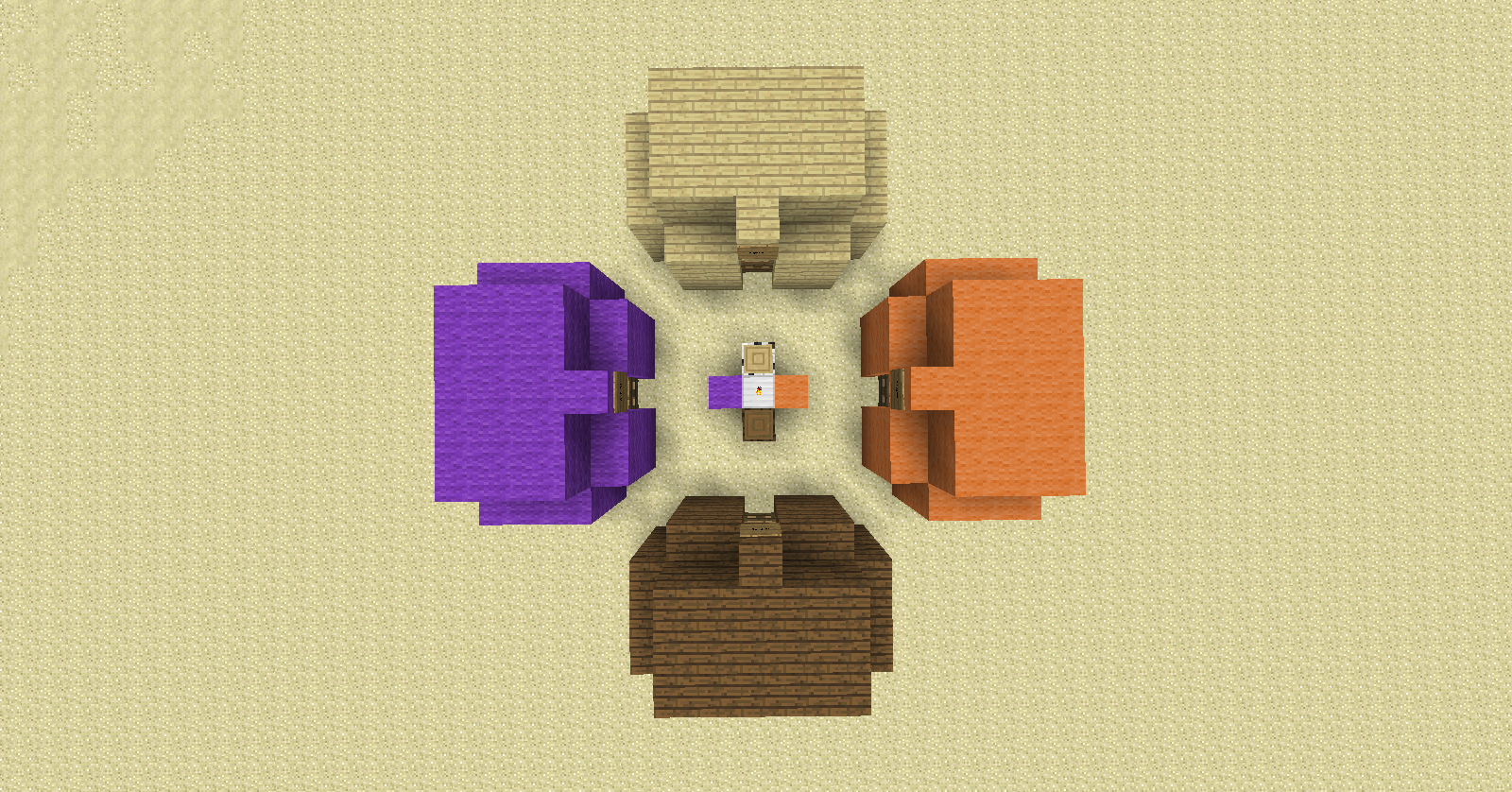
Camp Site is a plugin designed to let an individual create a campsite, using blocks and a torch.
To support further development download using http://sh.st/yUfMf
Features
- Create camps out of wood or wool.
- All wood types and wool colors are supported.
- Create a campsite from one of two different types.
- Create multiple camps at once.
- Camps disappear after being destroyed.
- Camps can only be destroyed by their creators.
- Set whether Ops are able to break any camp.
Options
The following options are available in the config.yml file:
| Option | Function |
|---|---|
| World <world name> | Sets the world that camps are able to be created in |
| ModBreak <true or false> | Sets whether Ops are allowed to break any camp regardless of ownership. |
Commands
| Command | Function |
|---|---|
| /csite_modbreak <arg1> | Sets whether Ops can break any camp |
| /csite_clear | Clears ownership and camp status of all camps |
Information and how to use the plugin
Setting up the Plugin
- Put the .jar file into your plugins folder and reload or start the server.
- Open the config.yml file in a text editing software (I use Notepad) and put the name of your world in the 'World' field.
- Reload the server and the plugin should be working.
Making Camps:
You must have a "core block" and "material blocks" in order to create a camp.
Camp Types:
- Small camp
- Large camp
Material Blocks:
- Logs
- Wool
Core Blocks:
| Block | Creates |
|---|---|
| Logs | Small camp |
| Wool | Small camp |
| Iron Block | Multiple small camps |
| Gold Block | Large camp |
| Diamond Block | Multiple large camps |
Camp Creation:
In order to create a single camp you place an appropriate core block down and then material blocks on either side of the core block resulting in a line of three blocks in a horizontal line. Placing a torch on top of the core block will create a camp around you.
To create multiple camps at once, you must either use an iron block or a diamond block as the core block. Place a material block adjacent to the core block in each desired direction per desired camp. Place a torch on top of the core block to create the desired camps.
Notes
This is my first plugin and I am hoping to update and add more features. If there is anything you would like to see just leave a comment and it might end up in the plugin.
Comments

-

_ForgeUser7048610 Owner
-
View User Profile
-
Send Message
Posted Jan 18, 2015is this broke? Just curious cause it isnt working. and I checked everything i have config right and all.
-
View User Profile
-
Send Message
Posted Mar 25, 2014@Comander_Cody
The whole camp will disappear when one of the blocks that make up the camp is destroyed. The only blocks that will not disappear are the core block and the blocks used in the initial camp creation.
-
View User Profile
-
Send Message
Posted Mar 18, 2014Does the entire camp "break" if you break the core block or do you have to break everything?
-
View User Profile
-
Send Message
Posted Feb 14, 2014@Thuzle
Is the name of your world set correctly in the config file?
Are you using a multi-world plugin?
-
View User Profile
-
Send Message
Posted Feb 14, 2014The HashMap isn't loading after a server restart so nobody's camps are being saved. When loaded into the ExampleBlockListener the hash map has Location{world = null} before the Coordinates for the coreHash
using /csite_hash I could see the hash after a Tent had been built and it was Location{world=CraftWorld{name=world.TC_Test}} I don't know why the Hash map is not saving the world information which is key to making sure I can deconstruct the Tents after a server restart.