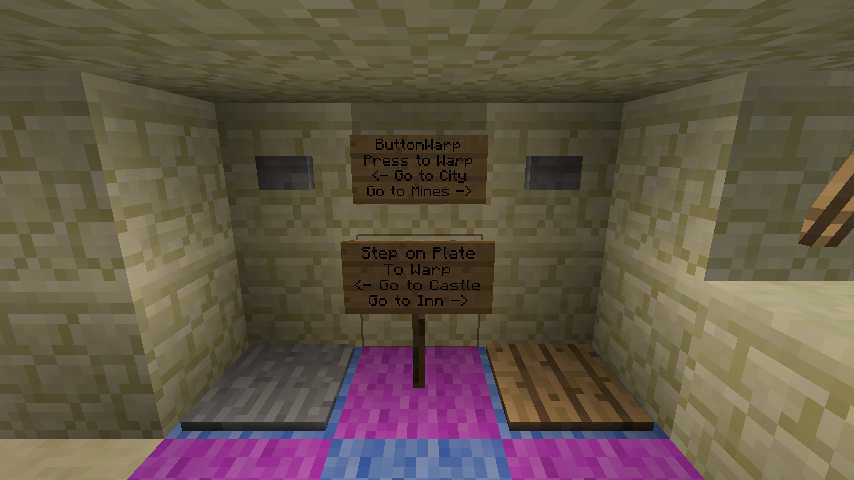
ButtonWarp
This plugin is no longer being updated, check back in a few months for more information!
Version 2.2.2
NOTE: This plugin requires you have Vault enabled on your server
This plugin is used to reward a player with money for reaching a certain region of the world.
When the Player presses a linked button or stands on a linked pressure plate they will teleport and receive money.
Warps can also be set to take money instead of give it (pay to warp)
This can also be used to charge players to press a button (to activate redstone)
Features:
- Supports all major Economies and Permission Plugins thanks to Vault
- You can customize what command this plugin uses by editing the plugin.yml (found inside the plugin jar file)
- MultiWorld support
- Configurable properties
- Easily edit Warps in game or from the save file
- Custom messages
- Displays time remaining until Player can use the Button of the Warp again
- Supports Buttons, Switches, Pressure plates, and Detector Rails
- Money can be given or taken when activating a Warp
- Commands can be executed when activating a Warp
- Different reward values can be set to different Warps
- Warps can be set to not teleport you anywhere but simply charge money to use a Button
- Option to deny warping if the Player is carrying items
- Optional Warp delay where Players must stand still
- Optional cool down including cool down type and cool down time
- List Warps and Warp info
- Link Warp to Player's Money or a Bank Account
- Reset individual Buttons, all Buttons linked to a Warp, or all Buttons linked to every Warp
Permission Nodes:
Commands:
Tutorials:
Setup:
- Make a Warp (stand where you want the Warp to take you to)
- /bw make test
- Link a button (or pressure plate)
- /bw link test (you must be targeting the button you wish to link)
- Add a reward (target a linked Chest or add the PhatLoots name like so "/bw reward test 100")
- /bw reward 100 (warper will get 100 currency)
- Add a message (the message will be displayed to the warper)
- /bw msg test Congrats! Here is 100 coins, You have been warped back to the Spawn.
- Set a cooldown time
- /bw time 1 6 45 30 (Player will not be rewarded more money until waiting 1 day, 6 hours, 45 minutes, and 30 seconds.)
Video:
Use Custom Command Instead of /bw
How to receive support
ThyCelestia handles most of the In-Game support for this plugin, so when he Joins your server, do not call him out as a fraud trying to gain Permissions, he is seriously there to help with the Plugin.
How to get him to Join your server: There is an template below, use it to tell us your In-Game name, Server IP and issues you are having, Please inform your staff that ThyCelestia may be joining within the next few days and do not ban him for trying to help.
Application: In-Game Name:
What time you are online(Include TimeZone):
Issue you are having with our Plugin:
Links
Comments


-

Codisimus Owner
-

_ForgeUser8449582 Maintainer
-
View User Profile
-
Send Message
Posted Nov 19, 2012how much time will take the update?
-
View User Profile
-
Send Message
Posted Nov 18, 2012When are you going to post the new version of the plugin to minecraft 1.4.4 or 1.4.2 ?
-
View User Profile
-
Send Message
Posted Nov 18, 2012Are you updating to 1.4?
-
View User Profile
-
Send Message
Posted Nov 18, 2012I installed the plugin and restart my server and get an error when it tries to load the plugin. Is this version compatible with 1.4.4?
http://pastebin.com/QmXH8qYs
-
View User Profile
-
Send Message
Posted Nov 17, 2012And yes I have the button warp 1.2.5 not another version. One more thing I tried setting it on public but yeah as I told you its only for all op's
-
View User Profile
-
Send Message
Posted Nov 17, 2012How do I make my warp like public for everyone, everyone! not only op's' I made one and everyone is op on my server right now so everyone can warp(that's good) but now we all deleted the op and no one can warp
it's a tekkit 1.2.5 server
-
View User Profile
-
Send Message
Posted Nov 15, 2012@PapaGB
Same problem, not too sure how to use sub-commands (Eg: /command subcommand) or the general syntax.
EDIT: Running version 2.0.4
-
View User Profile
-
Send Message
Posted Nov 15, 2012@PapaGB
which version are you using?
-
View User Profile
-
Send Message
Posted Nov 11, 2012Howdy, done some thorough searching but I can;t find the syntax for adding commands.
When I run something like this:
/bw cmd myWarp add /ci <player>
it add the command /ci<player> (removes the space)
however, I can't even getthe simplest of commands to run (ie /who) for instance
Am I missing something, is it running commands to the console (so / isn't needed) how do I get the spaces in? Is this the intention of the cmd feature?
(GREAT PLUGIN by the way)
Papa
-
View User Profile
-
Send Message
Posted Nov 10, 2012i have a problem my players cant use butons (only OP can)
how add new permissions to line permissions ?
groups: Gracz: default: true info: prefix: '&aGracz' suffix: '' build: true inheritance: Wedrowiec permissions: - buttonwarp.use - simplespawn.use - teleport.cancel - teleport.requests - teleport.back - teleport.reject - teleport.accept - teleport.back - teleport.tpahere - teleport.tpa - logblock.tools.tool - logblock.tools.toolblock - simplespawn.home.* - simplespawn.home.use - simplespawn.home.remove - authme.player.* - simplespawn.use - simplespawn.use.worlds - simplespawn.work.use - simplespawn.work.set - simplerestart.time - simplespawn.home.set - simplespawn.use - lwc.protect
-
View User Profile
-
Send Message
Posted Nov 9, 2012http://pastebin.com/s2QbUDBv
try using this. if you want the default rank to build just change that to true, but its good to keep that false just in case your whitelist breaks or something. Sorry for the wait time on my post i was busy working ect :( if it helps hook up a few likes :3.
-
View User Profile
-
Send Message
Posted Nov 8, 2012http://pastebin.com/pBe9ZiuN
Can u please help me check if im doing correctly? If i did it wrong please help me edit it and post ur link .
I very much appreciate your help Boone
-
View User Profile
-
Send Message
Posted Nov 7, 2012"so my text settings should be [Default] , Tab Size of 4 and ticked the box of replace by space?" correct
here is an example of some perms
there are some random perms here just ignore what they say just basically look at the format of them.
http://pastebin.com/nqDeXBQa
now im using permissonsbukkit so i suppose it could be different with other permission plugins. i find permissionsbukkit works very well might want to consider switching to it.
and i've never used that text editor before. i pretty much just stick with notepad plus plus.
and the help is no problem, i am also fairly new with perms ect. and i had a very hard time. luckily i have friends that are smarter then me to teach me how. once you figure it out and have the formatting down it will get much easier.
-
View User Profile
-
Send Message
Posted Nov 7, 2012so my text settings should be [Default] , Tab Size of 4 and ticked the box of replace by space?
so i edit the wordpad which is together in the file with craftbukkit.jar and run.bat?
it didnt worked for me , heres what i did
groups: Default: default: true (i made it true so people who just joined are in this group) info: prefix: '&0' suffix: '' build: true interact: true permissions: - 'buttonwarp.use' (i have also tried buttonwarp.use: true)
I also tried watch some youtube videos and i found out that theres a plugin called groupmanager which also works like the permissions so which wordpad do i use? the wordpad in the file with craftbukkit.jar and run.bat , or edit the wordpad in the groupmanager plugin? (Bukkit Server > GroupManager > worlds > world > groups)
I know i may sound complicated and im sorry for all those mess up.I am new with the permissions thingy.
-
View User Profile
-
Send Message
Posted Nov 7, 2012THX UR A GREAT HELP :)
-
View User Profile
-
Send Message
Posted Nov 7, 2012My advise would be to use Notepad plus plus to edit your permissions:
http://notepad-plus-plus.org/
You do need to change a setting to make it work right, follow what Darky1126 says 4 posts down:
http://forums.bukkit.org/threads/notepad-not-formatting-yaml-files-properly.107075/
This will make it much easier to see what you are doing compared to regular notepad.
Just to clarify are you trying to allow people to warp by pressing the button or to be able to type /bw (name of warp) to warp?
if you want them to be able to press a button its:
buttonwarp.use: true
and ya, you do need the space between the : and true.
but if you are trying to allow people to warp by typing /bw (name) you need:
buttonwarp.commandwarp: true
Also are your other perms working. like /spawn if you have it?
If this doesn't work i would use:
http://pastebin.com/
so that i or someone else can take a peak at your perms to see if we can see the issue.
-
View User Profile
-
Send Message
Posted Nov 7, 2012@Boone,it still does not work i have edited the permissions wordpad to add buttonwarp.use: true but it keeps saying i have no permissions when i deop myself. or is it buttonwarp.use:(nospacebar)true or buttonwarp.use:(spacebar)true do i edit the notepad in the server folder or is it the buttonwarp java file opened with winrar which is plugin.yml
-
View User Profile
-
Send Message
Posted Nov 7, 2012Thx Boone :)
-
View User Profile
-
Send Message
Posted Nov 7, 2012Ohh it does work >_> don't forget to use vault. vault is outdated too but seems to work.
-
View User Profile
-
Send Message
Posted Nov 7, 2012@Pearrot
The perm to press buttons to warp is
buttonwarp.use: true