BukkitIRC
BukkitIRC
About
 Warning! If you're using version 1.3, your clients probably do not see the messages from the extra channels they join. This is to be fixed in 1.4!
This plugin brings IRC into Bukkit servers! This plugin connects to the IRC server of your choice and allows your server's players to chat with people on the IRC channel, and vise versa! Whenever somebody in the IRC chat says something, their message will appear for all users on the server, and whenever one of your players says something, it will display on the IRC. Please note, that while the IRC nick is only one, chat messages will say which person on the server has said the message.
Warning! If you're using version 1.3, your clients probably do not see the messages from the extra channels they join. This is to be fixed in 1.4!
This plugin brings IRC into Bukkit servers! This plugin connects to the IRC server of your choice and allows your server's players to chat with people on the IRC channel, and vise versa! Whenever somebody in the IRC chat says something, their message will appear for all users on the server, and whenever one of your players says something, it will display on the IRC. Please note, that while the IRC nick is only one, chat messages will say which person on the server has said the message.
Setup
It's easy to set up - Run the plugin once the generate config files. Afterwards, stop the server and edit the config files to your liking! There are only four config options to choose from. The host, which would be the IRC server, irc.mibbit.net by default, the username, which would be the nick of your server in the IRC channel and the channel, which is, well, the channel of the IRC. The last one is the server password, used to allow people on the IRC execute server commands.
Current Features
- IRC Messages from selected IRC server and channel get to the players on the server and chat messages from the players go the the IRC
- IRC Users that know the server password can make the server execute commands
- Game server users can PM IRC server users.
- Multiple channels! Yay!
Planned Features
- Possibly integrate a Server into the plugin that can be disabled / enabled.
Screenshots
Blank IRC channel; Server hasn't joined yet.

On Server Join IRC

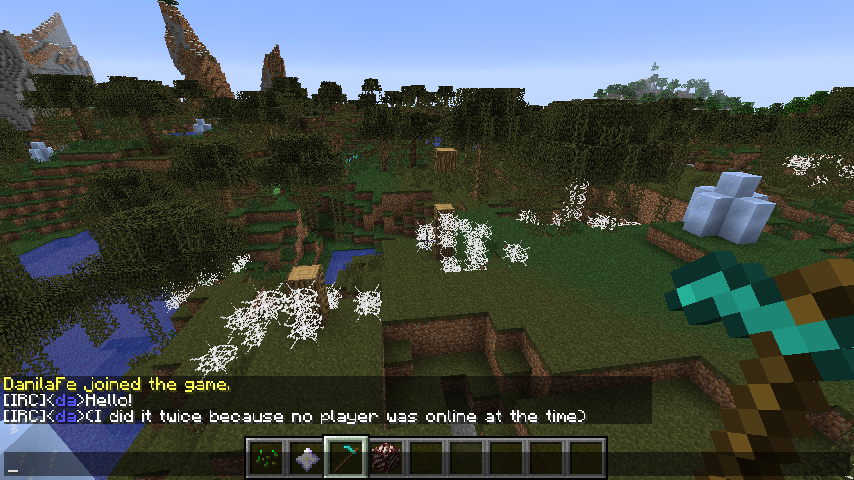
Person on IRC Sends Message
(It's me, for demonstration purposes)

It shows up in-game for players on the server
Player sends message
(It's me, in-game.)
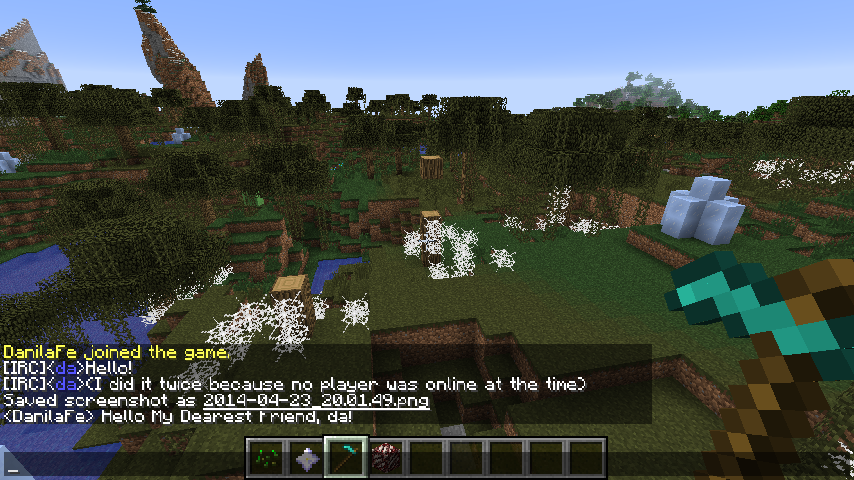
It shows up in the IRC

Comments


-

_ForgeUser8596285 Owner
-
_ForgeUser13964366 Author
-
View User Profile
-
Send Message
Posted Jan 27, 2017What IRC host do you use?
-
View User Profile
-
Send Message
Posted Dec 28, 2014I sent you a PM, would love if you could take a look when you got a chance.
Its a great plugin and we love it on our servers. The plugin setup was super easy and took two seconds. The only hard part was the unrelated to minecraft setup of the IRC Server which we hosted our selves with "Unreal3.2.10.4".
-
View User Profile
-
Send Message
Posted Aug 3, 2014@Lar095070
I use InspIRCd on my Linux server. The installation process isn't too hard to follow.
http://wiki.inspircd.org/1.2/Tutorial/How_to_install_InspIRCd
-
View User Profile
-
Send Message
Posted Jul 23, 2014Could anyone point me a way to make a irc server
-
View User Profile
-
Send Message
Posted Jul 15, 2014@videogame57
Hi! I'll do my best to fix the issue, but could you please a) tell me the version of BukkitIRC you're using b) give me the entire log. It might contain something useful.
-
View User Profile
-
Send Message
Posted Jul 11, 2014Currently unusable for me, keep getting 'cannot send to channel'. I am using irc.esper.net.
-
View User Profile
-
Send Message
Posted May 6, 2014@Brixishuge
Absolutely. I was just thinking about how nice it would be to do so XD
-
View User Profile
-
Send Message
Posted May 6, 2014You should add toggle on/off command (not plugin, it toggles messages from irc for that player), it can be easily done with hashmaps so it's not big pain in the ass for you :P
-
View User Profile
-
Send Message
Posted Apr 30, 2014@HowardStark
You see, It's not hard. In fact, doing it will only take me one line of code. On the other hand, I wouldn't want to see the server spammed with :
-
View User Profile
-
Send Message
Posted Apr 27, 2014This is really cool, but it shouldn't be that hard to change the IRC user to the actual username. Either way, nicely done!