Build-in-a-Box
Build-in-a-Box
THE CURRENT RELEASE IS BROKEN. USE THE DEVELOPMENT BUILDS
This plugin is being abandoned in favor of a 'lite' version which will not support storing container contents, Locking/Unlocking or block break protection. It was written as a proof of concept, and has served it's purpose, however, due to limitations of the bukkit api, it does not scale over long-term extensive use on a single server, it will accumulate stale data over time. There is no solution except to not store this data. Please do not post or message me asking for support. If you need a working version, download the latest development build. If you're considering using this plugin for a new server, please don't, unless you intend to keep it updated yourself (source code is on github)
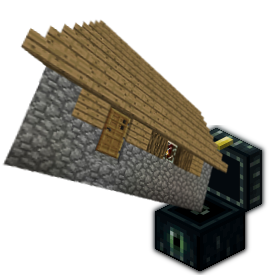
Build-in-a-box adds special EnderChests which, when placed, will allow players to instantly and automatically construct a building. buildings can be locked, unlocked, picked up and placed again. In it's default configuration, Build-in-a-Box works almost exactly like the buildings from The Shotbow Network's Wasted, but it doesn't stop there. Almost every aspect of the plugin can be configured, you can easily disable the locking, unlocking and pickup features to provide simple pre-fab buildings for donator perks, or whatever you'd like to do with them.
Features
- [0.2.0] No longer uses WorldEdit for region selection, use a gold hoe instead (configurable)
- Fireworks!
- per-building-plan permissions for give, place, pickup, lock and unlock.
- Anti-cheat and NCP Support
- Automatic update notifications
- Configurable build speed and animations.
- Compatibility with logging/rollback plugins.
- Compatibility with land-protection plugins (WorldGuard, GriefPrevention, Towny, Factions etc)
- Buildings can be given in kits, sold in shops, etc.
- Economy support, add costs for build, pickup, lock and unlock actions.
- Fully translatable.
- Optional potion effect while carrying a building
- Container contents persist when carrying a building
- Building plans support individual lore descriptions
- Optional block-protection for all buildings.
- Configurable lock/unlock times
Commands
- /biab give [player] <buildingPlan> - give a player a Build-in-a-Box of the specified building.
- /biab save <buildingPlan> - save the current WorldEdit clipboard as a new building plan.
- /biab list [<page>] - list available building plans.
- /biab delete <buildingPlan> - Delete a building schematic.
- /biab setdescription <buildingPlan> <description line 1> | <description line 2> ...
- /biab setdisplayname <buildingPlan> <Display Name>
- /biab permanent - enter the command then punch an enderchest to convert the building to a permanent stucture.
Permissions
These have been overhauled in 0.1.6. you may need to make changes to your permissions.
biab.save- allows a player to save building plans.biab.delete- allows a player to delete a building plan.biab.admin- combination of biab.give and biab.savebiab.permanent- allows a player to use /biab permanentbiab.unlock.others- allows a player to unlock another players BIAB Chest.
biab.give.*- allows a player to give out any BIAB chest.biab.place.*- allows a player to place any BIAB chest.biab.pickup.*- allows a player to pick up any BIAB chest.biab.lock.*- allows a player to lock any BIAB chest.biab.unlock.*- allows a player to unlock any BIAB chest that is locked by them.
The .* permissions above apply to all available 'Building Plans', in addition to these, you may use the individual permission nodes for each building plan.
Tutorial
Defining new Buildings
BIAB doesn't come with any buildings, you'll have to create some.
- Build something... a house or tower, complete with the enderchest somewhere outside
- Use the worldedit wand (Wooden axe by default) to mark the corners of the area.
- use "/biab save mynewbuild" to save it.
The new building is now available to give to players using "/biab give <player> mynewbuild"
Configuration
BIAB can be configured to suit many situations. a fully documented config.yml can be found here
Translating
to translate BIAB into your own language:
- copy the default
english.ymlfromplugins/BuildInABox/lang/to a new name. (eg.esperanto.yml) - translate the strings in the file.
- set the
languageconfig variable to your language name (eg.language: esperanto) - restart the server.
note: a (possibly outdated) version of the default english.yml is available here
TODO
- save mode which takes the current building and enderchest with it.
- Allow schematics to use a 'padding block' (sponge?) to define blocks that should be left out underground.
- add an option to make locking actually lock the doors and containers to the buildings owner.
Source Code & Development Builds
Source code is available on Github
Development builds of this project can be acquired at the provided continuous integration server. These builds have not been approved by the BukkitDev staff. Use them at your own risk.
BuildInABox Development Builds
Other Plugins
- Scribe - Transfer enchantments from items to books using an anvil
- JukeLoop - Makes jukesboxes loop, rotate through nearby chests, activated by redstone and much more,
- EnhancedFishing - Adds tons of fishing enhancements including complete control over the bite chance.
- PotatoBombs - Allows players to craft poisonous potatoes into devastating and hillarious magical landmines.
- Saddlebags - Adds an inventory to saddled pigs.
- SalvageSmelter - Allows furnaces to smelt down tools and armor.
- Compressors - Turn hoppers into 'block compressors'.
- Autocrafter - Turn droppers into redstone-powered crafting tables.
Comments


-

_ForgeUser9678359 Owner
-
_ForgeUser694540 Maintainer
-
View User Profile
-
Send Message
Posted Jul 11, 2013@shadvalentine
Ive never used LWC so I have no idea how it works. does it automatically protect any chest placed by a user? BIAB Throws 'BlockPlaced" events for every block in a building, in order for plugins like logblock/prism etc to attribute the build to a specific player, so LWC would see it as if the player placed a chest themselves. Avoiding that would likely require NOT throwing the blockplace events during build, so at the very least it would have to be optional.. Im away for a few days but i'll look into it when i get back
@huntershenep
is there anything different in the logs this time? Also i noticed there is no enderchest in the screenshot, are you using a real enderchest or did you reconfigure it to use a different block id? it's possible there's an issue there, i don't believe its been thoroughly tested using any other block id. another thing is the mangled color codes around the [Build-in-a-box] prefix text. those could definitely be the source of the problem as that particular string is used to in creating/identifying the BIAB Chests. Im working on a terrible little laptop right now, so Its a bit difficult to check the source, but that string either comes from messages/english.yml or config.yml, and if you can get the string displaying properly it should fix the problem.
as I mentioned previously, Im out of town working on a tiny underpowered netbook, sorry I can't be of more help right now, i will try to provide some more troubleshooting advice after i have a chance to look over the source again.
-
View User Profile
-
Send Message
Posted Jul 11, 2013@metalhedd
I always get this though :s
That's on your #168 build When ever it tells me to select the ender chest, it just thinks of it as another region selection.
-
View User Profile
-
Send Message
Posted Jul 11, 2013is there any way to make LWC not lock storage for build in a box?
other then turning off LWC's auto lock function..
-
View User Profile
-
Send Message
Posted Jul 11, 2013@huntershenep
Thank you very much for your contribution. There's a 1.6.2 development build available now on jenkins, #168
-
View User Profile
-
Send Message
Posted Jul 11, 2013I donated for your development. Really anxious to see this in 1.6.2
If you could provide a temporary download link while Bukkit reviews your copy, that'd be great too.
-
View User Profile
-
Send Message
Posted Jul 10, 2013@logicbomb50 @Toby15
Check the server log for error messages, if there are none, set
debug: truein yourplugins/BuildInABox/config.ymland try again. pastebin the logs for maximum bonus points. :)the development builds are currently ONLY compatible with 1.6.1, starting with build #168 tonight they'll be ONLY compatible with 1.6.2. if you're running an older version of craftbukkit you'll have to work with the most recent compatible version of build-in-a-box.
if you're running BuildInABox 0.2.0 downloaded from here, it's for 1.5.2 only, and has a few known bugs, you might have better luck with Development Build #162
-
View User Profile
-
Send Message
Posted Jul 10, 2013@Toby15
im getting the same issue but im running 1.5.2
-
View User Profile
-
Send Message
Posted Jul 10, 2013@shadvalentine
Yeh, I'm running on 1.6.2 might be the problem I guess :).
-
View User Profile
-
Send Message
Posted Jul 10, 2013@Toby15
I have the same problem .. are you using 1.6.2? .. If so I think the problem is that it is not compatible with 1.6.2 yet.
-
View User Profile
-
Send Message
Posted Jul 10, 2013Not sure if I'm doing something wrong...
I select point one with the selection tool (golden hoe). I then select the second point and type the command /biab save name.
I've made the selection with a enderchest on the floor and tried placing the enderchest after the selection was made.
Whenever I type the command I get the message "now use the selection tool to choose an ender-chest to save it in". I've tried selecting it with a golden hoe (both left clicking and right clicking). I've tried punching it, using the wooden axe.
I've tried the above in both creative and survival.
I can't see to get a build to save, any pointers on what I'm doing wrong :P?
-
View User Profile
-
Send Message
Posted Jul 10, 2013@metalhedd
is it tonight yet ;-)
I just found this plugin and am looking forward to trying it out
-
View User Profile
-
Send Message
Posted Jul 10, 2013@fungreenfox
Not yet, i'll do a 1.6.2 development build tonight.
@adencraft_minecraft
Yes, the enderchest is considered to be sitting on 'ground level' anything below that will replace existing blocks (and replace them when the building is picked up)
-
View User Profile
-
Send Message
Posted Jul 10, 2013Can this plugin replace blocks? mmeaning you could use floors?
-
View User Profile
-
Send Message
Posted Jul 9, 2013@metalhedd
Will it support 1.6.2 aswell?
-
View User Profile
-
Send Message
Posted Jul 9, 2013hey love the plugin but mine is glitchy. i still have 1.5.2 and im trying to move this machine i made but it only lets me save when i dont move. if i select point 1, then select point 2, then type in /biab save name, then select the chest without moving it will save. but if i move inbetween any of these steps it wont save please help?
-
View User Profile
-
Send Message
Posted Jul 9, 2013I got sad inside when I realized nobody on earth has any downloadable plans...
I have most of the villager buildings if anyone wants them (will just save you time)
And if anyone has some custom ones, that would be awesome, because I can't hope to try and spend 100 hours making and saving house plans :)
-
View User Profile
-
Send Message
Posted Jul 7, 2013@winter4w
Same here mate... same here... Cant wait to get updated to 1.6.1 :)
-
View User Profile
-
Send Message
Posted Jul 7, 2013@metalhedd
Ok it is a 1.6.1 Issue I was getting pissed on why it wont work lol XD. Cant wait for the new update :D:D
-
View User Profile
-
Send Message
Posted Jul 5, 2013please finish de 1.6 version of your plugin is so amazing
-
View User Profile
-
Send Message
Posted Jul 5, 2013@Jarrett78
didn't have any 1.6 support until about 1h ago. development build #166 compiles agains 1.6.1