Build-in-a-Box
Build-in-a-Box
THE CURRENT RELEASE IS BROKEN. USE THE DEVELOPMENT BUILDS
This plugin is being abandoned in favor of a 'lite' version which will not support storing container contents, Locking/Unlocking or block break protection. It was written as a proof of concept, and has served it's purpose, however, due to limitations of the bukkit api, it does not scale over long-term extensive use on a single server, it will accumulate stale data over time. There is no solution except to not store this data. Please do not post or message me asking for support. If you need a working version, download the latest development build. If you're considering using this plugin for a new server, please don't, unless you intend to keep it updated yourself (source code is on github)
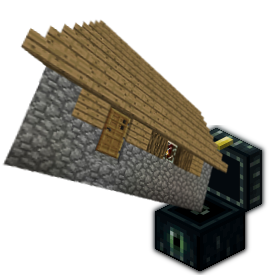
Build-in-a-box adds special EnderChests which, when placed, will allow players to instantly and automatically construct a building. buildings can be locked, unlocked, picked up and placed again. In it's default configuration, Build-in-a-Box works almost exactly like the buildings from The Shotbow Network's Wasted, but it doesn't stop there. Almost every aspect of the plugin can be configured, you can easily disable the locking, unlocking and pickup features to provide simple pre-fab buildings for donator perks, or whatever you'd like to do with them.
Features
- [0.2.0] No longer uses WorldEdit for region selection, use a gold hoe instead (configurable)
- Fireworks!
- per-building-plan permissions for give, place, pickup, lock and unlock.
- Anti-cheat and NCP Support
- Automatic update notifications
- Configurable build speed and animations.
- Compatibility with logging/rollback plugins.
- Compatibility with land-protection plugins (WorldGuard, GriefPrevention, Towny, Factions etc)
- Buildings can be given in kits, sold in shops, etc.
- Economy support, add costs for build, pickup, lock and unlock actions.
- Fully translatable.
- Optional potion effect while carrying a building
- Container contents persist when carrying a building
- Building plans support individual lore descriptions
- Optional block-protection for all buildings.
- Configurable lock/unlock times
Commands
- /biab give [player] <buildingPlan> - give a player a Build-in-a-Box of the specified building.
- /biab save <buildingPlan> - save the current WorldEdit clipboard as a new building plan.
- /biab list [<page>] - list available building plans.
- /biab delete <buildingPlan> - Delete a building schematic.
- /biab setdescription <buildingPlan> <description line 1> | <description line 2> ...
- /biab setdisplayname <buildingPlan> <Display Name>
- /biab permanent - enter the command then punch an enderchest to convert the building to a permanent stucture.
Permissions
These have been overhauled in 0.1.6. you may need to make changes to your permissions.
biab.save- allows a player to save building plans.biab.delete- allows a player to delete a building plan.biab.admin- combination of biab.give and biab.savebiab.permanent- allows a player to use /biab permanentbiab.unlock.others- allows a player to unlock another players BIAB Chest.
biab.give.*- allows a player to give out any BIAB chest.biab.place.*- allows a player to place any BIAB chest.biab.pickup.*- allows a player to pick up any BIAB chest.biab.lock.*- allows a player to lock any BIAB chest.biab.unlock.*- allows a player to unlock any BIAB chest that is locked by them.
The .* permissions above apply to all available 'Building Plans', in addition to these, you may use the individual permission nodes for each building plan.
Tutorial
Defining new Buildings
BIAB doesn't come with any buildings, you'll have to create some.
- Build something... a house or tower, complete with the enderchest somewhere outside
- Use the worldedit wand (Wooden axe by default) to mark the corners of the area.
- use "/biab save mynewbuild" to save it.
The new building is now available to give to players using "/biab give <player> mynewbuild"
Configuration
BIAB can be configured to suit many situations. a fully documented config.yml can be found here
Translating
to translate BIAB into your own language:
- copy the default
english.ymlfromplugins/BuildInABox/lang/to a new name. (eg.esperanto.yml) - translate the strings in the file.
- set the
languageconfig variable to your language name (eg.language: esperanto) - restart the server.
note: a (possibly outdated) version of the default english.yml is available here
TODO
- save mode which takes the current building and enderchest with it.
- Allow schematics to use a 'padding block' (sponge?) to define blocks that should be left out underground.
- add an option to make locking actually lock the doors and containers to the buildings owner.
Source Code & Development Builds
Source code is available on Github
Development builds of this project can be acquired at the provided continuous integration server. These builds have not been approved by the BukkitDev staff. Use them at your own risk.
BuildInABox Development Builds
Other Plugins
- Scribe - Transfer enchantments from items to books using an anvil
- JukeLoop - Makes jukesboxes loop, rotate through nearby chests, activated by redstone and much more,
- EnhancedFishing - Adds tons of fishing enhancements including complete control over the bite chance.
- PotatoBombs - Allows players to craft poisonous potatoes into devastating and hillarious magical landmines.
- Saddlebags - Adds an inventory to saddled pigs.
- SalvageSmelter - Allows furnaces to smelt down tools and armor.
- Compressors - Turn hoppers into 'block compressors'.
- Autocrafter - Turn droppers into redstone-powered crafting tables.
Comments


-

_ForgeUser9678359 Owner
-
_ForgeUser694540 Maintainer
-
View User Profile
-
Send Message
Posted May 18, 2013Great plugin, can't wait until the contents inside are saved.
-
View User Profile
-
Send Message
Posted May 18, 2013[BUG]
I can double-click for remove a Biab while it's building the schematics, the system remove everythings under the ground level but stops when reach the biab, meanwhile the construction process will continue to execute, with this bug the build protection stop working and everybody can mine from the builded structure
-
View User Profile
-
Send Message
Posted May 18, 2013@LobeTia
The latest development build supports translations. the default language file is here:
http://dev.bukkit.org/server-mods/build-in-a-box/pages/english-yml/
you can translate it and drop it in
plugins/BuildInABox/lang/mylanguage.ymlthen setlanguage: mylanguagein config.yml. I'll gladly include any translation files you can provide.-
View User Profile
-
Send Message
Posted May 18, 2013@macgarthur
Are you using the 0.0.3 development build? 0.0.2 does NOT keep chest contents after picking up the building. 0.0.3 is waiting to be approved as we speak.
-
View User Profile
-
Send Message
Posted May 18, 2013Thank you for the quick answers, is not a very common things in plug developer, i really appreciate that.
I saw the new building method and that remember me a 3D printer so, here's the request/tips:
Can you randomize the build schema for the single layer?
Instead of travel in a 2 for directive, a random placing of the components of the single layer can be very amazing view effect.
Thank you for the support, the attenction and the willingness to do somethings really beautiful.
-
View User Profile
-
Send Message
Posted May 18, 2013@infiniteForge
There is a new version waiting for approval right now. If you're really impatient i suggest following the development builds at the link above.
-
View User Profile
-
Send Message
Posted May 18, 2013@metalhedd
Love your plugin. Just what I've been looking for. May I ask when you plan to release the next version (if you know when), or an estimate?
Thanks, an impatient admin xD
-
View User Profile
-
Send Message
Posted May 18, 2013@LobeTia
I will consider adding translations soon, I haven't attempted that with any of my plugins yet, I'll have to figure out a nice way to do it.
The latest development build has 2 new config options:
build-animation: blocks-per-tick: 5 pickup-animation: blocks-per-tick: 20-
View User Profile
-
Send Message
Posted May 18, 2013I understand... keep it in mind for the future! That can be a very cool feature.
Do you need an help for the traslation?
I can help for italian and maybe french traduction
P.S some ideas:
-Contruction and destruction duration settable
-Autodestruction function (place a tnt into the endchest, the next that touch the endchest trigger the esplosion and start build deconstruiction, endchest will be lost)
-
View User Profile
-
Send Message
Posted May 17, 2013@LobeTia
It's a great idea, but the implementation would be very different from the way this one is written.
-
View User Profile
-
Send Message
Posted May 17, 2013@RandomSomething98 @mossman50
Latest Development Build contains the following features/bugfixes:
/biab list [<page>])-
View User Profile
-
Send Message
Posted May 17, 2013@RandomSomething98
There is a
/biab listcommand, though i'm not sure if it made it's way into the latest dev build last night. also the creative mode block-dropping will be fixed in the next release, but its probably going to take most of the evening to get that ready. There are some pretty big changes coming (most of the things suggested by mossman50, including storing inventories!), so it may not be in a compilable state for a while.-
View User Profile
-
Send Message
Posted May 17, 2013Also, can you disable the buildings dropping the enderchest when people on Creative break the building?
-
View User Profile
-
Send Message
Posted May 17, 2013Can you add a list command, so I can keep track of what buildings I've made?
-
View User Profile
-
Send Message
Posted May 17, 2013What a great plugin!
If I can help I want to make a suggestion
"Adaptive biab mode"
A generic biab that can be reconfigured changing the item in biab.
For example, I place a biab with no item in in, nothing change.
I place a stone in the biab inventory, biab load the schematics assigned to stone block and build it.
I remove the stone from the biab inventory and the tower disappear, I place some log into the biab, and the schematics assigned to the log appears.
With this method servers admin can sell a neutral biab and user must find the correct item to make the correct build or reconfigure their camp according to the need
-
View User Profile
-
Send Message
Posted May 16, 2013@mossman50
next release
very soon
this particular error message is already in the latest build :)
This was discussed in the forum post where this plugin was requested. Without forcing the enderchest to occupy a specific inventory slot, preventing you from carrying more than 1, and preventing them from stacking, it ends up being very hard on the server to constantly monitor the players inventories. I will look into a more efficient way to do this though.
probably won't do this. I dont like occupying such a common alias for a command thats used so rarely, and by so few people. other plugins can make better use of a 'box' command.
This is also already in the latest build
will do
definitely doable, but will take some time.
-
View User Profile
-
Send Message
Posted May 16, 2013@metalhedd
i updated my post to include a few more things, and i think if you could offer the option to have it save to a mysql database, that would be epic!
-
View User Profile
-
Send Message
Posted May 16, 2013@mossman50
Instead of making it configurable, I'll probably base it on the chest position, so that anything within the selection that's below the enderchest can be replaced.
The hard part about doing that, is that every block replaced this way needs to be logged so that it can be put back when the building is picked up again. I want to overhaul the file storage backend before I add this feature so that it's not all in one giant yml file.
-
View User Profile
-
Send Message
Posted May 16, 2013Main suggestion:
in the config can you please have a configurable amount of blocks down beneath the chest within the schematic, that it can replace, because i would like to be able to have a floor in my builds and it wont place properly because it wont replace blocks below it...
Other suggestions:
Bugs:
-cough- -cough- totaly not like sb networks wasted -cough- -cough-
-
View User Profile
-
Send Message
Posted May 16, 2013@metalhedd
Good, good. Glad to see this project moving fast!