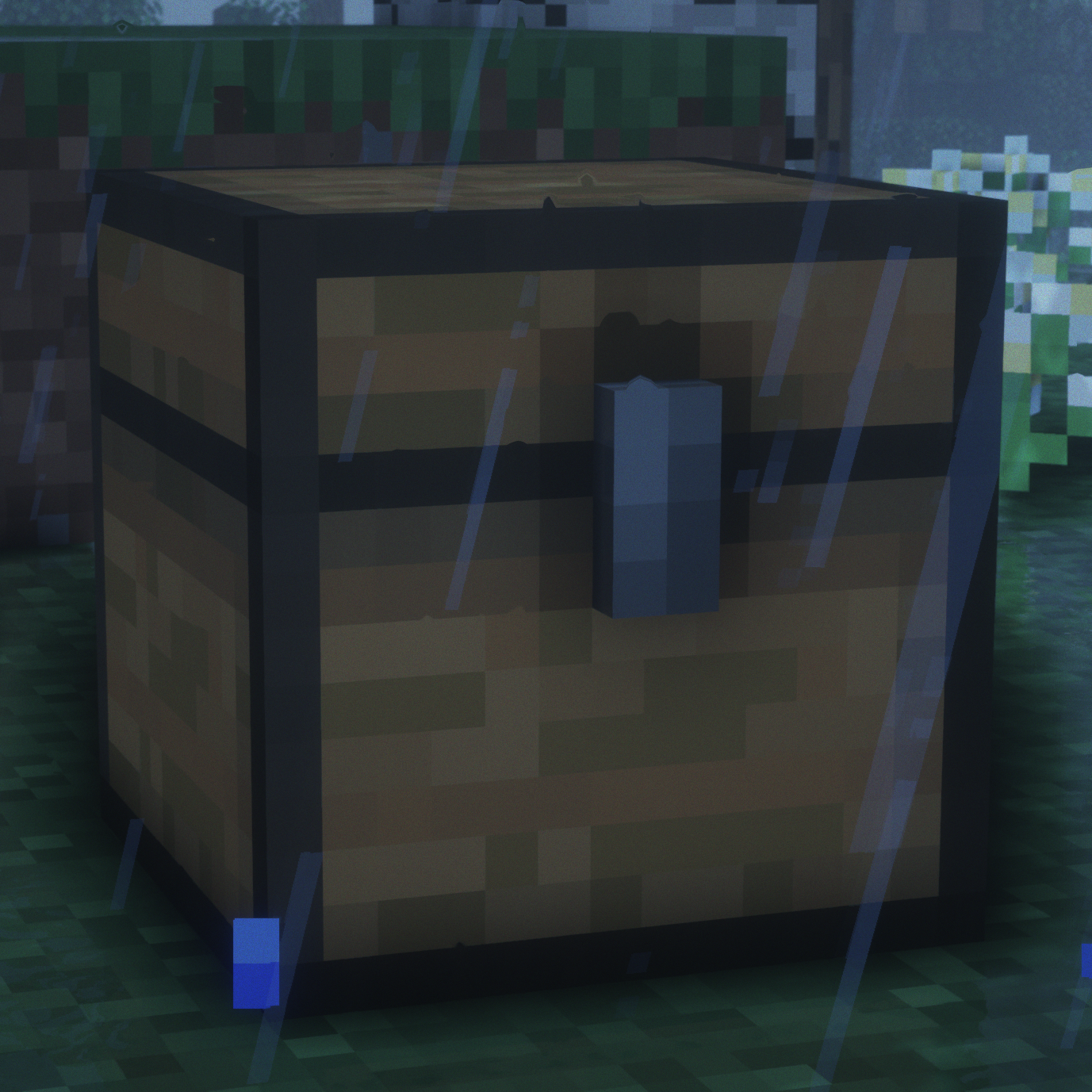
BlockProt
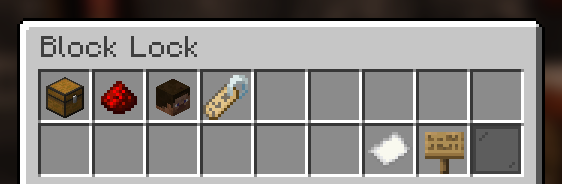
BlockProt is a easy-to-use block and chest protection plugin. Players can lock chests, furnaces, doors and much more. Unlike traditional chest lock plugins, this uses a simple GUI with buttons to click. This removes the struggle of crafting signs or remembering commands. Especially for beginners, this plugin is very easy to grasp and use.
Features
- Protect chests, furnaces, shulker boxes etc.
- The plugin stores all data inside the blocks themselves, therefore doesn't need any backing database.
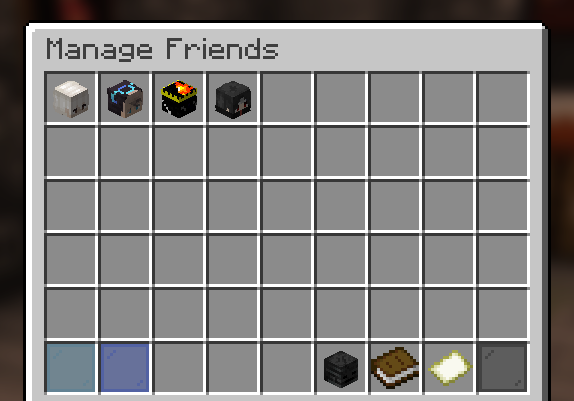
- Players can add friends to individual blocks that they can then access.
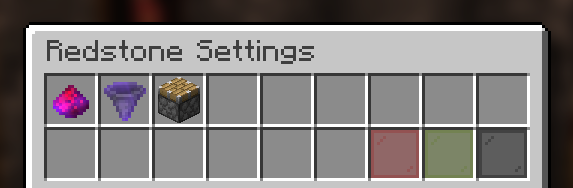
- Full redstone protection, if the player enables it in the block's GUI.
- All protections are saved as UUIDs.
- Players can configure their blocks with an easy to use GUI.
- OP Users and players with the blockprot.admin permission can remove chests and manage them.
- Full compatibility with WorldGuard, Towny and PlaceholderAPI!
- Available in 9 languages!
Permissions
Permissions are a Bukkit feature and not a custom thing of this plugin! Please refer to the permissions.yml file in your server or find another plugin to manage permissions (these usually have a lot of features and functionality).
- blockprot.lock: Allows players to lock blocks and access them.
- blockprot.info: Allows players to see the owner and friends of a locked block.
- blockprot.admin: Allows players to unlock blocks that they do not own
- blockprot.bypass: Allows players to bypass any protections, but doesn't allow them to edit blocks.
Translating
If you know a language that isn't supported by this plugin (yet) we'd love if you could translate for us!
You can do so easily by going to gitlocalize.
Support
Please do not use reviews or my profile for support, instead use you can file an issue over at GitHub. If you require more support or want to ask questions, please use the Discord server for chatting.
Usage
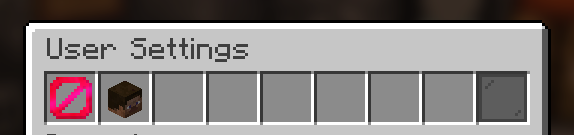
Once in game, crouch and right click a lockable block with an empty hand and you will see the GUI to lock/unlock blocks. For this to work properly, give the default player group the blockprot.lock permission. By default the block gets locked upon placing it., though one can disable this for themselves with the command /blockprot settings. All settings in that command are per-player. To give yourself the permissions listed above, use Bukkit's permission.yml file or see to some permission management plugin.
This plugin requires at least Spigot. CraftBukkit is not supported and shouldn't be used for non-development purposes anyway.
Comments


-

ppnda Owner
-
View User Profile
-
Send Message
Posted Jun 23, 2025I love this plugin sm, i just wish there was a way that adding a friend to one chest would add them to all, so that people on teams with each other don't have to constantly go and click all of their chests when adding new people; like some sort of master command of "Add friend to all my locked chests"
-
View User Profile
-
Send Message
Posted Dec 6, 2024Is there a permission that makes it so that the person who placed the block can be the only one to lock or unlock it? I've noticed if you leave a block unattended, anyone can lock it for themselves. Any way to fix this?
-
View User Profile
-
Send Message
Posted Jun 6, 2024ppnda this is the best plugin ever please add 1.20.6 version the aternos please i am begging u
-
View User Profile
-
Send Message
Posted Jun 5, 2024how do i accese this plugin for 1.20.6
-
View User Profile
-
Send Message
Posted Jun 5, 2024In reply to acit056: https://github.com/spnda/BlockProt/releases
-
View User Profile
-
Send Message
Posted Jun 3, 2024Hi, I would like to say that I loved the plugin, version 1.1.15 (compatible with 1.20.6) is now available on github. But since I use Aternos to host my server, I can't add this plugin if it isn't here. Would it be possible to put it here on the website?
-
View User Profile
-
Send Message
Posted May 3, 20241.20.6 pls
-
View User Profile
-
Send Message
Posted Apr 3, 2024support 1.20.4?
-
View User Profile
-
Send Message
Posted Jul 28, 20221.19 shulker boxes despawn when broken if anything is inside, and everything inside is then lost. reloading fixes the problem but only for one break, so if i had 3 shulker boxes with items an admin would need to reload the plugin 3 times.
-
View User Profile
-
Send Message
Posted Jul 28, 2022In reply to BobEsBeans:
also 1.19 manage friends is broken and instead becomes a way for players to duplicate maps
-
View User Profile
-
Send Message
Posted Jul 29, 2022In reply to BobEsBeans:
Update the plugin to a version that actually supports 1.19. At least 1.1.1 for 1.19, and at least 1.1.4 for 1.19.1.
-
View User Profile
-
Send Message
Posted May 5, 2022Hey!
I made a short showcase of ur plugin, feel free to add it to the post.
Regards. BorneTank
-
View User Profile
-
Send Message
Posted Mar 9, 2022I will do an italian translation
-
View User Profile
-
Send Message
Posted Jan 5, 2022The plugin is working fine thanks to you.
However, there is one problem.
I'm a server administrator, but I can't open other users' boxes.
What should I do?
i'm using paper 1.18.1
-
View User Profile
-
Send Message
Posted Jan 7, 2022In reply to stanford0413:
Please read the description. There are two options for you:
1. The permission `blockprot.admin`. This permission allows you to unlock and edit chests from others.
2. The permission `blockprot.bypass`. This permission doesn't allow you to unlock chests but instead allows you to directly view the contents. This essentially makes all protections be useless towards you, so use this permission with caution.
To add permissions please search for Bukkit permissions; there's a lot of permission manager plugins out there.
-
View User Profile
-
Send Message
Posted Feb 20, 2022In reply to ppnda:
Ive added the permission "blockprot.admin" to my group but that changes nothing. I cant open locked chests of other players.
Im using the 1.18.1 version
-
View User Profile
-
Send Message
Posted Feb 23, 2022In reply to jesusfistus303:
The "blockprot.admin" permission only gives you the right to UNLOCK blocks from other players. You can go into the menu, view the configurations (but not edit them!) and unlock the block from there. If you can't do that, it's very likely you have your permissions configured incorrectly.
-
View User Profile
-
Send Message
Posted Nov 23, 2021Great plugin, easy to use and has the features i need.
-
View User Profile
-
Send Message
Posted Oct 23, 2021Very good plugin, however even with the hoppers and chests having hopper interacting turned on no items get moved. any idea why?
-
View User Profile
-
Send Message
Posted Oct 26, 2021In reply to Diamondpic3:
The item being enchanted means that the protection is enabled. So items will only get moved if it's off or the hopper and chest are owned by the same person.