BlockProt
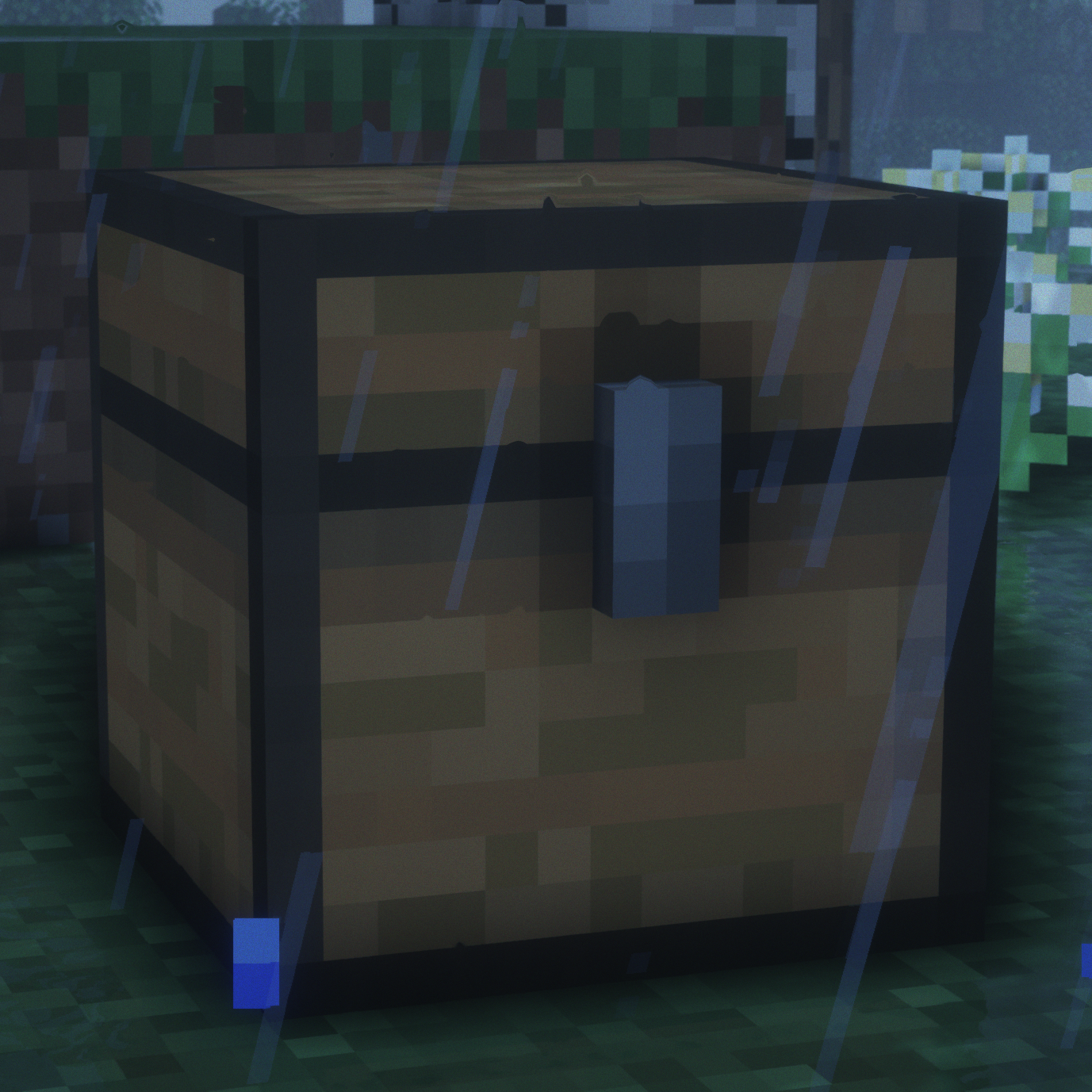
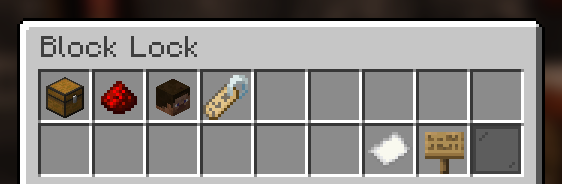
BlockProt is a easy-to-use block and chest protection plugin. Players can lock chests, furnaces, doors and much more. Unlike traditional chest lock plugins, this uses a simple GUI with buttons to click. This removes the struggle of crafting signs or remembering commands. Especially for beginners, this plugin is very easy to grasp and use.
Features
- Protect chests, furnaces, shulker boxes etc.
- The plugin stores all data inside the blocks themselves, therefore doesn't need any backing database.
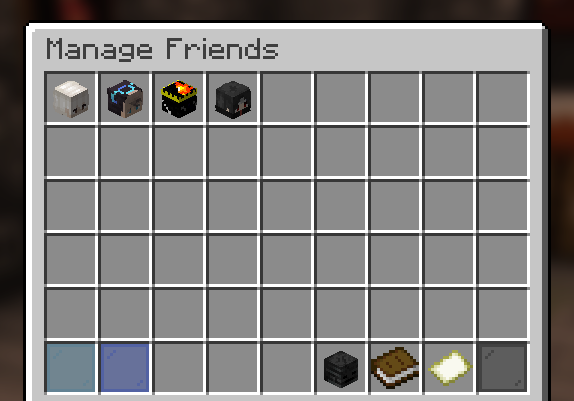
- Players can add friends to individual blocks that they can then access.
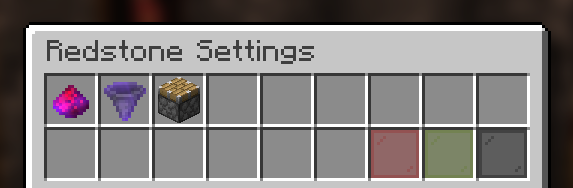
- Full redstone protection, if the player enables it in the block's GUI.
- All protections are saved as UUIDs.
- Players can configure their blocks with an easy to use GUI.
- OP Users and players with the blockprot.admin permission can remove chests and manage them.
- Full compatibility with WorldGuard, Towny and PlaceholderAPI!
- Available in 9 languages!
Permissions
Permissions are a Bukkit feature and not a custom thing of this plugin! Please refer to the permissions.yml file in your server or find another plugin to manage permissions (these usually have a lot of features and functionality).
- blockprot.lock: Allows players to lock blocks and access them.
- blockprot.info: Allows players to see the owner and friends of a locked block.
- blockprot.admin: Allows players to unlock blocks that they do not own
- blockprot.bypass: Allows players to bypass any protections, but doesn't allow them to edit blocks.
Translating
If you know a language that isn't supported by this plugin (yet) we'd love if you could translate for us!
You can do so easily by going to gitlocalize.
Support
Please do not use reviews or my profile for support, instead use you can file an issue over at GitHub. If you require more support or want to ask questions, please use the Discord server for chatting.
Usage
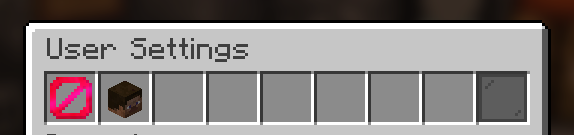
Once in game, crouch and right click a lockable block with an empty hand and you will see the GUI to lock/unlock blocks. For this to work properly, give the default player group the blockprot.lock permission. By default the block gets locked upon placing it., though one can disable this for themselves with the command /blockprot settings. All settings in that command are per-player. To give yourself the permissions listed above, use Bukkit's permission.yml file or see to some permission management plugin.
This plugin requires at least Spigot. CraftBukkit is not supported and shouldn't be used for non-development purposes anyway.
Comments


-

ppnda Owner
-
View User Profile
-
Send Message
Posted Sep 8, 2021i highly recommend this plugin it has a very nice GUI and is very easy to use.
-
View User Profile
-
Send Message
Posted Aug 14, 2021Ive noticed that you're able to drag the lock/unlock button into your inventory and keep it in the bukkit versions, are there going to be any fixes for this soon?
-
View User Profile
-
Send Message
Posted Aug 15, 2021In reply to TheVideoMonkeys:
I assume you are using CraftBukkit? CraftBukkit is NOT supported and really just shouldn't be used in general. Please use Spigot, Paper or any fork thereof instead. All other plugins will work fine with it as well, so no reason not to upgrade.
-
View User Profile
-
Send Message
Posted Jun 21, 2021This plugin is nice, the GUI is great!
Someone puts the hopper under the protected chest Item will be stolen What should I do?
-
View User Profile
-
Send Message
Posted Jun 21, 2021In reply to udukiyukia:
You can disable redstone in the chest which will disallow hoppers extracting items from the chest.
-
View User Profile
-
Send Message
Posted Jun 18, 2021There's a bug that lets you get any player's head through the /blockprot settings command.
You simply run the command, click on Player Head, search anyone's username, and you can take the item out and it'll keep it in your inventory.
I'm on version 0.3.0 on a 1.17 Spigot server. (tested the Spigot plugin as well, same thing)
Video: https://imgur.com/tiJr4NY
-
View User Profile
-
Send Message
Posted Jun 20, 2021In reply to Subsical:
Hi, as you might have seen through the console, an error was thrown in the default friends inventory. This was fixed with 0.3.2, soon to be available on CurseForge (is on SpigotMC already however)
-
View User Profile
-
Send Message
Posted Jun 22, 2021In reply to ppnda:
Oh that's great! But I found another issue...
When you add someone to the FriendManageInventory thing in /blockprot settings, they don't show up in the GUI itself so you can't make it so they aren't automatically set as a friend anymore. Searching their username yields no results.
-
View User Profile
-
Send Message
Posted Jun 25, 2021In reply to Subsical:
Hi, I don't know how I didn't notice this myself when I released the 0.3.2 fix. However, after my school work this week has finished I managed to identify the issue (took a bit, weird bug) and 0.3.3 should be on its way in the next few days as soon as the update gets verified by CurseForge (it is on SpigotMC already).
-
View User Profile
-
Send Message
Posted May 17, 2021I have another suggestion.
This sounds a bit stupid, but it would be nice if there was a button to toggle through "Private", "Read Only", and "Public" for tile entities.
Public - Anyone can open it, but no one can lock it or break it (would be nice for community chests)
Read Only - Anyone can open it, but they can't interact with the items inside. (would be cool, but not necessary)
Private - The default, only friends & the person who locked it can open it and interact with it.
I doubt this will be added and I might be asking for too much, but it'd be awesome! :D
-
View User Profile
-
Send Message
Posted May 17, 2021In reply to Subsical:
While I totally agree with your suggestion, it is quite a long shot for the current state of the plugin. My aim is to implement maybe something similar to this but this might take a bit of time to properly implement. It would also require quite a big rework of the underlying system and code. But thanks for your great suggestion!
-
View User Profile
-
Send Message
Posted May 18, 2021In reply to ppnda:
That's understandable, sorry I went a bit too far lol
-
View User Profile
-
Send Message
Posted May 13, 2021Great plugin, I just wish operators could open chests without needing to unlock them.
Also, I enabled "automatically disallow redstone" but it didn't do anything. I placed a block and it automatically locked it, but redstone was still allowed.
-
View User Profile
-
Send Message
Posted May 14, 2021In reply to Subsical:
Hi, thank you for your suggestion and your report. Both of these things have been addressed in an upcoming version of the plugin. :D
-
View User Profile
-
Send Message
Posted May 15, 2021In reply to ppnda:
Awesome! Thank you so much!
-
View User Profile
-
Send Message
Posted May 7, 2021Very straightforward to use, everything can be accessed in the shift+rmb interface.
I have noticed two minor issues:
The glass in "Add Friends -> Search Players -> Players found" has it's default name rather than being called "Back".
And the "Back" in "Players found" should probably lead to "Add Friends" rather than "Search Players" since you kinda get trapped in the anvil screen anyways.
-
View User Profile
-
Send Message
Posted May 8, 2021In reply to Elecktrus:
Thank you for your report and feedback. Both of these issues have been addressed in version 0.1.14, soon to be available on CurseForge. Also includes a fix for redstone protection.
-
View User Profile
-
Send Message
Posted May 9, 2021In reply to ppnda:
Yo. It's me again.
1. By default the placed chests aren't locked. Idk how I missed that before.
2. By default the redstone protection is disabled. Not sure if it should.
3. When you click the redstone protection for the first time (redstone powder -> gunpowder) you get the "Redstone protection removed." message, even though it actually gets enabled.
3 min video proof: https://www.youtube.com/watch?v=DrcZR63RATE
Good job on the 0.1.14 BTW.
-
View User Profile
-
Send Message
Posted May 10, 2021In reply to Elecktrus:
1. That's changed now.
2. There's a config option for this now.
3. I've fixed this and made so that the inventory doesn't close when editing it.
Thanks for your report!
-
View User Profile
-
Send Message
Posted May 10, 2021In reply to ppnda:
Best dev ever.