Detailed setup and use
Detailed setup and use
<sub>By: Quinn Henckel</sub>
Setup:
- Download the .Jar file.
- Download it from the download page Here
- Move it to your /plugins folder.
- This should be in your server folder. information here
- Start/reload/restart your server.
- This is to load the plugin. =)
- Modify the config to your liking.
- When the plugin is loaded for the first time it will create a new folder in plugins named Block Crusher. The default config will be in there.
- Start Crushing Blocks!
- See: Use it!
Use it:
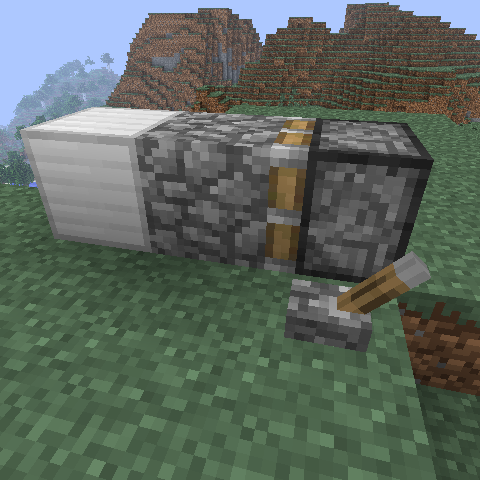
- Place your piston.
- It can be facing any direction. Use sticky if you want but it might move stuff you don't want it to.
- Place the crush block
- This is the block that will be used to crush blocks. The block type is deffined in the config. It must be the right type. There must be an air gap behind it.
- Power the piston
- Power it any way you want.
Trouble shooting
- Piston doesn't move
- Make sure that there is an air gap behind the crush block. The piston hase to be able to push all the blocks or the plugin won't recognize it.
- All the blocks move
- Are you using more blocks than the crush distance? Is the plugin installed correctly?
- The piston makes smoke and doesn't move
- If You see the piston smoke and/or make a crash noise one of the blocks you're trying to crush is black listed.
Comments