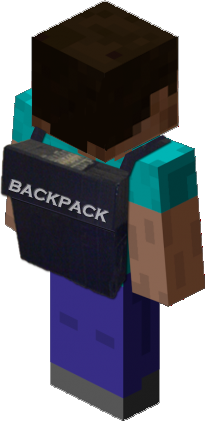
Backpack
Everyone wants extra storage, Backpack!
Do not use the 1.6.x builds of backpack with a 1.7.x. server....
Backpack
Core Features
- Configurable Drop on death
- Uses Vault for Economy handler.
- Allow your players to expand their Backpack from 9 slots to a max of 54.
- Multiworld support with different Backpacks or Sharing!
- Overflow abilities from players main inventory. (Must have at least 1 open slot to make overflow abilities work).
- Blacklist Abilities - deny certain items in the Backpack
- Fully functional API.
Spout Enabled Features
[Requires SpoutPlugin ]
- Custom GUI for Upgrading Backpacks.
- Custom Hotkey assignments for opening Backpack.
Multi-Server Enabled
- This plugin is written for both Bukkit and Spout Servers.
Developers:
- AlmuraDev Team
Configuration
File: config.yml
General:
- use-economy: Whether or not to enable economy system for backpack purchase & upgrades.
- use-spout: Whether or not to enable SpoutPlugin based features.
Admin:
- control-panel: Enable or disable Admin Panel.
- hotkey: KEY_V {default keybinding inside of Spoutcraft to display Admin Panel}
Backpack:
- no-perm-default-size: 9 {default backpack size if no permissions system found}
- hotkey: KEY_B {default keybinding inside of Spoutcraft to open Backpack}
File: blacklist.yml
- Contains list of items you dont want users to save in their backpack.Follow file format automatically created. Use only names of materials, not numbers.
File: share.yml
- Contains list of backpack shareable worlds.
 share:
    world:
      - world_nether
      - world_end
In this above configuration, WORLD is the name of the Parent World. The child objects below it will be the name of shared worlds from the parent. Simply modify the name of your Parent Worlds to get the specific world sharing you desire.
- If you used any previous build of Backpack prior to build 81, I would advise you that if you decide to use the world sharing feature, delete any world directory in your /backpacks/ directory that is now being shared. The existence of these now un-used files give troubles for the upgrade procedure under very specific circumstances.
Permissions
Here's a list of specific permissions nodes for this plugin and what each does.
- backpack.use = Allows the users to use the Backpack itself.
- backpack.upgrade = Allows for users to upgrade their Backpack.
- backpack.keepitems = Allows users to keep items in Backpack upon player death.
- backpack.noblacklist = Allows users to bypass the backpack blacklist.
- backpack.noupgradecost = Allows users to upgrade backpack for free.
- backpack.overflow = Allows item pickups to automatically go into the backpack if users inventory is almost full.
- backpack.share = Allows backpack to be shared across specified worlds from share.yml
- backpack.admin = Allows user to use Admin Panel.
- backpack.size.18 = Allow 18 Slot Backpack.
- backpack.size.27 = Allow 27 Slot Backpack.
- backpack.size.36 = Allow for 36 Slot Backpack.
- backpack.size.45 = Allow for 45 Slot Backpack.
- backpack.size.54 = Allow for 54 Slot Backpack.
Commands
- /backpack = Opens Backpack
- /backpack upgrade = Upgrades backpack
Addons
Support
Support for this and all other AlmuraDev plugins can be found by joining our chat channel here:
Hard Dependencies
- Bukkit 1.5.1+
Soft Dependencies
- SpoutPlugin [Needed for Hotkeys and Custom Interface] << Not Required
- Vault 1.2.15+ [Needed for Economy Support] << Not Required
Spoutcraft & SpoutPlugin

Get Spoutcraft & Spoutplugin Now! >> Get Spout!
Donations for this project can be directed here: PayPal: Click Here
Many thanks for your consideration.
Comments


-

Almura_Dockter Owner
-

_ForgeUser6831511 Maintainer
-
_ForgeUser7440422 Author
-
View User Profile
-
Send Message
Posted Feb 18, 2013@mig4ng
dockter:
"Perhaps you should report this as a bug to Bukkit for not firing a InventoryCloseEvent inside of onPlayerQuit."
It's not his fault that bug is there. Like he said, if he were to "fix it" like you want, it would destroy your server speed; especially those servers with a high amount of online players. Submit a ticket for Bukkit, not Backpack.
-
View User Profile
-
Send Message
Posted Feb 15, 2013Hey! I am using PermissionsEX an no matter what I do the backpack size is always 9. http://pastie.org/6191074#5
-
View User Profile
-
Send Message
Posted Feb 15, 2013@dockter
I'll stop using this plugin, i'm sry, but i can't handle users duplicating items with this :S If you could fix it, it would be awesome :D
-
View User Profile
-
Send Message
Posted Feb 14, 2013Getting an error when booting up the server unfortunately :-(
-
View User Profile
-
Send Message
Posted Feb 14, 2013@mig4ng
That would create an astronomical amount of I/O activity on the server. Can you imagine a server with 300 people the amount of unnecessary file read/writes would occur?
I'm not in the business of destroying SSD's simply because users have an insistent need to cheat.
-
View User Profile
-
Send Message
Posted Feb 13, 2013@dockter
Why don't you save the backpack when some item is moved?
-
View User Profile
-
Send Message
Posted Feb 13, 2013@Vaughnrasv
Depends on how you have the permissions system configured. To be specific it can be configured for either or.
-
View User Profile
-
Send Message
Posted Feb 13, 2013@InvisiCraftOfficial
You did not grant user backpack.upgrade
-
View User Profile
-
Send Message
Posted Feb 13, 2013@mig4ng
Perhaps you should report this as a bug to Bukkit for not firing a InventoryCloseEvent inside of onPlayerQuit.
We cannot stop player stupidity 100%.
-
View User Profile
-
Send Message
Posted Feb 13, 2013An update for 1.4.7 is not required as we don't us any code that is modified by NMS, therefore our 1.4.6 R0.3 version is already supported under 1.4.7 configurations.
-
View User Profile
-
Send Message
Posted Feb 12, 2013When are you going to update this to 1.4.7?
-
View User Profile
-
Send Message
Posted Feb 12, 2013I put something on backpack, close, reopen it, remove all the important stuff and ALT+f4 before closing it... :P
-
View User Profile
-
Send Message
Posted Feb 12, 2013@mig4ng Is the bug still reproduced the same way as before? Please submit a ticket with instructions how to reproduce the duplication bug.
@InvisiCraftOfficial Your current permissions are basically saying players can use their 9 size backpack and upgrade to the largest size (54 slots) with no size in between. If it doesn't allow your users to upgrade to the 54 size backpack after using the "/backpack upgrade" command, then try adding all of the other smaller sizes in their permissions as well with "backpack.size.*"
@Vaughnrasv By default, items are dropped on death. If you would not like your players to lose their backpack items on death, give them the "backpack.keepitems" permission.
@maikwana The size can only be upgraded in rows, therefore by 9s. Those permissions don't make the group's backpack size larger, it allows them to upgrade to the larger sizes. After you add those permissions, have your users buy the upgrade to increase their pack size.
-
View User Profile
-
Send Message
Posted Feb 10, 2013@mig4ng
how do u duplicate? :3
-
View User Profile
-
Send Message
Posted Feb 9, 2013Unfortually dupe glitch stills works
-
View User Profile
-
Send Message
Posted Feb 9, 2013I'm having a bit of an issue..
A rank has these permissions:
- backpack.share
- backpack.use
- backpack.keepitems
- backpack.size.54
However it does not change and stays at 9 slots...?
-
View User Profile
-
Send Message
Posted Feb 8, 2013I Am Wondering something if you put stuff in your backpack will it be dropped upon death?
-
View User Profile
-
Send Message
Posted Feb 8, 2013hello im trying this plugins but ive a problem.
I put backpack.use to all groups after that i put restriction for max slots, but it dont works always have 9 slots all groups. backpack.size.18 = Allow 18 Slot Backpack. backpack.size.27 = Allow 27 Slot Backpack. backpack.size.36 = Allow for 36 Slot Backpack. backpack.size.45 = Allow for 45 Slot Backpack. backpack.size.54 = Allow for 54 Slot Backpack.
The size can be only that?
ty for this awesome plugins it is works will see
-
View User Profile
-
Send Message
Posted Feb 1, 2013@midnightfender
I can't help you then. Maybe there's another plugin conflicting, maybe it's a bug in this one. I'm not part of this plugin's team, so I don't know what it could be. Maybe open a support ticket on here for them to look into the problem.
-
View User Profile
-
Send Message
Posted Jan 31, 2013@Chaznuts
Yeah, so for one I didn't upgrade versions, but I still followed the red post directions 4 or 5 times seeing if I did something wrong, I then did a fresh install. Everything is the same, sharing is not working at all. I do not have a custom world name, I did edit the world_end to world_the_end in the sharing file and still nothing. Please enlighten me on what Im doing wrong.