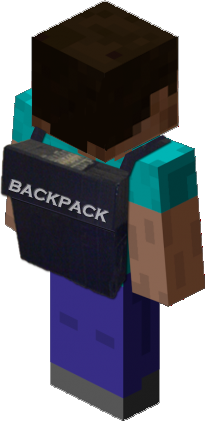
Backpack
Everyone wants extra storage, Backpack!
Do not use the 1.6.x builds of backpack with a 1.7.x. server....
Backpack
Core Features
- Configurable Drop on death
- Uses Vault for Economy handler.
- Allow your players to expand their Backpack from 9 slots to a max of 54.
- Multiworld support with different Backpacks or Sharing!
- Overflow abilities from players main inventory. (Must have at least 1 open slot to make overflow abilities work).
- Blacklist Abilities - deny certain items in the Backpack
- Fully functional API.
Spout Enabled Features
[Requires SpoutPlugin ]
- Custom GUI for Upgrading Backpacks.
- Custom Hotkey assignments for opening Backpack.
Multi-Server Enabled
- This plugin is written for both Bukkit and Spout Servers.
Developers:
- AlmuraDev Team
Configuration
File: config.yml
General:
- use-economy: Whether or not to enable economy system for backpack purchase & upgrades.
- use-spout: Whether or not to enable SpoutPlugin based features.
Admin:
- control-panel: Enable or disable Admin Panel.
- hotkey: KEY_V {default keybinding inside of Spoutcraft to display Admin Panel}
Backpack:
- no-perm-default-size: 9 {default backpack size if no permissions system found}
- hotkey: KEY_B {default keybinding inside of Spoutcraft to open Backpack}
File: blacklist.yml
- Contains list of items you dont want users to save in their backpack.Follow file format automatically created. Use only names of materials, not numbers.
File: share.yml
- Contains list of backpack shareable worlds.
 share:
    world:
      - world_nether
      - world_end
In this above configuration, WORLD is the name of the Parent World. The child objects below it will be the name of shared worlds from the parent. Simply modify the name of your Parent Worlds to get the specific world sharing you desire.
- If you used any previous build of Backpack prior to build 81, I would advise you that if you decide to use the world sharing feature, delete any world directory in your /backpacks/ directory that is now being shared. The existence of these now un-used files give troubles for the upgrade procedure under very specific circumstances.
Permissions
Here's a list of specific permissions nodes for this plugin and what each does.
- backpack.use = Allows the users to use the Backpack itself.
- backpack.upgrade = Allows for users to upgrade their Backpack.
- backpack.keepitems = Allows users to keep items in Backpack upon player death.
- backpack.noblacklist = Allows users to bypass the backpack blacklist.
- backpack.noupgradecost = Allows users to upgrade backpack for free.
- backpack.overflow = Allows item pickups to automatically go into the backpack if users inventory is almost full.
- backpack.share = Allows backpack to be shared across specified worlds from share.yml
- backpack.admin = Allows user to use Admin Panel.
- backpack.size.18 = Allow 18 Slot Backpack.
- backpack.size.27 = Allow 27 Slot Backpack.
- backpack.size.36 = Allow for 36 Slot Backpack.
- backpack.size.45 = Allow for 45 Slot Backpack.
- backpack.size.54 = Allow for 54 Slot Backpack.
Commands
- /backpack = Opens Backpack
- /backpack upgrade = Upgrades backpack
Addons
Support
Support for this and all other AlmuraDev plugins can be found by joining our chat channel here:
Hard Dependencies
- Bukkit 1.5.1+
Soft Dependencies
- SpoutPlugin [Needed for Hotkeys and Custom Interface] << Not Required
- Vault 1.2.15+ [Needed for Economy Support] << Not Required
Spoutcraft & SpoutPlugin

Get Spoutcraft & Spoutplugin Now! >> Get Spout!
Donations for this project can be directed here: PayPal: Click Here
Many thanks for your consideration.
Comments


-

Almura_Dockter Owner
-

_ForgeUser6831511 Maintainer
-
_ForgeUser7440422 Author
-
View User Profile
-
Send Message
Posted Jul 30, 2012No, you simply give them backpack.share.
Backpack.share activates the sharing functions specified in the sharing.yml.
-
View User Profile
-
Send Message
Posted Jul 30, 2012CachedConfiguration.jave (line 124)
ConfigurationSection parent = cachedShare.getConfigurationSection("share");
share.yml :
The node must be "share.world" to obtain List ,not "share", no ?
Or transform the share.yml into :
Perhaps simply put away your plugins/backpack as a fresh install and reload it will reveal the bug...
-
View User Profile
-
Send Message
Posted Jul 30, 2012<<reply 839444="">>
PM me your sharing.yml
Also, did you give your users backpack.share permissions?
-
View User Profile
-
Send Message
Posted Jul 30, 2012Ok #94, upgrade is fixed on Spout :)
Sharing still doesn't seems to work :(
-
View User Profile
-
Send Message
Posted Jul 30, 2012Everyone please use build 94. Two critical bugs were found very early this morning that should fix the Multi-Verse conflict as well as the Upgrade Panel GUI.
-
View User Profile
-
Send Message
Posted Jul 30, 2012@Krallnyx
Try build 94. Found the conflicting event call giving you inventory issues.
Fixed the upgrade GUI.
-
View User Profile
-
Send Message
Posted Jul 30, 2012With Multiverse 2.4, sharing doesn't works. Backpack upgrade doesn't work (#93)
-
View User Profile
-
Send Message
Posted Jul 30, 2012@finamenon
That feature is toggleable in the configuration! :O
And currently, I'm hoping the feature is added that lets the default backpack size be determined by which permission node a group has, eg.
Default group has backpack.size.18 & therefor has 18 slots automatically,
VIP group has backpack.size.27 & therefor has 27 slots automatically.
-
View User Profile
-
Send Message
Posted Jul 30, 2012@finamenon
With what permissions enabled? And what about the share file?
Do you have the permission on that lets them save items after dying in the game?
-
View User Profile
-
Send Message
Posted Jul 30, 2012I discovered that they do have to upgrade to get the size they have permissions for. It will not let them upgrade beyond that.
I did run into a bug however. A player dying in a separate world from the main world, maintains his items in the backpack on death. Ex:
Player enters the nether with items in his pack. Dies in the nether, spawns back in normal world. Items are still in his pack.
-
View User Profile
-
Send Message
Posted Jul 30, 2012@finamenon
Haven't gotten the chance to check. Dealing with another problem. :/
-
View User Profile
-
Send Message
Posted Jul 30, 2012Newest build, players have backpack.size.18 and backpack.size.27
Backpack is still 9 slots. Do they have to upgrade first?
edit: didnt mean that as a reply >_<
-
View User Profile
-
Send Message
Posted Jul 30, 2012@Faldonboy
I don't believe I use any other plugins that alter inventory/chest behavior. I'm currently on the latest Bukkit stable release. I will check my plugins again.
-
View User Profile
-
Send Message
Posted Jul 30, 2012@bukOhTwo
How strange, I'm using the same versions. Not having any problems yet. My old treasure chests work fine and any new ones work as they should.
Do you use any other plugins that alter inventory or chest behavior?
I am on my test server atm though, extremely outdated version of bukkit, their updated inventory coding in newer versions may mess with stuff maybe? I'm using an 1.2.5R1 build
-
View User Profile
-
Send Message
Posted Jul 30, 2012@Faldonboy
Yeah, I'm running the latest versions of both plugins and the prizes keep duplicating. :/ Not sure if it's just me.
-
View User Profile
-
Send Message
Posted Jul 30, 2012@Faldonboy
I just did. It seems my old ones are non existant, and the new ones, items are repeatedly spawned even if you have already opened it. I'm going to do a few more tests. Would you mind helping if I need an extra person?
-
View User Profile
-
Send Message
Posted Jul 30, 2012@bukOhTwo
Works fine with treasurechest, update to build 93 of this plugin that he just posted. Also make sure you're using the latest build of Treasurechest(8.3.4 or 8.3.5) they fixed a few bugs.
-
View User Profile
-
Send Message
Posted Jul 30, 2012I seem to have found a problem. This interferes with this plugin:
http://dev.bukkit.org/server-mods/treasurechest/
When I open a chest altered by the plugin, it does not do what it is supposed to do (TreasureChest doesn't even recognize the chest as a chest).
-
View User Profile
-
Send Message
Posted Jul 30, 2012Just to get something straight, do I just give a permission (with higher slots) to somebody for them to get a bigger backpack? No commands needed? No extra step?
-
View User Profile
-
Send Message
Posted Jul 30, 2012So glad to have a working build (at least with my setup). Thanks for the hard work guys. Can't wait for portables. :)