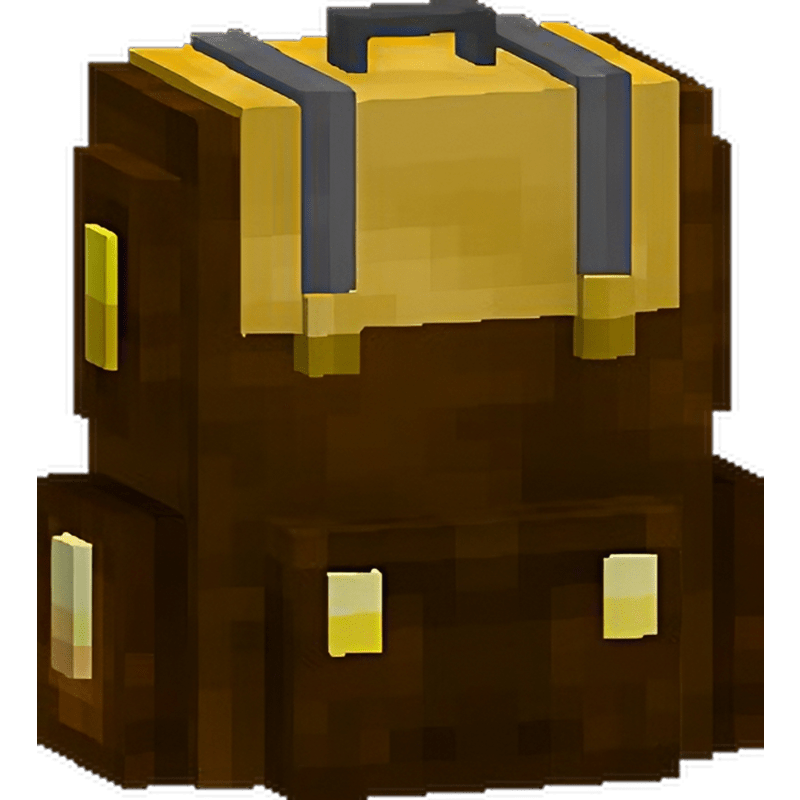
Backpack Plus 0.0.9
Details
-
FilenameBackpackPlus-0.0.9.jar
-
Uploaded by
-
UploadedDec 28, 2023
-
Size101.98 KB
-
Downloads1,494
-
MD5270bdeb796e4f772bcaca55fa6532809

Supported Bukkit Versions
- 1.20.4
- 1.20.2
- 1.20.1
- 1.20
- 1.19.4
- 1.19.3
- 1.19.2
- 1.19.1
- 1.19
Changelog
Improved:
- From now on, UpdateChecker should work normally
- Fixed the command to load Resourcepack while on the server
- From Now you can put your backpack in Item Frame simply you have to crouch down
If you have any ideas or suggestions you can write in private message or on discord: itqerk#0
More prefer contact via discord - faster to write back
If someone has a problem with the config and it is practically empty here you have the usual:
# https://colors-picker.com/hex-color-picker/
# From this page you can take the color hex, of course you can from other pages.
# You can also use regular colors e.g. &2
Gui:
  chose-crafting:
    title: '#194d33Choose which backpack you want to change crafting'
  edit-crafting:
    title: '#194d33You are changing the crafting %crafting%'
Command:
  no-permissions: '&4You do not have the permissions to use this command'

Messages:
  cooldown: '#eb0000You must wait before using it again'

# Time in milliseconds, 1 second = 1000 milliseconds
backpack-cooldown: 2000

# Set to true if it should return items after canceling a crafting change
return-items-on-close: true
# Link to your resourcepack with your own backpacks
# remember that customModelId corresponds to the id of the backpack
# If you want to add a backpack model remember to add it to brown_dye.json in the server resourcepack

# Example brown_dye.json:
#    "parent": "minecraft:item/generated",
#    "textures": {
#        "layer0": "minecraft:item/brown_dye"
#    },
#    "overrides": [
#        {
#            "predicate": {
#                "custom_model_data": 800001 <- Here is the id of the backpack you should set in config
#            },
#            "model": "item/backpack_tier_1" <- Your model here
#        },
#        {
#            "predicate": {
#                "custom_model_data": 800002 <- Here is the id of the backpack you should set in config
#            },
#            "model": "item/backpack_tier_2" <- Your model here
#        },
#        {
#            "predicate": {
#                "custom_model_data": 800003 <- Here is the id of the backpack you should set in config
#            },
#            "model": "item/backpack_tier_3" <- Your model here
#        }
#    ]
# }

# You can also download the resourcepack and change it: https://www.dropbox.com/scl/fo/kha2b9dqw1fiwnhnawlmf/h?dl=1&rlkey=jfslhpxfb3c937hhn5vhjcq1x
#
# If you have your own resourcepack then upload it
# https://mc-packs.net/
#
# Download URL:
# If you are using server resourcepack set this to false
# Just remember to add the texture and model of the backpack
use-resource-pack: true
resource-pack-hash: 6998056b7754a0a2c71a61ba66f26908f6816194
resource-pack-url: https://download.mc-packs.net/pack/6998056b7754a0a2c71a61ba66f26908f6816194.zip
# If the player does not accept the resourcepack, then if the value is on true it will be discarded
force-resource-pack: true
resource-pack-message:
- '&l&8[&6To play you must accept the server resourcepack&l&8]'

# Crafting Slots
# [1] [2] [3]
# [4] [5] [6]
# [7] [8] [9]
backpack-tiers:
  '1':
    displayName: '#E3680EBasic Backpack'
    id: 800001
    size: 9
    crafting:
      '1': leather
      '2': iron_ingot
      '3': leather
      '4': iron_ingot
      '5': chest
      '6': iron_ingot
      '7': iron_block
      '8': iron_ingot
      '9': iron_block
  '2':
    displayName: '#E0B715Golden Backpack'
    id: 800002
    size: 20
    crafting:
      '1': leather
      '2': gold_ingot
      '3': leather
      '4': gold_ingot
      '5': chest
      '6': gold_ingot
      '7': gold_block
      '8': gold_ingot
      '9': gold_block
  '3':
    displayName: '#00C2C6Diamond Backpack'
    id: 800003
    size: 54
    crafting:
      '1': leather
      '2': diamond
      '3': leather
      '4': diamond
      '5': chest
      '6': diamond
      '7': diamond_block
      '8': diamond
      '9': diamond_block

Database:
  # MySQL | SQLite
  type: SQLite
  host: localhost
  port: 3306
  username: root
  password: ''
  database: backpack
# https://colors-picker.com/hex-color-picker/
# From this page you can take the color hex, of course you can from other pages.
# You can also use regular colors e.g. &2
Gui:
  chose-crafting:
    title: '#194d33Choose which backpack you want to change crafting'
  edit-crafting:
    title: '#194d33You are changing the crafting %crafting%'
Command:
  no-permissions: '&4You do not have the permissions to use this command'

Messages:
  cooldown: '#eb0000You must wait before using it again'

# Time in milliseconds, 1 second = 1000 milliseconds
backpack-cooldown: 2000

# Set to true if it should return items after canceling a crafting change
return-items-on-close: true
# Link to your resourcepack with your own backpacks
# remember that customModelId corresponds to the id of the backpack
# If you want to add a backpack model remember to add it to brown_dye.json in the server resourcepack

# Example brown_dye.json:
#    "parent": "minecraft:item/generated",
#    "textures": {
#        "layer0": "minecraft:item/brown_dye"
#    },
#    "overrides": [
#        {
#            "predicate": {
#                "custom_model_data": 800001 <- Here is the id of the backpack you should set in config
#            },
#            "model": "item/backpack_tier_1" <- Your model here
#        },
#        {
#            "predicate": {
#                "custom_model_data": 800002 <- Here is the id of the backpack you should set in config
#            },
#            "model": "item/backpack_tier_2" <- Your model here
#        },
#        {
#            "predicate": {
#                "custom_model_data": 800003 <- Here is the id of the backpack you should set in config
#            },
#            "model": "item/backpack_tier_3" <- Your model here
#        }
#    ]
# }

# You can also download the resourcepack and change it: https://www.dropbox.com/scl/fo/kha2b9dqw1fiwnhnawlmf/h?dl=1&rlkey=jfslhpxfb3c937hhn5vhjcq1x
#
# If you have your own resourcepack then upload it
# https://mc-packs.net/
#
# Download URL:
# If you are using server resourcepack set this to false
# Just remember to add the texture and model of the backpack
use-resource-pack: true
resource-pack-hash: 6998056b7754a0a2c71a61ba66f26908f6816194
resource-pack-url: https://download.mc-packs.net/pack/6998056b7754a0a2c71a61ba66f26908f6816194.zip
# If the player does not accept the resourcepack, then if the value is on true it will be discarded
force-resource-pack: true
resource-pack-message:
- '&l&8[&6To play you must accept the server resourcepack&l&8]'

# Crafting Slots
# [1] [2] [3]
# [4] [5] [6]
# [7] [8] [9]
backpack-tiers:
  '1':
    displayName: '#E3680EBasic Backpack'
    id: 800001
    size: 9
    crafting:
      '1': leather
      '2': iron_ingot
      '3': leather
      '4': iron_ingot
      '5': chest
      '6': iron_ingot
      '7': iron_block
      '8': iron_ingot
      '9': iron_block
  '2':
    displayName: '#E0B715Golden Backpack'
    id: 800002
    size: 20
    crafting:
      '1': leather
      '2': gold_ingot
      '3': leather
      '4': gold_ingot
      '5': chest
      '6': gold_ingot
      '7': gold_block
      '8': gold_ingot
      '9': gold_block
  '3':
    displayName: '#00C2C6Diamond Backpack'
    id: 800003
    size: 54
    crafting:
      '1': leather
      '2': diamond
      '3': leather
      '4': diamond
      '5': chest
      '6': diamond
      '7': diamond_block
      '8': diamond
      '9': diamond_block

Database:
  # MySQL | SQLite
  type: SQLite
  host: localhost
  port: 3306
  username: root
  password: ''
  database: backpack