Ancient Gates
Introduction
This plugin can allow those with permission, to create gates. These gates will teleport any player, entity (incl. passenger) or vehicle (incl. passenger) that enters that gate to the designated location and/or execute a command. This is a very easy to use, easy to maintain transportation plugin! As a bonus, the gates can look any way you like (vertical or horizontal), with a selection of portal materials.
To get started, try the in game command: /gate
Commands & Permissions
AncientGates commands and permission nodes are simple and intuitive.
Click here for commands and permission nodes...
Configuration Settings
AncientGates configuration options are fairly extensive.
Click here for configuration (/gate setconf) settings...
BungeeCord Support
AncientGates fully supports BungeeCord server-server player, entity and vehicle teleportation.
Click here for further information and full setup instructions...
FAQ
AncientGates has seen a fair few questions in its time. Here are some of the more frequent ones.
Click here for Frequently Asked Questions...
Featured Video
I recently came across this video, showcasing the latest features. It has been put together by Vikaar1.
I've seen several Youtube videos since taking over maintenance of this plugin.
Click here to see more, including translations...
Development Builds
Go to the AncientGates Jenkins build server
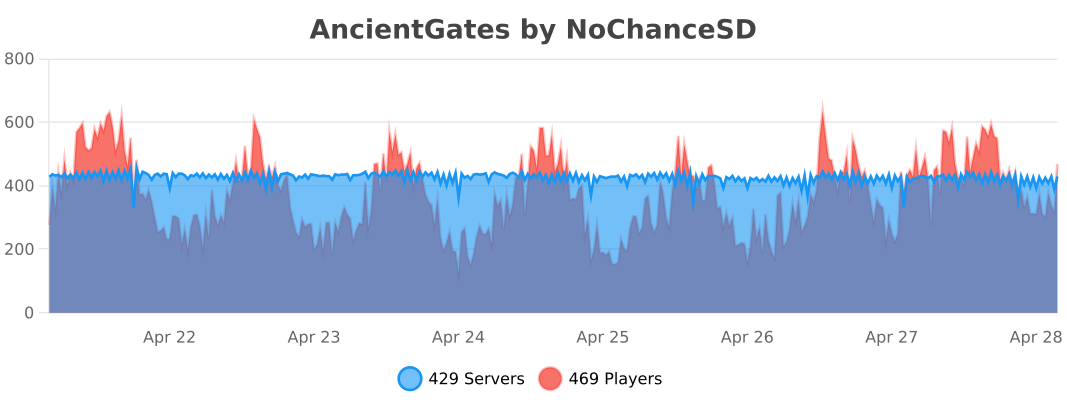
Metrics
You can (globally) opt out the stat collection via /plugins/bStats/config.yml if you wish.
Comments


-

ChanceSD Owner
-

_ForgeUser8600817 Former Author
-
View User Profile
-
Send Message
Posted May 18, 2013Do you think it would be possible, at least for looks, if you could make it so the "to" location could be configured to have a visible portal as well?
-
View User Profile
-
Send Message
Posted May 17, 2013@xXSshadowXx
Yes, it will work fine, the password can be the same across all servers if you wish. The only limitation as you know is that you can't have two plugins on the same port if they're on the same IP.
I've just re-read your comment, it looks like there's a bit of confusion. The conf.json holds the port and password for THAT particular server. You can then add that server to your other server instances using the "/addserver" command. Enabling socket comms creates an additional servers.json file to hold all the other server details
-
View User Profile
-
Send Message
Posted May 16, 2013Currently looking into this a a good solution for our multi world/server portal need. I am just curious about the socketCommsPort. We run about 2 servers per IP atm(8 servers in all) so I am curious if this plugin will communicate properly to another server if their config has 2 different ports listed but will have the same password?
-
View User Profile
-
Send Message
Posted May 14, 2013@zRA1Nz
No can do... I've had two warnings for that I'm afraid :/. If you're using 1.6.3 it will auto-update once the file has been approved.
@ferrybig has not got back to me yet. Are you aware of the issues with Multiworld?
-
View User Profile
-
Send Message
Posted May 14, 2013@peewi96
Post it down here so we can download it. Does the new update add support for multiworld?
-
View User Profile
-
Send Message
Posted May 14, 2013@xneezah
It already works on 1.5.2 ;). An update has been uploaded anyway to add some new features. Just waiting for upload approval.
-
View User Profile
-
Send Message
Posted May 14, 2013Bro, when it will update to 1.5.2? (sry my bad english)
-
View User Profile
-
Send Message
Posted May 14, 2013I was waiting for you two to support each others plugins
-
View User Profile
-
Send Message
Posted May 14, 2013@ferrybig
I'm sure we can resolve the problems between the two of us. The source code is available from the Github link, just drop me a PM and we'll resolve them.
I'd be interested to know what the compatibility issues are.
-
View User Profile
-
Send Message
Posted May 13, 2013I get some users having problems using your AncientGatesReloaded and my MultiWorld, how can I add support for the plugin add my plugin?
-
View User Profile
-
Send Message
Posted May 8, 2013@ChilleCharlie
I'm not sure what could cause this :/. I'm hopefully uploading version 1.6.4 tonight, so give that a go once it's been approved and if it's still an issue, drop me a PM.
-
View User Profile
-
Send Message
Posted May 7, 2013Sometimes when i try to add a portal its says this portal goes nowhere and kicks me out, but every once in a while it does teleport me any idea what could be causing that behavior? i am not trying to teleport from server to server just from world to world..
-
View User Profile
-
Send Message
Posted May 5, 2013@MasterMaq
Yes, that's exactly what you do. Only when you call the "/gate setto" command, you specify the from server also (i.e. /gate setto [id] [fromserver]".
-
View User Profile
-
Send Message
Posted May 5, 2013How does this work with multiple servers, do i have to do \gate setfrom in one server, and /gate setto in another. that won't work I am sure of it.
-
View User Profile
-
Send Message
Posted May 3, 2013@zRA1Nz
It utilises the PortalEvent rather than the PlayerMove event, therefore less resource intensive. It's effectively a lightweight mode.
The catch is that the portal does not instantly teleport you whilst in survival mode. You have to stand in the gate for a moment (just like a normal nether portal).
-
View User Profile
-
Send Message
Posted May 3, 2013@peewi96
What does that do?
-
View User Profile
-
Send Message
Posted May 3, 2013Can you help me with multiverse invetory's
-
View User Profile
-
Send Message
Posted May 3, 2013@zRA1Nz
Set "useInstantNether" to false in the config (conf.json).
-
View User Profile
-
Send Message
Posted May 3, 2013Can you re-code this to be a little more lightweight? Once I started using this my CPU usage boosted up 10% and 1.5 GB of RAM. I'm running a i7 3770k @ 4.5GHz so it's not my CPU!
-
View User Profile
-
Send Message
Posted May 3, 2013in my server, we let them keep the same inventory so long as the game mode hasnt changed. We use a plugin called GameMode Inventories to switch the player's inventory from our creative and adventure worlds to the regular worlds.