Ancient Gates
Introduction
This plugin can allow those with permission, to create gates. These gates will teleport any player, entity (incl. passenger) or vehicle (incl. passenger) that enters that gate to the designated location and/or execute a command. This is a very easy to use, easy to maintain transportation plugin! As a bonus, the gates can look any way you like (vertical or horizontal), with a selection of portal materials.
To get started, try the in game command: /gate
Commands & Permissions
AncientGates commands and permission nodes are simple and intuitive.
Click here for commands and permission nodes...
Configuration Settings
AncientGates configuration options are fairly extensive.
Click here for configuration (/gate setconf) settings...
BungeeCord Support
AncientGates fully supports BungeeCord server-server player, entity and vehicle teleportation.
Click here for further information and full setup instructions...
FAQ
AncientGates has seen a fair few questions in its time. Here are some of the more frequent ones.
Click here for Frequently Asked Questions...
Featured Video
I recently came across this video, showcasing the latest features. It has been put together by Vikaar1.
I've seen several Youtube videos since taking over maintenance of this plugin.
Click here to see more, including translations...
Development Builds
Go to the AncientGates Jenkins build server
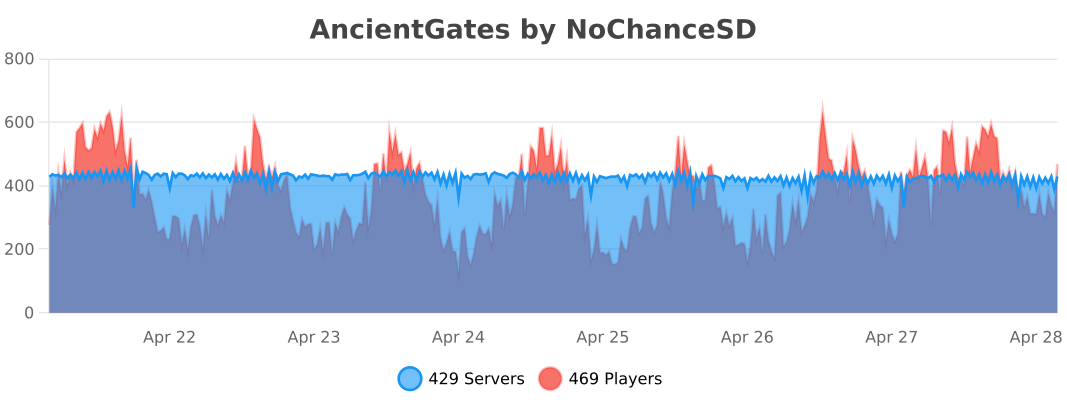
Metrics
You can (globally) opt out the stat collection via /plugins/bStats/config.yml if you wish.
Comments


-

ChanceSD Owner
-

_ForgeUser8600817 Former Author
-
View User Profile
-
Send Message
Posted Dec 27, 2013Help please! I might have found a bug or something... or something idk... http://prntscr.com/2ea7mb It's a perfectly square 3 wide frame. I see nothing that can cause this.. I'm using the latest release v.1.7.3 on 1.7.2 craftbukkit build
-
View User Profile
-
Send Message
Posted Dec 23, 2013@peewi96
Hmm It kinda changed the way it's working but still this isn't a solution. Now what happens is sometimes it drops the items on the teleport point and sometimes again on the front of the portal. EDIT: They pop out after I join the server back. So basically what happens is I go to server B and none of my items drop on server A. When coming back from server B in most cases the items pop out of the portal if not, then on the spawnpoint, having not even logged in (using xauth).
And couldn't you just set a timer for the announcement to disable? So that for example after 10 seconds it would display the normal "player left the game" message.
-
View User Profile
-
Send Message
Posted Dec 23, 2013@Shaded26
Ok, looking at your config you're using the latest dev version. You need to set your inventory to "TRUE". You can do this by typing "/gate setinventory [id] true". This basically means the player is allowed to keep their inventory when passing through a gate (it won't transfer their inventory across servers, just allow them to keep hold of it).
You can set the default for all new gates by typing "/gate setconf teleportInventoryDefault true".
With regards to the announcements, AncientGates is not aware that the player is not whitelisted on the other server. So as far as it's concerned it sent the player to that server, the server just rejected them and sent them back. So it will announce that they went to the other server.
I would look into using the gate access permission nodes, i.e. "ancientgates.use.[gateid]" and setting which user groups can and cannot use the gates.
Remember, this requires the Vault plugin to be installed and for enforceAccess to be set to true in the config (type "/gate setconf enforceAccess true").
-
View User Profile
-
Send Message
Posted Dec 23, 2013I have a view errors that although spending some time in the configs I didn't manage to fix.
Somehow when moving from server to server via Ancient gates the items in my inventory get dropped in front of the portal. This happens on both directions. This is how I've set them up:
I'm using multiinv on one server on the other not.
Another bug is with the announcements. When somebody not beeing whitelisted on the other server and tries to go throuh the portal it doesn't allow him to do that which is brilliant but when he logs off the server announces that he went to that server.
What am I doing wrong? Best regards and Merry Christmas!
EDIT: I'm running the latest dev (#113) and latest craftbukkit
-
View User Profile
-
Send Message
Posted Dec 22, 2013@benneht First of all, read the BungeeCord instructions in the link above. Then when you get stuck, reply with details of where you've got stuck.
I can't help you if all you give me to work on is "How do I do I get bungee cord support going", there's a whole page on how to get BungeeCord support going.
@BeatZzzBaZzz I'm not sure which zip you are referring to, AncientGates does not come in a zip?
When you say "change the messages", are you referring to translating the plugin itself?
I am looking into providing additional language support soon.
-
View User Profile
-
Send Message
Posted Dec 21, 2013Is there a way to change the messages, because i went into the zip and cant find a text note for that...
Hope u can help. Thanks
-
View User Profile
-
Send Message
Posted Dec 20, 2013How -snip- do I get bungee support going? I cri evry tim
-
View User Profile
-
Send Message
Posted Dec 19, 2013@wildex999
Yes, any build above #102 will work fine with any version as low as 1.4.7-R1.0. The plugin is written with backward compatibility in mind, I just unknowingly broke the compatibility with the latest Bukkit API changes.
Yes, unfortunately the only way to receive messages back from the receiving server is by enabling socket comms (a two-way communication). It's not needed to use BungeeCord, but it provides you with the commands response, such as "You do not have permission to execute this command", as opposed to simply sending the command and hoping for the best.
-
View User Profile
-
Send Message
Posted Dec 18, 2013@peewi96
Yeah, I ended up going to build #102, working great so far =) One thing tho, had a hard time linking BungeeCord portals when I didn't have the right permissions on the portal server, got no message about missing the permission, but the portal didn't point anywhere. Got it fixed tho ^^
-
View User Profile
-
Send Message
Posted Dec 18, 2013@wildex999
You're absolutely right. 1.5.2 support broke when updating to no longer use magic numbers.
It was fixed in build #102 (see development builds link above), I just haven't uploaded a newer release yet (was hoping for 1.7.2 to stablise sooner).
-
View User Profile
-
Send Message
Posted Dec 18, 2013You have marked the latest version as working with 1.5.2, but it crashes due to missing Materials.CARPET(Added in 1.6).
-
View User Profile
-
Send Message
Posted Dec 17, 2013@Kosmoh
Yes, use the following command: "/gate setmsg [id] [message]".
It is on the commands and permissions page above ;).
-
View User Profile
-
Send Message
Posted Dec 16, 2013Thanks bro, this plugin is simple as i want and works fine. I'm actually using 1.6.4, so it's not a problem, but please keep the updates going, amazing plugin, my favorite of all.
But, is there any way to add customizable messages? I would appreciate a lot.
-
View User Profile
-
Send Message
Posted Dec 13, 2013@peewi96
Never mind. It appears something was corrupt. I deleted the gate and recreated it and it is working now. Thanks!
-
View User Profile
-
Send Message
Posted Dec 13, 2013@WauloK
Could you get me a screenshot of the gate frame (so I can reproduce it and its surroundings).
Send me (via PM if you like) your conf.json and gates.json files.
And any error logs that occur when it fail (if any do in fact exist).
I take it you're using 1.7.2-R0.1 and the latest development build?
-
View User Profile
-
Send Message
Posted Dec 13, 2013I've built a frame and tried to use /gate addfrom tospawn
It keeps saying it failed and asking if I've built a frame. I've tried fames made from different materials and different orientations.
I have probably a dozen or so gates going to 'tospawn' but the error happens when I try to open the gates.
-
View User Profile
-
Send Message
Posted Dec 11, 2013@der_Kernschatten
I can confirm this is a 1.7.2-R0.1 bug, I've just seen it for myself, almost instantly after creating one.
I shall raise an issue on the Bukkit bug tracker. 1.7.2-R0.1 is the first dev build, so it doesn't surprise me that some functionality is broken.
-
View User Profile
-
Send Message
Posted Dec 11, 2013@benneht
Use the substitution variable %p. This will be replaced with the players name when executed.
I ought to have documented this, I do apologise.
-
View User Profile
-
Send Message
Posted Dec 11, 2013@peewi96
I can't be certain if this is only 1.7.2-R0.1. This plugin and the many portals came online online with 1.7.2.
Since that initial report, I saw it once with a cobweb portal too. The reeds were just more noticable... actually dropping a reed item. To fix the cobweb portal, I closed it (the cobweb remained) then I hacked it away with a sword and opened the gate again.
-
View User Profile
-
Send Message
Posted Dec 10, 2013Hello, I was wondering how you would portray a player in a command gate? Let's just say I need the console to execute "random-tp <playername>", how would I replace the "<playername>" with the player's name?