
TimeTracker

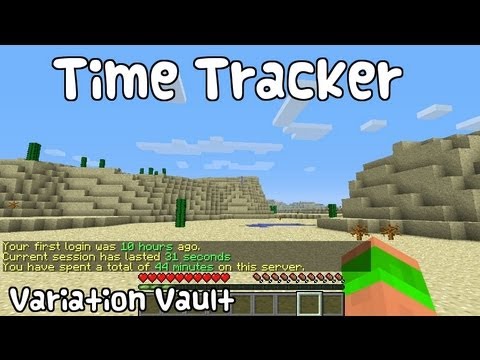
TimeTracker is a plugin that tracks when players log in and out of your server. This plugin fetches and stores this information, and makes it easily available, through the use of two simple commands, one designed for staff, to get detailed information about anyone, the other designed with the average player in mind, providing access to that player's data.
Features
- Stores exact time of first login, last logout and total playtime.
- Nice, intuitive display of time passed.
- Permissions support for both commands
Commands
- /seen - Provides all the stored data about a player.
- /playtime - Provides information about the issuing player.
Permissions
- timetracker.seen - Gives access to /seen. Defaults to OP only.
- timetracker.playtime - Gives access to /playtime. Defaults to true.
Upcoming Features
- Database support
- Multiple languages
- Optional verbose output
Curse Spotlight
Thanks to Xenius01 over at Curse, they have featured the plugin in one of their weekly spotlights.
Contributed video
Source Code
The latest sources are always available at my GitHub.
Comments

-

_ForgeUser7436883 Owner
-
View User Profile
-
Send Message
Posted Jun 14, 2013@cedeel
awesome, thanks
-
View User Profile
-
Send Message
Posted Jun 14, 2013@donkeyman90
The time is stored in milliseconds. You can find several converters online, such as http://www.calculateme.com/Time/Milliseconds/ToHours.htm
Thank you for your support.
-
View User Profile
-
Send Message
Posted Jun 14, 2013In the data file how do i convert the playtime to real time eg, hours, minutes, seconds?
Thanks, i love this plugin :)
-
View User Profile
-
Send Message
Posted May 20, 2013@uCraftMinecraft
An update is coming, but nothing is broken as far as I know.
-
View User Profile
-
Send Message
Posted May 20, 2013UPDATE PLEASE!!
-
View User Profile
-
Send Message
Posted May 6, 2013Is there any chance you could use the exact time format? Like 14 days 5 hours 10 minutes etc<sub>, ?</sub>
Maybe have it as an option in the config? :) That would be extreamly useful! ;)
And I would also appreciate a top online command, where you could do (to give an example) /ontop [#] where "[#]" is the page for the list, and each page has around 5 players, with their total online time. Maybe also make a command to do the same thing but with who joined first? :)
-
View User Profile
-
Send Message
Posted May 1, 2013Cedeel, is there anyway you could add a /top command, that simply reads out the 5 longest-playing members? I would find this extremely useful. Thanks!
-
View User Profile
-
Send Message
Posted May 1, 2013Could you add support for extracting the first logon from the player.dat? I know another plugin did it so it is possible.
Edit: maybe an option to disable the message when a player first joins? :)
-
View User Profile
-
Send Message
Posted Apr 30, 2013@Marium0505
Yes it does! I'm using it without issues.
-
View User Profile
-
Send Message
Posted Apr 30, 2013Does this work for 1.5.1?
-
View User Profile
-
Send Message
Posted Apr 16, 2013Soo Simple N awesome Plugin ! :D nice
-
View User Profile
-
Send Message
Posted Mar 14, 2013@Marium0505
No, it would say 1 day. Precision decreases as time goes.
-
View User Profile
-
Send Message
Posted Mar 14, 2013Well, I would download it if it had another command. :/
Would it say it like: 1 day 3 hours 40 min 30 sec?
-
View User Profile
-
Send Message
Posted Mar 7, 2013@Marium0505
I don't see any easy way of changing the command, short of editing the source and recompiling.
In regards to accuracy, the times are stored to the most accurate value supported by your operating system, which in most cases will be millisecond precision. However, with the way I've chosen to present the information, the accuracy depends on how long ago it was. Until 1 minute has passed you'll get the seconds, until 1 hour you'll get the minutes, etc.
-
View User Profile
-
Send Message
Posted Mar 7, 2013The command /seen conflicts with the /seen command from Essentials, is there a way to change the command?
And how accurate is it does it gives you the information down to the second?
-
View User Profile
-
Send Message
Posted Feb 28, 2013@ThisUsernameIsMine
I would think that they would be the same. It logs on login and logout.
-
View User Profile
-
Send Message
Posted Feb 28, 2013So it starts logging somone on a succesful login, instead of a server-join?
-
View User Profile
-
Send Message
Posted Feb 28, 2013@viktorjanpaulis
I'm not planning on adding that anytime soon. There are several plugins that does that already, and I want to avoid turning this into yet another do-it-all type of plugin. Thanks for your interest though!
-
View User Profile
-
Send Message
Posted Feb 28, 2013Maybe you can make it so that when you spent a certain time on the server it runs a command? This would help by promoting people or just giving items or any rewards to people.