
TARDIS

Join the TARDIS Community Discord Server - https://discord.gg/sfuPVHh
Downloads
I'm too lazy to upload TARDIS files to Bukkit anymore, as builds are automatically created when the plugin is updated and changes pushed to GitHub.
Version specific downloads can be found here: https://tardis.pages.dev/download
Please make sure you are using the latest Spigot/Paper builds (for the Minecraft version you are running) before installing TARDIS or creating an issue!
What it does
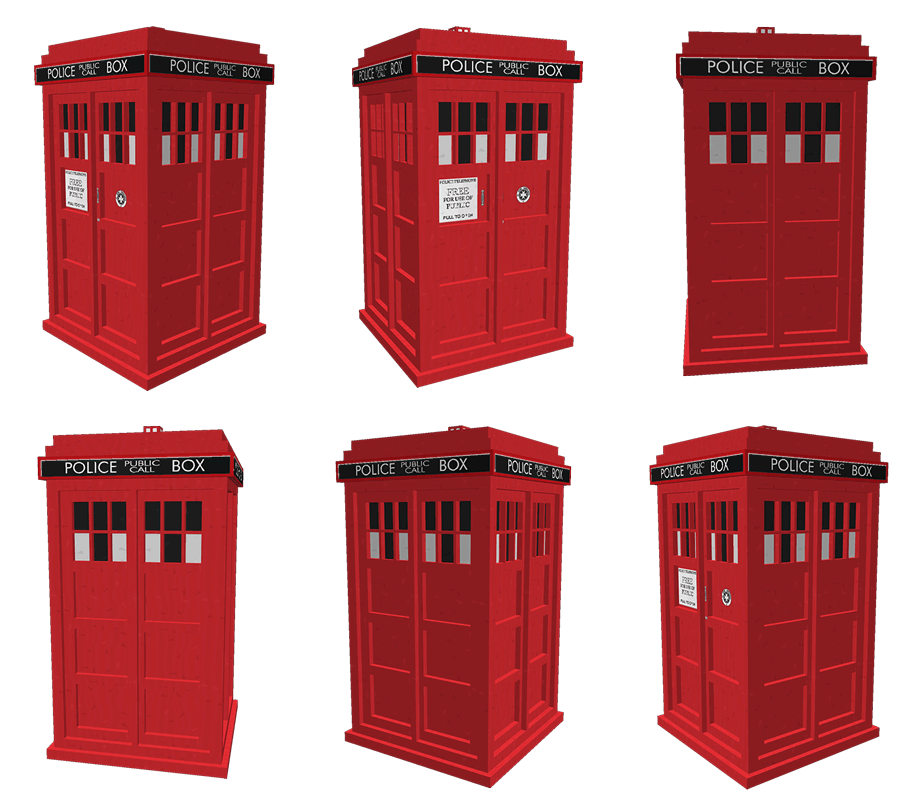
TARDIS is a plugin that gives you the ability to create a Police Box that lets you time travel (teleport) to random locations. It adds a Whovian twist to the typical /sethome and /home commands.
As a player, you can:
- Create a TARDIS that is bigger on the inside.
- Time travel to a random location.
- Time travel back home (where you created the TARDIS initially).
- Save and list interesting time travel locations, so you can return to them easily.
- Take companions with you when you time travel.
- Make your TARDIS blend in with the Chameleon Circuit.
- Use your own schematic to build the TARDIS interior
- Grow new TARDIS rooms
- Use Artron Energy
- Remote control the TARDIS
- Custom TARDIS sounds with companion Resource Pack
- Custom TARDIS textures with companion Resource Pack
Official documentation & FAQs
The documentation is here: https://tardis.pages.dev/
Tutorial videos for version 2+ (also included in the official docs)
Not all of these are up-to-date...
- Installation
- Creating a TARDIS - a bit old now, check the official docs for instructions
- Growing rooms and the Gravity well and changing Walls
- Time travelling
- Recharging Artron Energy - Updated with energy condenser chest!
- Companions
What's new?
Installation
As a minimum, just drop the TARDIS.jar, TARDISChunkGenerator.jar (look under Additional Files on the download page) and any optional plugins listed below into the Bukkit plugins folder and start your server. For more detailed instructions see: https://tardis.pages.dev/installation-v5
Optional installs
These are not needed for TARDIS to function, but enhance the plugin with extra features...
- Install the TARDIS-SoundResourcePack in the Minecraft client to hear custom TARDIS sounds
- Install the TARDIS-Resource-Pack to see aal the fancy textures and models (requires TARDIS v4.2 or higher).
- Install the TARDISChunkGenerator plugin so that you can generate TARDISes in their own self-contained world (included on the TARDIS plugin download page under Additional files).
- Install WorldGuard to automatically protect your TARDIS from griefing, and stop mobs spawning in TARDIS worlds.
- Install TARDISWeepingAngels to add some Whovian mobs to the game.
- Install a Permissions plugin, so that you can restrict or grant players the rights to use TARDIS’ different features. We like PermissionsBukkit.
Other important pages
| Subject | Link |
|---|---|
| Configuration | https://tardis.pages.dev/category/plugin-configuration |
| Commands | https://tardis.pages.dev/category/commands |
| Permissions | https://tardis.pages.dev/permissions-table |
| TARDIS Github repository | https://github.com/eccentricdevotion/TARDIS |
| Official todo list | https://github.com/eccentricdevotion/TARDIS/blob/master/todo.md |
| Bleeding edge builds (Will not always be available) |
Development builds of this project can be acquired at the provided continuous integration server. These builds have not been approved by the BukkitDev staff. Use them at your own risk. Latest TARDIS Build (Jenkins) Bleeding edge changes/commits |
Bugs / Requests
Please post a ticket for TARDIS plugin requests and bugs, thank you :)
WARNING: I am no longer prepared to waste my time looking at incomplete tickets. If your ticket does not follow the guidelines set out below, it will be deleted immediately!
Make sure you have read the FAQs first, as your question may already be answered there. Also make sure you have searched for a previous ticket with the same/similar issue (use the Filters to search closed tickets).
If you are going to create a BUG ticket you need to supply relevant information (as I'm not a mind reader, nor do I have access to your server...) - as a minimum you need:
- Exact CraftBukkit version i.e. NOT 'the latest' - use the
/tardis versioncommand if possible, otherwise copy from server log - Exact TARDIS version i.e. NOT 'the latest' - use the
/tardis versioncommand if possible, otherwise copy from server log - The server log showing the entire error (as a paste or at Pastebin - NOT a screenshot) - this should be the log from when the server starts up right through to when the error occurs
- If no error in the log, then a video of the bug happening or the EXACT steps needed to reproduce the issue.
- Attach your plugins/TARDIS/config.yml file or other configuration file if relevant
- Attach your plugins/TARDIS/TARDIS.db file if relevant
- List of other plugins on server
Stats
Basic statistics are collected for some versions of the TARDIS plugin (v2.5.8 and earlier). You can opt out at any time by setting opt-out: true in plugins/PluginMetrics/config.yml
External web access
Version 2.8 (and higher) of this plugin includes a translation feature (the /tardissay command) that connects to the Lingva translation service.
You can prevent players from using the command by removing / not giving them the permission tardis.translate

Comments


-

eccentric_devotion Owner
-
View User Profile
-
Send Message
Posted Sep 1, 2013@skullboneslayer
/tardis update chameleon-
View User Profile
-
Send Message
Posted Sep 1, 2013@skullboneslayer
You only want one multi-world plugin, using different plugins at the same time will cause conflicts. Your problem is that you are probably editing the TARDIS config manually then using the server's
/reloadcommand. TARDIS saves the current config when it is disabled, so your changes are being overwritten... Use the in game/tardisadmincommands instead (no reload required). And as always read the FAQs first...-
View User Profile
-
Send Message
Posted Sep 1, 2013is the restone tardis the masters tardis?
-
View User Profile
-
Send Message
Posted Sep 1, 2013@eccentricnz
ah know its starting to make sence how do i eneble room growing in the tardis_timevortex world
-
View User Profile
-
Send Message
Posted Aug 31, 2013@skullboneslayer
/tardisrecipe locator/tardis find-
View User Profile
-
Send Message
Posted Aug 31, 2013@Lino2014
Please create a ticket. Follow the guidelines here: http://dev.bukkit.org/bukkit-plugins/tardis/#w-bugs-requests and provide as much information as possible - and make sure you check the grammar... I only understand the first part of your comment :(
-
View User Profile
-
Send Message
Posted Aug 31, 2013@X00dis
/tardis removesave [name]-
View User Profile
-
Send Message
Posted Aug 31, 2013@sbongbob
That is NOT a ticket... all you did was post your config, which you could have used a paste for. If you expect me to help you in the future, you'll need to follow the steps above. And 'bla bla bla what ever' does nothing but piss people off.
I've just tested this on a fresh test server, copied and pasted the commands from the documentation, and have room growing enabled in a TARDIS_TimeVortex world.
What I think your problem is: Don't use
/reloadStop the server, start the server and try it again.
-
View User Profile
-
Send Message
Posted Aug 31, 2013how do you delete saved locations?
-
View User Profile
-
Send Message
Posted Aug 31, 2013when I'm inside my TARDIS and I click on the door to get out I'm going to a place completely different from my local police box is when I think she and I click on the door I go back to the same place, what do I do? please help me!
-
View User Profile
-
Send Message
Posted Aug 31, 2013@X00dis
This is likely due to the fact that there your schematic was facing one way (either north/south or west/east), and you were growing the room in a different direction the second time. The built-in passage room was the same way last I checked (pre-ARS), and got around this by including 2 separate schematics for either direction. The plugin would automatically switch between them depending on the direction in which the player was growing the room.
This brings up an interesting point: how to automatically switch schematics based on direction of room growth from the room seed, as the passage room does, without completely growing a separate room. Here's one solution to this problem: the server admin creates two schematics with the same name, but one appended with "-NS" (for north/south) and the other with "-WE" (for west/east) based upon the direction of the room within the schematic. The TARDIS plugin would check for schematics with this appended to their name (before the ".schematic" portion, of course), and grow the room accordingly, using the proper schematic file.
I should probably put this into a ticket...
-
View User Profile
-
Send Message
Posted Aug 31, 2013Ok I made a custom room. Its a different kind of hallway. I got it uploaded, offset set, seed, and cost all set. First attempt worked great. after the custom hall was built I put a cross at the end. I take a left and start a new custom hall I hit a snag. Instead of going from the cross on, it goes left to right.out in the void. Is there something I am missing? The schematic is 15x15 and uploaded without a hitch. I added the sponges in the corner like the passage schematic.
-
View User Profile
-
Send Message
Posted Aug 31, 2013@eccentricnz
bla bla bla what ever hear is the config file
http://dev.bukkit.org/bukkit-plugins/tardis/tickets/355-dont-read-this/
-
View User Profile
-
Send Message
Posted Aug 31, 2013@sbongbob
The TARDIS config. Perhaps if you had followed the guidelines for posting bugs (detailed above), this wouldn't be taking so long...
-
View User Profile
-
Send Message
Posted Aug 31, 2013@eccentricnz
witch config file ?
-
View User Profile
-
Send Message
Posted Aug 30, 2013I'd just like to say how much I appreciate the time and effort you put into the documentation, I've never had a problem setting anything up when I read the docs carefully. :)
-
View User Profile
-
Send Message
Posted Aug 30, 2013@sbongbob
paste your config
-
View User Profile
-
Send Message
Posted Aug 30, 2013@eccentricnz
no disrepsect but i copied and pasted what i was suposed to do witch means that the instructions are wrong becouse i folowed copied and pasted evreething it told me to
-
View User Profile
-
Send Message
Posted Aug 30, 2013@sbongbob
It's NOT broken, so I can't fix it. Triple check your settings, somewhere you have mis-configured it.
-
View User Profile
-
Send Message
Posted Aug 30, 2013i made the TARDIS_TimeVortex world but it ses the tardis need to be grown in its own world to grow rooms but i folowed all the instructions correctely plz fix this