
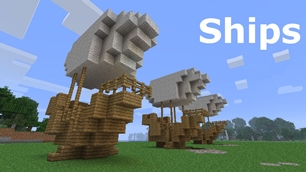
Ships
Ships
|
|
|
|
|
|
|
Source Code - Github |
JavaDocs |
Sponge version |
Discord channel |
Translate Core |
|---|




Looking for Dev builds?
Dev builds give off new features and bug fixes before they are officially released, however these features and bug fixes may not have been tested as much as a release on here
Old page:
I am testing this new page out. I am aware of some parts that are missing such as ship types, but please say if there is anything that you wish to see. I plan on making a FAQ's that includes common questions such as how to change ship requirements.
If you want to see the old page, it is here
Video tutorial
Ships 6 changes
Ships has gone through many changes, Ships 6 is the latest rewrite of the plugin. The latest rewrite fixes multiple bugs found in the root of previous versions of Ships.
Features
Moving ships
As the name of the plugin suggests, you can create your own ship and move it with just a single click.
Works with all blocks
There is a fully-fledged list where you can configure every block to react differently for the ships, including being able to add a block type to interact with Ships, detect it as a collide, and even not react at all.
Teleport to ships
There have been many requests to be able to teleport to ships for not only this plugin but others like it. This feature has been added to Ships, however, if it is something you do not wish, then you can disable to command by not adding the command.
Falling Ships
Ships will fall/sink if requirements are not met, this could be done through your own interaction such as running out of fuel, or by something else such as a TNT explosion.
Ship types
| Airship | Link |
| Ship | Link |
| Marsship | Link |
| Submarine | Link |
| Plane | Link |
| Hybridship | Coming soon |
Move the ship:
In Ships, movement is done by signs. You can see all signs here
Collide types:
| Name | ID | Description |
|---|---|---|
| Detect collide | DETECT_COLLIDE | If Ships detects this block in the way of a ship moving then the ship will not move with the error of this block being in the way |
| Material | MATERIAL | Material means that you can build a ship out of this block and the Ships block detection system will detect it as part of your ship |
| Ignore | IGNORE | If Ships detects this block in the way of a ship moving then the block will break and the ship will take its place |
Permissions
| Permission node | Description |
|---|---|
|
ships.cmd.info |
Allows the player to use the command '/ships info' |
|
ships.cmd.blockinfo |
Allows the player to use the command '/ships blockinfo' |
|
ships.cmd.shiptype.create |
Allows the player to use the command '/ships shiptype create' |
|
ships.cmd.config.set |
Allows the player to use the command '/ships config set' |
|
ships.cmd.config.view |
Allows the player to use the command '/ships config view' |
|
ships.cmd.blocklist.set |
Allows the player to use the command '/ships blocklist set' |
|
ships.cmd.blocklist.view |
Allows the player to use the command '/ships blocklist view' |
|
ships.cmd.ship.track |
Allows the player to use the command '/ships ship track' |
|
ships.cmd.ship.eot |
Allows the player to use the command '/ships ship eot' |
|
ships.cmd.ship.crew |
Allows the player to use the command '/ships ship crew' |
| ships.move.own.ships.airship | Allows a player to move own airship |
| ships.move.own.ships.watership | Allows a player to move own ship |
| ships.move.own.ships.marsship | Allows a player to move own marsship |
| ships.move.other.ships.airship | Allows a player to move anyones airship |
| ships.make.ships.airship | Allows a player to make a airship |
| ships.remove.other |
Allows a player to destroy anyones ships sign |
Developers:
Looking for a development wiki? maven/gradle dependencies? or something else relating to ships or translate core? Take a look at the getting started wiki
Comments


-

mosemister Owner
-

_ForgeUser7695435 Former Author
-
View User Profile
-
Send Message
Posted Mar 19, 2016@klartofle
Wow thats a handful of errors XD. Can i ask what version you are using? (im guessing 5.0.1.7 MC 1.8-1.8.9). also send me your config file and materials list. You can use the "paste" option in the bukkit tab at the top of this page to paste the config and materials list without loosing its formatting.
-
View User Profile
-
Send Message
Posted Mar 19, 2016@MoseMister
when i do /ships sign track 10 only the sign becomes bedrock. also my materials list is completely empty. and on another note i removed the ships folder and let the server generate a new one and now the ships wheel and move signs work sort of in a way. they work for about 10-20 seconds after you make a burner however after that time i then get the message "Found FIRE in way". also when the ship does work it works much slower than it used to. also sometimes it will still pop up and say that "Ships sign can not be found". any ideas on this?
-
View User Profile
-
Send Message
Posted Mar 19, 2016@klartofle
This is not the same issue. Asdfgyisdfghisdf ships sign didnt even get coloured that caused that message.
Ok. For you issue. I want you to look at the ships sign. Then type this command
/ships sign track 10This will cover what ships sees in bedrock for 10 seconds. What you need to do is see what blocks are not being turned to bedrock that you want to move. After that go to the materials list
Plugins/ships/configuration/materials.ymlAnd put a 1 after "dataValue_-1: " If that data value isnt there. Put a 1 next to all the data values for that material or if you know what the data values are then put a 1 next to the one you please
If there is aready a 1 there. Then i would check the console for any errors related to ships
-
View User Profile
-
Send Message
Posted Mar 18, 2016@MoseMister
okay maybe not the same but then again i cant look at the images they had since they've been removed, my ships sign does do things sort of. The sign gets colored and stuff like normal and if you break it it says that you've deleted that ship. however the control signs like the wheel and the altitude say "Ships sign can not be found" is this the same issue as asdfgyisdfghisdf?
-
View User Profile
-
Send Message
Posted Mar 17, 2016@klartofle
We found the issue. Its to do with the permissions. Make sure your permissions are setup correctly
-
View User Profile
-
Send Message
Posted Mar 17, 2016i'm having the same issue with the ships signs not working
-
View User Profile
-
Send Message
Posted Mar 11, 2016<<reply 2760277="">>
Im half way to college atm. So i can not find out what is going wrong until i get back. But i will find out whats going wrong for you
-
View User Profile
-
Send Message
Posted Mar 11, 2016@MoseMister
It still won't work. The [ships] sign still does nothing, even though I'm typing in
[ships]
ship
name
I don't understand. Here's a screenshot of what I get when I launch the server. It won't load vessels despite them being in the proper file structure. This is exactly what I give you except I replaced the permissions file with the one you edited.
http://i.imgur.com/kkReVZr.png
-
View User Profile
-
Send Message
Posted Mar 11, 2016@asdfgyisdfghisdf
I found the issue in the zip folder you sent me, the issue isnt with ships, but more with the permissions of your server. When i first booted your server i found that SkinsRestorer was crashing on boot and was also finding a massive error message saying something along the lines of 'can not read your permissions file due to this part in the permissions.yml'. So i took a look and found that you had copied and pasted the permissions text from this page including the description of the permission. I am uploading a new permissions.yml file that removes the description and adds the correct format to the permissions. After that both SkinsRestorer and Ships worked. Enjoy
-
View User Profile
-
Send Message
Posted Mar 11, 2016@MoseMister
No, nothing. Everything loads up, everything except the ship signs works fine. I've sent you a zip of the server itself so maybe you can figure out because I've been sitting here for over two hours now with nothing to show for it.
-
View User Profile
-
Send Message
Posted Mar 11, 2016<<reply 2760236="">>
No. There shouldnt be anything more to do. It should be just add it to your plugins folder and let it do the talking. Is there any errors on boot? Or anything?
-
View User Profile
-
Send Message
Posted Mar 11, 2016@MoseMister
It says 'total number of vessels loaded: 0' With no lists of vessels. But why the HELL is it doing this? I downloaded your file, stuck it in my plugins folder. There's a ship folder with a config, with a vesseltypes full of stuff like Airship.yml and WaterShip.yml, all of which are 1kb and contain info like speed, engine, boost, blocks max and min, etc. Everything is exactly where what little instructions provided say they are supposed to be. Am I supposed to be doing something extra that isn't written anywhere on this page? I have other pluggins that work perfectly fine on my server, namely InterestingFish and a skin changer.
-
View User Profile
-
Send Message
Posted Mar 11, 2016<<reply 2760201="">>
Hmmm. First of all the name of the ship goes on the 3rd line, not the 4th.
As for everything else i dont know. Type the following command into the console (it is cap sensitive)
<
>>/ships developer All
<
Close to the top of the load of text, you will find vessel type names. Make sure you are typing the ship type name in exactly right.
<<reply 2760206="">>
This is to do with reducing lag. The eot of and the auto pilot (big difference) will move on 130 ticks by default (20ticks = a second). You can change how fast they are from inside the config by changing the "repeat" to something lower
-
View User Profile
-
Send Message
Posted Mar 10, 2016LOOK AT THIS http://i.imgur.com/L1iGxRO.png
THIS IS HOW YOU SAY IT SUPPOSED TO BE TYPED BUT NOTHING WILL WORK. WHAT AM I DOING WRONG? I HAVE TRIED EVERYTHING. WHY WON'T THIS WORK?
-
View User Profile
-
Send Message
Posted Mar 10, 2016@GuysImTristan
That's what i'm doing! Look at the screenshot I sent you. I don't understand why this won't work.
I am typing EXACTLY
[Ships]
Ship
Name
And it won't work. Its telling me the vesseltype doesn't exist. Why is it doing this?
-
View User Profile
-
Send Message
Posted Mar 10, 2016@asdfgyisdfghisdf
You must type in the appropriate vessel type name in order for the [ships] sign to work.
Here are the vessel types:
Ship Ships move onto of water Airship Airships are one of the hardest to work because they are so demanding. Enjoy Marsship ship from the movie John Carter. In action how like an airship but does not require fuel or wool. Its disadvantage is that it can fly only during the day Plane Faster then all the other vessels, however, fuel is eaten Submarine Moves underWater
If you mean watership it is a Ship.
-
View User Profile
-
Send Message
Posted Mar 10, 2016Why is the Auto pilot (EOT signs) too slow?
-
View User Profile
-
Send Message
Posted Mar 10, 2016HOW ON EARTH DO YOU GET THIS TO WORK? I am going out of my mind here.
I place blocks, I make the signs for the wheel and movement, those work PERFECTLY. However, the game completely refuses to ackonlwedge the actual ship sign. I've been doing this over and over and over, NOTHING WILL WORK. Every single time it says (vessel type does not exist) I've tried everything I type it like this
[Ships] Watership name name
But it just says vessel type does not exist. I've tried plane, marsship. Nothing will work. WHAT ON EARTH COULD POSSIBLE BE WRONG? I'm typing everything the exact way it shows in the video, I'm typing everything the way it shows in the config files. Why won't it work?
-
View User Profile
-
Send Message
Posted Mar 10, 2016@kevindoorneweerd
right thats where your going wrong, Im guessing you looked at the video or the image on this page that tell you to create ships line
but it got changed in Ships 4.1 to the following
-
View User Profile
-
Send Message
Posted Mar 10, 2016@MoseMister On the first:
[Ships]
ship
lekkerbekkie
Second one:
[Ships]
ship
skereboot
There is a open line in between ship and the line under that one.