PixelPrinter
PixelPrinter
What is PixelPrinter
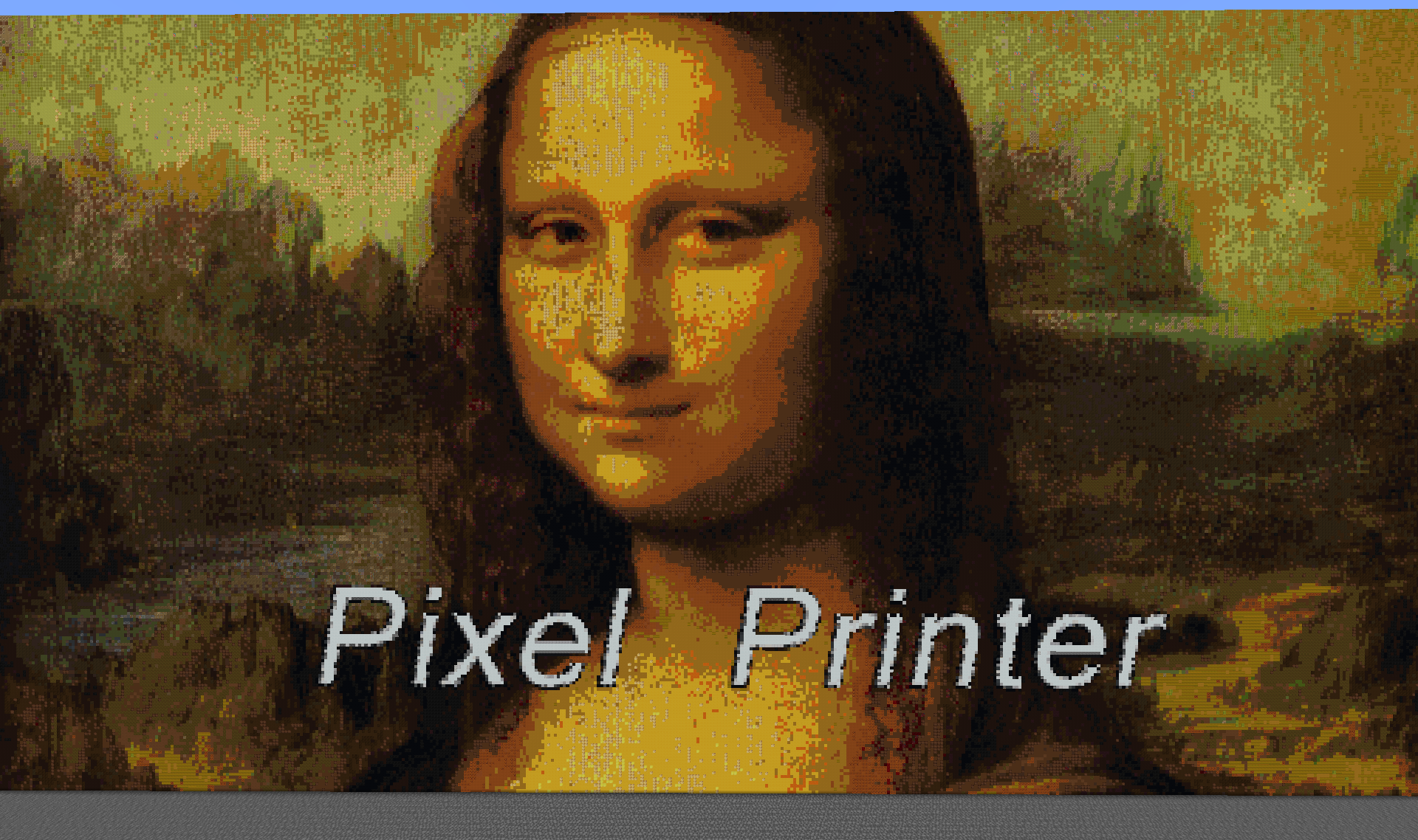
PixelPrinter is a demonstration of what you can do using THIS resource. Using this plugin, you can load images or gifs to your server, either by using blocks or maps. This plugin can download images or gifs, resize them, and allow you to easily create Sky-Boxes, Movies, and pixel art all over your server.
Features
- Create images, movies, or pixel art using in game blocks
- Create skin statues.
- Supports JPegs, PNGs, and Gifs!
- Custom resourcepack support.
- Works on All Versions
Videos
Images


Custom resourcepack support:
As of the 1.0.14 patch, Pixelprinter allows for server-wide resourcepack support. Using this feature will allow for better quality and accuracy of images when using custom resourcepacks. To add custom resourcepack support, do the following:
- Go into the <Server>/plugins/PixelPrinter/custom_textures/ directory.
- In a new window, open the resourcepack zip file and navigate to the Minecraft>textures>blocks folder.
- In there, drag all textures into the custom_textures directory.
And that's it. Pixelprinter will handle the rest.
Commands
(You can either access all PixelPrinter commands using /pixelprinter or /pp)
| /pp |
lists all commands and their usages |
|
/pp download <Filename> <url> /pp d <filename> <url> |
Downloads the location of an image to a txt file. Good for minimizing memory. |
|
/pp downloadimage <filename><url> /pp di <filename> <url> |
Downloads the image to a png, jpg, or gif file. |
| /pp create <direction> <File name> <Height> | Creates a in-game block version of the image, moving the the direction <direction> and will have a height of <Height>. The width will be scaled to the image height. |
| /pp createFrames <direction> <File name> <Height> /pp cf <direction> <File name> <Height> | Creates a in-game item-frame version of the image, moving the the direction <direction> and will have a height of <Height>. The width will be scaled to the image height. |
| /pp createskin <direction> <player's name or UUID> | Create a 16x48x16 player character with the specified players skin. Note: In order to use the player's name, the player must have joined the server once. |
| /pp delete <filename> | Deletes the file wit h the filename <file name> |
| /pp stopGif <id> | Stops the gif with the id <Id> |
| /pp stopAllGifs | stops all gifs on the server. |
| /pp listGifs | lists all the gifs active on the server. Use this if you do not know the ID of a gif |
| /pp preview | Creates a preview of the image you are going to make. This only displays the boarder of the image, and should be used to tell if this image will "clip" through any existing blocks |
| /pp specs | Shows the specifications of an image. |
| /pp list |
Displays all the images that have been downloaded to the server |
| /pp help OR /pp ? |
Displays commands and their uses |
Permissions
| pixelprinter.* | Gives all permissions |
| pixelprinter.stop | Gives the player permission to stop gifs |
| pixelprinter.delete | Gives the player permission to delete image files |
| pixelprinter.create | Gives the player permission to create an image in-game |
| pixelprinter.download | Gives the player permission to download an image from a URL |
This plugin does update automatically:
This plugin checks for updates and will download updates. If you do not want this plugin to automatically update, all you need to do is edit one line in the "plugins\AUpdater\global.yml" file. Just change the one variable in there to false (or, if you run into any problems, copy the code below)
# Updater by ArsenArsen
# Global config
# Sets should updates be downloaded globaly
update: false
How to Install
Drop this plugin into you plugins folder and restart your server.
This plugin uses bStats:
bStats is a metrics service that allows me to to see how many servers use my plugins, how many players they have, and which countries use my plugin the most. All information is anonymized, so no information can be directly linked to you, and instead is added to the average of all severs that use the plugin.
Comments


-

Zombie_Striker_Dev Owner
-
View User Profile
-
Send Message
Posted Jun 18, 2019In reply to Forge_User_42683044:
Yes. As long as the action was done recently (that the server has not shut down/restarted yet), you can use /pp undo <press-tab> to undo the image.
-
View User Profile
-
Send Message
Posted Jul 3, 2019In reply to Zombie_Striker_bukkit:
Pressing tab does not autofill anything after printing a picture, and using it without an argument has it complain "You must provide all the required arguments." Is there a way to manually identify the image?
-
View User Profile
-
Send Message
Posted May 25, 2019No matter if i download the image with the commands or i just move it to the images folder in the plugin, it doesnt work. It says "Loading image requested by xxx" and if I try again the server just crash. Tried with differents images aswell and still dont work.
By the way my loadcount is at 10 (my pc is not even bad) and the version is 1.14. Any idea whats happening?
-
View User Profile
-
Send Message
Posted Feb 28, 2019After server restart all pictures and gif are blank. They work fine initially.
All plugins are current; downloaded both pp and plugin constructor today.
-
View User Profile
-
Send Message
Posted Mar 6, 2019In reply to mikecfi:
First, sorry for the delay.
For PluginConstructorAPI, are you using version 1.0.51? If not, the new update should fix this issue for maps. However, if the problem still persists on the new update, can you post how exactly I can replicate the problem?
-
View User Profile
-
Send Message
Posted Feb 9, 2019after the step of downloading the image successfully, it says "Error: The image cannot be found. Make sure that the link is valid and that the image still exists." I haven't touched the image so there's no reason for it to be missing?
-
View User Profile
-
Send Message
Posted Feb 11, 2019In reply to luminbulb:
-
View User Profile
-
Send Message
Posted Jan 11, 2019HELLO im trying to use this plugin do i have to use any specific url to download the image ty
-
View User Profile
-
Send Message
Posted Jan 16, 2019In reply to onrage869:
-
View User Profile
-
Send Message
Posted Jan 10, 2019"an internal error occurred while attempting to complete this command"
When trying to do /pp cf
I can make it with blocks but i really want to do it with item frames.
I have pluginconstruct.. How do i fix this?
Console is in the spoiler
[21:24:38 INFO]: DefensiveDuck issued server command: /pp cf south avengers.png 12
[21:24:38 INFO]: [MapManager] Adding new Map #8 to occupied IDs.
[21:24:38 ERROR]: null
org.bukkit.command.CommandException: Unhandled exception executing command 'pp' in plugin PixelPrinter v1.0.43
at org.bukkit.command.PluginCommand.execute(PluginCommand.java:46) ~[craftbukkit-1.12.jar:git-Bukkit-9a1fc1e]
at org.bukkit.command.SimpleCommandMap.dispatch(SimpleCommandMap.java:140) ~[craftbukkit-1.12.jar:git-Bukkit-9a1fc1e]
at org.bukkit.craftbukkit.v1_12_R1.CraftServer.dispatchCommand(CraftServer.java:621) ~[craftbukkit-1.12.jar:git-Bukkit-9a1fc1e]
at net.minecraft.server.v1_12_R1.PlayerConnection.handleCommand(PlayerConnection.java:1326) [craftbukkit-1.12.jar:git-Bukkit-9a1fc1e]
at net.minecraft.server.v1_12_R1.PlayerConnection.a(PlayerConnection.java:1186) [craftbukkit-1.12.jar:git-Bukkit-9a1fc1e]
at net.minecraft.server.v1_12_R1.PacketPlayInChat.a(SourceFile:37) [craftbukkit-1.12.jar:git-Bukkit-9a1fc1e]
at net.minecraft.server.v1_12_R1.PacketPlayInChat.a(SourceFile:9) [craftbukkit-1.12.jar:git-Bukkit-9a1fc1e]
at net.minecraft.server.v1_12_R1.PlayerConnectionUtils$1.run(SourceFile:13) [craftbukkit-1.12.jar:git-Bukkit-9a1fc1e]
at java.util.concurrent.Executors$RunnableAdapter.call(Unknown Source) [?:1.8.0_191]
at java.util.concurrent.FutureTask.run(Unknown Source) [?:1.8.0_191]
at net.minecraft.server.v1_12_R1.SystemUtils.a(SourceFile:46) [craftbukkit-1.12.jar:git-Bukkit-9a1fc1e]
at net.minecraft.server.v1_12_R1.MinecraftServer.D(MinecraftServer.java:695) [craftbukkit-1.12.jar:git-Bukkit-9a1fc1e]
at net.minecraft.server.v1_12_R1.DedicatedServer.D(DedicatedServer.java:370) [craftbukkit-1.12.jar:git-Bukkit-9a1fc1e]
at net.minecraft.server.v1_12_R1.MinecraftServer.C(MinecraftServer.java:650) [craftbukkit-1.12.jar:git-Bukkit-9a1fc1e]
at net.minecraft.server.v1_12_R1.MinecraftServer.run(MinecraftServer.java:554) [craftbukkit-1.12.jar:git-Bukkit-9a1fc1e]
at java.lang.Thread.run(Unknown Source) [?:1.8.0_191]
Caused by: java.lang.NoSuchMethodError: org.bukkit.map.MapView.getId()I
at me.zombie_striker.pluginconstructor.MapWallUtil.getMaps(MapWallUtil.java:88) ~[?:?]
at me.zombie_striker.pixelprinter.PixelPrinter.createMapAnim(PixelPrinter.java:917) ~[?:?]
at me.zombie_striker.pixelprinter.PixelPrinter.createMap(PixelPrinter.java:913) ~[?:?]
at me.zombie_striker.pixelprinter.PixelPrinter.onCommand(PixelPrinter.java:768) ~[?:?]
at org.bukkit.command.PluginCommand.execute(PluginCommand.java:44) ~[craftbukkit-1.12.jar:git-Bukkit-9a1fc1e]
... 15 more
-
View User Profile
-
Send Message
Posted Jan 16, 2019In reply to nbnightgamer1:
-
View User Profile
-
Send Message
Posted Apr 26, 2019In reply to ZombieStryker:
Same error message here :/ (after /pp cf).
-
View User Profile
-
Send Message
Posted Jan 4, 2019Hey there! just an Idea for a new feature for the plugin, maybe add something thats basically like the frame creator but instead it prints out the picture in blocks. I don't really know how to explain this, like printing a picture normally in blocks, but the colors of the print are converted to be ready for the colors of a map.
-
View User Profile
-
Send Message
Posted Dec 27, 2018Great looking plugin, but I ran into this trying to use it.
-
View User Profile
-
Send Message
Posted Dec 27, 2018In reply to kahunaroy:
-
View User Profile
-
Send Message
Posted Dec 20, 2018Hi there! whenever I do a framed picture, theres lines that separate one item frame from another. is there anyway to stop this or is this a bug in the plugin itself?
-
View User Profile
-
Send Message
Posted Dec 23, 2018In reply to radical_larry1993:
-
View User Profile
-
Send Message
Posted Dec 27, 2018In reply to ZombieStryker:
-
View User Profile
-
Send Message
Posted Dec 8, 2018an internal error occurred while attempting to tab-complete this command
what will i do right now
-
View User Profile
-
Send Message
Posted Dec 8, 2018In reply to Sushumusu: