ItemSlotMachine
What is it?
ItemSlotMachine adds realistic slot machines with item frames as reels to your server. Each slot machine has its own jackpot (money and/or items) which increases with every spin.
Features
- Create and manage multiple slot machines
- Create and manage your own slot machine designs (default design is built-in)
- Customize each slot machine individually
- Display statistics of slot machines and players
- Create coin shops for players
- Customize all plugin messages
All listed features above are always referring to the newest version of ItemSlotMachine!
Metrics
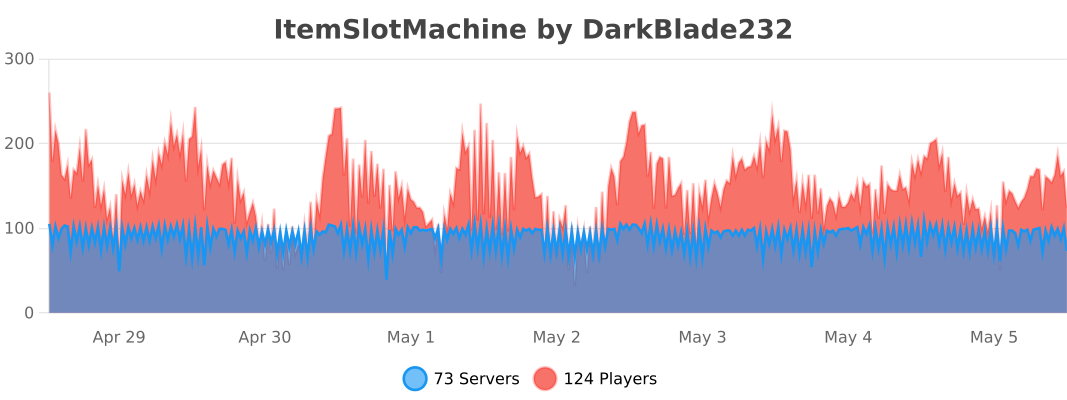
This plugin uses Metrics by BtoBastian to collect various data from servers.
If you don't want Metrics to collect your data you can disable it easily by setting enabled to false in the config file at plugins/bStats/
Upcoming features
- Support for larger numbers on signs
- Customizeable sign layout and with more placeholders (for example <player>)
Commands & Permissions:
| Command | Description | Permission |
| /design wand | Gives the player a design wand | itemslotmachine.command.design.wand |
| /design create [name] | Creates a new design from your selection | itemslotmachine.command.design.create |
| /design remove <name> | Removes an existing design | itemslotmachine.command.design.remove |
| /design list | Displays a list of all available designs | itemslotmachine.command.design.list |
| /design invert <name> | Inverts the item frame order of a design | itemslotmachine.command.design.invert |
| /design reload [name] | Reloads all designs or a single design | itemslotmachine.command.design.reload |
| /design help [page] | Displays help pages for the design command | - |
| /coin buy <amount> | Gives the player coins in exchange for money | itemslotmachine.command.coin.buy |
| /coin give <player> <amount> | Gives an amount of coins to a player | itemslotmachine.command.coin.give |
| /coin help [page] | Displays help pages for the coin command | - |
| /slot build <design> [name] | Builds a new slot machine | itemslotmachine.command.slot.build |
| /slot remove <name> | Removes an existing slot machine | itemslotmachine.command.slot.remove |
| /slot list | Displays a list of all available slot machines | itemslotmachine.command.slot.list |
| /slot tp <name> | Teleports the player to a slot machine | itemslotmachine.command.slot.tp |
| /slot rebuild <name> | Rebuilds a broken slot machine | itemslotmachine.command.slot.rebuild |
| /slot move <name> <amount> | Moves a slot machine in your view direction | itemslotmachine.command.slot.move |
| /slot stop <name> | Stops a slot machine instantly without paying out | itemslotmachine.command.slot.stop |
| /slot money <name> <clear/deposit/withdraw/set> [default/amount] | Modifies the money pot of a slot machine | itemslotmachine.command.slot.money |
| /slot item <name> <clear/add/set> [default/hand/items] | Modifies the item pot of a slot machine | itemslotmachine.command.slot.item |
| /slot reload [name] | Reloads the plugin or a single slot machine | itemslotmachine.command.slot.reload |
| /slot help [page] | Displays help pages for the slot command | - |
| /statistic show <slot/player> <name> | Displays the statistic of a slot machine or player | itemslotmachine.command.statistic.show |
| /statistic top <slot/player> <category> | Displays the top ten of slot machines or players for a category | ItemSlotMachine.command.statistic.top |
| /statistic reset <slot/player> <name> | Resets the statistic of a slot machine or player | ItemSlotMachine.command.statistic.reset |
| /statistic help [page] | Displays help pages for the statistic command | - |
| - | All plugin permissions | itemslotmachine.* |
| - | All command permissions | itemslotmachine.command.* |
| - | All design command permissions | itemslotmachine.command.design.* |
| - | All coin command permissions | itemslotmachine.command.coin.* |
| - | All slot machine command permissions | itemslotmachine.command.slot.* |
| - | All statistic command permissions | itemslotmachine.statistic.* |
| - | Modify a specific slot machine | itemslotmachine.slot.modify.<name> |
| - | Modify all slot machines | itemslotmachine.slot.modify.* |
| - | Inspect a slot machine by right clicking it | itemslotmachine.slot.inspect |
| - | Use a slot machine | itemslotmachine.slot.use |
| - | Use all slot machines | itemslotmachine.slot.use.* |
| - | Create a coin shop | itemslotmachine.shop.create |
All listed commands and permissions above are always referring to the newest version of ItemSlotMachine!
How to: Coin Shop
You have to write [CoinShop] in the first line of a new sign and click done in order to create a coin shop sign automatically. You can change the amount of coins you want to buy by pointing your cursor at the sign and scrolling up or down. (if you hold shift while scrolling, the amount will increase/decrease by 10) Simply right click the sign after you've chosen the amount of coins you want to buy to make a purchase.
Source
The source code can be found in my repository on GitHub!
Contribute
If you find a bug or encounter an error, please open a new ticket on CurseForge or GitHub, send me a private message or comment down below! Suggestions and ideas for new features are always welcome and can be submitted via the previously mentioned ways.
Videos
Comments


-

DarkBlade232 Owner
-

_ForgeUser12580406 Artist
-

rangewonk Tester
-
View User Profile
-
Send Message
Posted Jan 1, 2014@rangewonk
You can already change the chance for every slot machine individually and set the amount of coins that is needed to activate a specific slot machine with version 1.3.0, which can be downloaded here.
-
View User Profile
-
Send Message
Posted Dec 31, 2013When will the update be where you can chance the chance of different machines, and when u can make coins certain prices for certain machines?
-
View User Profile
-
Send Message
Posted Dec 31, 2013@DarkBladee12
oh they must of changed as they used to work Thanks!
-
View User Profile
-
Send Message
Posted Dec 31, 2013@Andy24090
No, the permission for using slot machines is ItemSlotMachine.slot.use as it's stated above in the Commands & Permissions section.
-
View User Profile
-
Send Message
Posted Dec 31, 2013My players Have the permission But still cant use the slot machines itemslotmachine.use is the right 1 right?
-
View User Profile
-
Send Message
Posted Dec 31, 2013@Musikfreakmarcel
You don't have to download it, just change the Language_Name in the config to DE and it will create the file lang_DE.txt automatically once you reload the plugin!
-
View User Profile
-
Send Message
Posted Dec 30, 2013Where i can download lang_DE ?
-
View User Profile
-
Send Message
Posted Dec 30, 2013Just fixed another little bug and improved top list sorting, the new version has been reuploaded and is available here
-
View User Profile
-
Send Message
Posted Dec 30, 2013@DarkBladee12
no problem! thanks for making such awesome plugins!
-
View User Profile
-
Send Message
Posted Dec 30, 2013@ozenc123
I can't confirm this, it works as perfectly for me!
-
View User Profile
-
Send Message
Posted Dec 30, 2013@henrikil
Thanks for reporting this bug, it'll be fixed immediately!
EDIT: Fixed version has been uploaded and is available here!
-
View User Profile
-
Send Message
Posted Dec 30, 2013Broadcast true but don't broadcast
-
View User Profile
-
Send Message
Posted Dec 30, 2013coinshop signs does not seem to be working, /coin purchase works thought.
-
View User Profile
-
Send Message
Posted Dec 30, 2013@DarkBladee12
thanks
-
View User Profile
-
Send Message
Posted Dec 30, 2013@Andy24090
Umm you can customise that, just open your plugins folder then open the ItemSlotMachine folder and finally open the slot machines folder, there are all slot machine configs. Open the one for the slot machine you want to customise, for example if the name is slot1 open the file slot1.yml. The config explains itself ;) (Default chance is 1%)
-
View User Profile
-
Send Message
Posted Dec 30, 2013@DarkBladee12
Also whats the chance that someone will win as no one has won yet
-
View User Profile
-
Send Message
Posted Dec 29, 2013@Andy24090
Sorry, I'll setup a list of commands and permissions tomorrow! The permission you need to have in order to be able to use a slot machine is ItemSlotMachine.slot.use
-
View User Profile
-
Send Message
Posted Dec 29, 2013My peeps Dont have permissions Whats the permissions
-
View User Profile
-
Send Message
Posted Dec 29, 2013@DarkBladee12
I'm running on Spigot 1.7 build #1224. It happened twice, just after I used the reload command. I first noticed the format of Essentials Chat was reset to default, the server suddenly showed join and death messages again, and players started to die in a world where it should have been disabled. :p
-
View User Profile
-
Send Message
Posted Dec 29, 2013@wazoomie
Hmm, that's kinda strange since my reload method only reloads the settings and all managers involved in ItemSlotMachine (DesignManager, SlotMachineManager, CoinManager, StatisticManager)... Can you tell me what server software you're running it on?