This site works best with JavaScript enabled. Please enable JavaScript to get the best experience from this site.
What steps will reproduce the problem? 1. installed dynmap and dynmap-regios 2. created a region with regios 3. on flat map region looks good 4. on surface map region is shifted
What is the expected output? What do you see instead? expected: on surface map region have the same coords like on flat map instead: on surface map region is shifted
What version of the product are you using? Craftbukkit: 1.6.2 Regios: 5.9.9 Dynmap: 1.9 Dynmap-Regios: 0.6
Do you have an error log of what happened? No
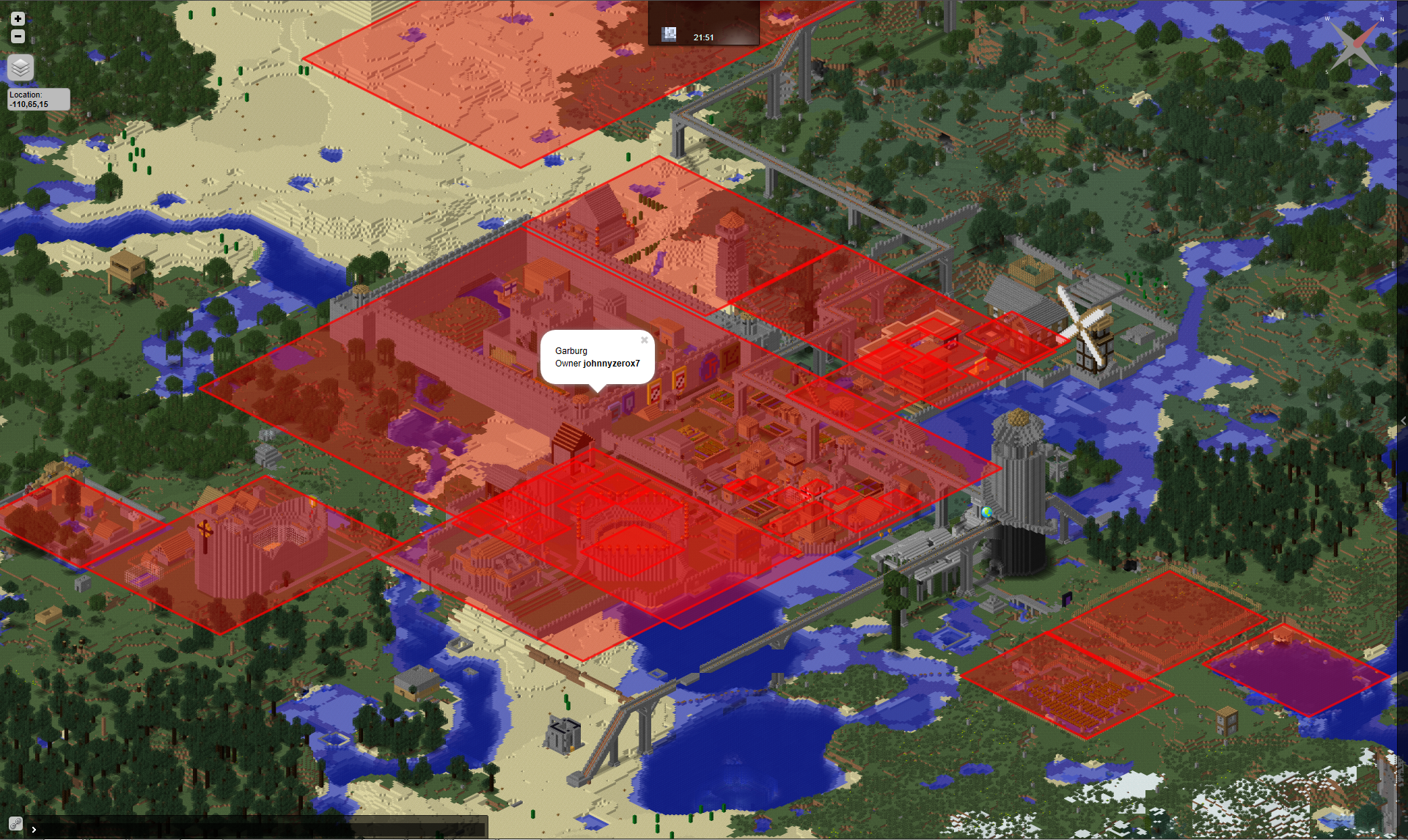
Please provide any additional information below. I uploaded to pictures. First one is two regions on flat map, second one is two regions of surface map As you can see on the surface map the regions are shifted and not at the correct positions. I hope you can help me to fix this, because i like this plugin very much and i want people to see their regions of surface map, too.
Thank you very much Regards Zippolino
<p>Two Regions on flat map</p>
<p>Two Regions on surface map</p>
The surface map is showing the correct positions of the regions. The "shifting" you're seeing is due to the "3D" effect of the surface map. The red boxes are showing the bottom of the region, which from the looks of your snapshot is probably at bedrock. I forget if it's adjustable within dynmap, but I'll make it an option in the next release to adjust what height the outline shows at.
@johnnyzerox7: Go
Sounds perfect =) Thank you
Btw could you have a look at my ticket at regios plugin about password protection?
To post a comment, please login or register a new account.