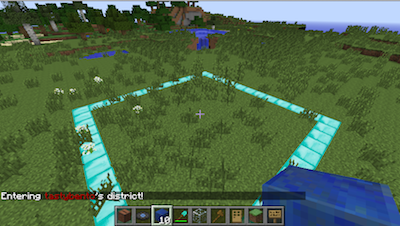
Districts V1.0
Details
-
Filenamedistricts.jar
-
Uploaded by
-
UploadedJun 14, 2015
-
Size125.99 KB
-
Downloads318
-
MD546ec372e552a7e539d4b286888c36011

Supported Bukkit Versions
- 1.8.3
Changelog
V1.0
Uses a grid manager to improve the checking speed of whether a player is in a district or not. Should be much faster with a large number of districts and concurrent players.
Upgrading
- Stop server
- Make a back up of your districts folder - very important!
- Copy this jar over the old one
- Restart - you should be done
Bugs fixed
- Districts boundaries were smaller than they should be.
- Players without advanced player permission could still see if a district was for sale or rent.
- Players could try to start a district inside another district with the hoe. They couldn't make an overlapping district, but it appeared like they could.
V0.9
Changes
- Fixed math of gold hoe claims - they were one off per side
- Improved visualizations so they stop after a distance. Prevents odd visual behavior with very large claims. There is a new config.yml setting: visualrange.
- Changed plugin so it can run without an economy.
- Added protection for world-name changes that wrecked districts
- Fixed owned-block math.
- Added some more localization - ongoing.
V0.8 Changes
- Support for V1.8 blocks and items
- Items in frames are protected from being rotated
- Added protection for V1.8 blocks and items, like armor stands and different wood type doors.
- Added some localization (still in progress)
- Added new player permission rank - districts.trustplayer. This basic player + trust commands.
- Admins can remove districts
- Various bug fixes
- Setting a district to PVP will override WorldGuard settings if WorldGuard is installed and PVP is not allowed in general.
- Max blocks option available that will limit blocks (claimed + in hand) to a global maximum, so that players cannot build indefinitely.
Upgrading
- Stop server
- Copy this file into plugins folder
- Back up Districts folder (just in case)
- Move config.yml and locale.yml elsewhere as they will be updated
- Start server
- Stop server
- Look at config.yml and locale.yml. Adjust as necessary (bring in your old settings)
- Start server
- You should be good to go!