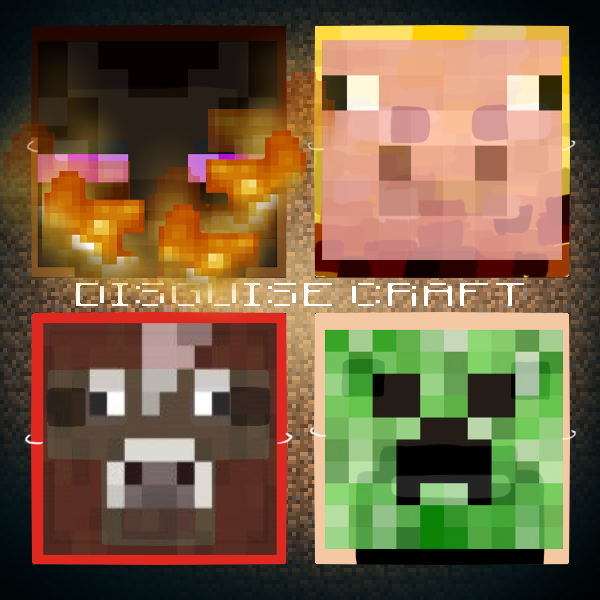
DisguiseCraft
Tired of backwards EnderDragons? Upward looking chickens? Or some of the other bugs in MobDisguise? Ready to try something brand new? With DisguiseCraft we are taking a brand new approach on mob/player disguises by taking advantage of the advanced features released in the 1.1-R4 build of CraftBukkit!
Features:
- Disguise as any mob
- This includes: babies, colored sheep, sized slimes/magmacubes, tamed/aggressive wolves with colored collars, tabby/tuxedo/siamese cats, saddled pigs, villager occupations, and charged creepers
- Also unnatural slime/magmacube sizes: bigger, massive, godzilla
- You can also set the disguise on fire and hold blocks as an Enderman
- This includes: babies, colored sheep, sized slimes/magmacubes, tamed/aggressive wolves with colored collars, tabby/tuxedo/siamese cats, saddled pigs, villager occupations, and charged creepers
- Disguise as any player, including their skin, cape, and in-chat name
- The item you are holding and arm swings are shown
- Disguise as certain objects
- This includes the vehicles: boat, minecart, poweredminecart, storageminecart
- And the blocks: endercrystal, fallingblock (different materials)
- No Spout necessary! Disguised players' names are not shown in SpoutCraft (This is because the disguised player's packets are not sent to other clients)
- No Backwards EnderDragon! No messed up chicken head!
- Permissions support (All popular permissions systems)
- Multi-world permissions are supported
- Granular player-disguise nodes
- The player list doesn't show players who are disguised in your world
- The ability to see through disguises is given with a permission node (disguisecraft.seer)
- Disguises can fool mobs too! (disguisecraft.notarget & disguisecraft.notarget.strict)
- Item-pickup can be disabled while wearing a disguise
- You can disguise or undisguise other players
- You can keep your disguise even after log out (Activate in the config)
- Utilizes the Plugin Metrics service
- All of the commands have tab completion
- Developer API to allow for plugin integration
Commands:
Legend: <required> [optional]
- /d or /dis or /disguise [mobname/materialname] - Disguise as a mob or falling block of a given material (If no mob is given, the available disguises are listed) {also gives current disguise}
- /d baby [mobname] - Disguise as a baby mob (If no mob is given, the current disguise is used)
- /d <color> [sheep/wolf] - Disguise as a colored sheep or a wolf with a colored collar
- /d charged creeper - Disguise as a charged creeper
- /d <tiny/small/big/bigger/massive/godzilla> [slime/magmacube] - Disguise as a specifically-sized slime or magmacube
- /d <tamed/aggressive> [wolf] - Disguise as a tamed or aggressive wolf
- /d <tabby/tuxedo/siamese> [ocelot] - Disguise as a tabby, tuxedo, or siamese cat
- /d <saddled> [pig] - Disguise as a saddled pig
- /d <donkey/mule/undead/skeletal> [horse] - Disguise as a horse type
- /d <librarian/priest/blacksmith/butcher/generic> [villager] - Disguise as a villager with an occupation
- /d infected [zombie] - Disguise as a villager zombie
- /d wither skeleton - Disguise as a wither skeleton
- /d hold <block name/id #> - Hold blocks as an Enderman
- /d <burning> [mobname] - Disguise as a burning form of any mob
- /d player <playername> - Disguise as a player
- /d <nopickup/np> - Disable item pickup
- /d <blocklock/bl> - Locks your disguise to the center of the block you're in
- /d <noarmor/bl> - Makes your armor not show on your disguise
- /d <send/s> <playername/*> - Send your disguise to another player (or everybody)
- /u or /undis or /undisguise [playername/*] - Undisguise yourself or another player (or everybody)
These commands can all also be run from the console. You just need to specify the player name right after the /d or /u.
Permission Nodes:
Defaulted group in parenthesis (Note: Defaults are overriden by the '*' permission)
- disguisecraft.* - Has all DisguiseCraft privileges (Nobody)
- disguisecraft.other.* - Can use any of the disguise commands affecting others (Op)
- disguisecraft.other.disguise - Can disguise other players
- disguisecraft.other.undisguise - Can undisguise other players
- disguisecraft.seer - Can see nametags through disguises (Nobody)
- disguisecraft.notarget - Is not targeted by mobs while disguised as one (Everybody)
- disguisecraft.notarget.strict - Not targeted even after attacking the mob (Op)
- disguisecraft.player.* - Can disguise as any player (Op)
- disguisecraft.player.<playername> - Can disguise as the specified player
- disguisecraft.mob.* - Can disguise as any mob (Op)
- disguisecraft.mob.<mobname> - Can disguise as the specified mob
- disguisecraft.mob.<mobname>.baby - Can disguise as baby form
- disguisecraft.mob.sheep.color.* - Can disguise as a sheep of any color
- disguisecraft.mob.creeper.charged - Can disguise as a charged creeper
- disguisecraft.mob.<slime/magmacube>.size.* - Can disguise as any size slime or magmacube
- disguisecraft.mob.wolf.<tamed/aggressive> - Can disguise as either a tamed or aggressive wolf
- disguisecraft.mob.wolf.collar.* - Can disguise as a wolf with a colored collar
- disguisecraft.mob.ocelot.cat.* - Can disguise as any type cat
- disguisecraft.mob.pig.saddled - Can disguise as a saddled pig
- disguisecraft.mob.enderman.hold - Can hold blocks as an Enderman
- disguisecraft.mob.horse.type.* - Can be any horse type
- disguisecraft.mob.villager.occupation.* - Can disguise as a villager of any occupation
- disguisecraft.mob.zombie.infected. - Can disguise as an infected zombie (zombie villager)
- disguisecraft.mob.skeleton.wither - Can disguise as a wither skeleton
- disguisecraft.object.* - Can disguise as any object
- disguisecraft.object.vehicle.* - Can disguise as any vehicle
- disguisecraft.object.vehicle.<vehiclename> - Can disguise as the specified vehicle
- disguisecraft.object.block.* - Can disguise as any block entity
- disguisecraft.object.block.<blockname> - Can disguise as a specific block entity (TNTPrimed, EnderCrystal, FallingBlock)
- disguisecraft.object.block.fallingblock.material - Can disguise as a FallingBlock of any material
- disguisecraft.object.block.<blockname> - Can disguise as a specific block entity (TNTPrimed, EnderCrystal, FallingBlock)
- disguisecraft.object.vehicle.* - Can disguise as any vehicle
- disguisecraft.burning - Can have burning disguises
- disguisecraft.nopickup - Can use the "/d nopickup" command
- disguisecraft.blocklock - Can use the "/d blocklock" command
- disguisecraft.noarmor - Can use the "/d noarmor" command
How to use:
- Put Disguisecraft and http://www.spigotmc.org/resources/protocollib.1997/ in your plugins folder
- Restart your server
- Disguise! (e.g. /disguise Creeper)
- Run around scaring your friendssssssssssssss
Video:
Useful Links
Planned or ToDo <== Put suggestion comments over here!
Development builds of this project can be acquired at the provided continuous integration server.
These builds have not been approved by the BukkitDev staff. Use them at your own risk.
Dev Builds (Jenkins) <== Contains the latest DisguiseCraft builds!
JavaDocs and Source Code
Plugins Utilizing the API:
- Mortuus Terra - A Post-Nuclear Zombie Apocalypse
- FleetingDisguises - Disguise time-limits and cool-downs
- DisguiseTester - An advanced entity metadata research tool
- MobDisguisePVPControl - Adds PVP-related disguise handling
- Be Herobrine - Makes the Herobrine disguise more intense
- SimplyVanish - The first invisibility plugin compatible with DisguiseCraft
- FactionsPlus - Undisguise upon entering territories
- CloneCover - Hide in a crowd where everybody looks alike
- CommandPoints MobDisguise Bridge - Let regular users disguise in moderation
- Armor Abilities - Use armor to disguise as a creeper and explode upon death
- Pony Pack - Enter the changelings
- PropHunt - Hide 'n Seek Revolutionized
- Infected - If you liked COD Zombies, you'll love this
- PVPPack - Your new solution to fair combat
- Dwarves vs Zombies - A DvZ plugin in the works
- Ultimate Herobrine - The legend continues
- MobHunting - Disguising is dangerous business
How to negate the disguisecraft.seer node with PermissionsEx
Or, how to make it so that you don't see the nametag of the person inside of the disguise!
- Open up your permissions.yml file
- Add the permission node "-disguisecraft.seer" to the group that is seeing the double disguises!
- Do /pex reload ingame.
Example pex file:
  admin:
    options:
      rank: '1'
    permissions:
    - -disguisecraft.seer
    - '*'
Project Page Notices: (Please Read)
- Be sure to read our Frequently Asked Questions section.
- Report errors using the ticket system and be sure that you are using this plugin with the CraftBukkit build that it supports. Any error reported in the comment area may be deleted and ignored. Also make sure to check your tickets often and report in when a build or release has fixed the issue.
- We will only release for stable CraftBukkit builds. Do not report errors when using our plugin with a build it was not listed to support. Because we need to recompile for each specific build, you will only ever see versions for CraftBukkit Dev builds in our jenkins.
Comments


-

Devil_Boy512 Owner
-

_ForgeUser8176233 Artist
-
_ForgeUser9275588 Ticket Manager
-

Tux2 Author
-
View User Profile
-
Send Message
Posted Apr 22, 2013@Dasko222
disguisecraft.burning
disguisecraft.mob.<animalname>.baby
-
View User Profile
-
Send Message
Posted Apr 22, 2013Devil_Boy for the animal node, is there one that lets you become any baby mob in one like -disguisecraft.mob.baby.* and for burning mobs im guessing its -disguisecraft.mob.burning.(mob)
-
View User Profile
-
Send Message
Posted Apr 21, 2013@MrLizardDogMan
Each baby animal has it's own node. Check the plugin.yml to find them all: https://gitorious.org/disguisecraft/disguisecraft/blobs/master/plugin.yml
disguisecraft.burning
-
View User Profile
-
Send Message
Posted Apr 21, 2013@Devil_Boy
what is the Perm node for all baby animals? and the perm node for all Burning animals?
-
View User Profile
-
Send Message
Posted Apr 21, 2013@EpicTrance
Tux is trying to figure out what is eating up all the RAM on his VPS. It'll be back up eventually, but in the meantime you can use aadnk's Jenkins: http://assets.comphenix.net/job/DisguiseCraft/
Just know that the build numbers don't exactly correlate to the ones on our Jenkins.
-
View User Profile
-
Send Message
Posted Apr 21, 2013why is dev page down?
-
View User Profile
-
Send Message
Posted Apr 21, 2013@Devil_Boy
ok thx :)
-
View User Profile
-
Send Message
Posted Apr 21, 2013@todo94
The permission node is:
disguisecraft.object.block.fallingblock.material
There is not yet a way to specify different materials.
-
View User Profile
-
Send Message
Posted Apr 21, 2013@Devil_Boy
not working i give him disguisecraft.object.block.fallingblock.tnt then to type /d tnt and it says that he have not permission to do that
-
View User Profile
-
Send Message
Posted Apr 21, 2013Also burning mobs?
-
View User Profile
-
Send Message
Posted Apr 21, 2013What is the Perm node for all baby animals?
-
View User Profile
-
Send Message
Posted Apr 21, 2013@Nikkolo94
I just need you to test DisguiseCraft on MCPC+. If it doesn't work, I'll need a support ticket with the console log of the error.
-
View User Profile
-
Send Message
Posted Apr 21, 2013you just need download this http://ci.md-5.net/job/MCPC-Plus/ and run it like craftbukkit, maybe it can help you to get disguisecraft work with mcpc :/
-
View User Profile
-
Send Message
Posted Apr 21, 2013@Nikkolo94
I don't yet have a MCPC+ test server, so I've been asking on the MCPC+ forums about whether or not DisguiseCraft works with it. I haven't yet gotten a response...
@sjoerdtim
The seer permission now works through mob nametags. It was our idea for remedying the constant influx of tickets saying "DisguiseCraft is broken because I can see the person"
-
View User Profile
-
Send Message
Posted Apr 21, 2013When using v4.6 for mc 1.5.1 i can't see players in the disguised monsters, even though i have the disguisecraft.seer permission.
-
View User Profile
-
Send Message
Posted Apr 21, 2013it is compatible with mcpc+ ?
-
View User Profile
-
Send Message
Posted Apr 21, 2013@chipy97
This is a server-side plugin. Making the third-person view show you disguised as a mob is not possible. The closest you have is "/d drop"
@Dasko222 @todo94
disguisecraft.object.block.fallingblock.material
-
View User Profile
-
Send Message
Posted Apr 20, 2013Please make it so you can see yourself disguised :o it would be great to see it,so you can test what you are a bit =/
-
View User Profile
-
Send Message
Posted Apr 20, 2013is thare 2 files needed 2 make this work? and dose this suport herobrine?
-
View User Profile
-
Send Message
Posted Apr 20, 2013hello i try to give a player permission to use /d tnt but it doesn't work. tell my how to give perm to that :)